
Does IPv6 Expose You? Detecting IP Leaks on Dual-Stack Networks
The short version: running an IPv4 proxy doesn't mean all your traffic goes through it: on a dual-stack network, IPv6 can slip past the proxy and connect straight from your local line. When a check page shows an IPv6 address, look at who owns the exit before calling it a leak. Plenty of people have run into this scene: the check page shows IPv4 already swapped for the proxy address, yet a second page that supports IPv6 reveals an address you've never seen. This article explains why it happens, how three related ideas differ, a four-step detection routine, the order to troubleshoot in once a leak is confirmed, and finally a way to verify the exit inside a MostMate environment.
Why an IPv6 Address Shows Up Even with an IPv4 Proxy
A dual-stack network means your device holds both IPv4 and IPv6 addresses and routes, and either path can reach the internet. Most broadband and mobile networks are dual-stack by default these days: the modem and router hand out an IPv4 address and, at the same time, a public IPv6. How proxies and IPv6 relate is laid out in the IPv6 standard (RFC 8200) as two independent channels; which one the proxy covers comes down to configuration.
Cases where the proxy only covers IPv4 are common:
- The proxy server only has an IPv4 address and can't reach IPv6 destinations.
- The proxy client's virtual adapter only takes over IPv4 routing, while the default IPv6 route still points at the local gateway.
- Split-tunneling rules only match IPv4 address ranges.
- Some apps ignore the system proxy and connect on their own.
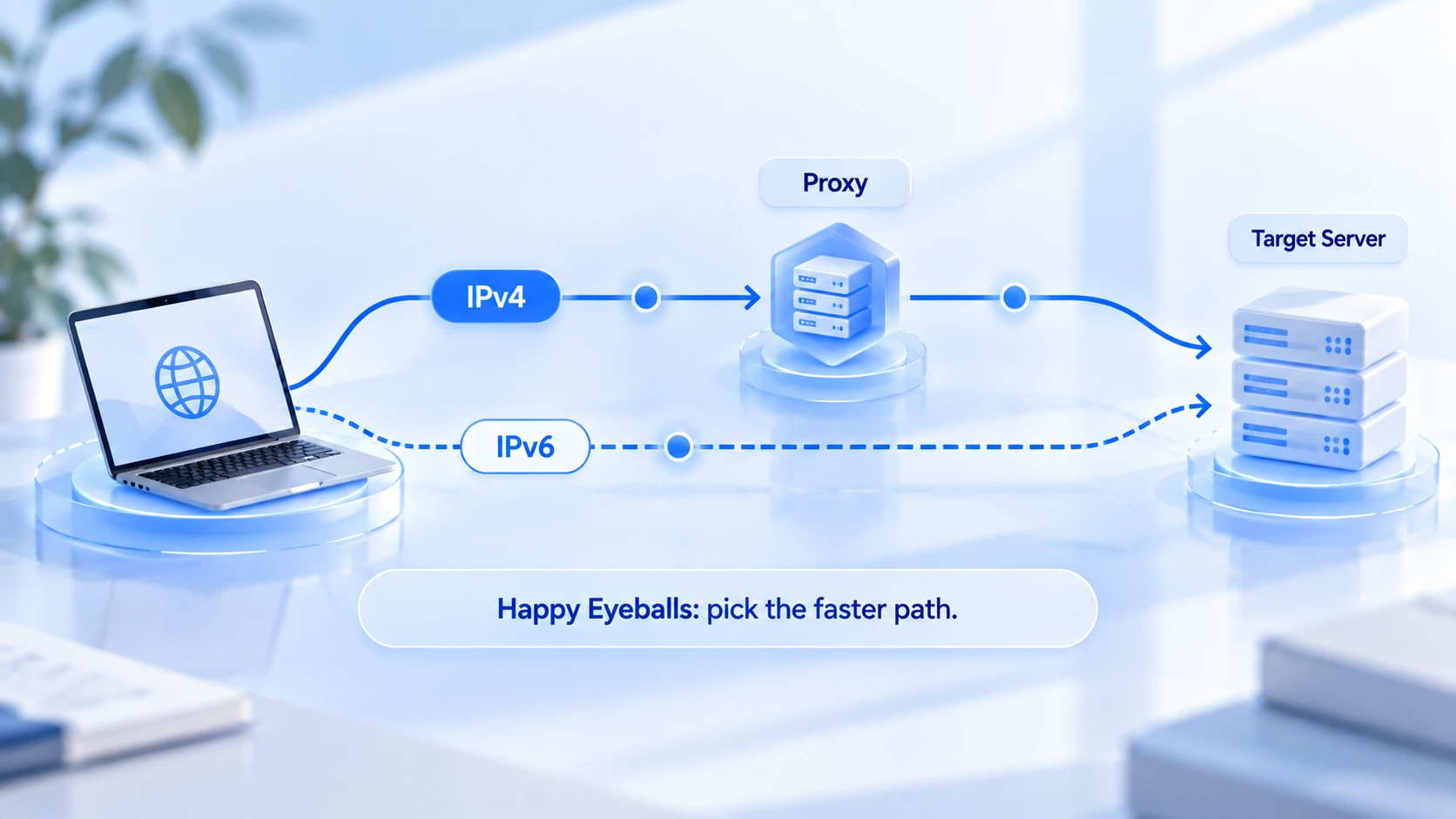
Browsers add another wrinkle called Happy Eyeballs: when a page resolves to both an A record and an AAAA record, the browser races both paths in parallel and uses whichever connects first. Within a single session, some requests may ride the proxy's IPv4 while others go out over your local IPv6, and the outcome can differ every time. One more thing worth noting: DNS returning an AAAA record only means the domain has an IPv6 address, not that the browser will actually connect over IPv6.
Does Detecting IPv6 Mean You're Leaking?
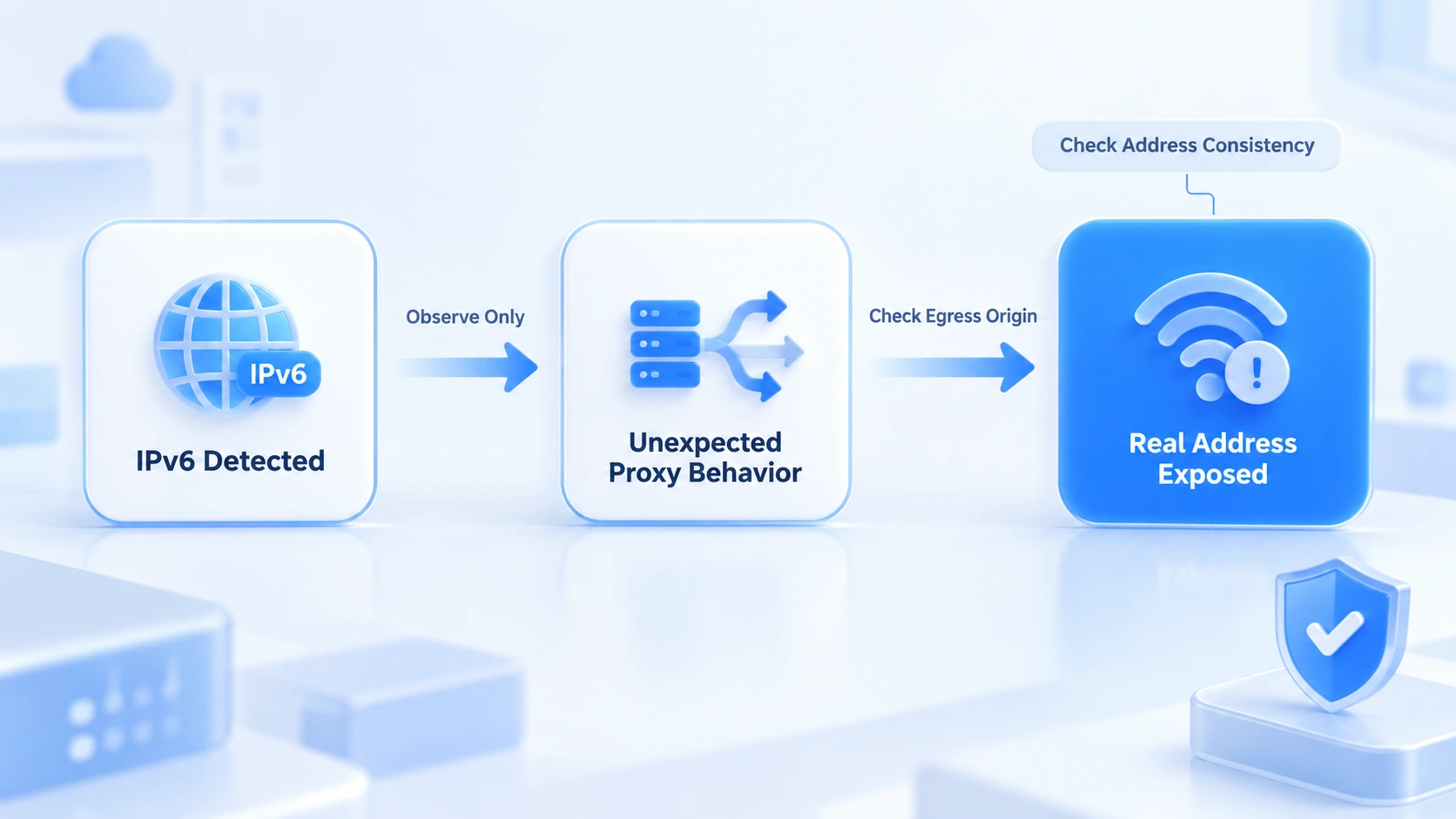
An IPv6 address showing up on a check page and your real IP being exposed are two different things, separated by one question: who owns the exit. Three ideas worth keeping apart:
- IPv6 detected: it only means this particular connection went over the IPv6 channel. On its own, that's not a problem.
- Unexpected proxy bypass: the IPv6 exit isn't an address the proxy assigned: the proxy isn't covering that channel, the bypass is real, and it needs fixing.
- Real address exposed: the IPv6 exit belongs to your local broadband ISP and its region doesn't match the proxy's location — that's a confirmed leak.
There's exactly one way to decide: compare the ISP and region behind that IPv6 address with your proxy. If they match, the proxy itself has an IPv6 exit and everything is normal; if they don't and it points to your local ISP, you have a bypass. Two details people misread: addresses starting with fe80 are link-local, valid only inside the local network, and don't count as public exposure; and a single test can be skewed by browser cache, extensions, or the check site's own logic, so never draw a conclusion from one result.
Four Steps to Detect a Bypass
What you're confirming is who owns the IPv6 exit. An address appearing on the page is nothing to panic about on its own. Follow these four steps in order:
- Check whether your machine has a public IPv6 address. Turn the proxy off and visit test-ipv6.com: a public IPv6 means a bypass is possible; only a link-local address or no IPv6 at all means there's nothing to bypass, and you can skip the rest.
- Turn the proxy on and record the IPv4 and IPv6 exits separately. On the check page, compare the ISP and region of the two addresses: IPv4 from the proxy, IPv6 from your local ISP — bypass confirmed.
- Add the DNS and WebRTC checks. Both reveal resolution paths and local network details; read them alongside the IPv6 exit and you have the full network-layer exposure picture. For a detailed walkthrough of WebRTC readings, see the Iphey trust score guide.
- Re-test after changing conditions. Switch to another proxy or another network and repeat the first two steps: whether a bypass exists depends on the network environment, so a single data point doesn't generalize.
Once a Bypass Is Confirmed, Troubleshoot in This Order
Work from the proxy side toward the system side, with a clear target at every step:
- Check the proxy's protocol coverage. Ask your provider whether the plan includes IPv6 exits and whether forwarding covers IPv6 destinations. Many proxies are IPv4-only, and that's the most common source of bypasses.
- Check IPv6 settings on the system and in the browser. Confirm whether IPv6 is enabled in the system's network settings, and whether the browser has its own proxy or secure DNS settings that bypass the proxy client.
- Pick one of three fixes as needed: move to a dual-stack-capable proxy; adjust routing at the network level so IPv6 also goes through the proxy; or restrict IPv6 once you've confirmed the business impact. Restricting IPv6 closes the bypass, but some networks and services will suffer, so test on a small scale before rolling it out widely. It isn't the default answer.
- Re-test after adjusting. Rerun the four-step check from the earlier section, confirm the IPv6 exit now matches the proxy, then go back to normal use.
Verifying Your Network Exit Inside MostMate
MostMate is an anti-detect browser; see What is MostMate for the full product picture. On the IPv6 front, its role is environment-side configuration and verification, used alongside the detection routine above:
- Proxies are managed separately and assigned per environment. Create or import a proxy in the standalone proxy list first, then assign it to an environment; after saving, use the test function to confirm the exit IP, checking the configuration source and the actual exit against each other.
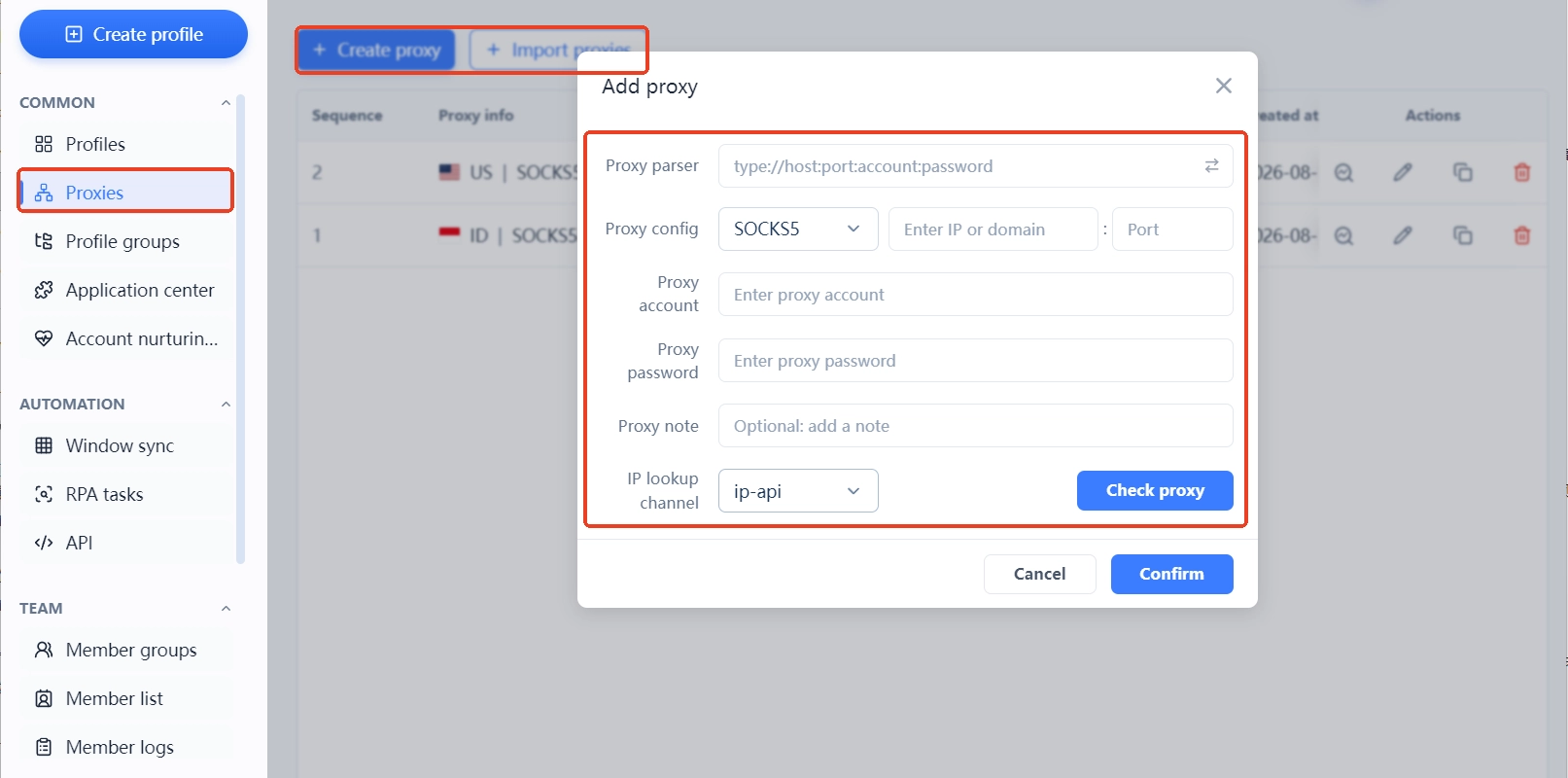
- Judge by the actual exit from inside the environment, not just the configuration. Filling in proxy settings doesn't mean traffic is actually flowing through them: open a check page inside the environment and compare the IPv4 and IPv6 rows; the real visit is what counts. The logic behind isolation is covered in full in What is environment isolation.
- Set the WebRTC mode to match. Network addresses obtained through WebRTC don't travel over the HTTP proxy channel; setting it to disabled or custom in the environment removes one path of network exposure.
- Re-verify after changing proxies or networks. Any configuration change invalidates earlier test results, so rerun the four-step check before putting the environment back to work.
One boundary should be clear: environment isolation and fingerprint configuration manage data and identity parameters; whether traffic uses IPv6 at the network layer is decided by proxy capability and system routing. If the proxy itself doesn't support IPv6, the fix belongs at the proxy or network level. Environment settings can't cover that layer. For creating and configuring environments, see How to get started with MostMate.
FAQ
If I use an IPv4 proxy, do I still need to worry about IPv6?
Yes, if your machine has a public IPv6 address. On a dual-stack network, IPv6 can bypass an IPv4-only proxy and connect directly, and whether that constitutes a bypass depends on who owns the exit. With no public IPv6, the channel doesn't exist and there's nothing to handle for now.
How do I tell whether a detected IPv6 address is the proxy's or my real one?
Check the ISP and region: if they match the proxy's exit, it's the proxy's IPv6; if it points to your local broadband ISP with a mismatched region, your machine is connecting directly.
Does disabling IPv6 solve the problem?
It closes the bypass, but it can break connectivity for some websites and services, and it does nothing about the proxy itself. Look at a dual-stack-capable proxy or adjusted routing first; if you do restrict IPv6, verify on a small scale that your work isn't affected.
Can an anti-detect browser stop IPv6 leaks?
That conclusion doesn't hold. An anti-detect browser keeps environment data and identity parameters consistent; the network-layer exit is decided by the proxy and system routing. After configuring, verify the actual exit from inside the environment with a check page, and trust the verification result.
Closing Thoughts
IPv6 leaks come down to exit ownership: first confirm whether your machine has a public IPv6 address, then compare exits to spot a bypass, and finally handle it on the proxy side and the network layer. If you run multiple accounts, download MostMate, set up your environments, and verify each environment's actual exit before putting it to work.

MOSTMATE
Secure Multi-Account Management, Made Simple
Start with your first account and use MostMate to build safer, smarter, and more efficient multi-account operations.
- Independent profiles. Consistent identities.
- AI Automation · Account Health · Team Operations



