
Shared environments, overlapping data
Store logins in the same browser environment can share cookies and browser data. Keep each workspace separate.
MOSTMATE · E-Commerce
Give every store its own browser environment. Separate fingerprints, cookies and login sessions to reduce account-linking risks and keep everyday operations organized.
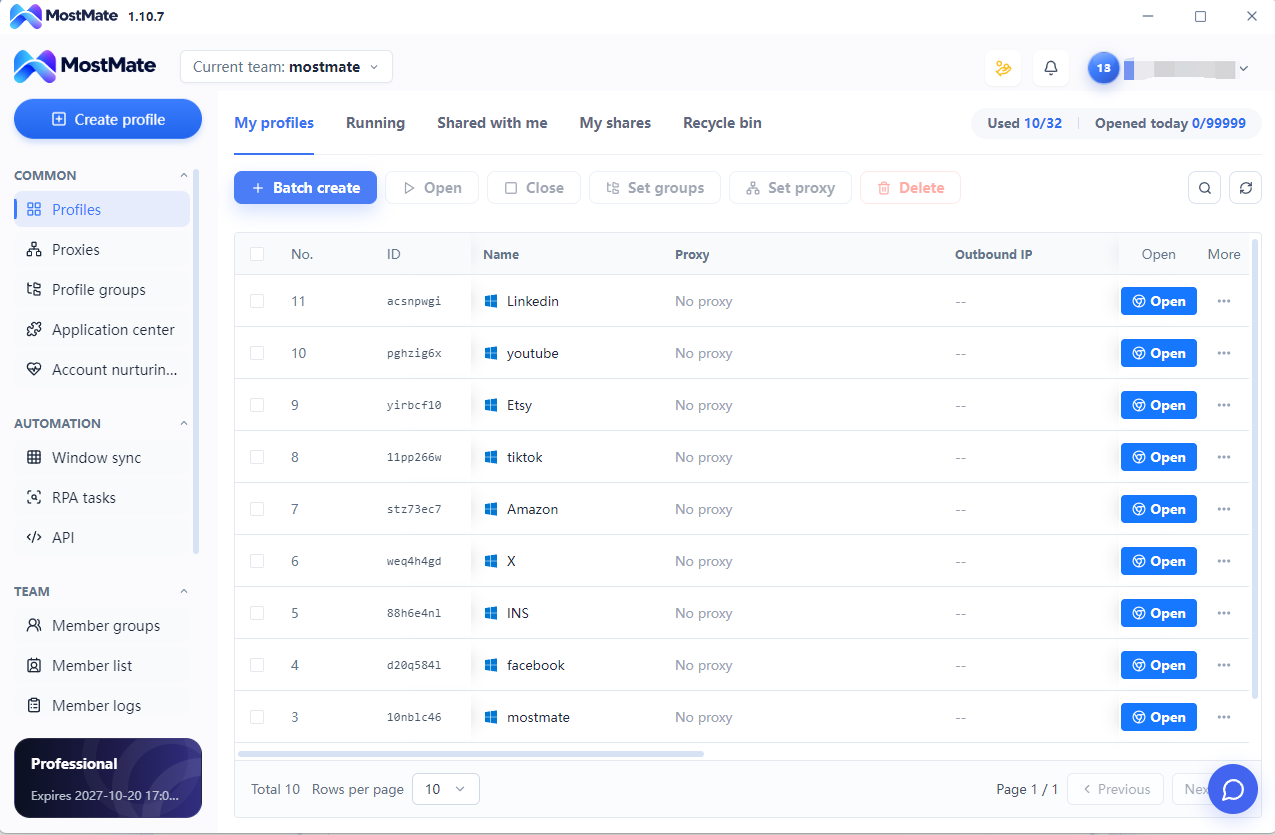
Store logins in the same browser environment can share cookies and browser data. Keep each workspace separate.
Similar tabs and repeated sign-ins make it easy to open the wrong account. Named profiles make store selection clearer.
As brands and markets grow, organize browser environments by store, project and team.
Clear environment assignments help teams coordinate access and reduce confusion when responsibilities change.
| Product | One shared browser environment | Independent profiles with MostMate |
|---|---|---|
| Browser environment | Stores use the same browser environment. | Create a dedicated profile for each store. |
| Cookies & sessions | Switching accounts can mix login contexts. | Keep cookies and login sessions separate. |
| Fingerprint & proxy settings | Stores share the environment’s configuration. | Configure supported fingerprints and proxies per profile. |
| Daily switching | Identify accounts by tabs and repeated logins. | Find and launch clearly named, grouped profiles. |
| Team organization | Coordinate account use through manual instructions. | Organize profile access with groups and team permissions. |
| Environment overlap | Shared browser data can connect account environments. | Reduce environment overlap through isolation and separate settings. |
Each profile holds its own cookies, sessions and environment settings. Configure proxies individually to keep network settings organized too.
01 / MOSTMATE
Save each store’s cookies and login sessions in its own profile. Reopen the right workspace without mixing browser data.
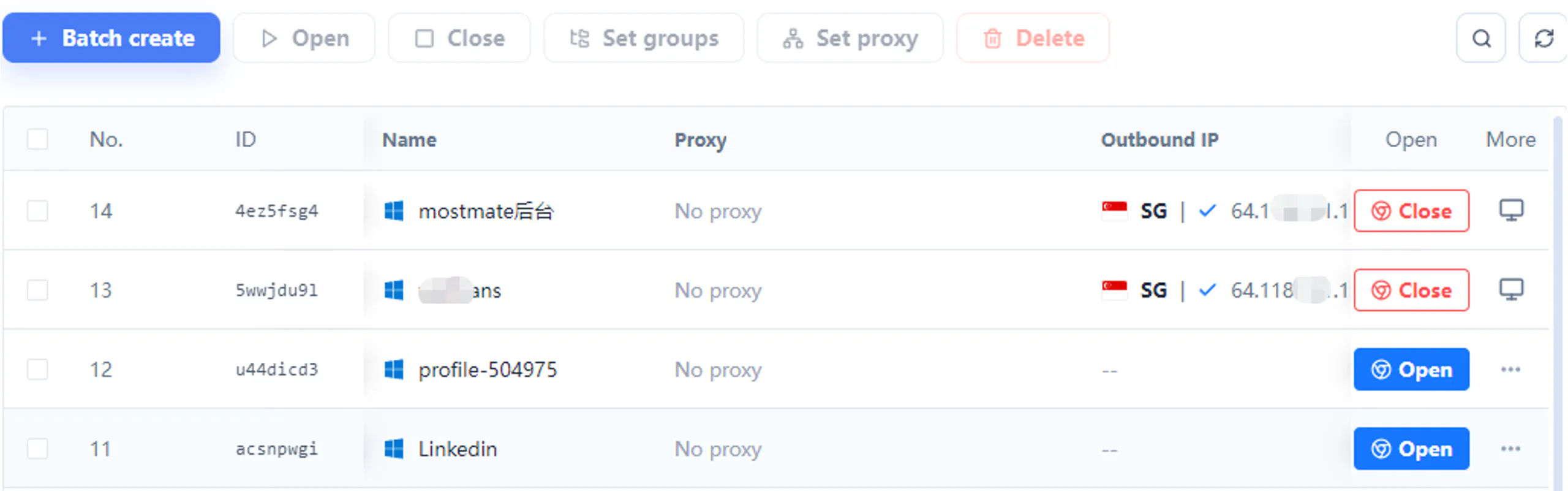
02 / MOSTMATE
Manage supported fingerprint parameters and proxy settings per profile, with a clear view of each store’s browser setup.
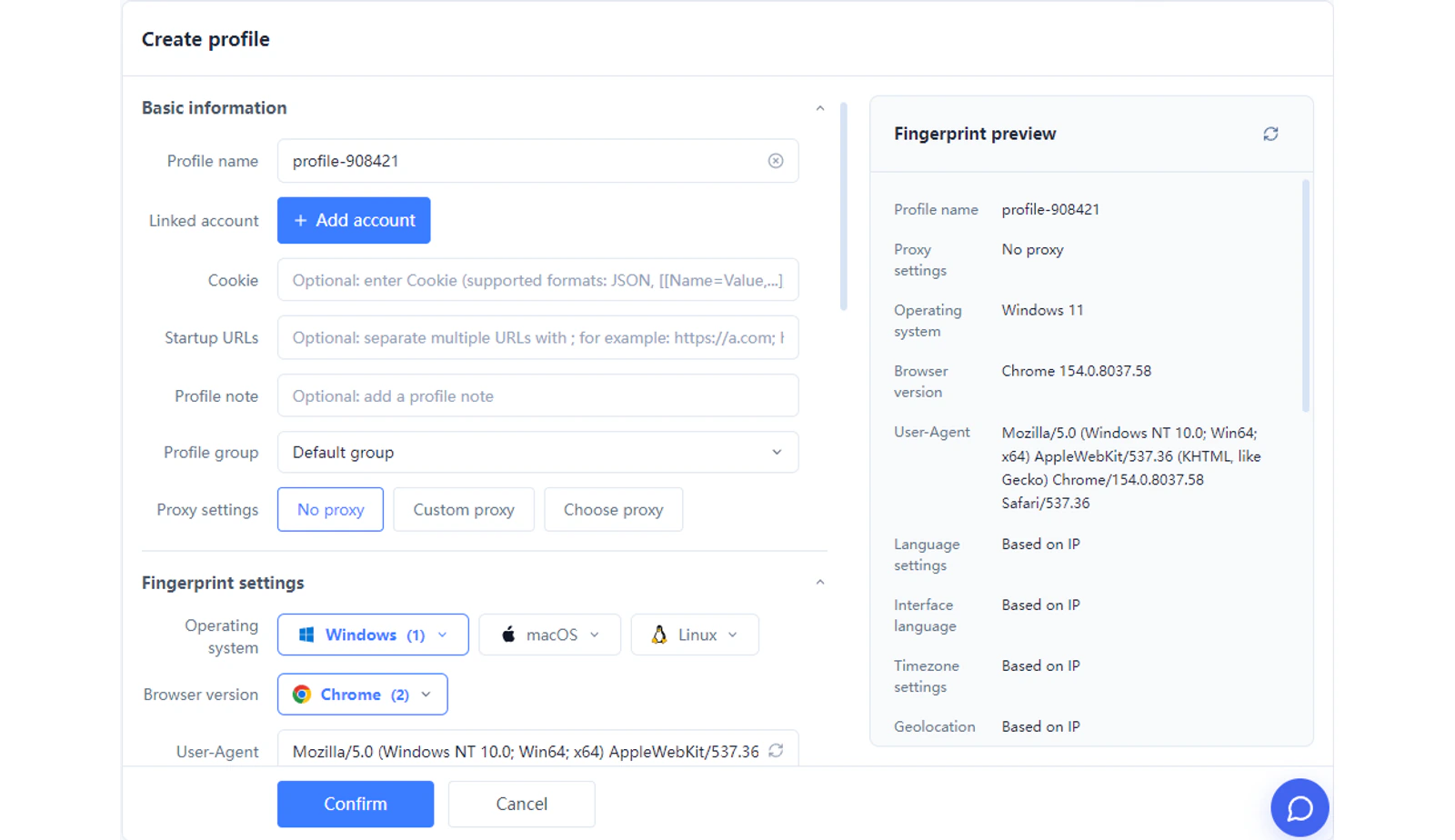
03 / MOSTMATE
Name, group, find and launch profiles centrally. Use batch actions and team permissions to simplify recurring browser administration.
Organize profiles by store and marketplace. Keep sessions separate while moving between daily seller tasks.
Give each brand and online-store project a distinct browser workspace, with recognizable names and groups.
Separate client environments and organize team access, so project handovers stay clear.
Create a profile and name it after the store or project.
Review fingerprint settings and configure a suitable proxy if needed.
Open the profile, sign in to the store and continue in its dedicated environment.
Save each store’s cookies and login sessions in its own profile. Reopen the right workspace without mixing browser data.
Manage supported browser fingerprint settings and environment configurations through one organized interface.
Create, organize, find, and launch multiple browser profiles from one workspace to simplify recurring operations.
Yes. Create a separate profile for each store and launch it from one workspace. Each profile keeps its own cookies, login sessions and supported settings.
MostMate isolates browser data and lets you configure fingerprints and proxies per profile. This reduces environment overlap; it does not make account identity or activity unrelated.
Normal browsers can offer separate user profiles. MostMate adds centralized profile management, supported fingerprint and proxy settings, batch actions and team features.
No. A separate profile does not automatically change your IP address. Configure an appropriate proxy for each profile when you need a separate network connection.
Yes. Organize environments by client or project and use the team permissions available in your plan to manage profile access.
MostMate manages browser environments and account workflows. Order processing and inventory synchronization remain in your store platform or dedicated business tools.
Profiles retain their own session data. A store can still expire a session or request verification, so you may occasionally need to sign in again.
Register, download the client and create your first store profile. Check the pricing page for current profile limits and team features.
MOSTMATE · E-Commerce
Start with independent browser environments. Bring more order to your multi-store operations with MostMate.
Loading messages…
You are viewing a previous conversation.
Enter to send · Shift + Enter for a new line
