
Accounts and Sessions Get Mixed
Switching between affiliate dashboards and promotion accounts makes it harder to keep each login in the right environment.
MOSTMATE · Affiliate Marketing
Keep affiliate accounts separate. Reduce repetitive work with batch tools and automation. Bring your channels and team into one organized browser workspace.
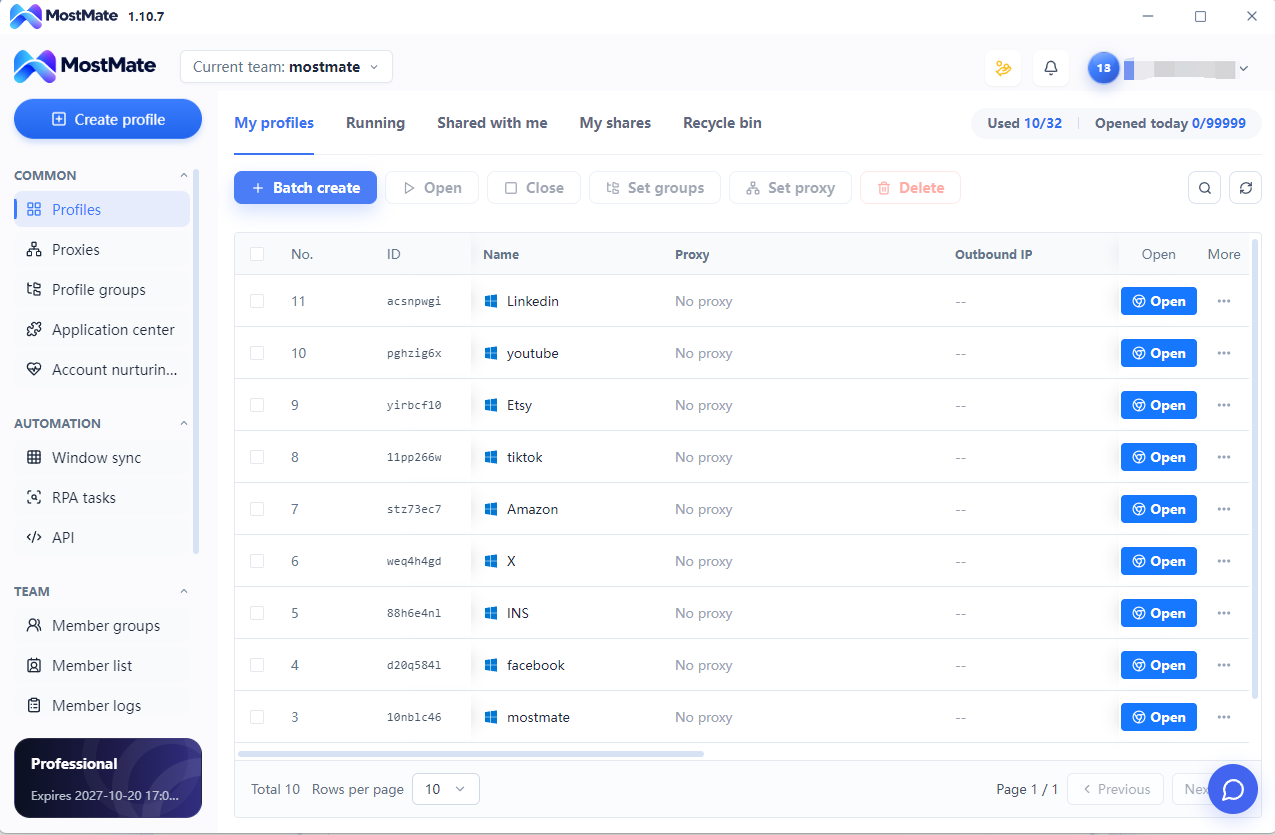
Platform names illustrate account-management use cases, not official partnerships or native integrations. Availability and permitted workflows depend on each service.
Switching between affiliate dashboards and promotion accounts makes it harder to keep each login in the right environment.
Creating profiles, selecting proxies and finding the right workspace can take attention away from campaigns.
Affiliate programs, paid ads and content channels need a clear structure as projects and markets expand.
Teams need to know which profiles belong to each client and who should access them.
Websites can compare stored sessions, browser fingerprints and network signals. Opening more windows in one profile does not separate those layers. MostMate organizes them into independent account environments.
Cookie · Session
Browser Fingerprints
Proxy
Cookie · Session
Browser Fingerprints
Proxy
Cookie · Session
Browser Fingerprints
Proxy
Each profile keeps its own cookies and local site data. Account A’s saved session does not automatically become account B’s session.
Browser version, User-Agent, Canvas and WebGL can contribute to a fingerprint. Configure supported signals per profile and review related settings together; random differences alone do not make an environment trustworthy.
Associate an appropriate proxy with each profile when a separate network exit is needed. A proxy changes the network path; it does not replace cookie isolation or fingerprint configuration.
Profile isolation reduces accidental data sharing and environment mix-ups. Platforms may also consider identity, payment information and account activity, so it cannot guarantee that accounts will never be linked or restricted.
Batch profile operations, RPA and Local API keep everyday browser work organized.
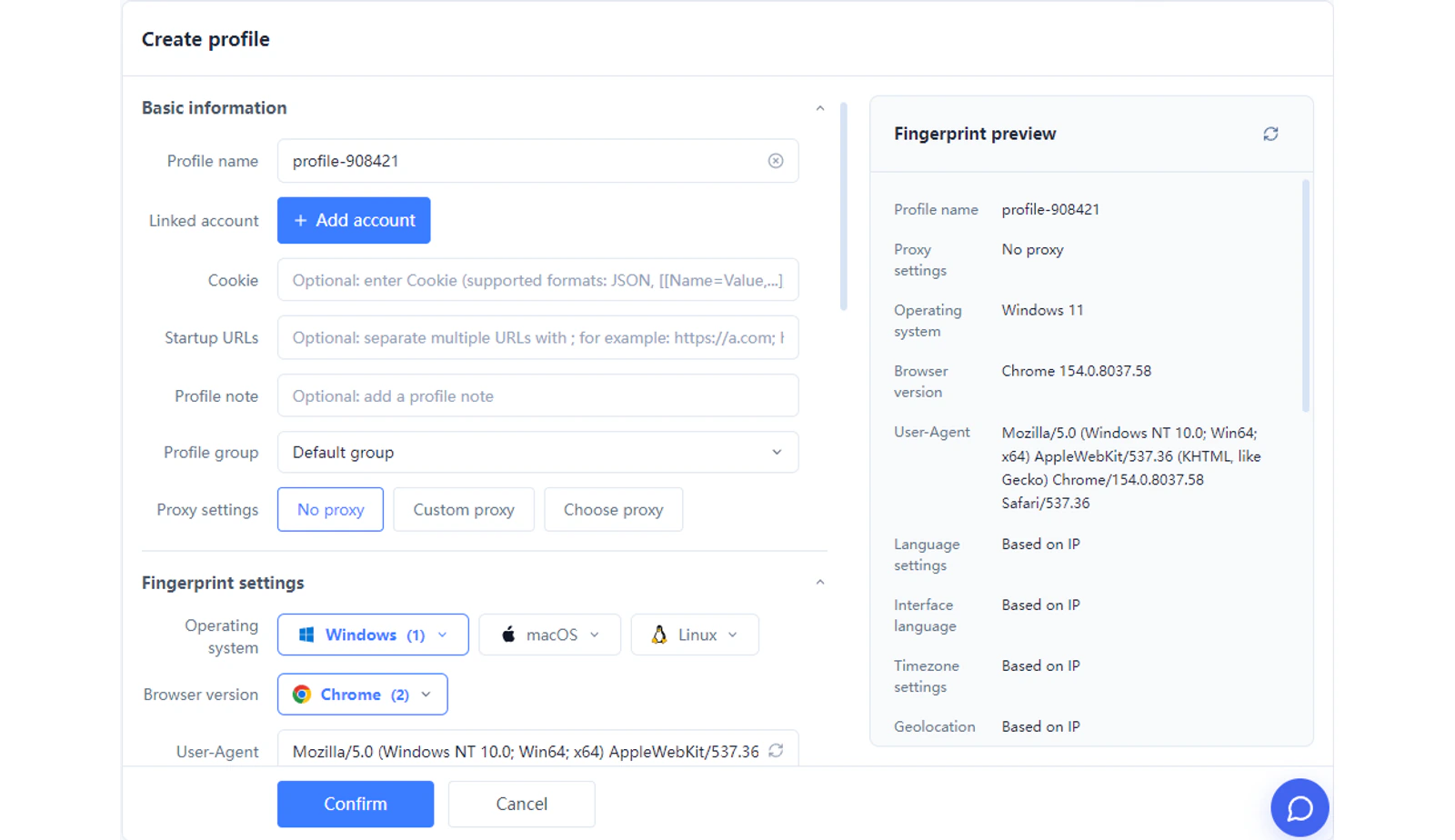
Create profiles in batches, organize groups and assign proxies with the controls available in the client.
Run configured browser tasks in selected profiles. Check the workflow and its required access before execution.
Integrate supported profile operations with your own tools. The available endpoints define what each integration can do.
Organize affiliate programs, ad accounts and content channels by client or market.
 Google Ads
 Meta Ads
 TikTok Ads
 YouTube
 Instagram
 X
MostMate organizes browser environments. Campaign performance, attribution and payouts remain in your marketing tools and affiliate platforms.
Group client profiles, manage member access and reuse the right environment as work changes hands.
Workspace
Use profile names, groups and notes to keep each client workspace recognizable.
Use member groups and authorized profile groups, and review each profile’s sharing setting before handing it over.
Keep the assigned account, profile and network configuration together so teammates can find the intended environment.
Separate browser workspaces for authorized ad accounts, markets and client campaigns.
Keep publishing accounts and affiliate dashboards organized by content brand or channel.
Group program dashboards and promotion accounts around each brand relationship.
Manage multiple client environments with clear project ownership and member access.
Create a profile and name it for the affiliate account, client or project.
Review fingerprint and proxy settings, then place the profile in the appropriate group.
Launch the profile, sign in to your authorized account and add batch or automation tools as needed.
Keep affiliate and promotion accounts in distinct workspaces.
Reduce repeated browser setup and profile operations.
Organize new channels and markets without losing project context.
Align profile access with client ownership and team responsibilities.
Build on separate cookies, sessions, fingerprints and proxy settings.
It is a browser workspace for managing separate account environments. MostMate combines profile isolation, fingerprint settings and proxy configuration with batch tools, helping affiliate marketers organize program dashboards and promotion accounts.
Create a profile for each authorized account, name it clearly and group profiles by program or client. Each profile keeps its own browser data and saved session so you can return to the intended workspace.
Yes. Use separate profiles on the same computer and review the fingerprint and network settings of each one. Profile isolation does not automatically assign a different IP or change a platform’s account eligibility rules.
MostMate keeps cookies and site data separate by profile, supports profile-specific fingerprint settings, and associates proxy settings with each environment. Together these reduce accidental sharing of browser signals. Platforms may still connect accounts through identity, payments or behavior; browser separation is not a guarantee against linking or restrictions.
The page shows examples such as Amazon Associates, ClickBank, Awin, impact.com, CJ Affiliate and PartnerStack. MostMate provides browser profiles for accessing your accounts; these examples do not imply a native integration, partnership or guaranteed compatibility with every platform feature.
Group related affiliate, advertising, social and content profiles by client, campaign or market. Keep naming consistent across channels so operators can find the correct account without mixing client environments.
MostMate offers RPA, Local API and batch profile operations for supported browser tasks. You configure the workflow and choose the profiles it uses. These tools help with operations; they do not generate legitimate clicks, conversions or affiliate revenue automatically.
Use RPA for configured repetitive browser steps and Local API for supported profile operations from your own tools. Check the current workflow actions, API endpoints and the target service’s automation requirements before running a task.
Keep authorized ad accounts in separate profiles and group them by client, campaign or region. MostMate organizes browser access; budgets, bidding and campaign reporting remain in the advertising platform.
Yes. Agencies can group client profiles, organize member access and reuse established environment configurations during handoffs. This helps keep multiple projects distinct as the team adds clients and channels.
The client includes member groups, profile groups and profile sharing access. Organize the authorized groups, review sharing settings and keep project notes with each profile. Available controls depend on the client and plan; this is not a claim of live collaborative editing.
MostMate combines separate account environments with batch operations, supported automation and team organization. It helps you spend less time finding and configuring browser workspaces and more time coordinating content, channels and campaigns.
Keep accounts separate, reduce repetitive work and organize your next channel with MostMate.
Loading messages…
You are viewing a previous conversation.
Enter to send · Shift + Enter for a new line
