
The Right Account, Every Time
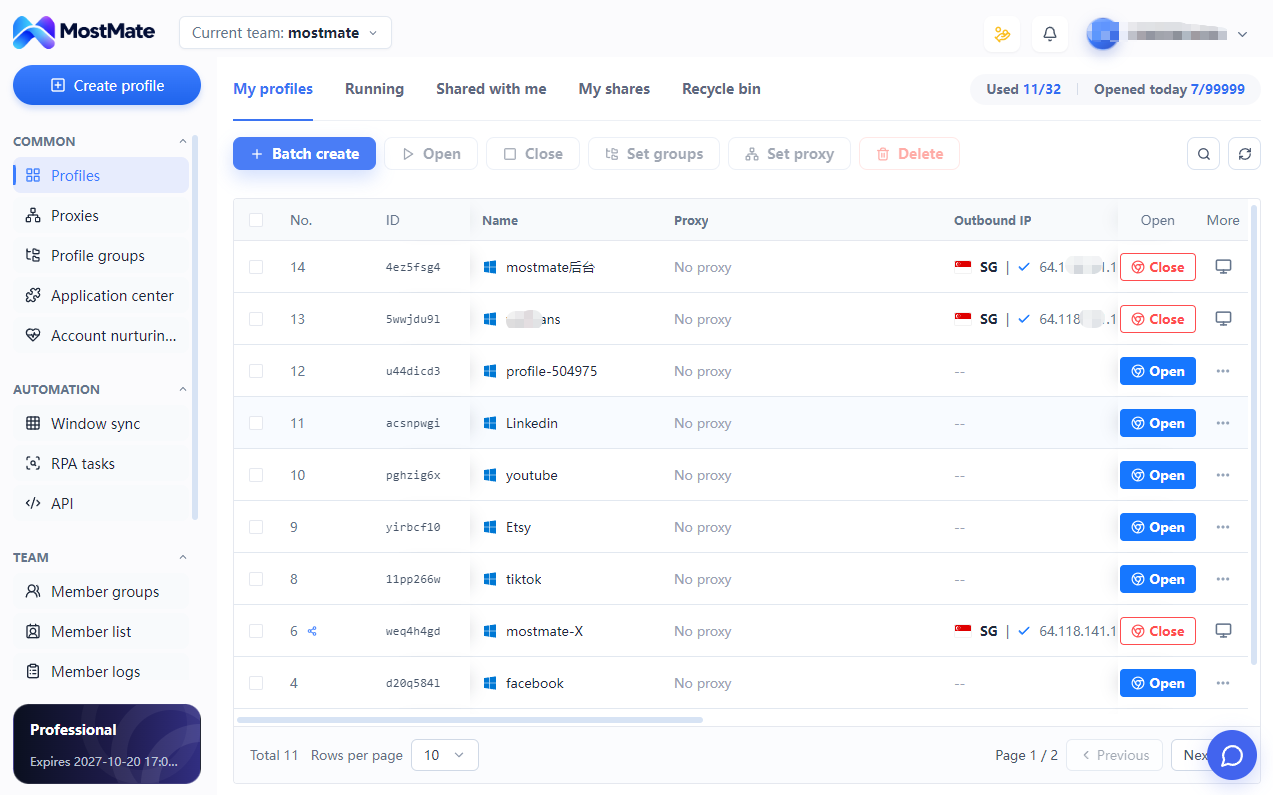
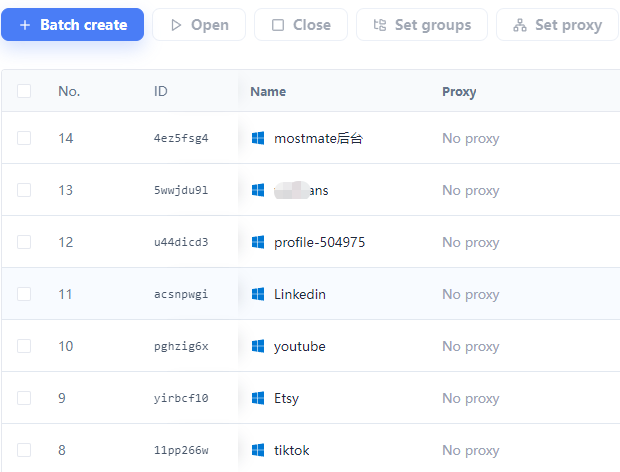
Similar tabs make it easy to open the wrong workspace. Named profiles help you identify the account before you act.
Separate Profiles and Sessions MOSTMATE · SHOPIFY SOLUTION
Separate account sessions. Organize brands and clients. MostMate brings your Shopify browser workspaces together, so your team spends less time switching and more time running stores.
LESS FRICTION
Keep accounts, settings and responsibilities clear as your store portfolio grows.
Similar tabs make it easy to open the wrong workspace. Named profiles help you identify the account before you act.
Separate Profiles and SessionsDifferent client logins need clear boundaries. Separate profiles keep local cookies, sessions and browsing data apart.
Independent browser dataKeep saved sessions and environment settings together. Reopen the workspace you need without rebuilding your setup.
Saved Sessions and Quick LaunchOrganize profiles by client or brand. Clear names, groups, and supported team access keep projects separate and handovers easier.
Profile Groups and Team AccessSECURITY BY ORGANIZATION
MostMate separates local browser data while keeping your account workspaces easy to configure, find and open.
Use dedicated browser profiles to organize cookies, sessions, and browsing data for different workflows.
Use clear profile names and groups to check the account and project before making changes.
Assign environment access using supported MostMate team permissions and keep handovers clear.
BUILT FOR DAILY OPERATIONS
Group profiles by brand or account. Reopen the right saved session for product updates, order handling and promotions, with a clear view of which project you are working on.
Keep client environments separate and arrange team access in MostMate. Store actions remain governed by Shopify user roles or collaborator permissions.
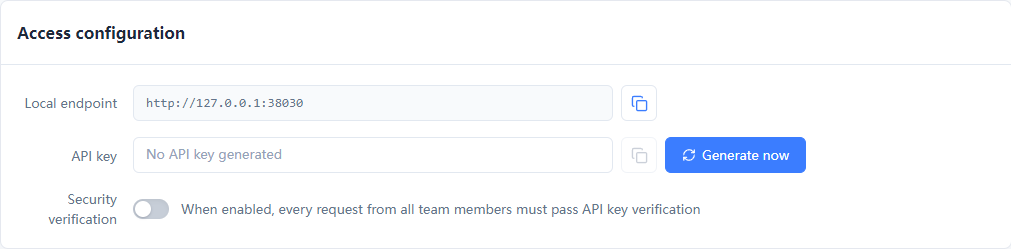
Find and launch profiles centrally, use available batch actions, and build recurring browser workflows with RPA or the Local API. Start with the tasks your team repeats most.
YOUR BUSINESS, YOUR WORKSPACE
Organize environments by account, client or project—not by a fixed one-store-one-profile rule.
MULTI-BRAND
Keep each brand’s account workspaces recognizable and easy to access.
CLIENT SERVICES
Separate client environments and simplify project handovers.
DAILY OPERATIONS
Return to the right session for routine store maintenance.
GLOBAL BUSINESS
Group account workspaces by brand, market or business project.
THREE STEPS TO GET STARTED
Name a profile for the account, client or brand you want to manage.
Set supported browser fingerprint and proxy parameters according to your actual needs.
Sign in to Shopify and return to this workspace for daily operations.
FREQUENTLY ASKED QUESTIONS
Practical answers before you start.
Shopify’s store switcher helps you move between stores available to one login. MostMate adds separate browser environments for different login identities, clients or projects, with saved sessions and centralized settings.
No. Organize profiles around login identities and business needs. Stores accessible through one Shopify account can use that account’s workspace; separate client identities can use independent profiles.
Name and group profiles by brand, client or account. Keep each workspace’s session and configuration together so the team can find the right project quickly.
Yes. Each profile stores its own cookies and session data. Reopen the matching profile to continue working. Shopify may still require a new sign-in or verification when a session expires.
Independent profiles reduce local data overlap between account workspaces. Clear names, groups and per-profile settings also help reduce wrong-account actions.
No. Configure a supported proxy when your workflow needs one. A new profile does not automatically provide a new public IP, and network requirements depend on your actual business setup.
MostMate permissions organize access to browser environments. Shopify user roles and collaborator permissions determine what each person can view or change inside a store.
Yes. Access client stores through the collaborator permissions granted by the merchant, and use MostMate to organize the browser environments for those projects.
Use MostMate’s available batch controls to open multiple profiles. The number you can run comfortably depends on your device resources and plan.
They can support configured, recurring browser tasks and profile operations. Workflows need to be set up and checked for your process; Shopify-specific automation is not automatically included.
MostMate manages browser environments. Product, order and inventory synchronization remains with Shopify or the tools you connect to it.
Register, download MostMate and create your first workspace. Choose a plan based on the profiles and team features you need; current limits are listed on the pricing page.
MOSTMATE / SHOPIFY
Separate your account environments. Bring your team’s daily work together.
Loading messages…
You are viewing a previous conversation.
Enter to send · Shift + Enter for a new line
