
01
Facebook Sessions Getting Mixed Up?
MostMate stores each Facebook workspace’s cookies and login sessions separately. Switch between brands and client projects without mixing local account data.
Separate Profiles and Sessions
 MOSTMATE · FACEBOOK ANTI-DETECT BROWSER SOLUTION
Secure Facebook team accounts with MostMate. Isolate fingerprints, cookies and sessions to reduce account-linking risks.
FACEBOOK ACCOUNT SECURITY CHALLENGES
When Facebook accounts, Pages, and client projects share a browser, sessions and settings can get mixed up. MostMate gives each account workspace its own environment.
MostMate stores each Facebook workspace’s cookies and login sessions separately. Switch between brands and client projects without mixing local account data.
Separate Profiles and Sessions
Keep browser data separate instead of sharing one profile across accounts. MostMate isolates local storage and sessions, with independently managed fingerprint settings.
Browser Isolation and Fingerprint Settings
Open the right profile with its own saved session. MostMate reduces repeated sign-ins and wrong-account actions when switching between projects.
Saved Sessions and Quick Launch
Organize profiles by client or brand. Clear names, groups, and supported team access keep projects separate and handovers easier.
Profile Groups and Team Access
MOSTMATE IN FACEBOOK WORKFLOWS
Apply MostMate’s profile isolation, fingerprint settings, and proxy management to your Facebook accounts. Keep data separate and manage every workspace from one place.
Each profile stores its own cookies, login sessions, and browsing data. Different workflows no longer share the same local browser storage.
Configure supported browser fingerprint parameters separately in MostMate. Maintain the settings each workspace needs.
Assign a supported proxy to each profile as needed. MostMate keeps network settings alongside the matching browser environment.
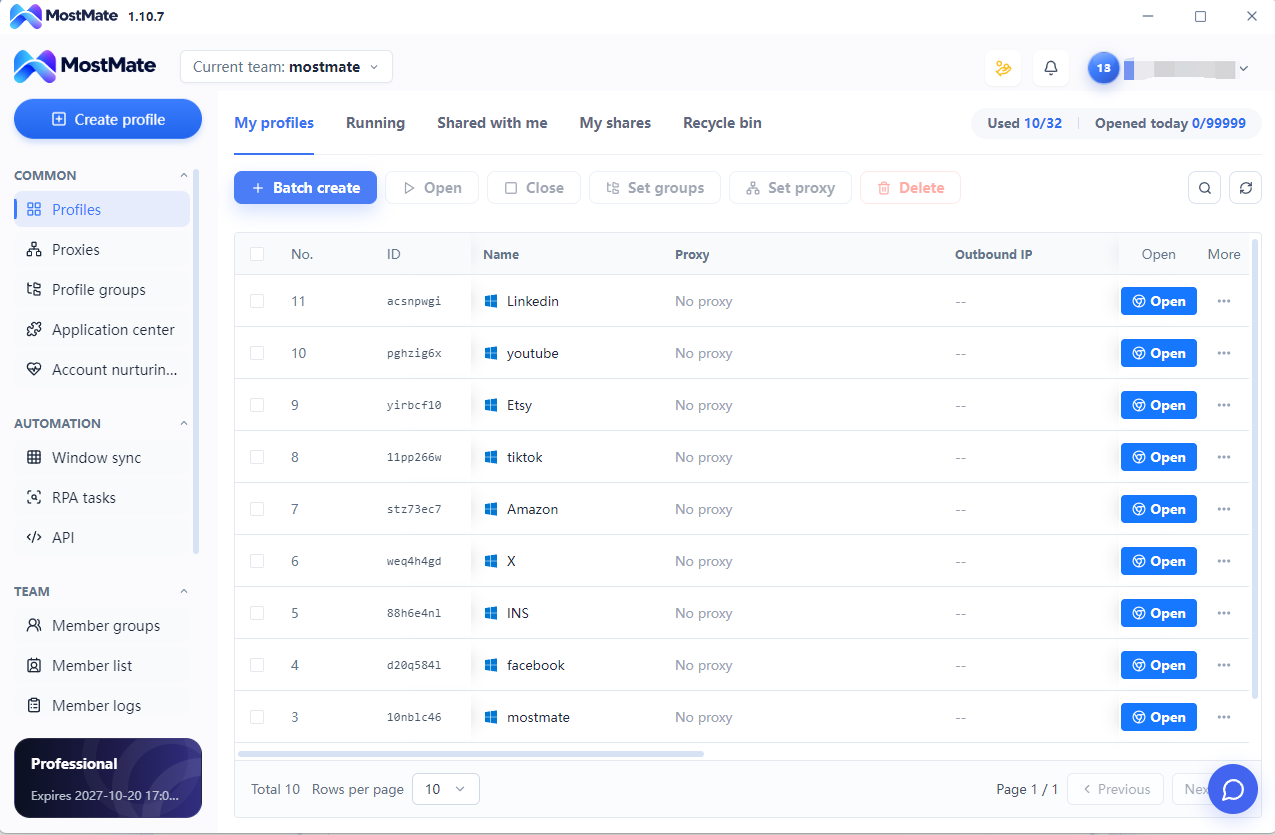
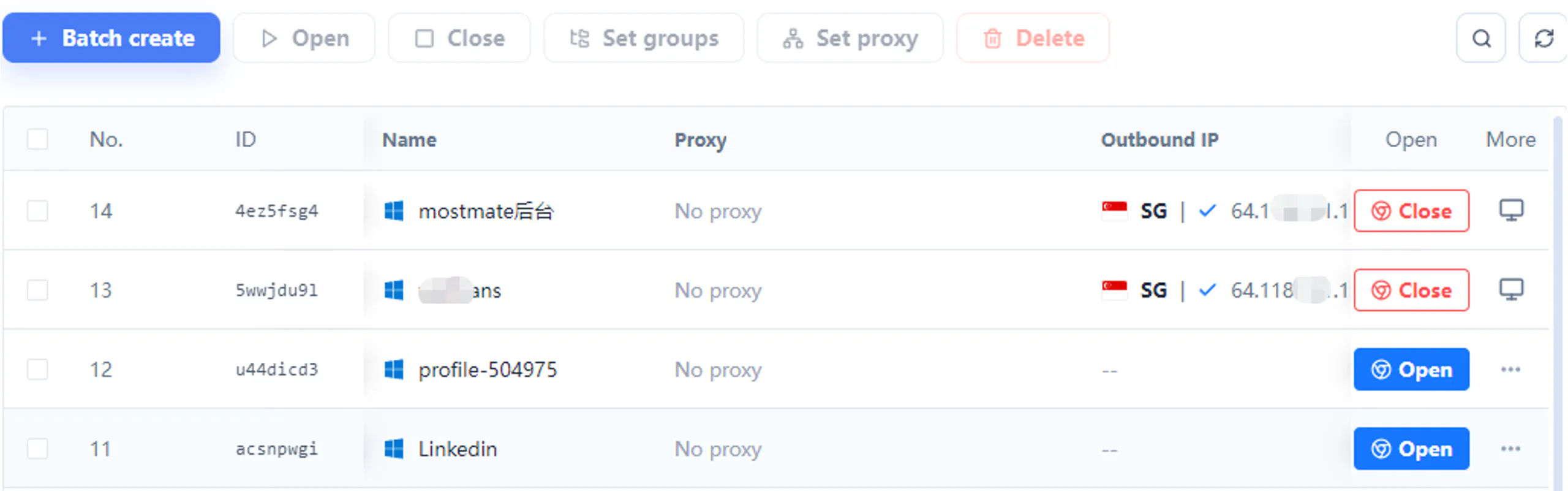
Create, name, group, and launch profiles from one place. Find the right account workspace without repeated sign-outs and sign-ins.
CORE PRODUCT CAPABILITIES
01 / MostMate
Give each Facebook account workspace separate browser data to keep brand and client environments apart.
Save each Facebook profile’s cookies and login session so you can return to the matching account workspace.
02 / MostMate
Manage fingerprint settings per Facebook profile and keep each account workspace’s configuration organized.
Assign and maintain proxy settings for each Facebook profile from the MostMate workspace.
03 / MostMate
Create and manage Facebook browser profiles in batches to reduce repetitive setup work.
Use MostMate team permissions to organize access to Facebook client environments, and RPA or API tools to streamline recurring browser tasks.
FACEBOOK USE CASES
Separate browser workspaces for your brands, Pages, advertising clients, and team projects.
Facebook Content Marketing
Keep each Facebook brand or content project in its own MostMate profile, with separate sessions and quick access to the right account.
Facebook Pages Management
Organize Facebook Page workspaces by brand or client in MostMate. Clear names and groups make the right environment easy to find.
Facebook Ads Operations
Group MostMate profiles by Facebook advertising client or project, keeping sessions and network settings separate.
Marketing Agencies and Teams
Assign access to Facebook client profiles with MostMate’s team permissions, making collaboration and handovers easier.
QUICK START
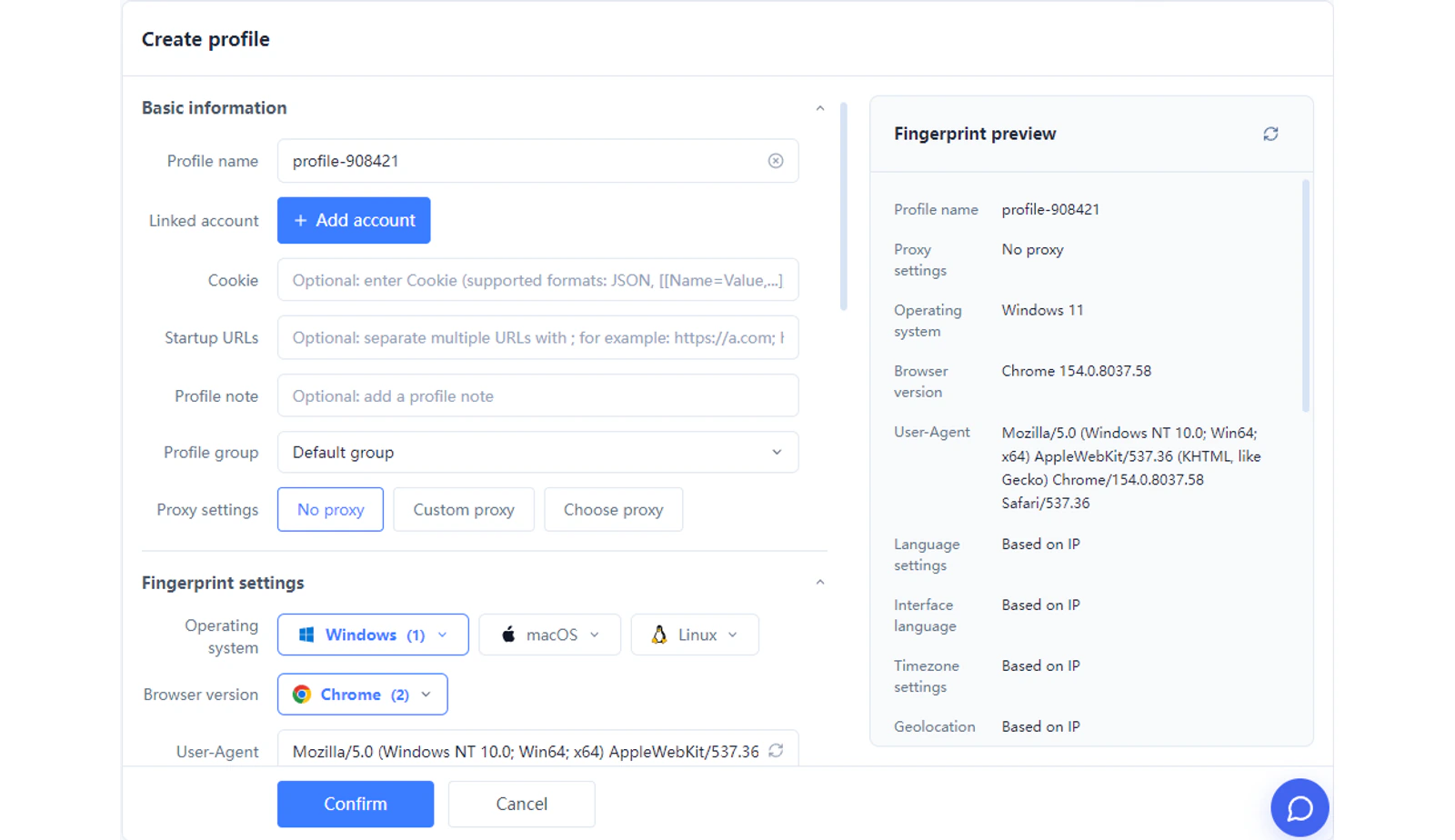
Create a MostMate profile for each Facebook account workspace and name it by brand, client, or project.
How It Works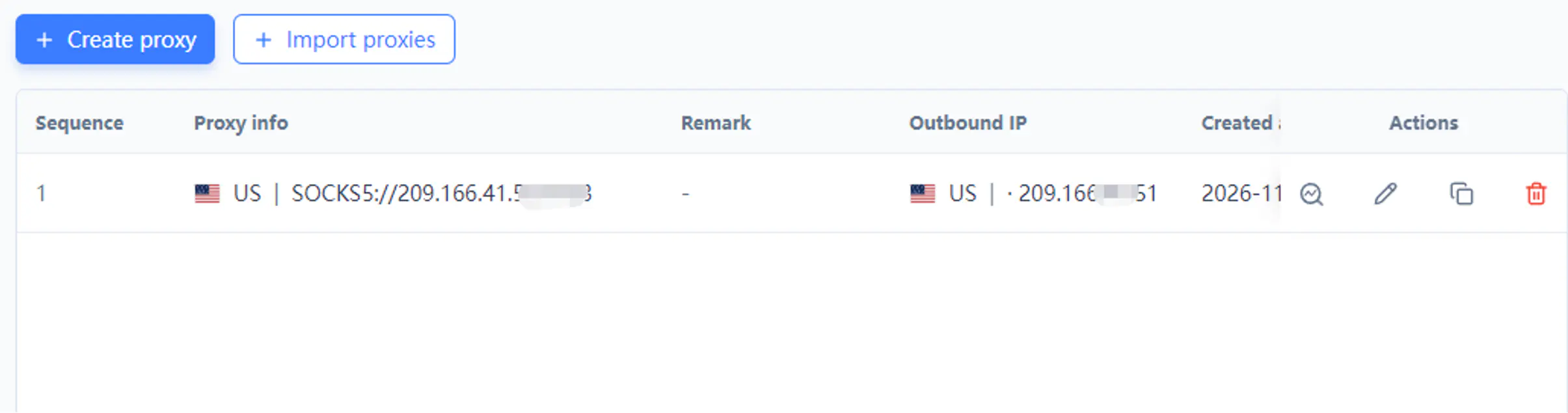
Set supported browser fingerprint and proxy parameters according to your actual needs.
How It WorksOpen the matching MostMate profile, sign in to Facebook, and return to that workspace for daily content, Page, or advertising tasks.
How It WorksACCOUNT SECURITY AND ENVIRONMENT ISOLATION
MostMate combines isolated data, organized settings, and team access to make Facebook multi-account operations safer and easier to manage.
Keep each account workspace’s cookies, sessions, and browsing data in its own MostMate profile.
Name and group profiles by brand, Page, or advertising client to reduce wrong-account actions.
Use MostMate’s team permissions to assign Facebook workspaces and organize project handovers.
For Facebook operations, MostMate brings environment isolation, fingerprint configuration, proxy management, and team workflows into one workspace.
Set Up Your Facebook WorkspaceWHY MOSTMATE
Independent environments, clear settings, and centralized management—everything your team needs to organize daily browser work.
Independent browser environments.
Flexible fingerprint configuration.
Centralized management of multiple profiles.
Supported proxy configuration.
Available bulk operations and automation.
A clear, accessible client interface.
FREQUENTLY ASKED QUESTIONS
How to use MostMate for Facebook account isolation, session management, proxies, and team workflows.
MostMate gives each Facebook account workspace an independent browser profile, with separate cookies, login sessions, and local data.
Manage fingerprint settings, proxies, groups, and team access from one place to keep Facebook content, Page, and advertising work organized.
Yes. Create a separate MostMate profile for each Facebook account workspace. Each profile stores its own cookies, sessions, and local browser data.
Manage fingerprints and proxies per profile, keeping account environments separate while working from one computer.
Create 10 independent MostMate profiles and name them by Facebook account, client, or project. Configure fingerprints and proxies, then launch the profiles you need from the workspace.
Each profile keeps its own account data and session, so switching accounts does not require clearing another profile’s data.
MostMate separates cookies, login sessions, and browser data, with fingerprint and proxy settings managed per profile. This reduces risks from sharing one browser environment across Facebook accounts.
Clear profile names and groups also help your team open the right workspace and reduce wrong-account actions.
MostMate reduces shared-environment linking risks through profile isolation. Each Facebook workspace has separate local data and sessions, with independently managed fingerprint and proxy settings.
Accounts no longer share the same local browser storage, and each workspace’s settings stay organized in its own profile.
MostMate saves cookies and login session data separately in each Facebook profile. Reopen the matching profile to return to the same browser workspace.
This keeps account sessions organized and reduces repeated switching between unrelated browser environments.
MostMate combines independent Facebook browser environments with centralized management: per-profile fingerprint and proxy settings, groups, batch operations, and team access.
You can manage multiple brands, Pages, and advertising workspaces from one interface, with less repetitive setup and switching.
Yes. Assign a proxy to each Facebook profile in MostMate and maintain its network configuration alongside its fingerprint settings.
This keeps network settings matched to the right account workspace and makes managing multiple environments easier.
Name and group MostMate profiles by Facebook brand, client, or advertising project. Keep each workspace’s session and settings in its own profile.
Use the profile list to find and launch the right environment quickly, with clear organization for team handovers.
Yes. Use MostMate profiles to separate Facebook brands and content projects, with independent sessions and browser settings for each workspace.
Group profiles by brand or content team to make daily access, switching, and collaboration easier.
Yes. MostMate provides separate browser workspaces for Facebook Pages and Ads accounts. Organize them by brand, advertising project, or client, with their own sessions and settings.
Launch the matching profile to work on the right Page or advertising account, keeping different projects organized.
MostMate brings Facebook account isolation, client profile groups, team access, and batch operations into one workspace. RPA and API tools help streamline recurring browser tasks.
Your team spends less time switching environments and handing over settings, and more time on Facebook content, Pages, and advertising work.
MOSTMATE RESOURCES
MOSTMATE
Separate account environments, reduce shared-data linking risks, and organize Facebook content, Pages, and advertising work from one place.
Loading messages…
You are viewing a previous conversation.
Enter to send · Shift + Enter for a new line
