MOSTMATE · TIKTOK

Manage Multiple TikTok Accounts — More Securely, More Clearly

Use MostMate to separate browser environments, cookies and sessions for your TikTok accounts. Keep configurations organized and reduce account-switching mistakes across brands and client projects.

Secure Multi-Account ManagementIsolated Browser ProfilesReduced Environment Overlap
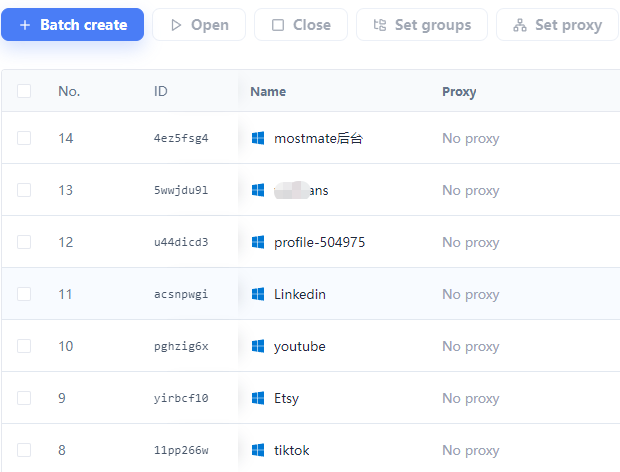
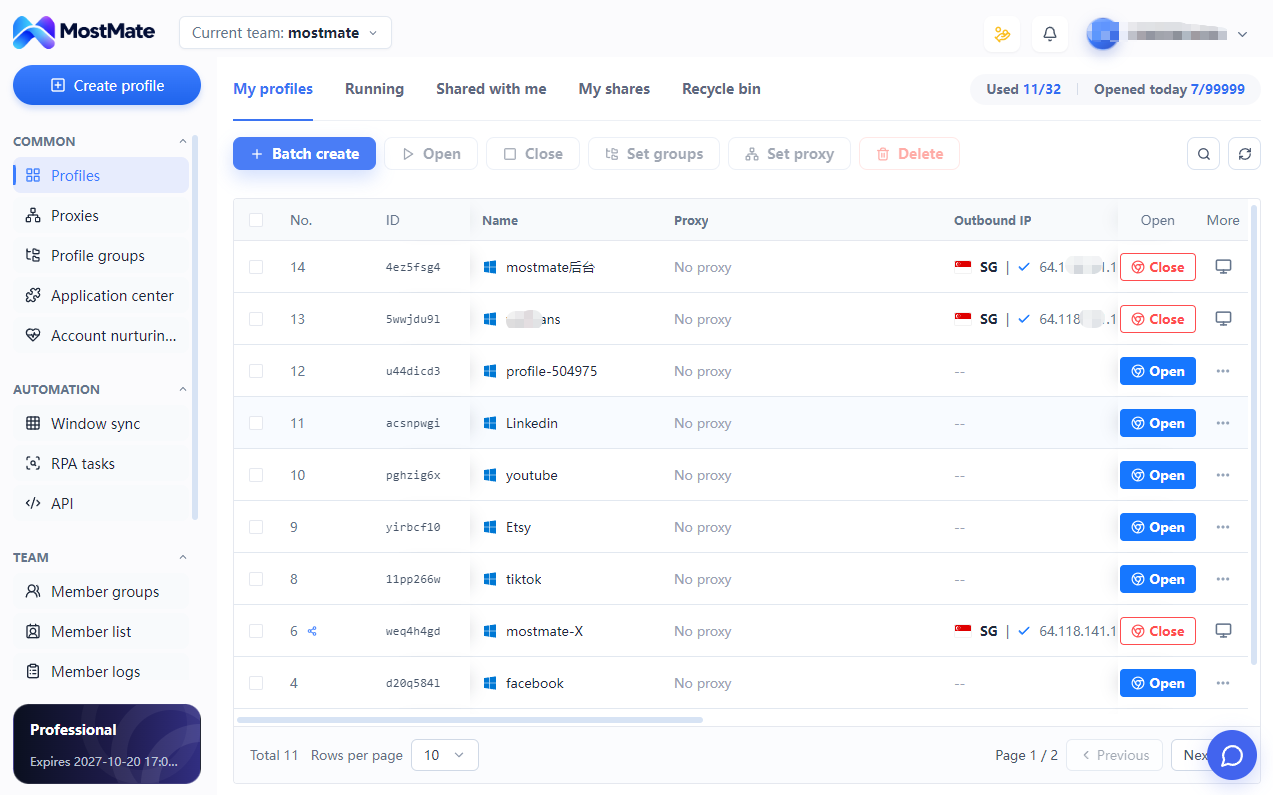
MostMate profile list with groups, proxy settings, and controls to open separate browser environments
Isolated Browser Profiles

TikTok ACCOUNT CHALLENGES

TikTok Account Restrictions, Linking Concerns, and Multi-Account Challenges

Login verification, account restrictions, shared browser data, and frequent account switching can interrupt TikTok work. MostMate helps keep browser environments separate to reduce session confusion and account-selection mistakes.

Why Are My TikTok Accounts Getting Restricted?

TikTok restrictions may involve platform policies, account activity, verification, or security concerns. MostMate helps organize separate browser profiles and reduce session-management mistakes, but it cannot prevent platform enforcement.

Account restrictions and verification
Can TikTok Accounts Be Linked Through Shared Browser Environments?

Shared browser profiles can mix cookies, sessions, and browsing data across workflows. MostMate helps keep browser environments separate, but it cannot guarantee that TikTok cannot identify relationships between accounts.

Separate profiles and browser data

How Can I Manage Multiple TikTok Accounts on One Computer?

Switching between multiple TikTok accounts can lead to session confusion and account-selection mistakes. MostMate helps organize dedicated browser profiles and makes it easier to launch the correct workspace.

Clear account switching

Agency and client projects

Keep each client's browser data in a dedicated workspace. Use recognizable names and groups to make account selection and team handoffs clearer.

MARKETING AGENCIES

SEPARATE TikTok WORKSPACES

Keep TikTok Browser Environments Separate with MostMate

MostMate combines independent browser profiles, configurable fingerprint settings, and organized session management to help you maintain distinct TikTok browser workspaces.

MostMateIsolated Browser Profiles

Keep Browser Sessions Separate

Use dedicated browser profiles to organize cookies, sessions, and browsing data for different workflows.

Reduce Account-Switching Mistakes

Switching between multiple TikTok accounts can lead to session confusion, accidental actions, and mistakes across brand or creator projects. MostMate helps you organize dedicated browser profiles so you can easily identify and open the correct workspace.

Understand TikTok Account Restrictions

TikTok account restrictions can involve platform policies, identity verification, account activity, or security concerns. If your account is restricted or disabled, review TikTok's official notices and follow the available verification or appeal process. MostMate cannot restore disabled accounts or bypass platform restrictions.

INSIDE MOSTMATE

Manage TikTok Browser Profiles More Efficiently

Isolated Browser Sessions

Organize cookies, browsing data, and login sessions in separate profiles for different authorized TikTok workflows.

Independent Browser ProfilesSeparate Cookies and Login Sessions
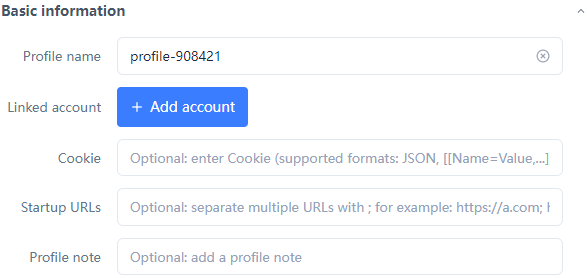
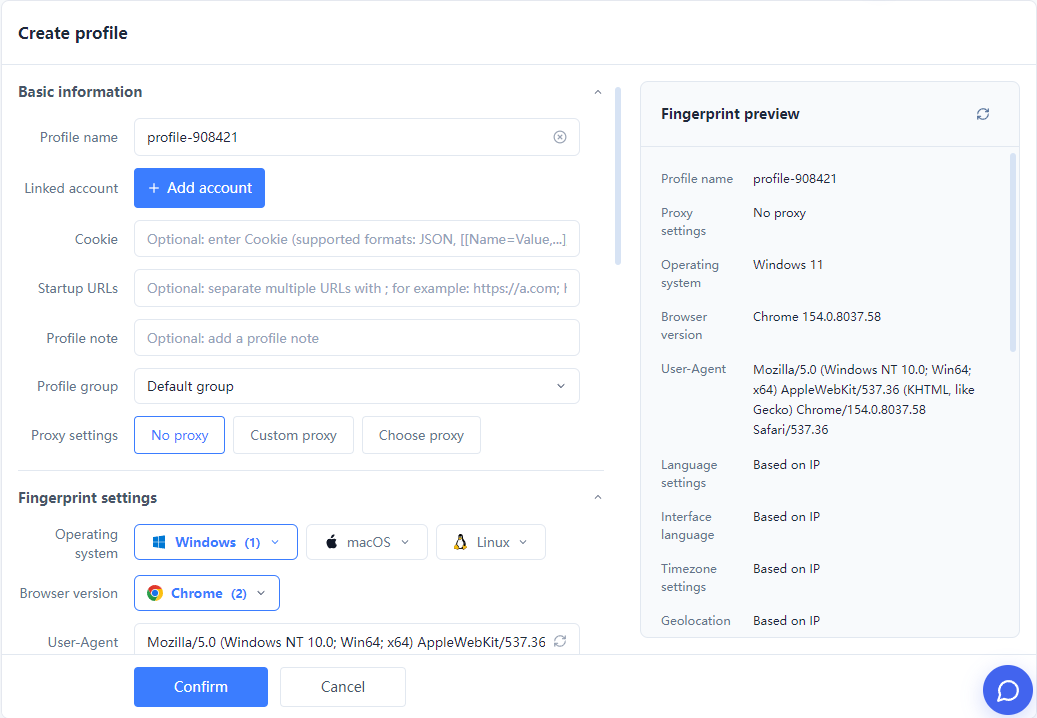
MostMate profile configuration with browser fingerprint settings and an environment preview

Fingerprint and Proxy Configuration

Manage supported fingerprint and proxy settings for each browser profile through MostMate.

Flexible Fingerprint ConfigurationProxy and Profile Management
MostMate profile configuration with browser fingerprint settings and an environment preview

Centralized Multi-Profile Management

Create, name, organize, and launch browser profiles from one workspace to simplify daily operations.

MostMate profile list with groups, proxy settings, and controls to open separate browser environments

TikTok WORKFLOWS

Built for your TikTok business

Keep each authorized account and content project in its own browser workspace, with profile names and groups that match your team’s work.

CONTENT MATRIX

Content matrices and brand accounts

Group account environments by brand or content project. Check the active account before managing videos or replying, keeping personal and brand sessions separate.

MARKETING AGENCIES

Agency and client projects

Keep each client's browser data in a dedicated workspace. Use recognizable names and groups to make account selection and team handoffs clearer.

TIKTOK SHOP

TikTok Shop workspaces

Organize the browser environments used to access authorized shop backends. Keep store sessions clearly identified; store eligibility and operations remain within TikTok Shop.

TIKTOK ADS

TikTok Ads projects

Separate browser workspaces by advertising project and check the selected account before making changes. Campaign setup, billing and reporting remain in TikTok Ads.

THREE STEPS TO GET STARTED

Set Up Your TikTok Browser Workflows in Three Steps

  1. 01

    Create a Browser Profile

    Create a dedicated browser profile for an authorized TikTok-related workflow.

  2. 02

    Configure Your Environment

    Review supported fingerprint and proxy settings, then configure the browser profile for your needs.

  3. 03

    Launch and Manage Your Workflow

    Open the selected browser profile and manage your authorized TikTok workflow from MostMate.

FREQUENTLY ASKED QUESTIONS

Frequently Asked Questions About TikTok Anti-Detect Browsers

Find answers to common questions about TikTok account restrictions, account linking, browser isolation, and how MostMate helps manage multiple TikTok workflows.

Why are my TikTok accounts getting restricted or disabled?

TikTok accounts may be restricted or disabled for reasons including policy violations, identity verification, suspicious activity, or other security concerns. If multiple accounts are affected, check TikTok's official notices to understand the specific reasons. MostMate helps organize separate browser profiles and reduce session-management mistakes, but it cannot prevent platform enforcement.

Can TikTok link multiple accounts used on the same computer?

TikTok may use account information, device signals, activity patterns, and other factors to identify relationships between accounts. MostMate helps keep browser profiles, cookies, and login sessions separate for different workflows, reducing local browser-data overlap. However, it cannot guarantee that TikTok will not identify relationships between accounts.

How can I manage 10 TikTok accounts on one computer?

MostMate lets you organize multiple browser profiles from one computer, with separate sessions and supported environment settings for different authorized workflows. You can name and organize profiles to make account management easier. The number of profiles you can run depends on your device resources and MostMate's actual capabilities. Always follow TikTok's account policies.

Can MostMate prevent my TikTok accounts from being banned?

MostMate helps separate browser environments and reduce management mistakes such as mixed sessions or accidental account switching. However, TikTok account restrictions may depend on platform policies, account activity, identity verification, and other factors. No browser can guarantee that accounts will never be restricted or banned.

Can MostMate help reduce TikTok account-linking risks?

MostMate creates separate browser profiles with independently managed cookies, sessions, and supported fingerprint settings. This helps reduce browser-environment overlap between different workflows. TikTok may still identify account relationships using other signals, so MostMate cannot guarantee that accounts will never be linked.

Why does TikTok keep asking me to verify my account?

TikTok may request verification because of unfamiliar logins, account-security concerns, identity checks, or other protective measures. MostMate helps keep browser sessions and profile settings organized, but it does not bypass verification or guarantee that security checks will not appear. Follow TikTok's official instructions when verification is required.

How is MostMate different from a regular browser for TikTok account management?

Regular browsers can also support separate user profiles, but MostMate focuses on managing multiple browser environments through a dedicated workspace. It provides organized profiles, separate sessions, and supported fingerprint and proxy configuration options, helping users manage recurring TikTok workflows more efficiently.

Can I configure different proxies for different TikTok browser profiles?

If supported by your MostMate version and configuration, you can assign proxy settings to individual browser profiles and manage them alongside fingerprint and session settings. Proxies provide network configuration options, but they do not guarantee anonymity or prevent TikTok account restrictions.

Can MostMate recover a disabled TikTok account?

No. MostMate cannot restore or unlock a disabled TikTok account. If your account is restricted or disabled, check TikTok's official notices and follow the available verification or appeal process. Once authorized access is restored, MostMate can help you organize your browser workflows more clearly.

Does MostMate automatically publish videos, like or comment?

This solution manages browser environments. It does not include a verified TikTok publishing or engagement workflow. Use supported content tools for those tasks; browser isolation does not guarantee views or growth.

Can I use it for TikTok Shop and TikTok Ads?

Use profiles to organize browser sessions for authorized web backends. Check compatibility with your actual workflow first. MostMate does not replace shop or ad permissions, grant eligibility or manage campaigns for you.

Why should I choose MostMate for TikTok multi-account management?

MostMate combines separate browser profiles, organized sessions, configurable fingerprint settings, and supported management tools in one workspace. It helps brands, creators, and marketing teams reduce browser-session mix-ups and simplify recurring account-management tasks. MostMate is designed for browser-environment management, not to bypass TikTok's policies or guarantee protection from account restrictions.

MOSTMATE / TIKTOK

Start managing TikTok accounts more securely

Create your first independent environment, keep sessions separate and bring your account projects into one organized workspace.