
Shared Signals, Unclear Boundaries
Different accounts in one environment can share browser data and identity signals. More windows do not create separate environments.
MOSTMATE · Multi-Account Management
Give every account its own browser environment with MostMate. Separate cookies and sessions, manage fingerprints and proxies, and run daily operations from one organized workspace.
Comparison: multiple windows or repeated account switching within the same standard browser profile.
| Capability | One Shared Browser Profile | MostMate |
|---|---|---|
| Cookies & sessions | Cookies and login sessions are shared within the profile. | Cookies and sessions kept in separate profiles |
| Browser Fingerprints | Windows generally use the same browser environment. | Managed per profile |
| Proxy | Proxy setup usually needs additional configuration. | Managed per profile |
| Browser Profiles | Frequent switching makes accounts harder to distinguish. | Centralized Multi-Profile Management |
| Batch operations | Batch workflows rely on extra tools or scripts. | Batch create, launch, close and group profiles |
| Team collaboration | Team handoffs need additional coordination tools. | Assign Profiles and Permissions |
Different accounts in one environment can share browser data and identity signals. More windows do not create separate environments.
Repeated logins and similar tabs make session mix-ups easier. Clear account workspaces help you stay in the right context.
Opening profiles one by one and coordinating every handoff consume time that could go into running your business.
Websites can compare login data, browser and device characteristics, and IP addresses. MostMate manages these layers per profile to reduce environment overlap.
How It Works
Cookies, local storage and login sessions stay in separate profiles, so one account’s saved state is not reused by another profile.
Fewer session mix-upsManage supported signals such as User-Agent, Canvas and WebGL per profile, instead of reusing one default configuration. Keep related settings consistent within each profile for a stable account environment.
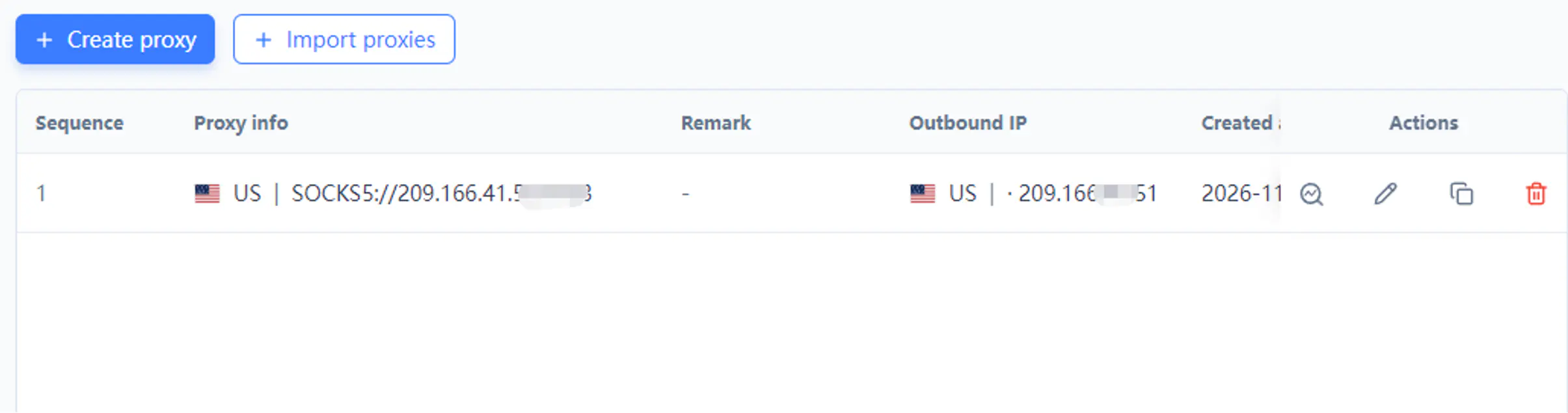
Clearer environment boundariesAssign proxies per profile to manage network routes. The public IP comes from the proxy; separate profiles alone do not create different IPs.
Network settings matched to each accountSeparate environments. Fewer shared signals.
01 / MOSTMATE
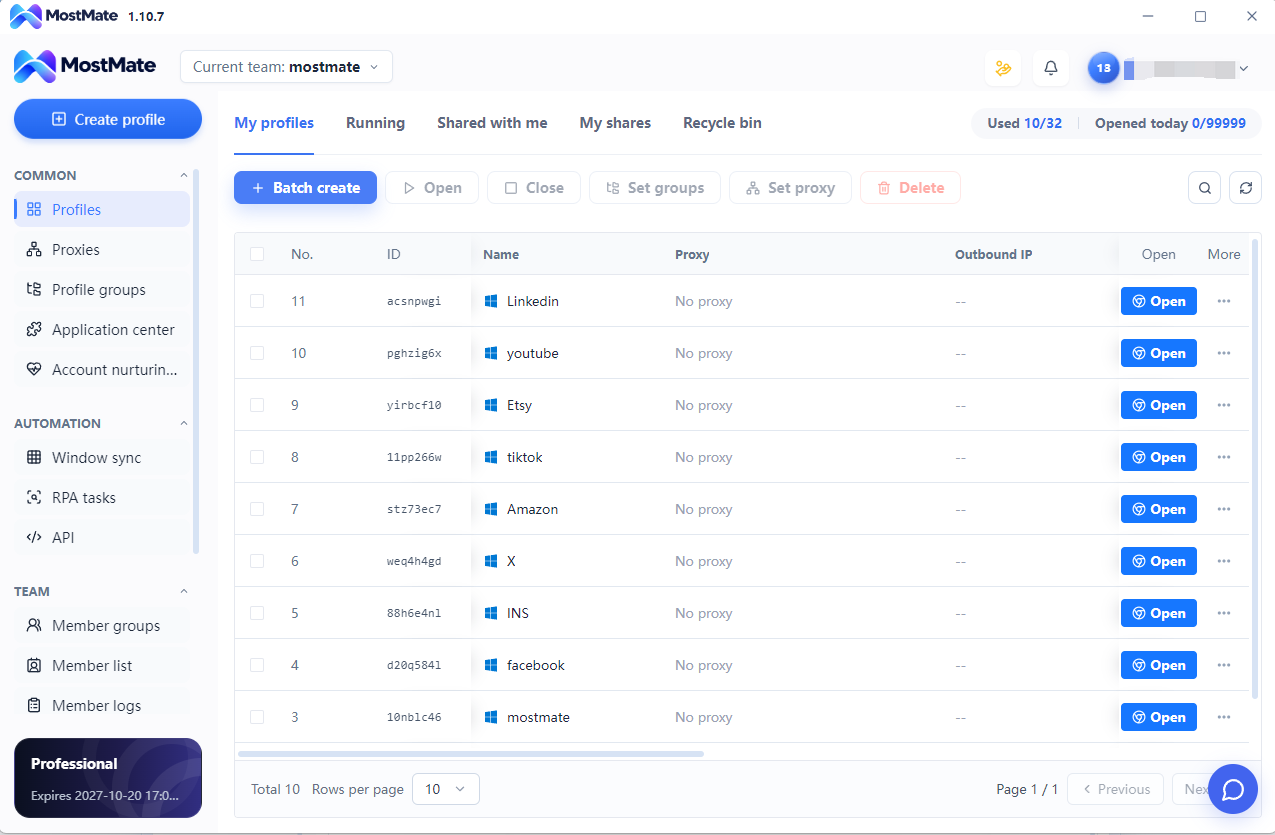
Create, organize, find, and launch multiple browser profiles from one workspace to simplify recurring operations.
02 / MOSTMATE
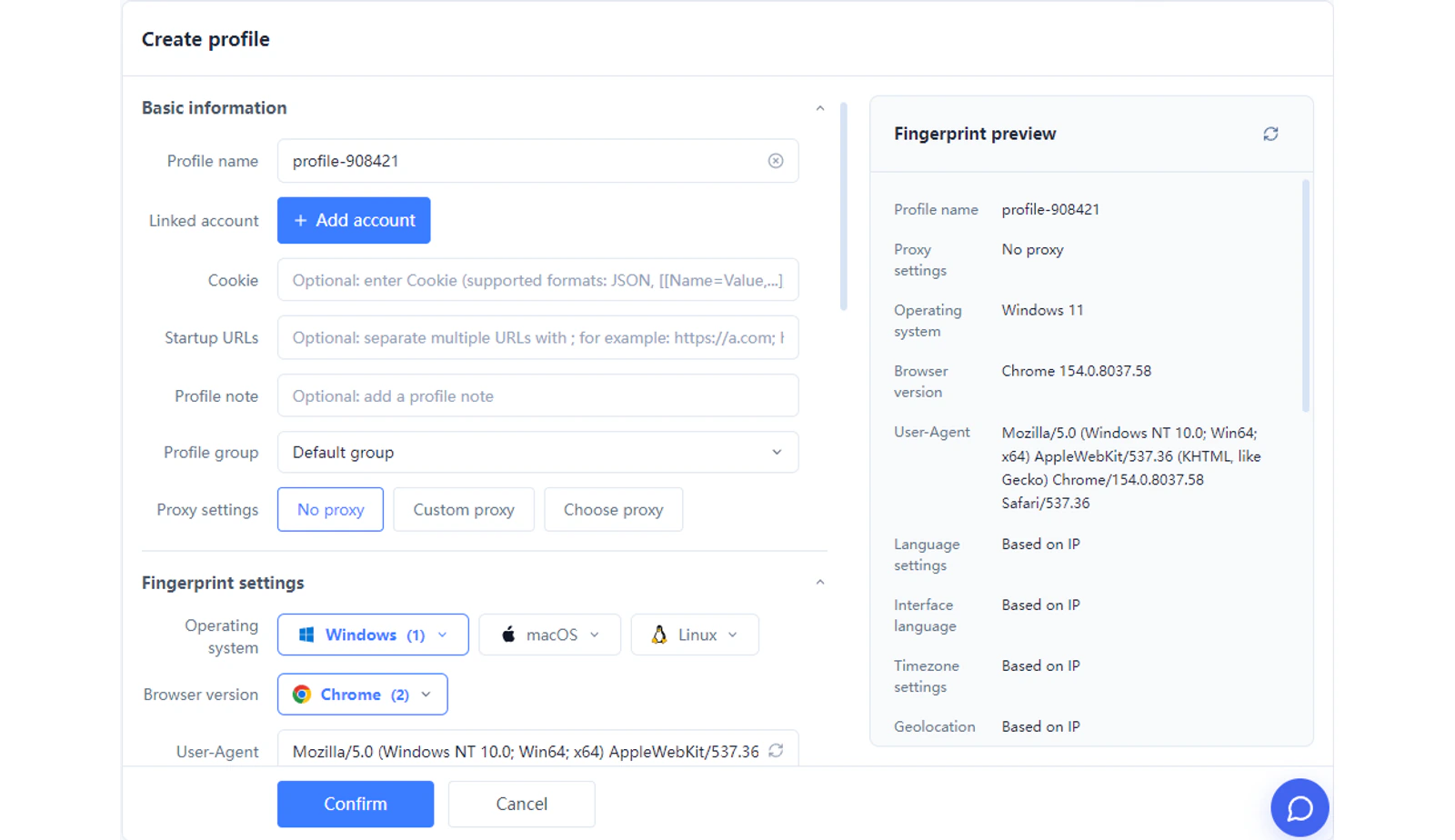
Manage supported browser fingerprint settings and environment configurations through one organized interface.
03 / MOSTMATE
Assign and review proxies alongside their profiles. Keep network settings tied to the right account workspace.
Create, import, launch, close and group profiles in batches, instead of repeating the same action for each account.
Build repeatable browser tasks with RPA, then review and run the workflow across selected profiles.
Connect profile management to your own business tools and automation. Build repeatable workflows for advanced operations.
Assign profiles to teammates and manage permissions. Keep shared operations organized as your team grows.
Keep brand and client profiles organized across Facebook, Instagram, TikTok, X and YouTube.
Explore the SolutionMaintain separate store environments for Amazon, eBay, Shopee, Lazada and other marketplaces.
Explore the SolutionOrganize authorized advertising accounts and client workspaces with clearer separation.
Group profiles by client and assign access to teammates, keeping daily work and handoffs organized.
Create a dedicated profile and give it a clear name for the account workflow.
Review fingerprint settings and assign the appropriate proxy.
Open the profile, sign in and return to the same workspace for ongoing tasks.
Cookies, storage, sessions, fingerprints and network settings are independently managed across profiles.
A high-quality fingerprint environment does not change every parameter to a random value. It keeps profiles independent while making browser and device signals within each profile realistic, reasonable and logically consistent.
Create your first profile without becoming a fingerprint expert.
Yes. MostMate lets you create separate browser profiles on one computer and manage them in one workspace. Name and group each profile to keep account workflows easy to identify.
MostMate separates cookies, login sessions and local browser data between profiles, with fingerprint and proxy settings managed per profile. This reduces environment overlap; it does not guarantee that accounts cannot be linked through other signals.
Chrome supports separate user profiles, but extra windows in the same profile share its data. MostMate combines isolated profiles with fingerprint configuration, proxy management, batch actions and team tools in one workspace.
A proxy changes the network connection; it does not separate cookies or login sessions by itself. MostMate manages browser data and fingerprint settings alongside the proxy assigned to each profile.
Yes. MostMate supports profile sharing, team members and permission management, so you can organize access around the people handling each workflow.
MostMate reduces repetitive work through batch management, window sync, team collaboration, RPA, Local API, and AI Automation.
Keep brand and client profiles organized across Facebook, Instagram, TikTok, X and YouTube.
Explore the Solution02 / MOSTMATEMaintain separate store environments for Amazon, eBay, Shopee, Lazada and other marketplaces.
Explore the Solution03 / MOSTMATEExplore browser fingerprints and environment isolation.
Explore the SolutionMOSTMATE · Multi-Account Management
Start with isolated profiles. Bring your accounts, environment settings and daily operations into one MostMate workspace.
Loading messages…
You are viewing a previous conversation.
Enter to send · Shift + Enter for a new line
