
Mixed Google Login Sessions
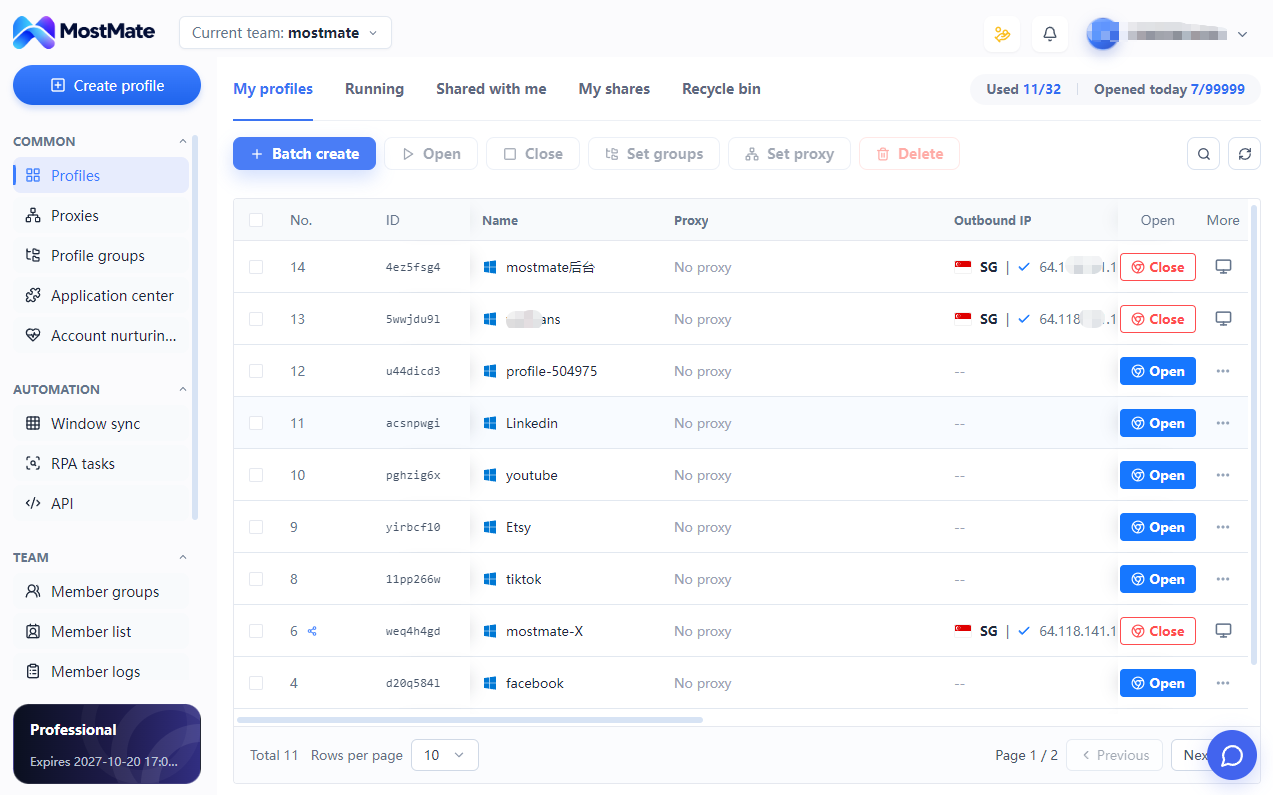
Working across Gmail, Google Ads and YouTube in one shared browser can make it hard to tell which account is active. Separate profiles keep account sessions in their own workspaces.
Separate Profiles and Sessions MOSTMATE · GOOGLE SOLUTION
Give each Google account its own browser environment with separate cookies and login sessions to reduce shared-environment linking risks. Organize Google Ads, YouTube and Gmail work in one place for efficient account switching and team collaboration.
GOOGLE MULTI-ACCOUNT CHALLENGES
Shared sessions, scattered settings and unclear project ownership make daily Google work harder. Start with a dedicated browser environment for each account workspace.
Working across Gmail, Google Ads and YouTube in one shared browser can make it hard to tell which account is active. Separate profiles keep account sessions in their own workspaces.
Separate Profiles and SessionsKeep browser data separate instead of sharing one profile across accounts. MostMate isolates local storage and sessions, with independently managed fingerprint settings.
Browser Isolation and Fingerprint SettingsRepeated sign-ins and settings spread across browsers slow down routine work. Keep each account’s saved session, fingerprint and proxy configuration together.
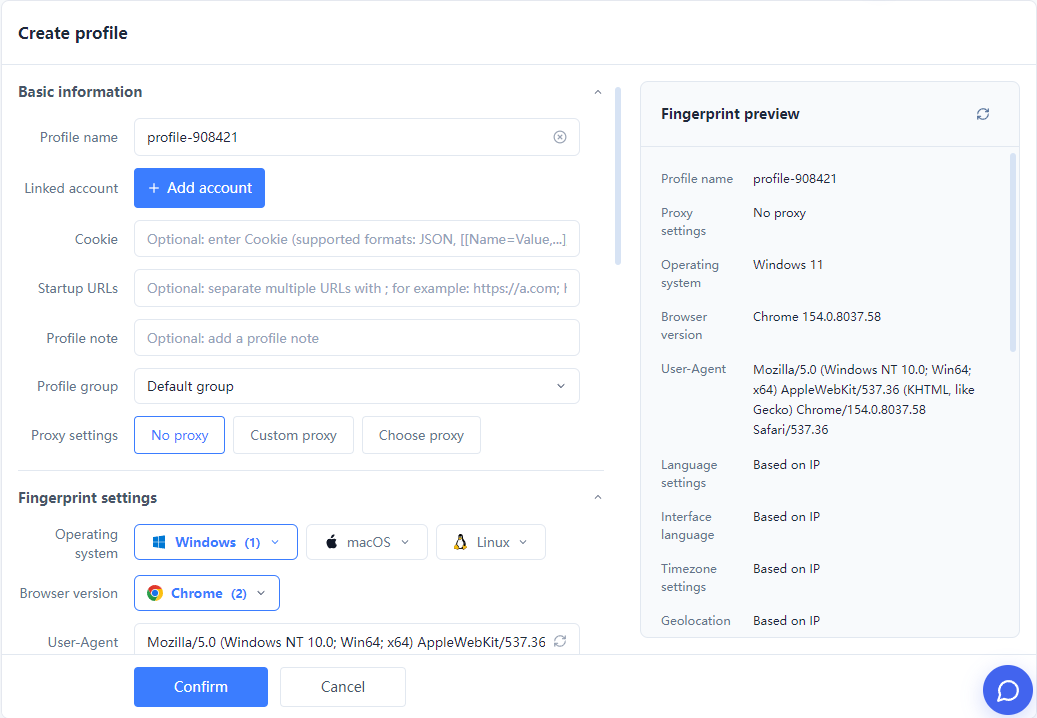
Saved Sessions and Quick LaunchOrganize profiles by client or brand. Clear names, groups, and supported team access keep projects separate and handovers easier.
Profile Groups and Team AccessSECURE GOOGLE WORKSPACES
Separate local browser data, maintain per-profile settings and organize accounts centrally. MostMate combines environment isolation with practical tools for efficient daily operations.
Use dedicated browser profiles to organize cookies, sessions, and browsing data for different workflows.
Use clear names and groups for clients, brands and markets. Check the matching environment before opening a mailbox, channel or advertising account.
Use available MostMate team permissions to assign access to client environments and keep project handovers organized.
GOOGLE ADS · YOUTUBE · GMAIL
Create dedicated environments for the Google accounts used by different clients or brands. Group profiles by project and reopen the right saved session for campaign work. MostMate organizes browser access; campaigns and reporting stay in Google Ads.
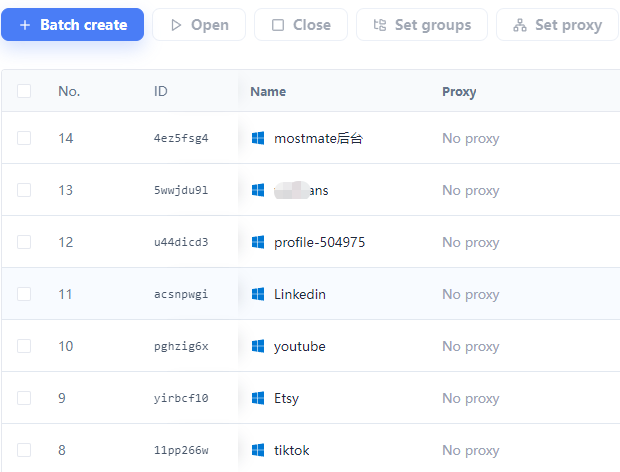
Organize environments by the Google account, brand or client behind each channel project. Keep sessions separate and find the right workspace for uploads, content maintenance and comment management. Multiple channels under one Google account do not each need a separate account.
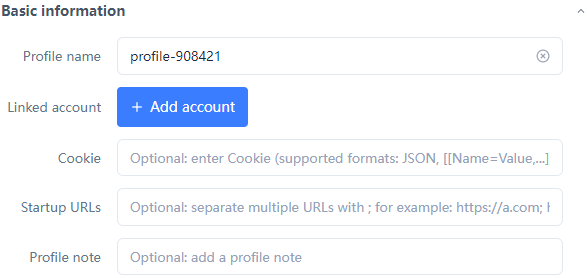
Keep different business email accounts in their own profiles. Reopen the matching session for Gmail and other services used by that Google account, with names and groups organized by client, brand or purpose.
BUILT FOR YOUR TEAM
Match your browser profiles to the way your team works, from a single client to multiple brands and markets.
ADVERTISING
Group Google Ads account environments by client so operators can find the correct project and keep sessions separate.
VIDEO CONTENT
Organize YouTube workspaces by account and channel project to make daily content work and handovers clearer.
MULTI-BRAND
Keep each brand’s Google account sessions in dedicated environments while managing all profiles from one place.
GLOBAL BUSINESS
Organize business email and advertising workspaces by market or project, with the appropriate settings for each environment.
THREE STEPS TO GET STARTED
Create a MostMate profile for each Google account workspace. Name and group profiles by client, brand or project.
Set supported browser fingerprint and proxy parameters according to your actual needs.
Open the matching profile and sign in to your Google account. Return to that environment for Google Ads, YouTube or Gmail work.
FREQUENTLY ASKED QUESTIONS
Practical answers about environment isolation, saved sessions and Google business workflows.
MostMate provides independent browser profiles with separate cookies, sessions and local data. Name and group them by account, client or project, then launch the workspace you need from one interface.
Separate profiles reduce local data overlap and shared-environment linking risks. Per-profile fingerprint and proxy settings keep configurations organized. Clear naming also helps reduce wrong-account actions.
Yes. Each profile keeps its own cookies and session data. Reopen the matching profile to return to that workspace. A saved session may still expire or require a new sign-in when Google requests it.
Create profiles for the Google accounts used in client work and group them by client or brand. Use the matching profile to open Google Ads. Advertising settings, campaigns and reports remain managed in Google Ads.
Group environments by the Google account, brand or client used for a channel project. This keeps browser sessions organized. Channels managed by the same Google account do not automatically require separate profiles or new accounts.
Yes. Use separate profiles for different Google accounts to keep their Gmail sessions apart. Name profiles by business or client so you can open the correct mailbox workspace without repeatedly signing out of other accounts.
Yes. A profile can be used for Gmail, YouTube, Google Ads and other services available to the Google account signed in there. Organize environments around accounts and business needs rather than creating one for every service.
Yes. Configure a supported proxy for each profile and manage it alongside the profile’s fingerprint settings. A different public IP requires a suitable proxy connection; creating a profile alone does not provide one.
Organize profiles by client or project and use available team permissions to arrange access. This makes environment handovers clearer. Access to Google assets is still controlled by the roles assigned in the relevant Google service.
Chrome supports separate user profiles. MostMate adds a workspace focused on managing multiple environments, including per-profile fingerprint and proxy settings, grouping, batch operations and supported team access.
No. A Google Ads manager account organizes linked advertising accounts inside Google Ads. MostMate manages the browser environments used to access them. The two serve different parts of an advertising workflow and can be used together.
Register for MostMate, download the client and create your first Google workspace. Choose a plan based on the number of profiles and team features you need. Current limits and feature availability are listed on the pricing page.
MOSTMATE / GOOGLE
Start with independent environments, keep account sessions separate and bring Google Ads, YouTube and Gmail work into one organized workspace.
Loading messages…
You are viewing a previous conversation.
Enter to send · Shift + Enter for a new line
