
Separate Sessions
Keep project-specific cookies and browser data apart instead of mixing tasks in one shared profile.
MostMate Web Scraping
Give each data collection project a dedicated MostMate browser environment. Keep cookies, sessions and settings separate, and connect supported automation to reduce repetitive setup.
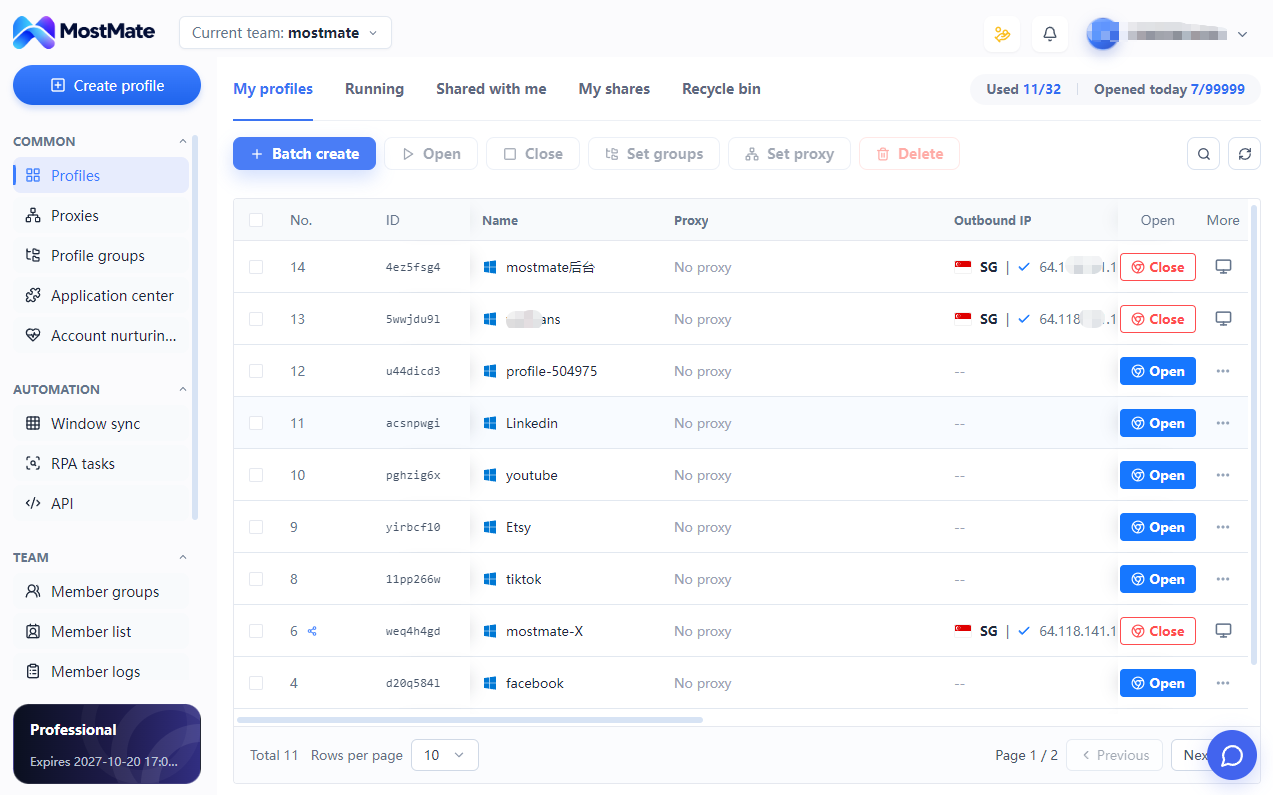
Keep project-specific cookies and browser data apart instead of mixing tasks in one shared profile.
Return to an organized profile with its saved settings instead of configuring a browser from scratch each time.
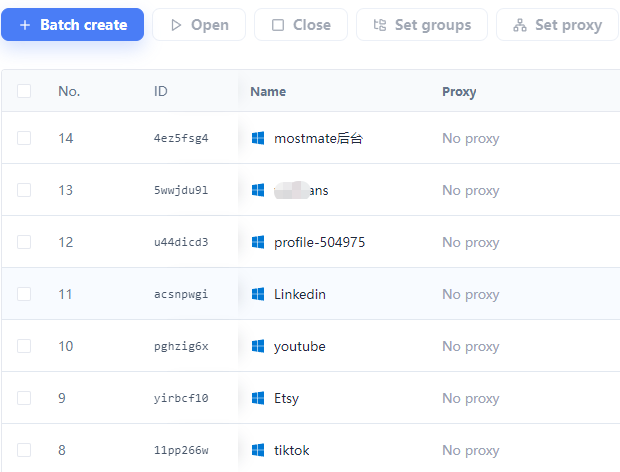
Use names and groups to keep sites, projects and network configurations easier to identify.
Bring suitable repeated browser actions into a workflow that you can review and reuse.
A CLEAR FOUNDATION
MostMate separates browser storage across profiles and lets you manage fingerprint and proxy settings per environment. Organize the browser context before you run a collection task.
Cookies, local storage and sessions are maintained separately across profiles, reducing accidental overlap between projects.
Review supported browser fingerprint settings together and maintain a coherent configuration for each workflow.
Associate an appropriate proxy with a profile when needed. A different public IP requires a suitable proxy or network connection.
PICK UP WHERE YOU LEFT OFF
Reuse a named browser profile and its saved configuration for recurring work. Keep the relationship between project, session and environment clear as your collection workflows grow.
Saved browser data does not guarantee a permanent login. Websites still control session expiry and verification.
Multi-Account Management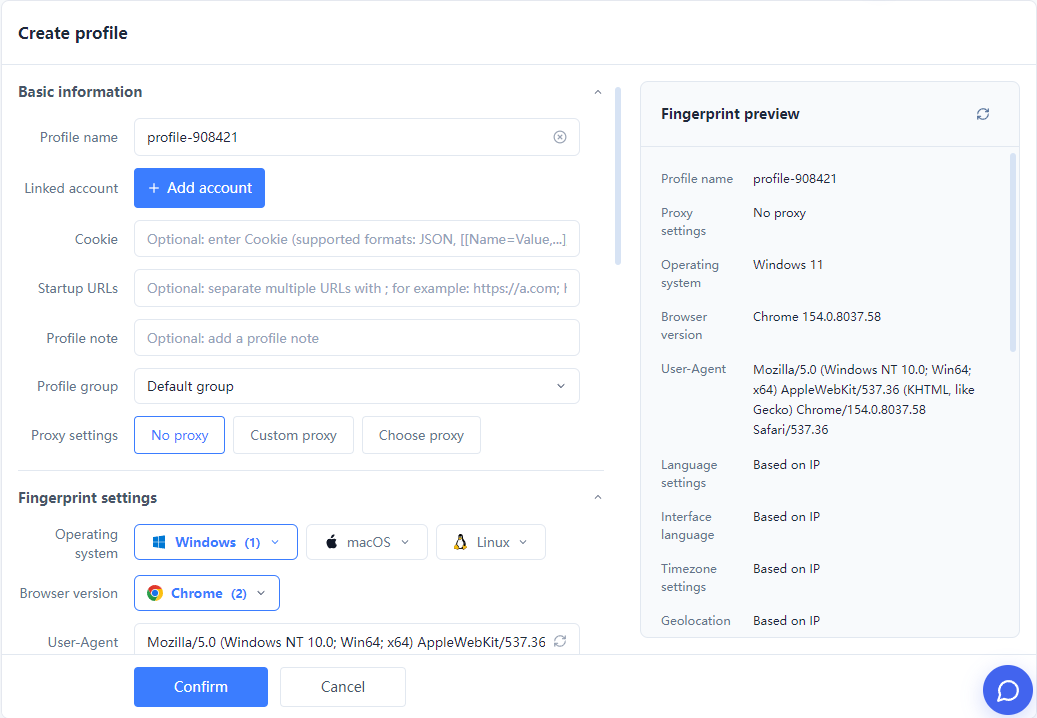
ORGANIZED AT TEAM SCALE
Group profiles by project, use supported batch operations and assign environment access to teammates. Clear ownership makes recurring work and project handovers easier to follow.
CHOOSE YOUR WORKFLOW
Use the approach that fits your team: configure supported browser actions with RPA, or connect supported profile operations to your own tools through Local API.
Organize supported repeated browser steps into a workflow. Start with a small task, inspect each action and test it in the intended profile.
Integrate supported profile operations with your scripts and business tools. Use the current API documentation to confirm endpoints, authentication and connection options.
Describe the task in natural language and use AI assistance to generate or adjust workflow steps. Review the result before execution.
Extraction logic, output formats and framework connections depend on the workflow and tools you configure. Confirm supported actions before building your integration.
SEE HOW THE PIECES FIT
A product-research workflow illustrates the handoff: MostMate provides the browser environment; configured automation handles page interaction and extraction; your processing tools handle the result.
Choose the project profile, review its network settings and open the page you can access.
Use supported workflow actions or your connected script to read the fields your project needs.
Validate and store the extracted fields using the output tools configured in your workflow.
Organize browser environments for reviewing publicly accessible product details across your research sources.
Keep separate project contexts for collecting accessible review text, directories and industry information with your configured tools.
Maintain dedicated browser profiles for data tasks in accounts and web dashboards you are authorized to access.
Create and name a browser profile for your collection project.
Review fingerprint, network and session settings, then configure supported task actions.
Test on a small sample, check the output and reuse the workflow when it meets your needs.
MostMate provides organized browser environments with separate storage, sessions, fingerprint and proxy settings. RPA and Local API support configured automation and profile management. The extraction rules and destination for collected data depend on the workflow and tools you use.
Create a dedicated profile for each project context, name it clearly and place it in the appropriate group. Each profile maintains its own browser data and settings, reducing accidental session overlap between tasks.
A profile can retain its browser data and configuration for reuse. The target website still controls session lifetime, account permissions and verification. Reusing a profile does not guarantee that a login will never expire.
Profile isolation and proxy configuration are separate capabilities. Configure an appropriate proxy or network connection when your task needs one. Do not assume that creating a profile includes proxy traffic, a new public IP or automatic IP rotation; check your product and provider settings.
Use RPA to configure supported repeated browser actions. Use Local API when you want your own software to control supported profile operations. AI assistance can help shape workflow steps. Check available actions and API documentation, then test a small workflow before expanding it.
Compatibility depends on the connection options exposed by your MostMate client version and the framework you use. Check current Local API documentation and test the required connection before relying on a framework integration. This page does not assert universal compatibility.
This solution describes browser-environment management and supported automation. It does not promise built-in CAPTCHA solving, access to every website or universal CSV/JSON export. Extraction, validation and output must be configured and verified in your chosen workflow.
Visit the download page for the current Windows or macOS installer, register and create a project profile. Start with a small task on a page you can access. Check the current plan, supported automation actions and output tools before expanding your workflow.
Organize the environment first. Then bring your tools, tasks and team together with MostMate.
Loading messages…
You are viewing a previous conversation.
Enter to send · Shift + Enter for a new line
