
Shared environments blur account boundaries
Signing several Google accounts into the same browser can mix working contexts. An independent profile keeps each account’s browser storage separate.
Start with separate browser environments MOSTMATE · YOUTUBE
Give different Google accounts and channel projects their own browser environments. Keep cookies and sign-in sessions separate, organize daily work and make team access clearer.
EVERYDAY CHALLENGES
Creators and agencies need clear account boundaries as their brands, clients and content projects grow.
Signing several Google accounts into the same browser can mix working contexts. An independent profile keeps each account’s browser storage separate.
Start with separate browser environmentsFrequent network or browser-setting changes make it harder to maintain a consistent working environment and investigate sign-in issues.
Keep configurations deliberate and consistentMoving between client channels and personal accounts can lead to posting or commenting under the wrong identity.
Identify the account before actingGrowing teams need to know which environment to use and which channel actions they are authorized to perform.
Separate workspace access from channel permissionsBROWSER FOUNDATIONS
Organize environments around Google accounts, clients or projects that need separate browser storage.
Independent profiles separate cookies, local storage and sessions. This reduces environment mixing; it does not erase existing account ownership or channel relationships.
Use clear profile names and project groups, retain consistent settings and check the active channel before uploading, editing or replying.
MostMate workspace permissions control access to browser environments. YouTube Studio permissions determine what a member can do on a channel; configure both deliberately.
INSIDE MOSTMATE
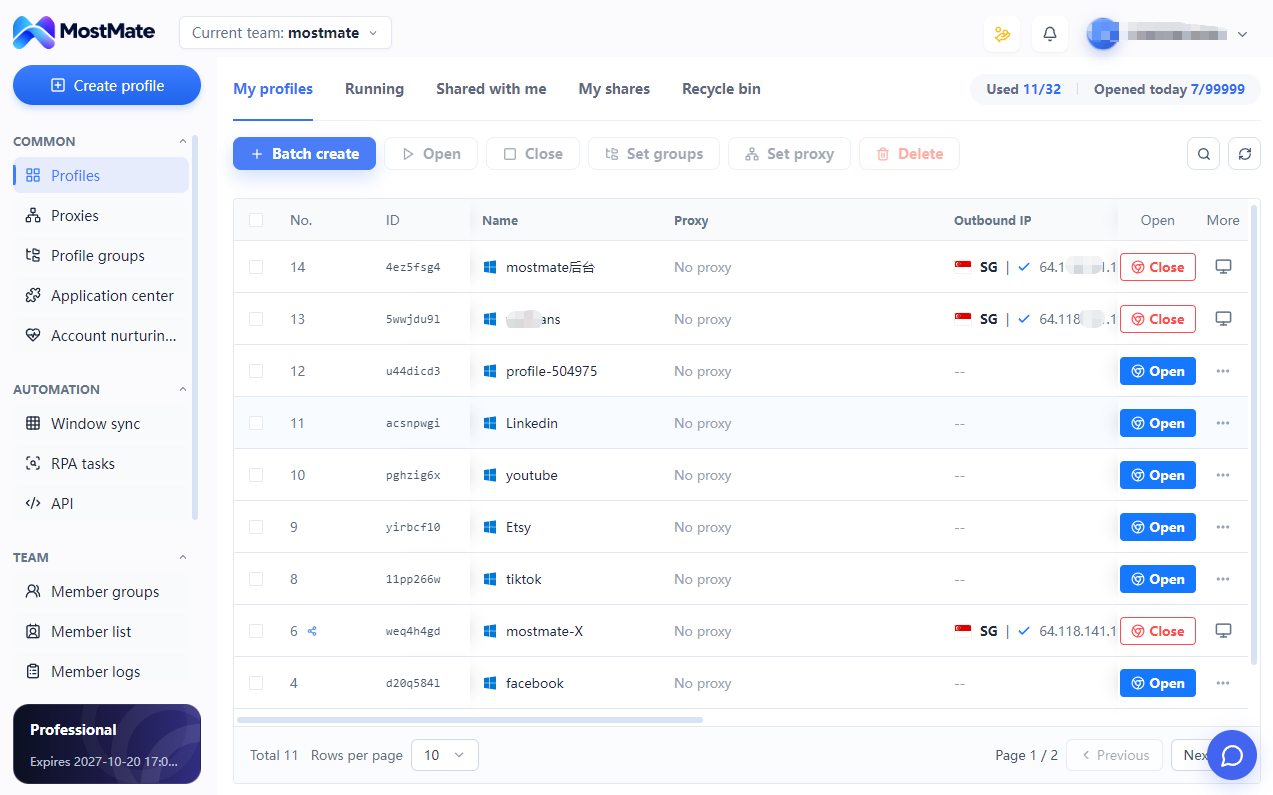
Open the profile assigned to a Google account and continue in its saved browser session. Confirm the active YouTube channel when an account manages several channels.
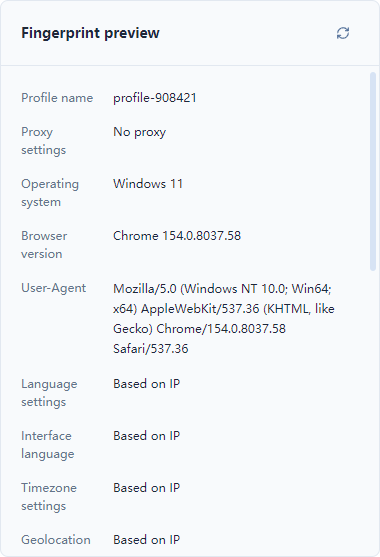
Review fingerprint, language, time-zone and proxy settings together. Keep a deliberate configuration instead of changing parameters without a clear reason.
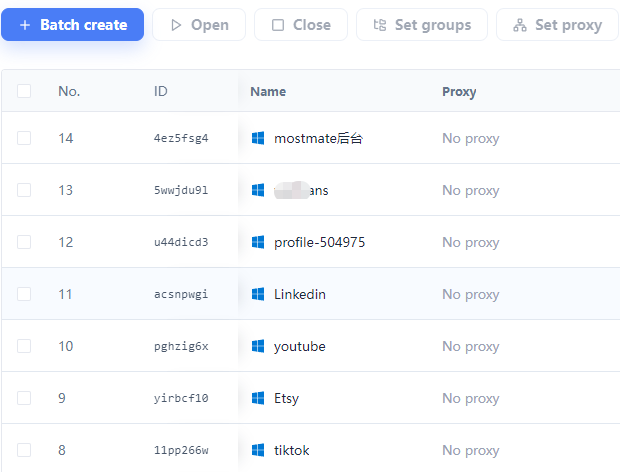
Use profile names, groups and batch operations to find the right workspace and reduce repetitive environment management. Team access follows your available plan and permissions.
BUILT AROUND YOUR WORK
Separate account environments where needed, while keeping each project easy to identify.
CREATORS
Organize accounts used for tutorials, reviews or other content areas. Channels under the same Google account do not automatically need separate profiles.
SHORTS TEAMS
Keep authorized account workspaces clearly named for Shorts production teams. Content creation, scheduling and publishing remain in your chosen tools and YouTube Studio.
BRAND OPERATIONS
Keep brand-account browsing separate from personal sessions, and organize environments by the actual Google accounts used by your team.
AGENCIES & STUDIOS
Group client workspaces, assign appropriate environment access and use YouTube channel permissions for authorized channel operations.
GET STARTED
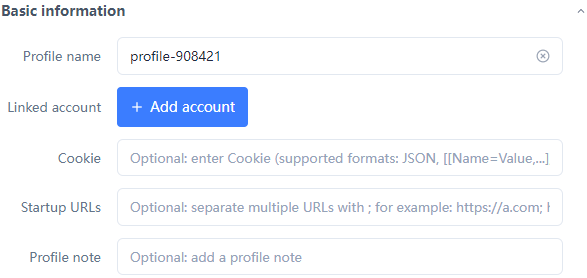
Create a browser profile for a Google account or a project requiring separate storage. Use a recognizable account or client name.
Check browser and network settings, configure your proxy if needed, then sign in to an authorized Google account and complete any verification.
Open YouTube Studio, confirm the selected channel and organize the profile into its project group. Configure team and channel permissions separately.
QUESTIONS, ANSWERED
Understand profiles, channel permissions and the scope of browser isolation.
No. One Google account can manage several YouTube channels. Organize profiles around different Google accounts, clients or projects that require separate browser storage, rather than assuming one profile per channel.
Create a clearly named profile for each account workspace, review its settings and sign in to the authorized Google account. Open YouTube Studio in that profile and confirm the channel before working.
YouTube’s switcher selects a channel available to your signed-in account. MostMate manages separate browser environments with their own storage and settings. It complements channel switching rather than replacing YouTube’s account model.
It separates cookies, local storage and sign-in sessions across profiles, reducing accidental environment mixing. It does not remove existing account relationships, hide all identifying signals or guarantee that accounts will not be restricted.
Yes. Google may request verification even when a session is saved. MostMate does not bypass those checks. Enable two-step verification and keep account recovery details current.
Proxy needs depend on your network and workflow. MostMate supports profile-level proxy configuration, but creating a profile does not automatically provide a proxy. Review the provider, connection and settings before use.
Use MostMate permissions for browser-environment access and YouTube Studio permissions for channel actions. They are separate systems. Grant only the access needed for each role and review permissions when members leave.
Yes, to organize the browser environments used by authorized accounts. MostMate’s environment management does not itself create, edit or publish Shorts; use your content tools and YouTube Studio for those tasks.
This solution does not include a verified, ready-made YouTube upload or scheduling workflow. General automation availability depends on the version and plan; any specific workflow needs separate configuration and validation.
No. Browser environment management cannot restore channels, bypass platform enforcement or guarantee monetization. Channel status and eligibility remain subject to YouTube’s decisions and requirements.
No. Browser profiles separate local browser data. Relationships established through Google accounts, channel ownership, permissions or other shared account information remain in place.
Download MostMate, create your first profile and review its configuration. Sign in to an account you own or are authorized to manage, confirm the channel, then add other profiles only as your work requires.
MOSTMATE / YOUTUBE
Start with one independent browser profile, then organize your accounts and channel projects as your work grows.
Loading messages…
You are viewing a previous conversation.
Enter to send · Shift + Enter for a new line
