
Keep Account Data Apart
Shared cookies and sessions can mix account environments. Give each workflow its own browser profile.
MostMate Advertising
Manage multiple ad accounts with MostMate. Separate cookies, sessions and browser settings to reduce environment-based linking risks. Organize client workspaces and spend less time on repetitive operations.
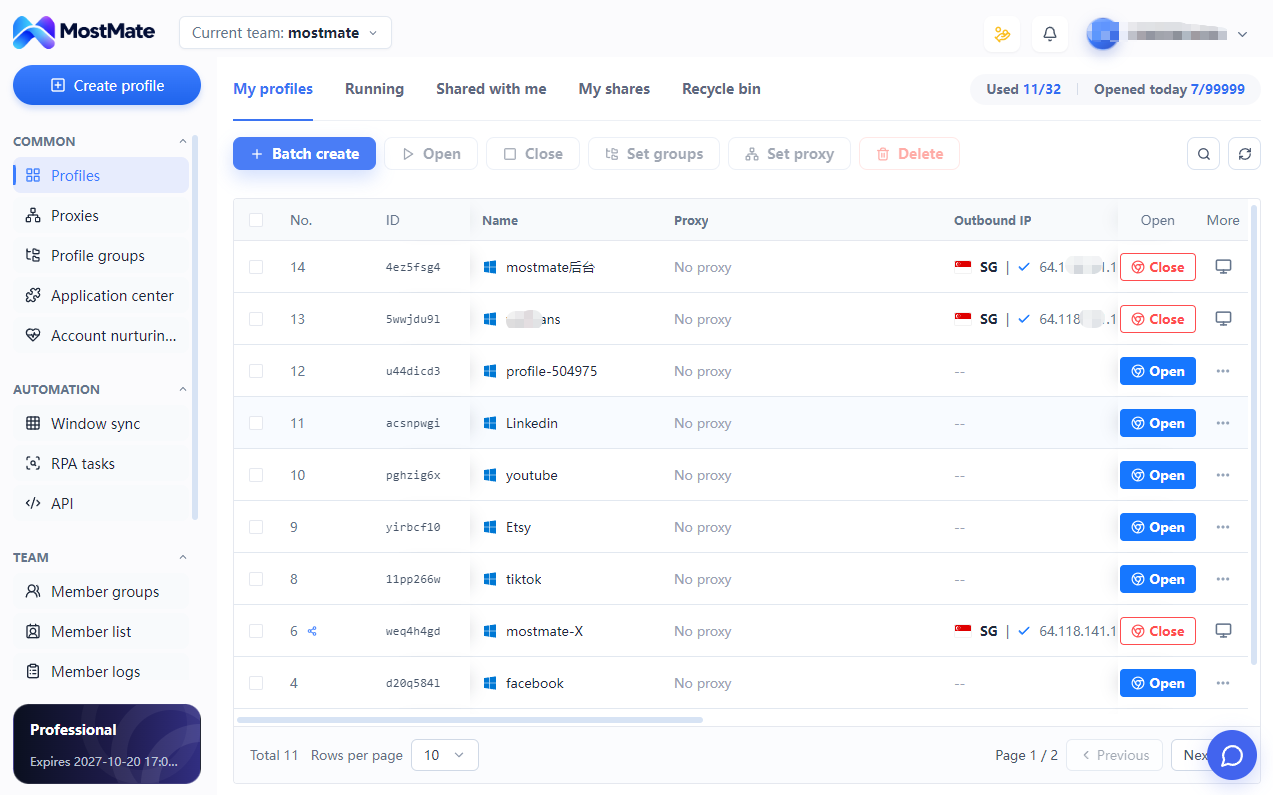
Separate browser workspaces for media buyers, advertising agencies and multi-brand teams. Platform account permissions remain with each advertising service.
 Meta Ads
 Google Ads
 TikTok Ads
 YouTube
 Instagram
 X Ads
Shared cookies and sessions can mix account environments. Give each workflow its own browser profile.
Similar account names make switching harder. Organize environments by client, brand and advertising platform.
Opening and configuring accounts one by one takes time. Bring recurring browser tasks into a repeatable workflow.
Ad hoc access makes teamwork harder. Assign the right browser environments to the people doing the work.
ACCOUNT SECURITY FIRST
MostMate separates browser data and manages profile-specific settings to reduce accidental environment overlap. Clearer boundaries help reduce environment-related account restriction risks.
Keep cookies, local storage and login sessions separate across browser profiles.
Manage supported browser identity settings consistently within each account environment.
Associate the appropriate proxy with each environment. A separate public IP requires a suitable network configuration.
Account identity, payments, content and behavior also affect platform decisions. Browser isolation cannot guarantee that accounts will remain unlinked or unrestricted.
FACEBOOK ACCOUNT HEALTH
Review supported Facebook profile, advertising account, Business Manager, Page, 2FA and restriction information in one place. Use the latest available check to guide your next review.
Facebook-specific status information, not cross-platform ad reporting or a guarantee of future account standing.
CLIENT ORGANIZATION
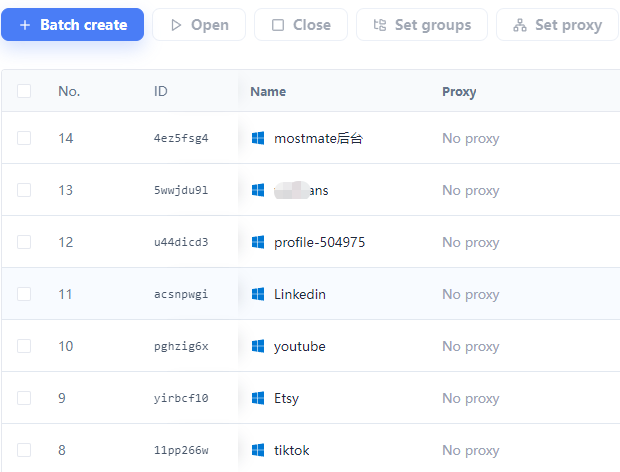
Keep advertising accounts organized by client and project. Clear names, groups and profile settings help you return to the right workspace without mixing customer environments.
WORK TOGETHER
Assign browser profiles and supported permissions to teammates. Keep client workspaces organized as your agency grows, with a clearer process for daily access and project handovers.
Browser-workspace access complements platform roles. Each service still controls its own account permissions and verification.
PricingLESS REPETITION
Combine batch tools with RPA and AI-assisted workflow creation. Start with a supported task, review its steps and run it in the intended profiles.
Manage profiles in batches and synchronize suitable repeated actions across selected windows.
Describe a browser task and use AI to help generate or adjust a workflow. Review the steps before execution.
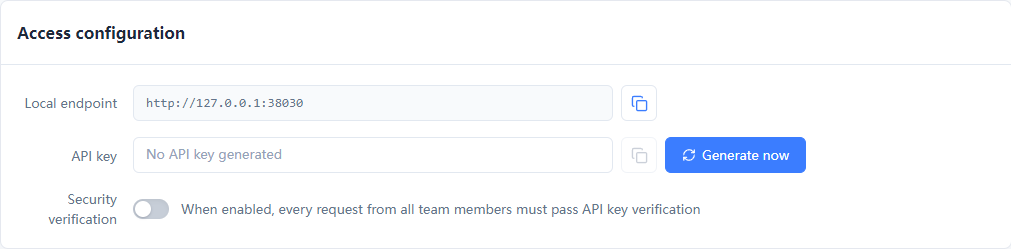
Connect supported browser-profile operations to your own tools and scripts.
Create a dedicated browser profile for each authorized account workflow.
Review fingerprint and proxy settings, then organize the profile in a client group.
Sign in to the right account and add team access or supported automation as needed.
It is a browser workspace for managing separate advertising-account environments. MostMate combines isolated cookies and sessions, configurable fingerprint and proxy settings, client organization and workflow tools for media buyers and agencies.
MostMate separates browser data and lets you maintain profile-specific fingerprint and network settings. This reduces accidental environment overlap and can help reduce related account risks. Platforms also consider identity, payments, advertising content and behavior. No browser can guarantee that an account will not be linked, restricted or suspended.
Yes. Create separate browser profiles for accounts you own or are authorized to use, name them clearly and group them by client. Each profile keeps its own browser data. Platform eligibility and verification requirements still apply.
No. Those tools manage platform assets, campaigns and permissions. MostMate manages the browser environments used to access them. You can use them together; browser profiles do not replace platform roles or advertising controls.
No. Browser profiles isolate browser data; a different public IP requires an appropriate proxy or network connection. Configure the network for each workflow and keep related browser settings consistent.
Use batch controls for supported profile operations, Window Sync for suitable repeated actions, and RPA or Local API for configured browser workflows. AI can help generate or adjust workflow steps. Review available actions and test the workflow first. These features are not an automatic bidding or campaign-performance optimization service.
It brings supported Facebook profile, advertising account, Business Manager, Page, 2FA and restriction information together for review. It reflects the latest available check. It does not provide Google or TikTok account health, guarantee future status or restore a suspended account.
Open the download page for current Windows and macOS installers, register an account and create your first browser profile. Check the pricing page for current team permissions, automation availability and plan limits before organizing a larger workspace.
Start with separate environments. Bring clients, daily operations and team access into one organized MostMate workspace.
Loading messages…
You are viewing a previous conversation.
Enter to send · Shift + Enter for a new line
