
Iphey Score Too Low? Check These Three Things Before You Rebuild
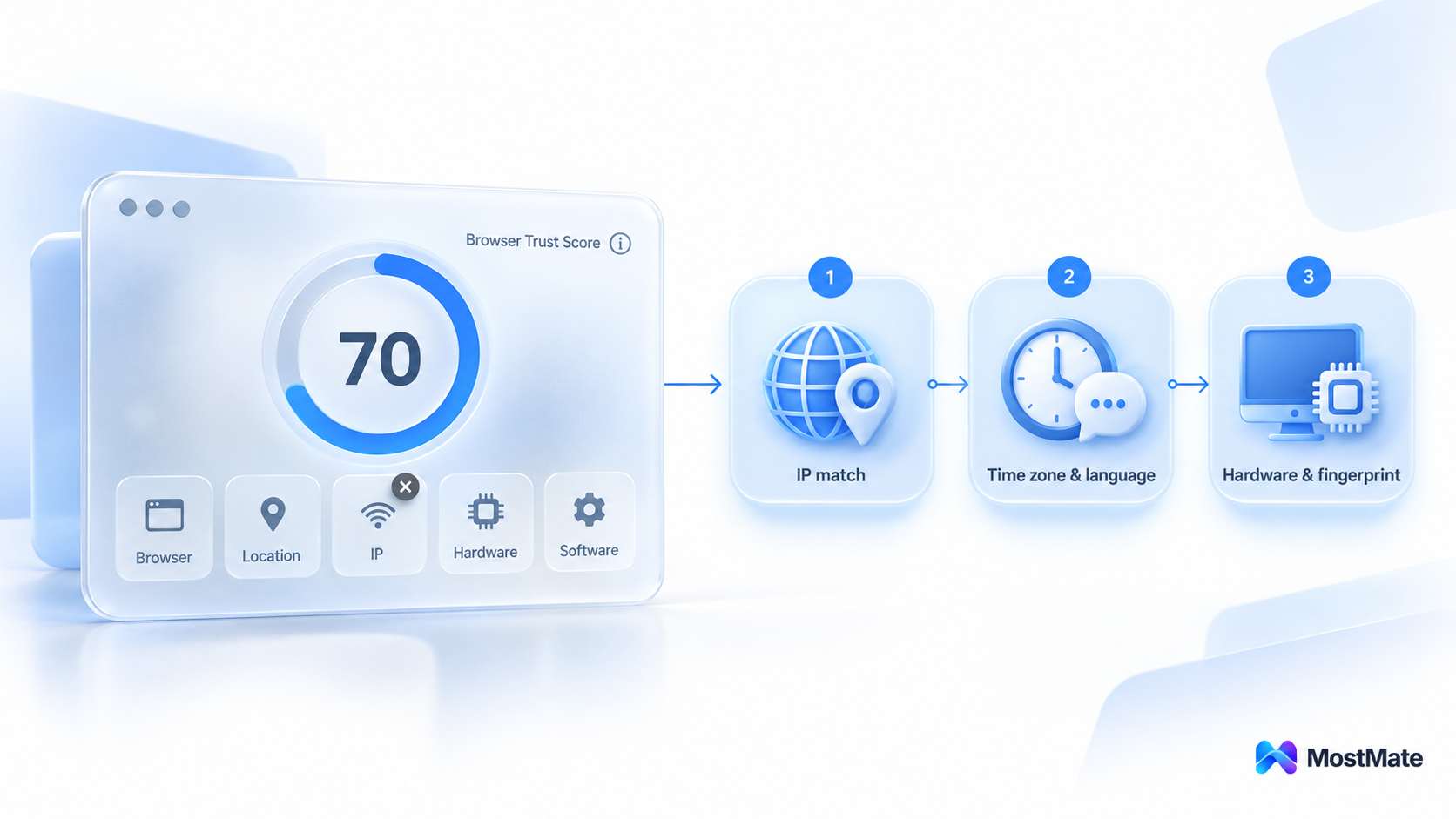
Short version first: an Iphey trust score is not magic. It measures whether the signals in your environment tell one consistent story. When the score drops, work through a fixed sequence instead of guessing. Start with IP consistency: do the exit IP's region, the time zone and the language all point to the same place? Then check the time zone and language settings. Hardware and fingerprint parameters come last. In most cases fixing one or two values brings you back to the trusted tier, while rebuilding the environment from scratch is the most expensive option you have.
Anyone who runs multiple accounts has met Iphey at some point. You open the site, click once, and a few seconds later it hands you a verdict on how trustworthy your identity looks. The trouble is that most people read it the wrong way. They glance at the score, close the tab, and if the number is low they start blaming the proxy, then the environment, and sometimes tearing the whole setup down and starting over. A low score is really a locating signal. It is telling you the problem sits in one of five signal areas, and if you follow the sequence you will find it.
My own routine is always the same. I build the environment in MostMate, then re-check it with Iphey. The environment is the one telling the story; the checker is the one listening. Only when the two agree does an account hold up. This article walks through the order in which to read the results, then takes the three checks apart.
What Iphey Measures: One Score, Five Signal Areas
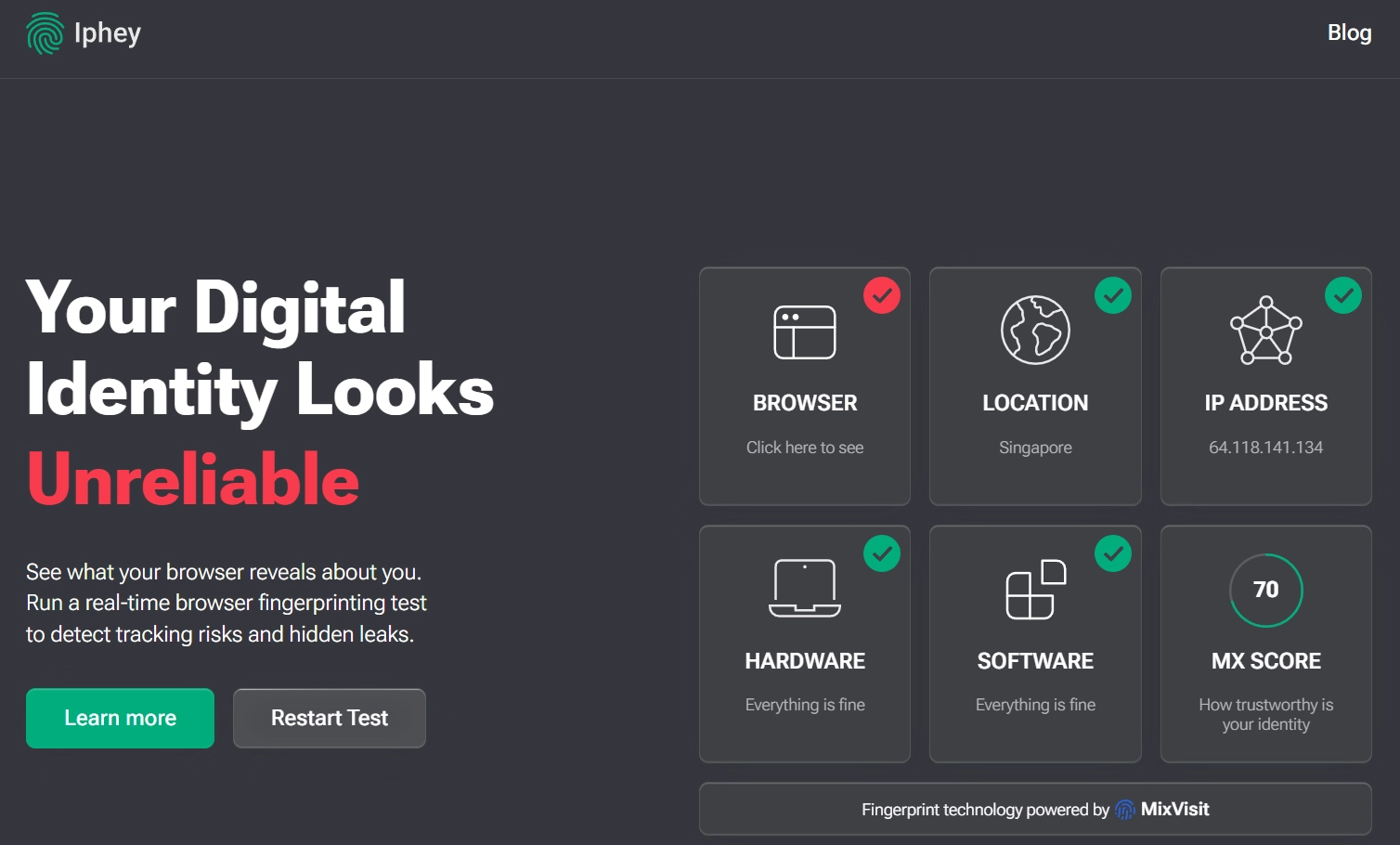
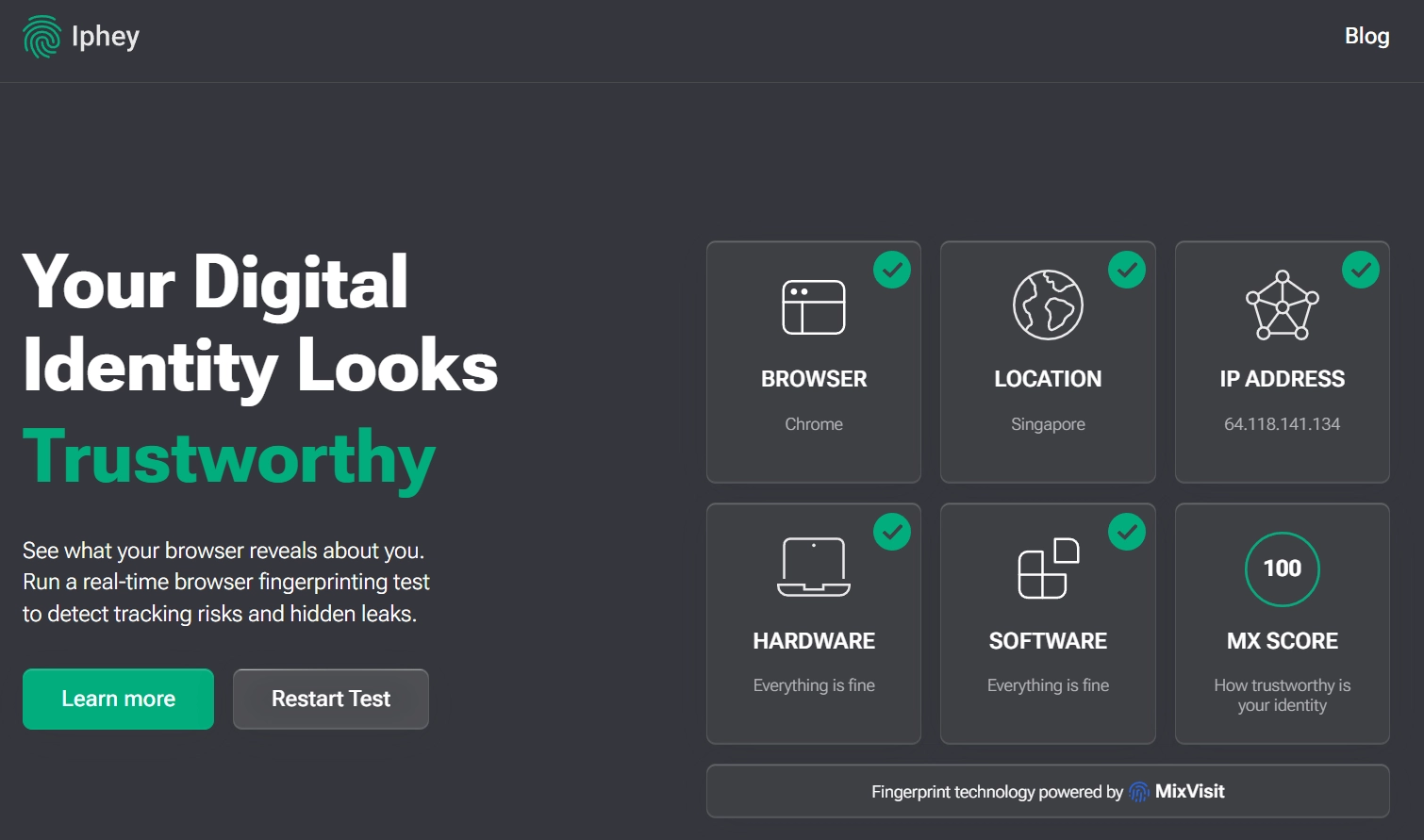
Iphey is an online fingerprint checker that turns a browser environment into a trust score. You open iphey.com, skip registration, and get a result in seconds. Where it differs most from similar tools is how it delivers the verdict. Most checkers dump several dozen parameters on you and leave you to judge. Iphey just tells you: one total score plus one verdict tier. The total on the page is called the MX Score, and it answers one question: how believable does your identity look? Behind that number sits a comparison against a database of real-user fingerprints.
The results page is split into five signal areas: Browser, Location, IP address, Hardware and Software. They cover your browser and its version, your geographical location, the IP and proxy verdict, your hardware combination and your software environment. On top of that come six focused checks: fingerprint detection, IP detection, VPN and proxy detection, bot behavior detection, DNS leak detection and IP blacklist detection. That last one is where Iphey pulls ahead of many similar tools, because it shows you outright whether the IP has a record.
How to Read the Score: Verdict Tier First, Then Area by Area
Read the overall verdict first, then work down to the details.
- Check the verdict tier first: trusted, suspicious or untrusted. Day to day, aim for trusted. Dropping to suspicious now and then is no reason to panic; just work through the three checks below in order.
- Then scan each area in turn. In Location and IP address, read the region verdict and the proxy detection result. In Browser and Software, check that the User-Agent, version and language agree. In Hardware, look for screen, GPU or font entries flagged in red.
- Write down only the flagged items. Red and yellow are your suspects. Everything green can be ignored.
There is one boundary most tutorials leave fuzzy. The Iphey score answers a single question: does this environment look like a normal user? It says nothing about whether several accounts might be linked to each other. Linkage is a relationship between environments, not a property of one. Run ten environments on the same fingerprint and share one IP, and each environment can still score well while the accounts go down together. Drawing clean lines between environments is a separate job, covered in full in how environment isolation works.
When the Score Drops, Check These Three
Work in order: start with the fastest fix, then move down the stack.
Number one: IP consistency. The exit IP's region, the environment's time zone and the browser's language all have to point to the same person in the same place. A US IP paired with a Shanghai time zone and a Chinese interface is the most common combination and the one that costs you the most points. This check also covers the IP's own background. Run Iphey's IP blacklist check to see whether it has ever been flagged. A datacenter IP does not automatically cost you much. But once an IP has a blacklist history, even a spotless environment will not make up for it.
Number two: time zone and language. These two drift more than anything else. You swap the proxy and the system time zone stays put, or the IP sits in the US while the browser's preferred language is still zh-CN. They are also the fastest wins. Fix them, re-test straight away, and the score usually climbs back on the spot.
Number three: hardware and fingerprint parameters. Only when the first two line up and the score is still low do you come down to this layer. Look at the Hardware and Software areas. Does the operating system claimed by the User-Agent match the GPU, the resolution and the font list? Are Canvas and WebGL returning normal values, or have they been disabled? How fingerprint signals are put together is covered in full in what a browser fingerprint is. The rule here is simple: change only what is flagged in red. Leave unflagged parameters alone. They are internally consistent to begin with, and poking at them only creates fresh contradictions.
Lining Up All Three Checks with MostMate
MostMate is an anti-detect browser that gives every account its own isolated environment. Bring it into your troubleshooting routine and the work behind the first two checks shrinks a lot: once the exit is settled, most signals line up on their own. You can read the full picture on the product page; here I only take the parts that matter for troubleshooting.
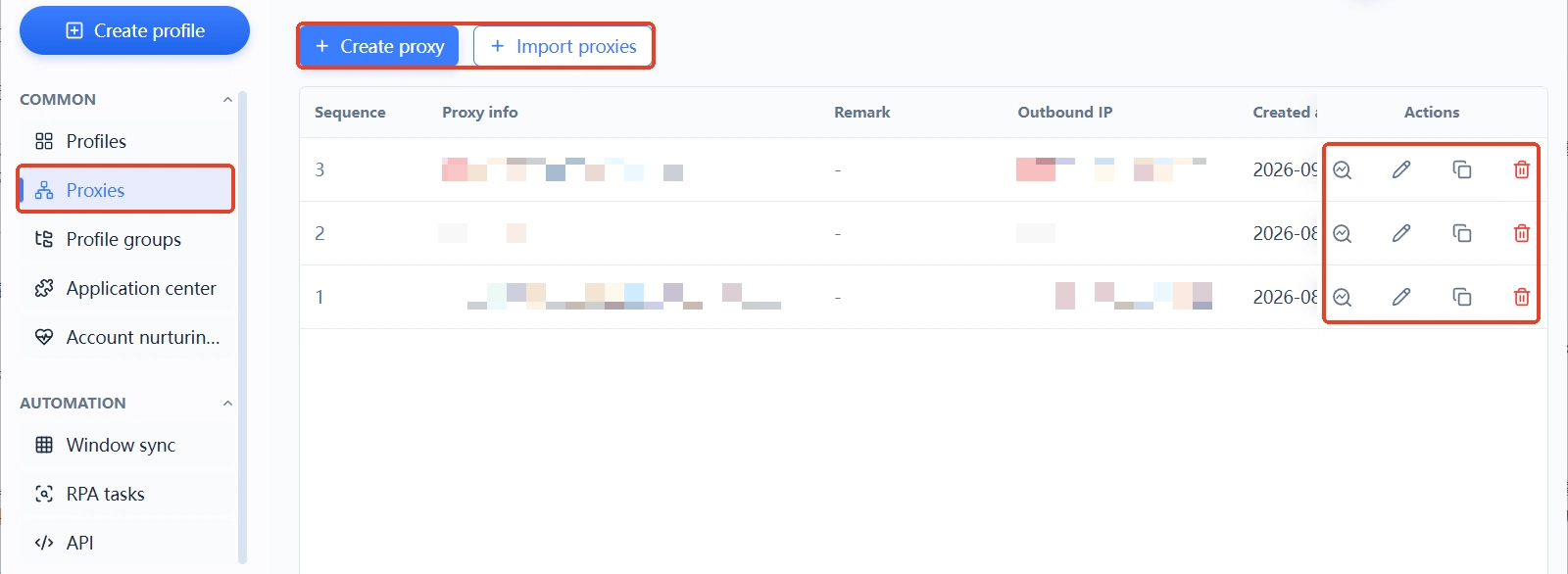
Step 1: settle the proxy first. Proxies are managed in one place in MostMate's proxy list. Add a proxy, test it until it connects, confirm where the exit IP is registered, then assign it to an environment. The exit sets the baseline for everything that follows. Until it is fixed, there is nothing to align the time zone and language against.
Step 2: set language, time zone and geolocation to Based on IP. In the form for creating or editing an environment, the language setting, interface language, time zone and geolocation all offer a Based on IP option. Select it and these fields follow the exit IP automatically. The most common reasons for a score drop in the first two checks are gone before you ever reach them.
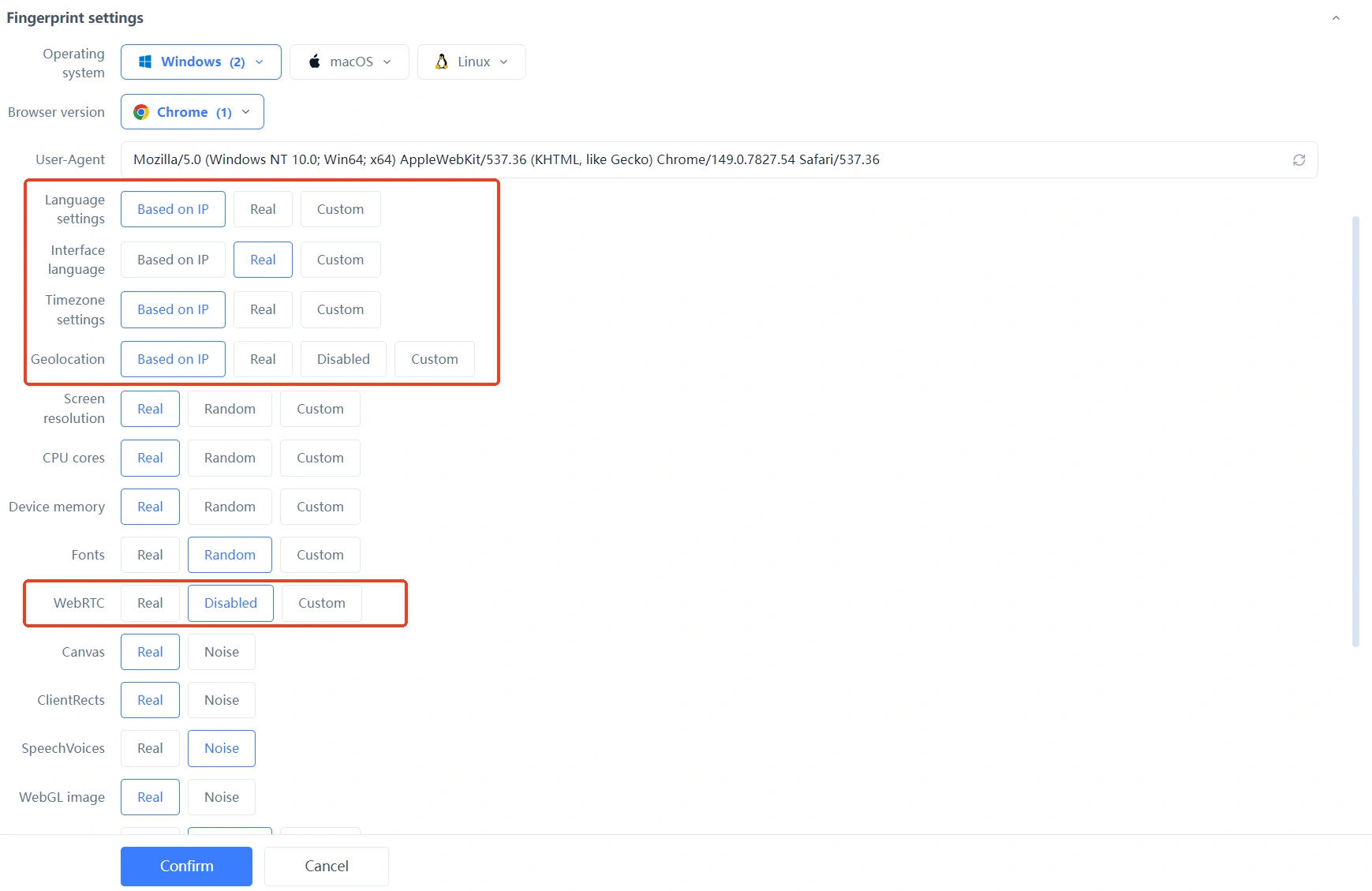
Step 3: leave hardware parameters on their defaults and change them only when something is flagged. Screen resolution, CPU cores, device memory, the font list, Canvas and WebGL each come in a real and a random variant, and some allow custom values. The site's manual versus recommended settings list every adjustable item. Day to day, defaults are enough. Only when Iphey flags something in Hardware or Software do you adjust that single entry.
Once an environment is fixed, go back to Iphey and re-test to confirm the tier came back, then copy the same approach to your other environments. One rule is worth setting in advance: change one thing at a time, then re-test. Move the proxy and the fingerprint together and the result tells you nothing about which change did the work. Next time the score drops you will be just as much in the dark.
How to Schedule Re-tests: One Change, One Test, Always Before Anything Important
- Before anything important: run Iphey before you log into a high-value account, launch ads or change security settings. A few minutes buys you peace of mind.
- After any proxy change: renewing for a new IP or switching routes breaks the alignment, so confirm the time zone and language again.
- Routine checks: once an environment runs steadily you do not need a daily test. Weekly is enough, and it should not eat into your operating time.
Common Questions
What Iphey trust score counts as safe?
There is no published pass mark. In everyday work the verdict tier is what counts. Reaching the trusted tier with no red flags across the five signal areas is enough to work with. A few points of movement inside a tier is nothing to worry about. Read the tier and the flags, not the absolute number.
If Iphey says trusted, does that mean my accounts cannot be linked?
No. Iphey measures whether a single environment looks like a normal user. Linkage is about shared signals between environments: the same fingerprint, the same IP, the same login details. It is very common for every environment to pass on its own while the accounts still get caught together. Isolation has to happen at the anti-detect browser level; a checker can only give one environment a health check.
Why does the score drop after I switch to a new proxy?
Two possibilities. The new IP may carry its own history: too many people have used it and it sits on a blacklist. Or the new IP's region no longer matches the environment's time zone and language. Run Iphey's IP blacklist check to see the history, then re-align the time zone and language to the new IP. That normally brings the score back.
Does Iphey cost anything or require an account?
The check itself is free and needs no sign-up; you just open the page and test. For routine self-checks the free features are more than enough. When you want the raw values behind an individual item for cross-checking, tools like BrowserLeaks lay the parameters out in full. The paid services mentioned in some third-party reviews have nothing to do with the process described here.
Final Thoughts
What makes Iphey useful is that it turns the coherence of your environment's story into a verdict you can read at a glance, not the number itself. A low score is best read as where your troubleshooting starts. IP consistency, time zone and language, hardware parameters: work from the outside in. Most environments come back to the trusted tier, and the cost is far lower than rebuilding.
Put the check on a schedule: always before anything important, one change and one test at a time. That is far cheaper than cleaning up after something goes wrong. If this routine is not part of your setup yet, you can download MostMate. Let Based on IP handle the signals that drift most easily. Once the environment is built, run it through Iphey to confirm, and from then on your troubleshooting has a baseline to work from.

MOSTMATE
Secure Multi-Account Management, Made Simple
Start with your first account and use MostMate to build safer, smarter, and more efficient multi-account operations.
- Independent profiles. Consistent identities.
- AI Automation · Account Health · Team Operations



