
A Proxy Passing the Test Isn't Enough? A Two-Layer Check from Usability to Logical Consistency
Core takeaway: a proxy passing its test only proves that the connection can be established under test conditions; it does not mean the whole setup has been accepted. A complete acceptance still covers three things: whether the actual exit matches what was advertised, whether the proxy type fits the business, and whether the network parameters in the environment look as expected. The first answers "can it connect"; the rest surface setup gaps that a connectivity test cannot see.
Consider a common scenario. A team configures proxies for thirty browser environments in one go. The vendor dashboard shows everything connected, internal tests all pass, and the job is reported done the same day. Two weeks later, some environments are flagged because the region information does not match expectations. Only on re-inspection does the team find that the actual exit location differs from the region labeled at purchase.
The mismatch may come from errors in IP geolocation databases, from dynamic allocation, or from how the vendor labels its ranges. The exact cause needs further checking. But the conclusion is clear: run one extra exit check before handover, and problems like this surface during setup instead of waiting for the business side to report them.
What a Connectivity Test Actually Verifies
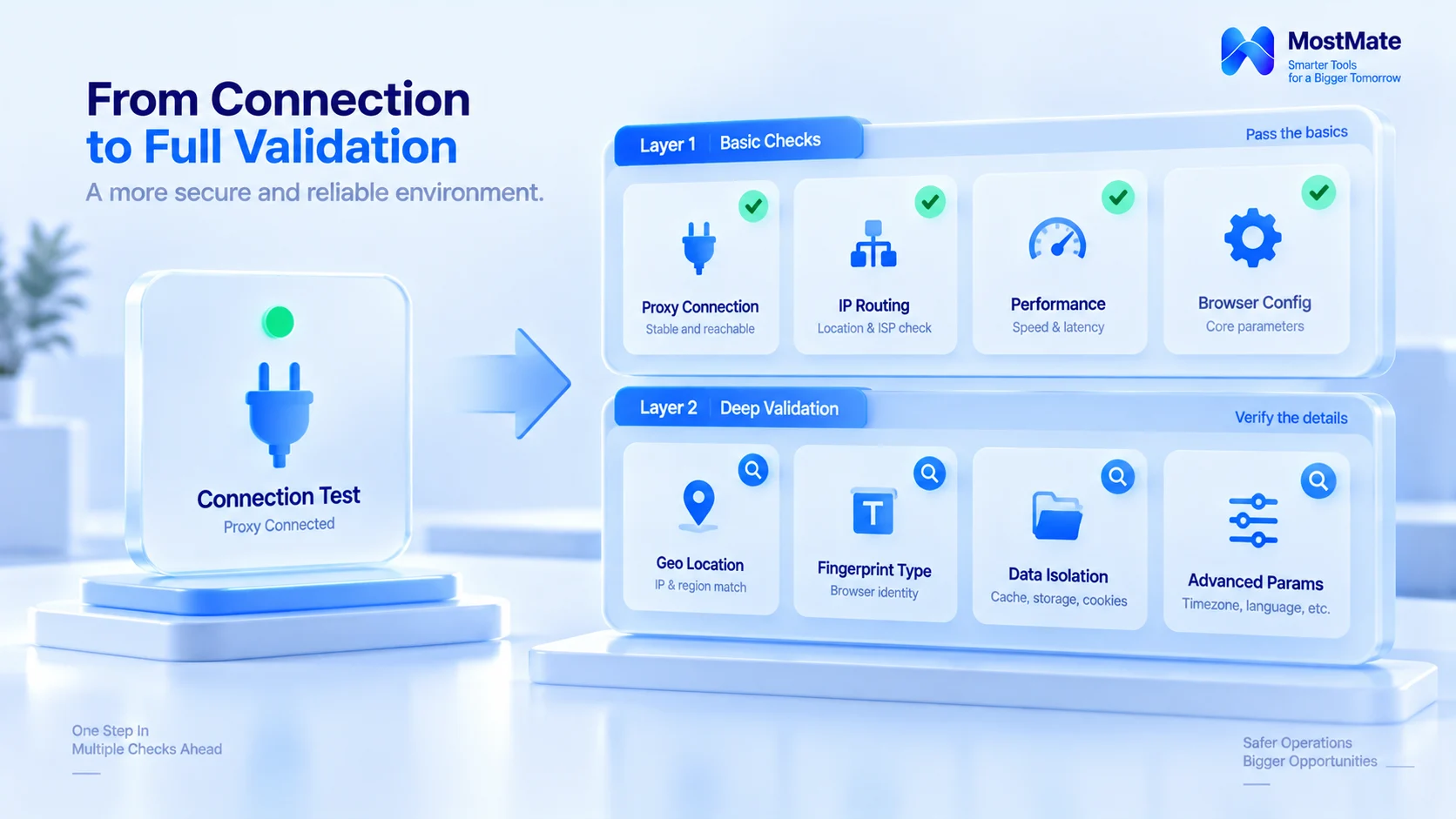
A connectivity test answers exactly one question: from this machine, can a request get through this proxy? Once it gets through, the test says nothing about which source the target service sees, which path DNS resolution takes, or whether the environment parameters fit the exit. Treating "test passed" as "setup complete" means you checked the foundation but never looked at the blueprints.
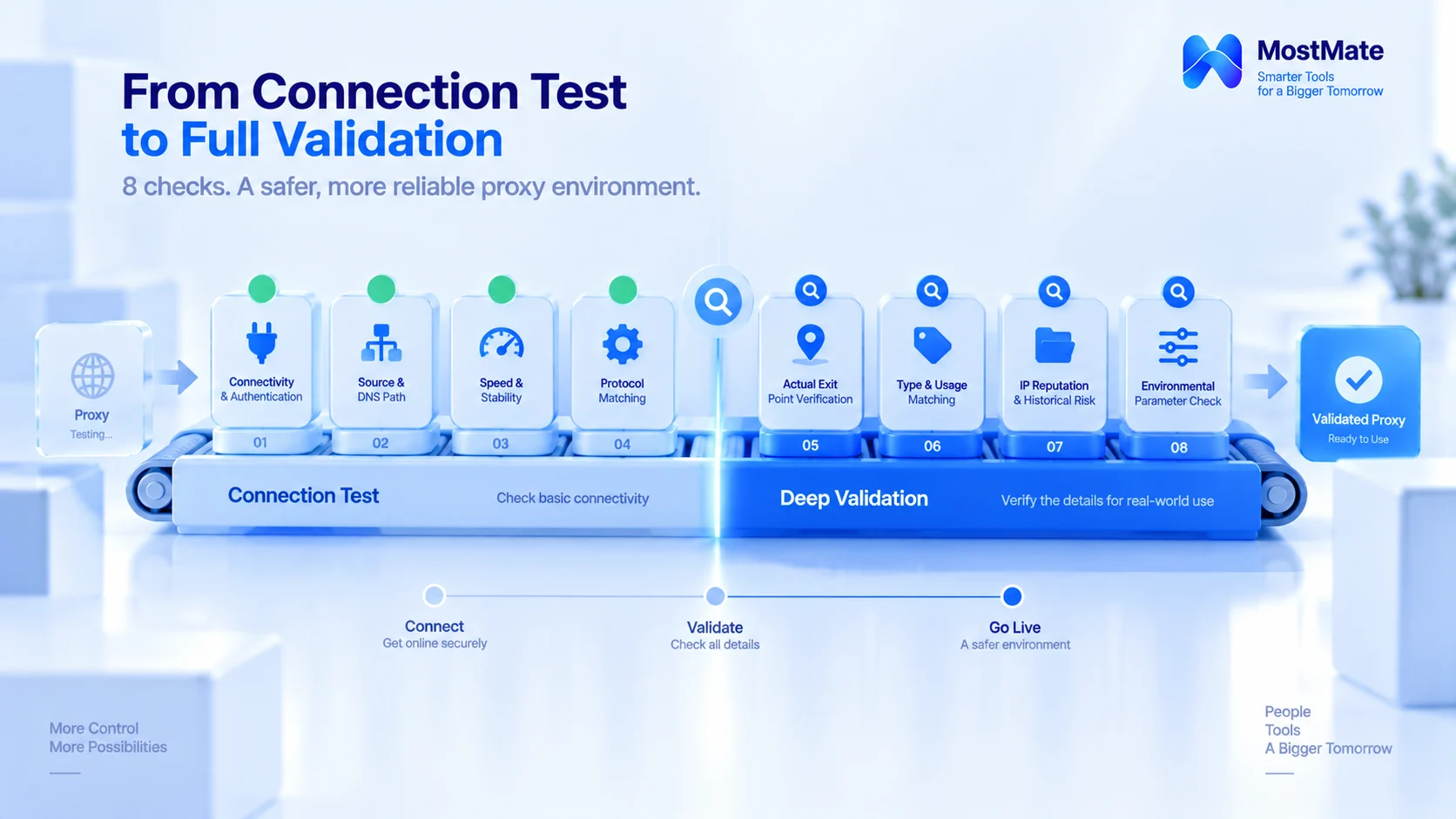
A complete acceptance therefore splits into two layers. Layer 1 looks at the proxy's own connection capability; Layer 2 looks at how it fits the environment it serves. Each layer has its own checklist. Skip a layer, and the problems that layer is responsible for stay in the environment.
Layer 1: Usability Acceptance
1. Connectivity and authentication. First confirm that the proxy service itself connects and that password or whitelist authentication passes in one try. Then test several of the target sites your actual business visits. A proxy that connects fine while individual target sites fail is not rare. Work out which layer the cause sits in: the proxy route, the authentication setup, the target site's access restrictions, or local client settings. Once the cause is clear, decide whether to contact the vendor or adjust the configuration.
2. Source IP and DNS path. Inside the environment, use a detection page to confirm that the target service sees the proxy exit as the source IP, not your own machine. Then check whether DNS resolution goes through the proxy as expected. Whether DNS uses the proxy depends on the protocol and the client configuration, and reasonable paths differ across setups. The standard is "consistent with the intended configuration," not one uniform rule forced onto every proxy.
3. Speed and stability. Test in a way that mirrors real usage. For web browsing scenarios, record page load times and failed requests. For tasks that hold long-lived connections, watch connection drops, reconnects, and timeouts. How long to test and what to measure should follow how the business actually uses the proxy; there is no need to demand hours of continuous running from every proxy.
4. Protocol match. Check the protocols the vendor provides (HTTP, HTTPS, SOCKS5) and the authentication method. Then confirm that what your business software and browser environments actually support matches it, configure the environment per the check result, and avoid limping along on protocol conversion.
Once these checks pass, you can tentatively judge that the proxy has the connection capability the current business needs. Still, a healthy connection does not tell the whole story. Whether the exit region, proxy type, and environment configuration meet expectations is what Layer 2 verifies.
Layer 2: Logical Consistency Acceptance
The "consistency" checked in Layer 2 means the configuration matches business expectations; it does not require every parameter to equal the IP's geographic location. A user traveling with their home language settings, or keeping a second system language for work, is perfectly normal. The purpose of the check is to find misconfigurations and things that do not match expectations.
Actual exit check. Cross-check the vendor's labeled region against the actual exit. Use an IP information tool to read the exit's country, region, and ASN. For example, ipinfo.io shows ownership details directly. Different databases may disagree on location, and an ASN alone cannot classify an IP type. When the query result differs from the label, first work out whether it is a database error, an allocation method, or a labeling problem, and confirm it before contacting the vendor; do not jump straight to blaming the proxy.
Type and use-case match. Check three things: the type the vendor promised, how far the actual exit verifies it, and whether the business's requirements on region, stability, and terms of use are met. Residential, datacenter, and ISP proxies each have their usual scenarios. ISP proxies explained compares the three types in more detail; what acceptance checks is whether the "type you bought" and the "scenario you use it in" agree.
IP reputation and history. IPs in shared pools carry traces of their previous users, and some public services expose abuse reports, blocklists, or reputation signals. Platform ban mechanisms draw on the same signals; why proxy IPs get banned analyzes exactly this chain. These results are reference only, since public tools usually cannot confirm whether a specific IP has been penalized by a particular platform. A more reasonable pass standard is "no obvious known reputation anomalies found within the tools and time window used." When you find an anomaly, confirm the allocation method and replacement policy with the vendor, switch exits if needed, and record the conclusion in the acceptance log.
Environment parameter check. Time zone, language, and location parameters are related to the exit. The focus is whether anything is misconfigured and whether it fits the business's usage scenario and intended setup. Demanding that every item equal the IP's location mechanically actually drifts away from real usage. MostMate supports configuring this set of fingerprint parameters based on the exit IP, and a per-environment check makes mismatched combinations obvious at a glance. The details of this linkage are covered in proxy maintenance and exit checks, so they are not repeated here.
Layer 2 exists to identify configuration gaps and risks that need verification. Both IP geolocation and reputation lookups have limits, so when results disagree, verify the information source and test conditions first, then decide whether to adjust the configuration or contact the vendor. Only after the check is done do you have grounds to decide whether the proxy can be handed to the environment.
Put the Acceptance Results on Record
If it isn't documented, it never happened.
Keep one acceptance page per environment's proxy. When you re-check, the record shows the baseline at that time: whether anything drifted and who changed what is obvious at a glance. Records can follow the template below:
| Item | What to record |
|---|---|
| Check date | Date, plus the tools or data sources used |
| Proxy connection | Auth result, target access, main issues |
| Actual exit | Country or region, ASN, query source |
| Proxy type | Vendor-labeled type and what you can verify |
| Environment setup | Protocol in use, browser parameters, results |
| Issue handling | Description, action taken, retest needed? |

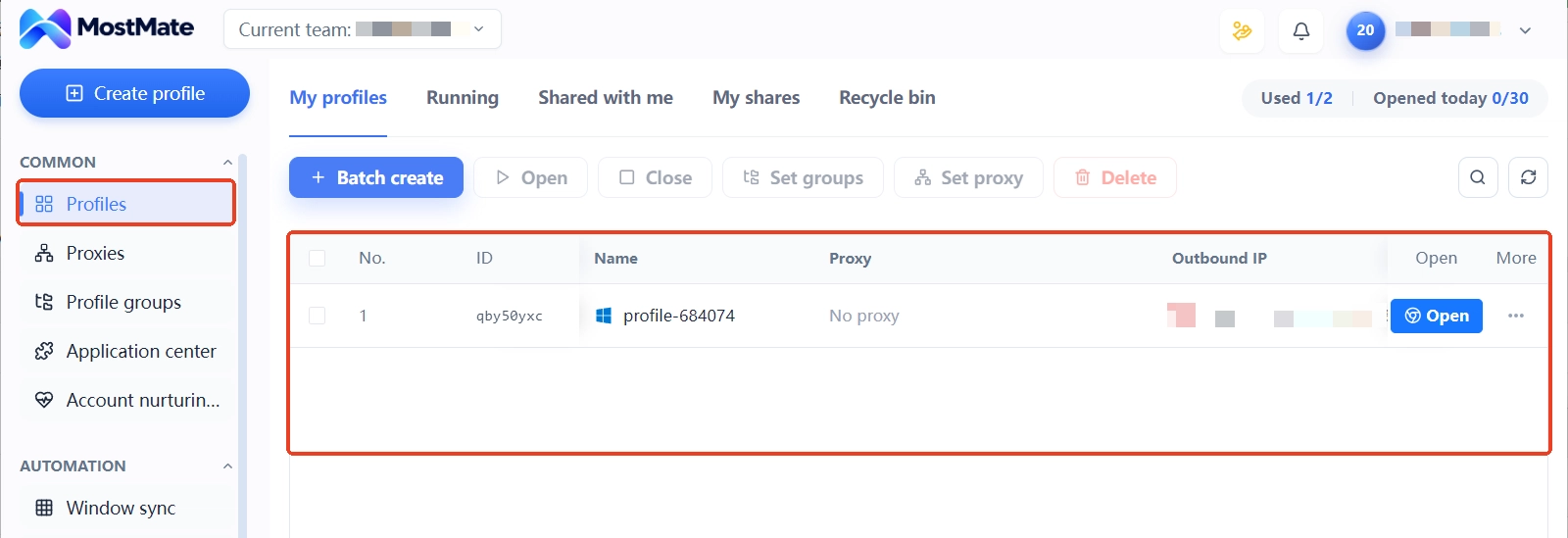
You can copy this table straight into your team's runbook. Fields like proxy connection and actual exit fit naturally into MostMate's proxy management and environment notes. Process information such as query sources and issue handling needs separate team archiving; the full capability list of each module is in what is MostMate. Once the acceptance sheet is filed, connect day-to-day drift monitoring and periodic re-checks. With those two rhythms working together, the proxy line is fully managed.
Three Pitfalls in the Acceptance Stage
Pitfall one: an all-green dashboard means setup complete. The vendor dashboard's connection status and the actual exit information are two different judgments, and the green light covers only the former. Exits that don't match their labels mostly show up on proxies that were delivered green.
Pitfall two: acceptance is a one-time event. Different changes call for different re-test scopes. Swapping an exit IP means re-checking exit region, ASN, and reputation. Changing the protocol or authentication means re-checking connection, auth, and client compatibility. Changing browser environment parameters means re-checking those configurations. Let acceptance follow the blast radius of each change instead of starting over every time.
Pitfall three: checking region but not type. An exit region matching expectations does not mean the type and stability meet business needs; also confirm how the proxy type, the vendor's service, and the target business fit together. The proxy type alone tells you nothing about how a platform will judge a given user.
Frequently Asked Questions
After a proxy passes testing, what else needs checking?
Two more layers. The connection layer covers authentication, source IP and DNS path, speed and stability, and protocol match. The configuration layer covers actual exit, type match, reputation, and environment parameters. Passing the test is only the first item of the first layer.
How do you tell if the IP type a vendor sold you is fake?
Use an IP information tool to look up the exit's ASN and carrier type, and cross-check them against the type promised on the order page; if they disagree, confirm the allocation method with the vendor. ASN offers reference signals only, so never draw a conclusion from it alone.
Is acceptance different for shared and dedicated proxies?
Same checklist, different focus.
For shared proxies, the risk concentrates in the history left by others in the same pool; for dedicated proxies, it sits more in ownership details and the vendor's service quality, so the management approach differs. Choose by the risk level your business can accept; there is no one-size-fits-all answer.
Do you need to re-check after switching nodes?
Yes, but scope it to the change. A new exit IP calls for at least re-checking exit region and reputation; changes involving protocol or environment parameters mean re-running the matching layer's checks, with the acceptance record updated in step.
Final Words
A complete proxy acceptance has two layers: Layer 1 confirms connection capability, Layer 2 checks the configuration against business expectations. Each of the eight checks has its tools and criteria, and once the results land in the acceptance record, every re-check has a baseline to compare against.
To run an acceptance pass on the proxies you set up recently, download MostMate. Proxy testing, exit-IP-based parameter configuration, and environment notes all happen in one dashboard. Jot each acceptance conclusion into the matching environment as you go.

MOSTMATE
Secure Multi-Account Management, Made Simple
Start with your first account and use MostMate to build safer, smarter, and more efficient multi-account operations.
- Independent profiles. Consistent identities.
- AI Automation · Account Health · Team Operations



