
Anti-Sybil Guide for Airdrop Studios: Sybil Screening and Multi-Account Environment Management
Core takeaway: airdrop projects run Sybil screening mostly to identify duplicate or fake participation that fails eligibility rules. For an airdrop studio, understanding participation conditions, verifying task completion, and making account and browser environment ownership clear does more for your team than chasing any single detection technique. This guide covers the screening mechanism, common participation risks, team environment management, and how to investigate a poor result, showing which problems disciplined management can reduce and which remain subject to each project's eligibility rules and final decisions.
First, two terms: Sybil attacks and Sybil screening.
A Sybil attack is when one participant uses multiple fake or duplicate identities to claim rewards beyond what the rules allow. The term comes from research on similar attacks in peer-to-peer networks, and the Ethereum documentation cites it when discussing network security.
Sybil screening is what a project does before distributing tokens or rewards: it looks for this kind of participation in public data. One describes behavior; the other describes review. Studios care about the second.
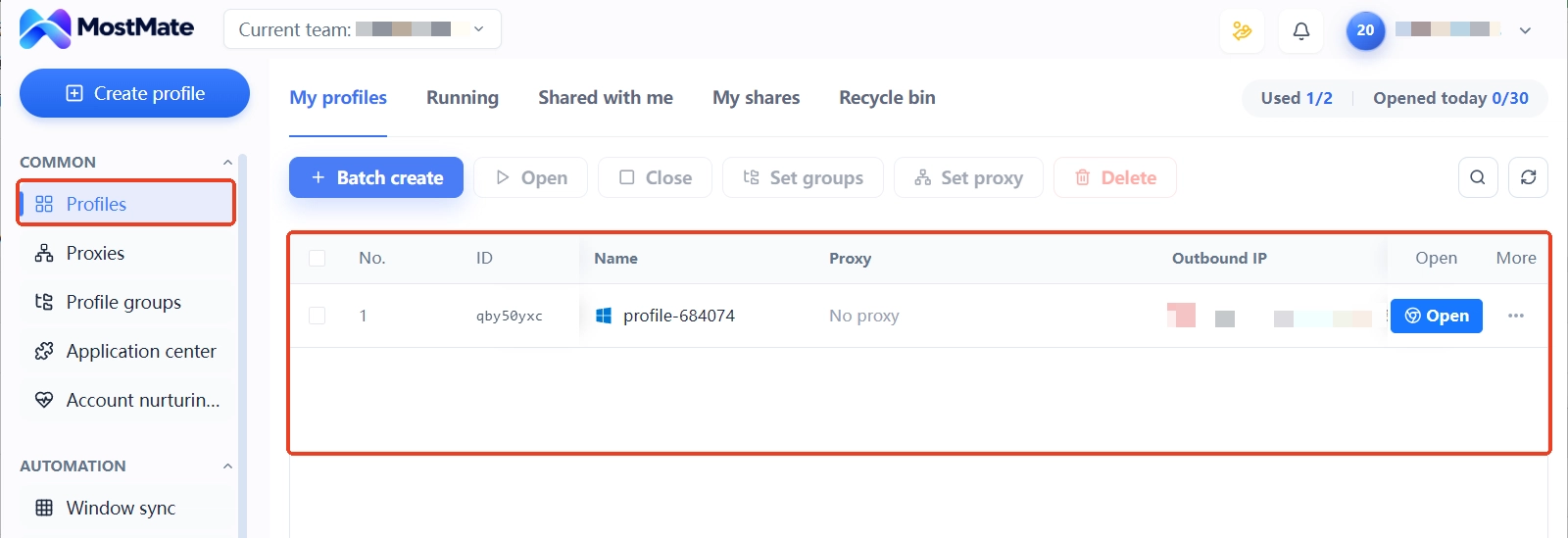
Teams that manage multiple browser environments can use an anti-detect browser to organize separate workspaces, maintain related configurations, and reduce mixed-up logins and profiles. MostMate offers environment management, proxy management, and environment grouping; this guide uses those scenarios to explain where it fits.
What participation risks do airdrop projects watch for
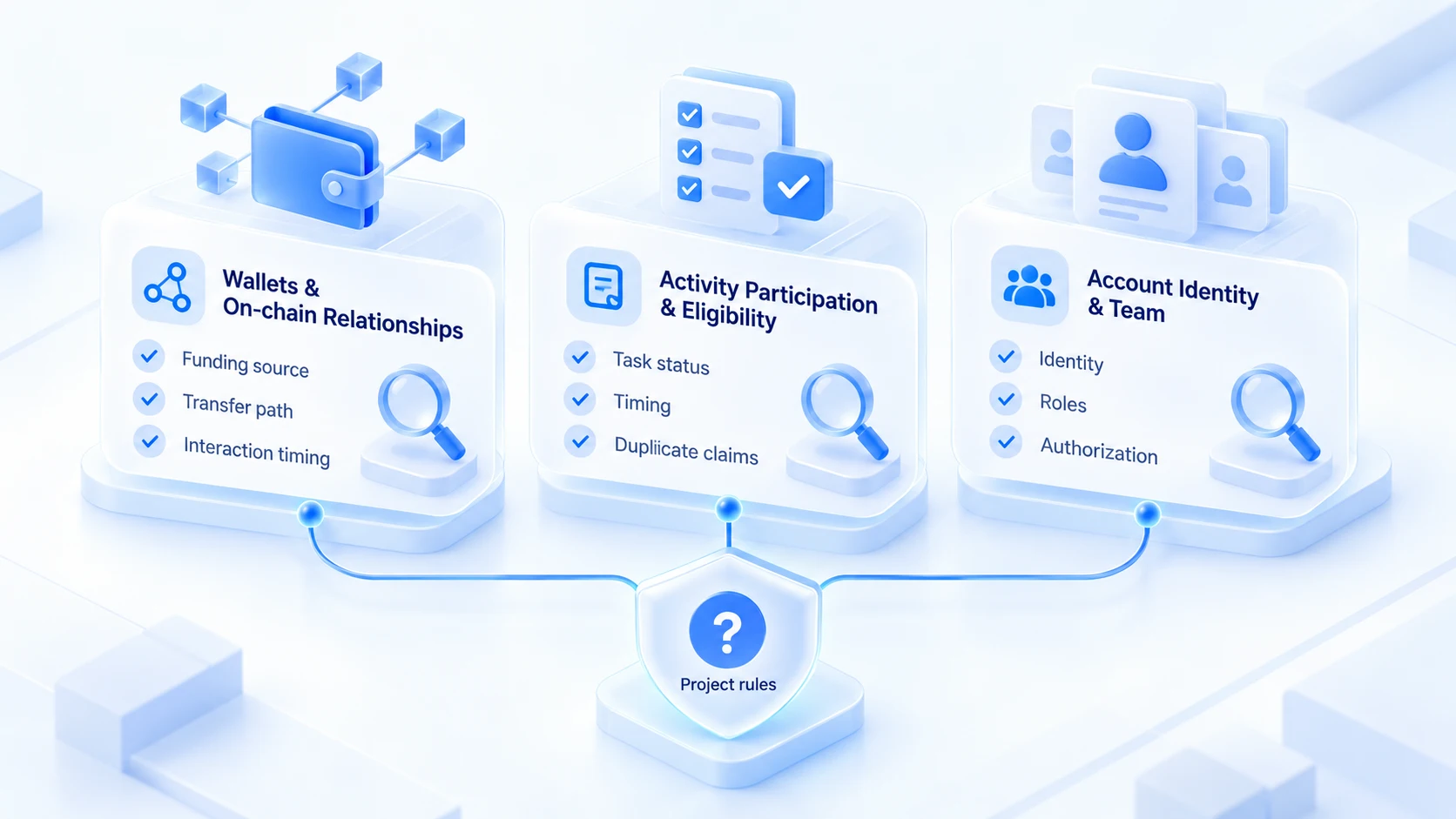
Screening methods differ by project, and no public unified algorithm exists. Group the common risks into three types so your studio can self-check:
| Risk category | What projects may look at | What a studio can verify |
|---|---|---|
| Wallet and on-chain ties | On-chain txs, fund flows, activity links | Ownership records, projects joined, tx logs |
| Participation and eligibility | Task completion, timing, duplicate claims | Rule versions, task records, claim status |
| Account identity and team | Ownership, participant identity, approvals | Account owners, roles, handover records |
Wallet and on-chain ties draw the most dispute. On-chain data is one information source some projects may consult when analyzing eligibility. Tools like Nansen and Dune help users inspect public transactions and address activity, but whether a given project uses them, and which criteria apply, is up to each project's public statements. Funds moving between two wallets alone does not prove one participant controls both.
For participation and eligibility, the problem is usually records, not technique. Unfinished tasks, timing that misses requirements, and duplicate claims from one identity all fall here. For a team, whether account ownership and member approvals are clear is an internal management check. If several people work on the same projects, define each person's identity, tasks, and approval scope, and follow the project rules. Internal records are not the project's screening basis, and they cannot tell you how a project decides eligibility.
How a studio builds a disciplined multi-account workflow
Teams working across many projects keep accounts, environments, and task records scattered across members. Ownership gets unclear, configurations get mixed, task status slips. A single management workflow makes handovers, project reviews, and eligibility checks far easier.
1. Account and member ownership: record the owner and active projects for every account; update whenever members change.
2. Browser environment organization: build one environment per project or business line, one purpose each, no shared login state.
3. Proxy and network setup: maintain proxies one by one, log exit details, and keep a trail of changes.
4. Task and eligibility records: keep one record per project of conditions, task status, and reward outcomes.
5. Handover checklist: when people or tasks change hands, hand over accounts, environments, proxies, and project records together.
MostMate can serve as part of your team's browser environment management. Use environment grouping, proxy management, and member permissions to map environments to projects and define each member's scope. In practice, keep account owners, project tasks, and eligibility records separate from browser environment data. Environment records manage logins and settings; task records verify campaign requirements. Neither substitutes for the other.
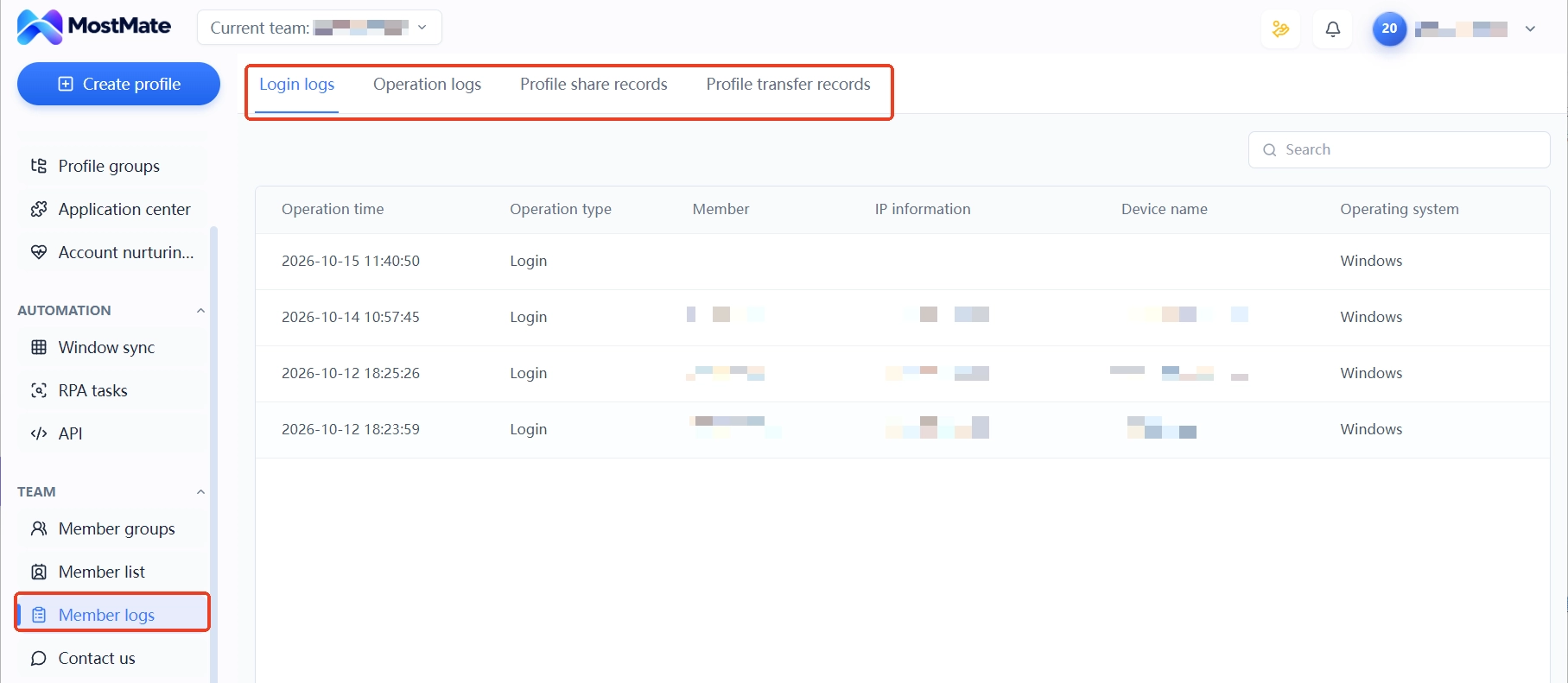
If your team relies on member logs for handovers or accountability, use the login logs, operation logs, and environment sharing and transfer records to keep a trail of who touched what. For the full framework of multi-account management, see the more complete version in multi-account security management.
After a project flags you as a Sybil: how to investigate
One premise first: exclusion does not equal a confirmed Sybil label.
- Read the project's published eligibility conditions, exclusion rules, and screening notes, and confirm which version applies to you.
- Check your task list against completion status, timing requirements, and any duplicate claims.
- Review internal records: is account ownership clear, are approvals complete, is any on-chain behavior explainable?
- If you believe there is a mistake, submit truthful, verifiable information through the project's public appeal channel.
If the project has published an exclusion list or eligibility results, start with the rules, result notes, and appeal window. Recheck task completion, eligibility conditions, and your internal account and task records. Unmet requirements, misread rules, or data criteria can all produce the same outcome, so look for those gaps first.
If you believe the result is wrong, submit truthful, verifiable information through the project's public appeal channel. Do not treat switching networks, changing browser settings, or creating new wallets as a way to restore eligibility; these steps cannot replace the project's rule review, nor can they alter on-chain transaction records that already exist.
Managing studio environments with an anti-detect browser: where is the line
In an airdrop studio, the anti-detect browser's job is to keep the environment layer in order. MostMate manages cookies, local storage, sessions, and fingerprint configurations independently for each environment. With environment grouping and member permissions, each person works in their own environment on their own projects. The environment isolation guide covers how this layer works and where it stops.
Separate what it solves from what it does not. An anti-detect browser helps teams manage browser environments, maintain configurations, and reduce internal account and workspace mix-ups. It cannot change on-chain activity that has already happened, and it cannot decide how a project verifies eligibility. For airdrop work, environment management should serve disciplined collaboration, not replace checking the project's rules.
Treat the anti-detect browser as an environment management tool and it serves airdrop work well. Treat it as an anti-Sybil tool and the positioning is wrong. The risk actually sits with the team itself. If you have not yet decided whether to add tooling for airdrop work, the who is MostMate for article lists criteria worth matching against your situation.
Frequently asked questions
How is a Sybil attack different from normal multi-wallet management?
It comes down to the project's rules and how you actually participate. If a project allows one claim per person and a participant claims through multiple identities, the eligibility rules may be violated. Wallet counts, identity requirements, and reward eligibility differ by project, so follow the specific campaign's terms.
If several people share one network, will airdrop projects flag them as Sybils?
Sharing a network is not a judgment basis by itself; home and office networks are shared by design. A project's screening usually weighs on-chain relationships, participation behavior, and eligibility records together. A single network trait does not decide the outcome. Specific criteria follow the project's own documentation.
Can an anti-detect browser stop airdrop Sybil screening?
No. It manages browser environments and configurations, reducing internal mix-ups. On-chain data, project rules, and eligibility checks sit outside this layer. Any claim of guaranteed immunity from screening is not credible.
If a project excluded me from an airdrop list, can I still appeal?
If the project provides an appeal channel, submit truthful, verifiable information. Before appealing, recheck the eligibility conditions and your own participation records to confirm your grounds. If no channel is published, watch for later announcements or contact the project's public support, but do not assume eligibility will be restored.
Closing thoughts
Facing Sybil screening, an airdrop studio should first be clear on each project's eligibility and task requirements, then build account ownership, browser environment, and task record workflows sized to the team. Eligibility follows the project's published rules; browser environment management mainly reduces internal configuration mix-ups and missed information during collaboration.
If your team needs to manage multiple browser environments, explore MostMate's environment management, proxy management, and member collaboration features, and judge whether an anti-detect browser fits your actual use cases. Visit the MostMate website or read the MostMate product overview to see current capabilities.

MOSTMATE
Secure Multi-Account Management, Made Simple
Start with your first account and use MostMate to build safer, smarter, and more efficient multi-account operations.
- Independent profiles. Consistent identities.
- AI Automation · Account Health · Team Operations



