Who Is MostMate For, and Who Is Better Off Without It? Three Questions, Three Types of Users
Some people order the moment they read the words fingerprint browser, install it, and only then notice they have two accounts and nothing that needs keeping apart. The tool solves a problem that was never theirs. The money is gone and the hassle is exactly the same.
The opposite happens too. Someone runs a few dozen accounts, has logged in from a single laptop for years, and hears environment isolation as something built for large teams.
MostMate is a fingerprint browser, and the official site describes it as an AI fingerprint browser aimed at beginners. What it actually does is concrete: **it gives every account its own separate browser environment**, with its own cookies, local storage, login state and network exit, so signing in stops meaning swapping configurations. It is built for multi-account work, not as a browser for everyone.
Put it beside the two other common approaches and the boundary gets much clearer:
| Approach | Network exit | Device and storage boundary | Typical case | | --- | --- | --- | --- | | Multiple profiles in a normal browser | Shared | Split inside one device | Few accounts, one person | | A proxy bolted onto the browser | Swapped as needed | Shared | You only need a different exit | | A fingerprint browser (MostMate) | Per environment | Separate per environment | Several accounts that must stay apart |
The official site keeps a whole section on use cases, but most people read it after they have paid. This article reverses the order: the criteria first, then which users get something out of it and which ones can wait.
Answer Three Questions and You Have Your Answer
The criteria are not on the feature list.
All three land on the accounts themselves, and the number of features has nothing to do with it.
- Do you have more than one account that needs to stay apart from the others? One or two you can keep track of from memory.
- Are those accounts yours, or do you hold clear authorisation for them? If not, the problem is not the tool.
- Are you willing to spend a little time each week keeping records and checking things over? If not, the tool is just one more login screen.
**Say yes to all three and a tool like this starts to pay off at all.** Say no to one and one of the sections below will almost certainly describe your situation.
The three answers lead to different conclusions, and the table below is a quick way to sort yourself out:
| Your three answers | Conclusion | Do this first | | --- | --- | --- | | Yes to all three | Worth using | See which stage you fall into | | Stuck on account count | Not yet | Bridge with the profiles you have | | Stuck on ownership or authorisation | Not suitable | Settle ownership first | | Stuck on record keeping | Will not last | Write the weekly routine down |
If you cannot answer the three questions confidently, there is a clumsier but more accurate method. Run your current setup for a week and note two things only: how much of the day goes into switching accounts and checking their state, and whether anything happened that week where you could not say which account was in what state.
If both numbers are low, you do not need this yet. If one of them surprises you, you have your answer.

The People Who Benefit Share Four Traits, and Account Count Is Barely One of Them
Not one of these four traits depends directly on how many accounts you run. What matters is whether the accounts need boundaries between them, whether ownership is clear, whether somebody will keep records on a rhythm, and whether the next person to take over knows what to respect.
1. The account count has passed the point where memory still works
The threshold differs from person to person. An easy test is time: how long do you have to dig through chat history to say what state an account is in right now, which environment it sits in and which route it uses?
If finding that takes minutes, the account count has reached the stage where a tool helps. Cross-border sellers who split accounts by storefront, advertising teams who split ad accounts by client, content operators who split accounts by platform: these groups are usually past that line.
2. Ownership of the accounts is clear
The precondition is that you or your team hold the accounts, or that you have written authorisation. Without authorisation there is no reason to read on.
Client accounts and accounts handed over by your employer are fine to run in separate environments, as long as the authorisation exists. The only difference is that the authorisation itself needs a paper trail, so that when something goes wrong you can say who was using the account and who was allowed to.
**When ownership is clear, the tool solves an efficiency problem. When it is not, you are not looking at a technical problem at all.**
3. You are willing to keep records on a rhythm
This is the one most people underestimate.
Once the environments exist, the part that genuinely saves you time starts to show: which account had a strange spell this week, when the route was last changed, who touched which environment and when. On a normal day none of it looks useful. On the day something breaks, all of it is.
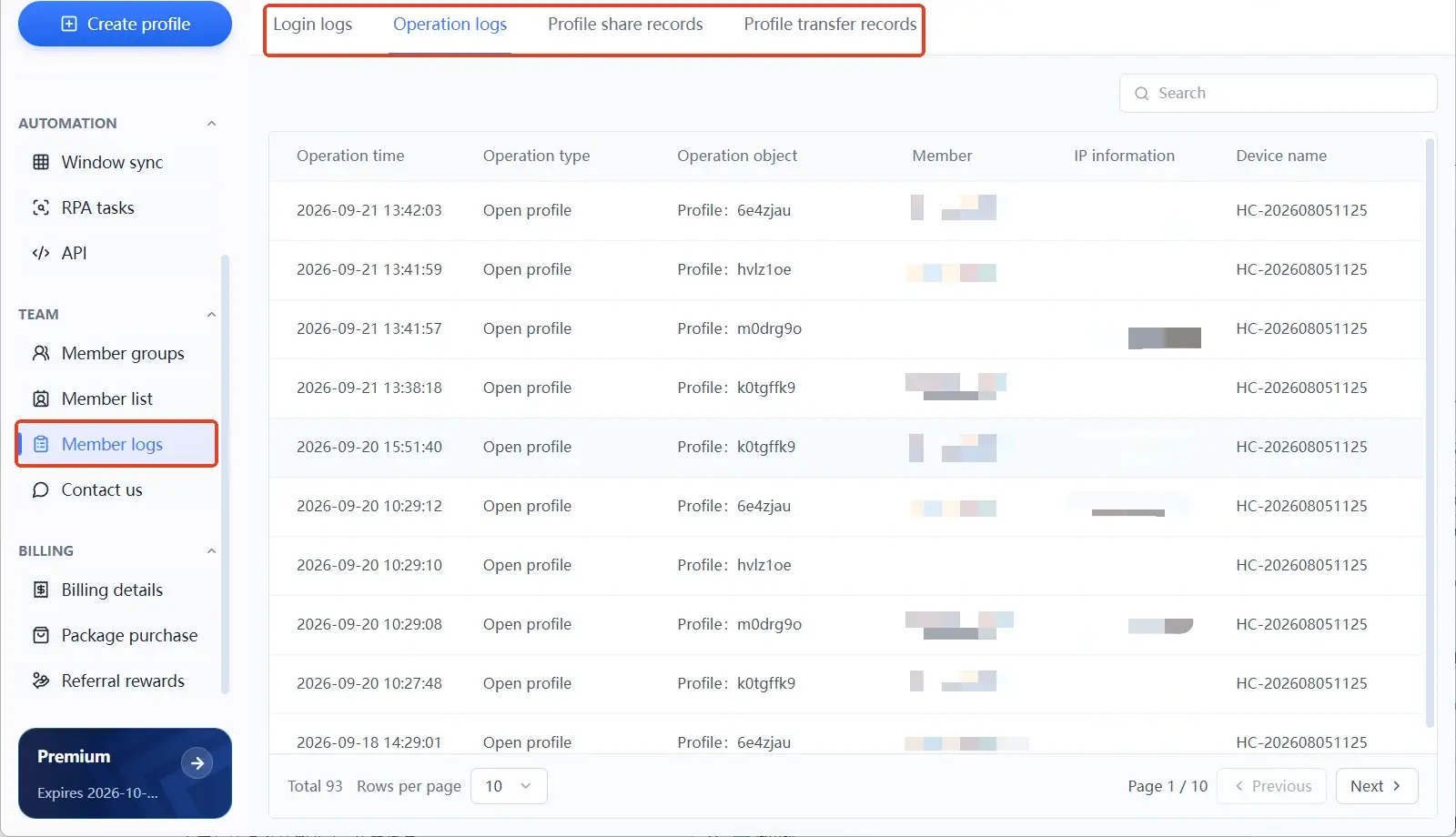
People who spend ten minutes a week writing it down accumulate the value. People who expect one installation to settle everything usually forget how many environments they built within two weeks.
4. Someone in the team is already picking up the work
On your own you rely on memory. With several people you rely on agreed rules.
Once advertising, support and creative each own a slice, the account boundaries and permissions have to be written down. Otherwise the first person to take over will change the configuration to suit their own habits.
Most people who suit this tool have already been through that. People who have been through it understand without further explanation.
The official site gathers these situations under use cases: social media operations, cross-border e-commerce, paid advertising, affiliate marketing and team operations each get a block, and each block explains why those accounts need separating. Scanning it against the accounts you actually run is far quicker than reading a feature list line by line.
Three Types of Users Who Can Wait
These three groups do not need it, each for a different reason, and what they have in common is that the tool is not the problem.
1. People managing one or two accounts
Two or three accounts, one computer, a couple of browser profiles and a sheet of paper for the key details is usually enough.
The cost of a tool like this is an extra layer to maintain: environments to create, routes to configure, parameters to get right. With few accounts, that layer costs more time than it saves.
That calculation is yours to make. When the account count actually grows, migrating later is not a problem.
2. People who need to manage accounts they do not own
Growing accounts for other people, buying and selling accounts, renting accounts out: none of that is what this tool is for. A tool can hold the boundary of a device and its storage. It cannot hold ownership itself.
The more concrete risk sits with credentials. Any arrangement that asks you to hand over passwords or verification codes hands over control at the same time.
The US Cybersecurity and Infrastructure Security Agency is blunt about it in its advice on strong passwords: never share your password with anyone, and credentials belong with the person they identify. Once an account is out of your hands, even your right to appeal becomes an open question.
3. People who expect platform rules to stop applying
These tools deal with the technical boundary between accounts. They do not deal with platform rules. Anyone hoping to use separate environments to farm engagement, pile up followers or post fake reviews will get no help here.
The risk on that side is growing. The US Federal Trade Commission's rule on consumer reviews and testimonials, in force since 2024, explicitly bans the buying and selling of fake social media influence indicators, including followers and views produced by bots or stolen accounts, and violations carry civil penalties.
Beyond platform rules there is the legal layer. It is worth thinking that through before you start.
Different Account Counts Mean Different First Problems
The official site lays out three stages to describe how usage differs at different sizes. They are not price tiers and not feature gates.
Pricing is a separate matter, and the three tiers do not start in the same place:
- Free: $0.
- Professional: from 10 environments, $6.80 monthly or $40.80 yearly.
- Advanced: from 100 environments, $165.00 yearly.
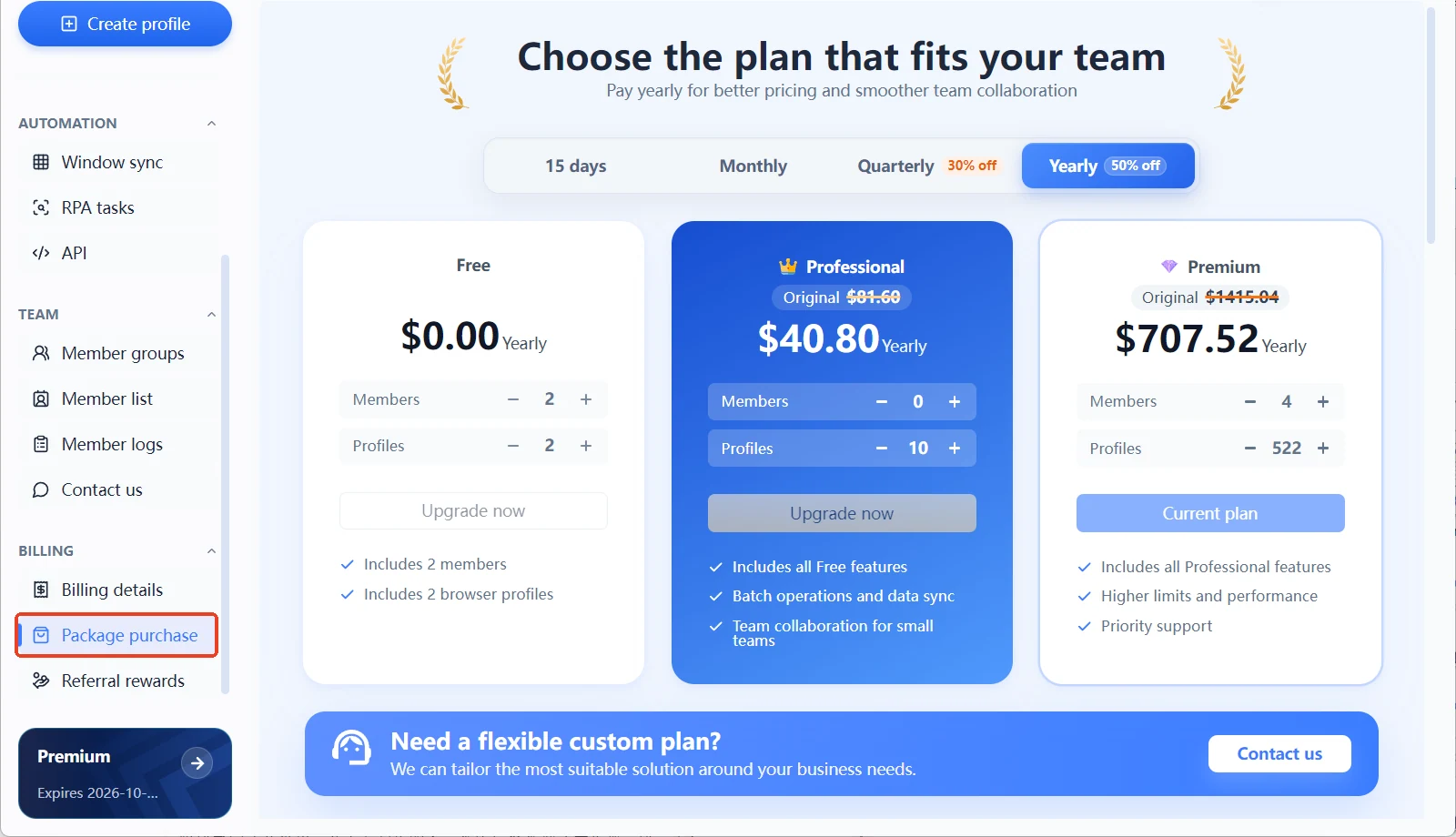
The quote moves with the number of environments, so the price shown inside the product is the one that counts.
| Stage | First problem | How you know it is done | | --- | --- | --- | | Starter (up to five environments) | Fix one configuration as a template | The third environment needs no new thinking | | Growth (dozens of environments) | Ownership and permissions | The next person stops asking | | Scale (hundreds of environments) | Batches and records | You can trace what changed |
There is no clear line between the three stages, and no step that requires buying something first. Wherever your accounts sit, do the work that belongs to that stage. The numbers will give you the answer.
The stages shift as well. Someone starting today is likely somewhere in growth six months from now, and the tool does not need to change even though the work does.
Moving over from a manual setup is not hard either. List the accounts you have by owner and purpose, then build environments from that list. Order matters more than quantity. Scale changes; the judgement does not.
What MostMate Handles and What It Does Not
**Being clear about the boundary is worth more than ten extra features.** The two columns below are often read as one, and that is how people end up blaming the tool after something goes wrong.
| MostMate handles | MostMate does not handle | | --- | --- | | Device and storage boundaries per account | Whether content follows platform rules | | Parameters and network per environment | Whether payment and settlement comply | | Who touched which environment and when | Whether account ownership holds up | | Environment groups and access rights | Ownership and authorisation of accounts |
These four things are exactly where accounts usually go wrong, and the reasons are almost always plain. A tool pulls the technical boundary into one place. The remaining judgement is still human. Confuse the two categories and you will be unhappy even after paying.
For how clean an environment really is, the self-check sequence in what the MostMate fingerprint browser is is the place to start.
If you want a few more articles before deciding, the MostMate blog groups similar pieces by section.
If You Answered No to Any of the Three Questions, Here Is What Comes Next
What you do depends on which one you got stuck on, and the three cases are not the same.
With one or two accounts, bridge with multiple browser profiles on a dedicated machine for now. When ownership is unclear, go and settle ownership first. That step comes before everything else.
If it is simply that you dislike the paperwork, write down the actions you will do every week, then choose a tool with that list. It beats any review you can read.
If instead you answered yes to all three, the next question is how all of this fits into your workflow.
The page on how MostMate isolates environments covers the technical principles behind it. Read it against the accounts you have and you will soon see whether they match.
To walk through building an environment with your own account first, start with downloading MostMate and finish the flow before deciding.
Frequently Asked Questions
What kind of tool is MostMate?
A fingerprint browser, delivered as a standalone client rather than an extension inside your everyday browser. It gives every account its own browser environment, separating device and storage boundaries per account and configuring the network exit per environment.
Is MostMate suitable for individual users?
Account count and ownership decide that, not who you are. An individual with a single account does not need it. An individual running a cross-border store and several content accounts at once does.
I manage five accounts on my own. Does that count?
You are close to the line. Five accounts on one platform that need separating are worth running this way. Five logins for five different websites are a different problem.
Can a team that manages accounts for clients use it?
Yes, provided every client has given clear authorisation and the credentials stay documented. Running client accounts in separate environments is far clearer than mixing several clients on one machine, and handovers are easier to explain.
I only work on one platform. Do I need it?
The criteria are still account count and ownership. A single platform does not change the judgement. Someone managing a dozen accounts on one platform needs this structure more than someone running two accounts on each of two platforms.
Once I use it, can I ignore platform rules?
No. It handles the technical boundary between accounts; platform rules govern how accounts may be used. Expecting the first to cancel out the second starts from the wrong direction.