
How to Use One Set of Actions Across Multiple Windows? A Guide to MostMate Window Sync
Core takeaway: window sync solves the problem of repeating the same actions across many windows. It lines up several launched browser environments and lets selected windows perform identical actions; each environment keeps its own cookies, fingerprint, and proxy, so accounts are never merged. This guide covers three things: why it exists, which actions are safe to spread, and how to prevent accidental syncs.
Managing multiple accounts in an anti-detect browser means one isolated environment per account. Once environments pile up, the tedious part shifts: the same set of actions has to be repeated manually in a dozen windows. MostMate is an anti-detect browser, and Window Sync under the Automation menu on the left is the efficiency feature that spreads these repeated actions in batches, listed in the multi-account efficiency section of the website.
Why multi-account operations need window sync
Environment isolation answers how accounts stay apart; window sync answers how they get managed together once they are. Placing different accounts in separate environments, each with its own cookies, local storage, proxy, and fingerprint, is the foundation of staying unlinked. Once the number of environments grows, a second layer of work appears: the windows may be separate, but every action still has to be done by hand, one at a time.
Say you run ten shop environments at once. A few need the same backend page opened, a few need the same metric checked. Done manually, the work becomes a fixed loop: switch, open, scroll, back out, switch to the next, repeat. A few extra seconds each time goes unnoticed; a dozen rounds later, the minutes add up.
Window sync fills exactly this gap. It does not replace environment isolation; it handles efficiency after isolation is in place. One line sums up the split: environment isolation keeps accounts apart, window sync spreads the repeated actions.
What window sync actually is
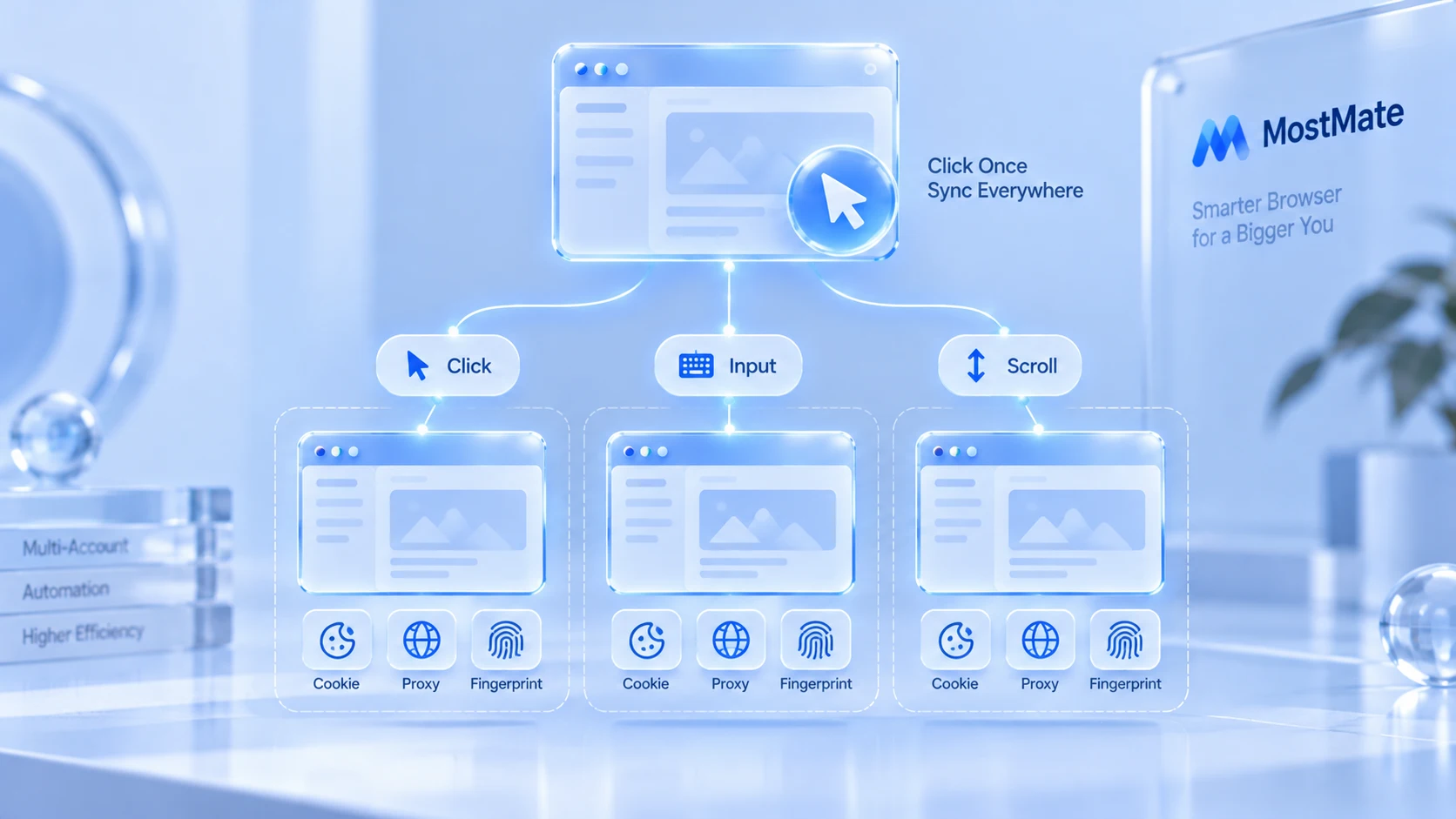
It sounds like gluing several windows into one, yet it merges neither accounts nor environment data. Window sync handles two layers, both centered on actions.
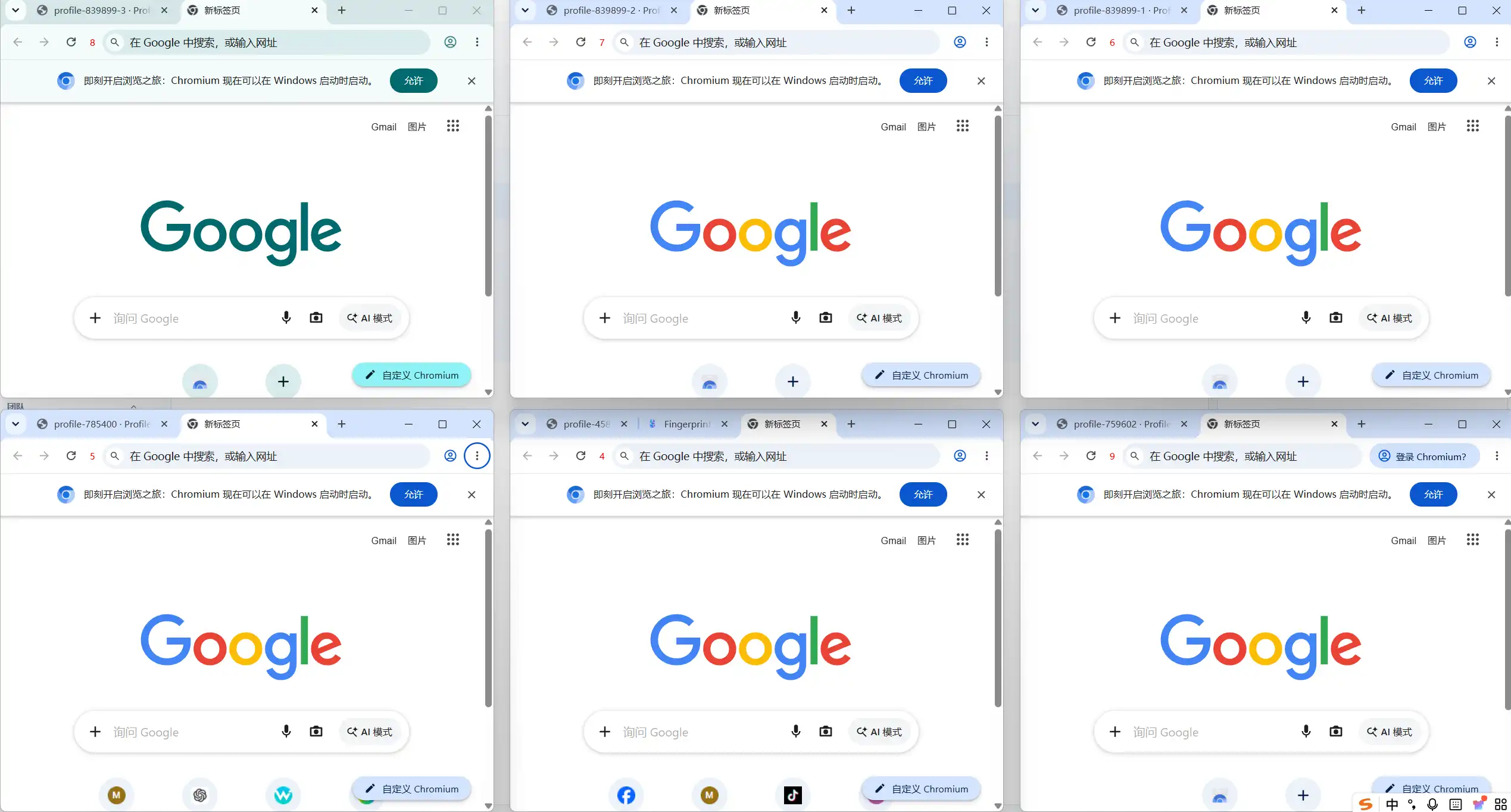
The first layer is window management. Once several environments run at the same time, you can resize them uniformly, pick a display, and rearrange them in a grid or a stack.
The second layer is action sync. Pick one window as the master, click, type, or scroll inside it, and every other selected window follows with the same moves.
Arrange first, act together.
Its core fits in one sentence: let multiple independent environments perform the same repetitive actions more efficiently, while the accounts themselves stay untouched. Placed next to a few commonly confused concepts, the boundary becomes clear:
| Concept | What it solves |
|---|---|
| Environment isolation | Each account runs in its own environment |
| Multi-open | Launch several browser environments at once |
| Window sync | Manage windows together, repeat actions |
| RPA | Run tasks on preset flows automatically |
| API | Connect external systems via interfaces |
What window sync does and doesn't sync
Actions and layout are in scope; account data never is. One table says it all:
| Item | Part of window sync? |
|---|---|
| Clicks, typing, scrolling | Yes |
| Window display and arrangement | Yes |
| Cookies and login state | No |
| Browser fingerprint parameters | No |
| Proxy configuration | No |
| Local storage | No |
"Not synced" does not mean the data is gone; it means copying it into other environments is not the goal of window sync. Every environment keeps running on its own configuration. For the full list of what environment isolation covers, see the piece on what environment isolation is; we won't repeat it here.
Which scenarios suit window sync
One precondition only: the action is identical, the content matches, and nothing carries the account's personal voice. Five common scenarios meet it:
- Multiple shop backends: check the same setting or view the same type of data across shop environments; line them up and go through them in one pass.
- Social media matrices: open the same pages and browse the same content across accounts, skipping window-by-window switching.
- Multiple ad accounts: watch metrics across several ad backends at once; tile first, compare after.
- Multi-environment testing: verify how pages behave in different environments, side by side, item by item.
- Team demos: when several environments must be shown at once, a tidy layout beats dragging windows by hand.
Scenarios that fail the test, where each window shows different content or the action carries identity, are covered separately below.
How to use MostMate window sync: from picking windows to spreading actions
The whole flow takes five steps. The first four are preparation; only the last one spreads the actions.
Step 1: Get the environments running first. Window sync works on windows that are already running. Go back to environment management and launch each environment you plan to operate together. Running first, choices later.
Step 2: Open Automation → Window Sync. The page lists running environments with their number, group, name, and status, filterable by all or by a specific group.
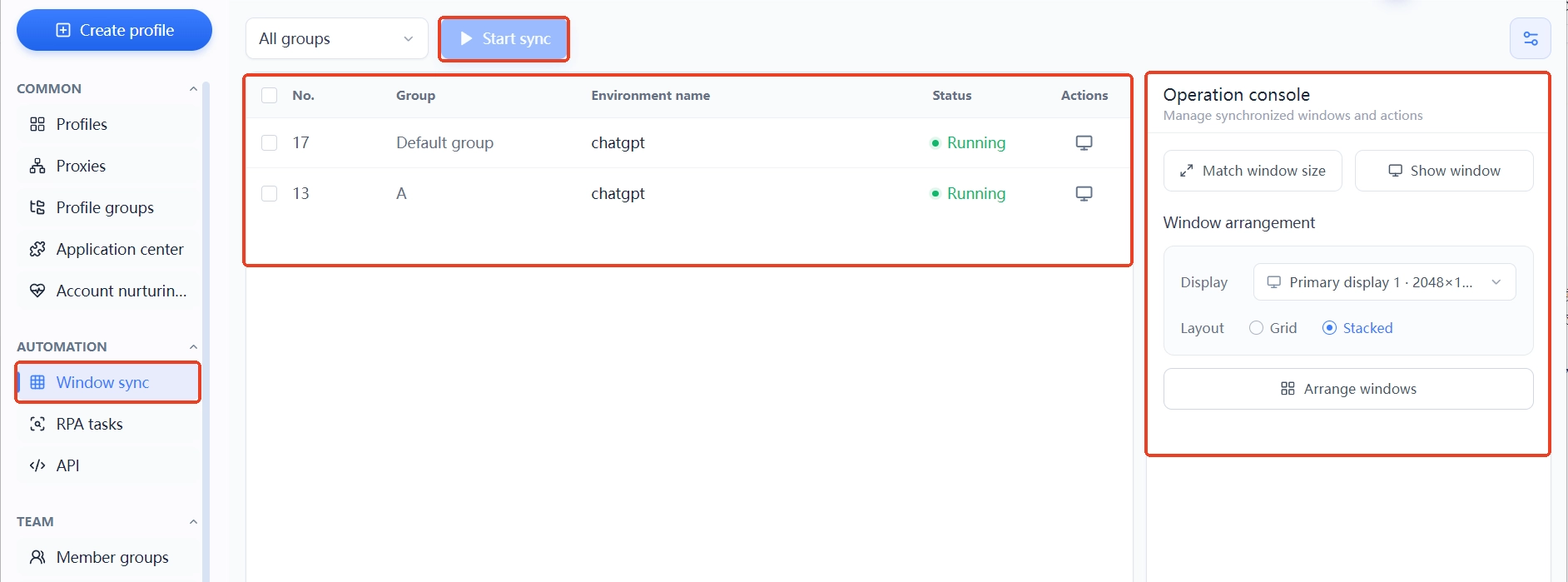
Step 3: Select the scope by group. With many environments, don't check them all; pick by business: shops with shops, matrices with matrices. The tighter the selection, the more controlled the spread.
Step 4: Arrange, then act. On the right-hand console, resize the windows uniformly first, then pick the display and the layout, and hit one-click arrange to set everything in place. Synced actions are only worth watching once every window is visible.
Step 5: Perform the actions in the master window. Choose one window as the master and work inside it; the rest follow. The first time, rehearse with two unimportant environments, then widen once the result matches expectations.
Which actions to sync, and which to keep manual
There is exactly one test: does the action carry this account's voice? Actions unrelated to identity, identical in every window, are safe to spread; the rest stay manual. By this standard, common actions fall into four groups:
- Browsing and scrolling: opening the same batch of URLs, paging, scrolling through content; no identity involved, the safest to spread.
- Management actions on identical content: checking the same setting or making the same adjustment across shop backends; only identical content suits a single spread.
- Actions that must differ per window: filling in shop-specific forms or each account's own name; sync would deliver the same text to every window, so leave these to manual work.
- Actions that express identity: likes, comments, and posts speak for the account; keep them out of sync. The full action-grading breakdown appears in the piece on choosing between window sync, RPA, and API.
The reverse also holds: when several accounts are meant to do different things anyway, don't force sync just to save clicks; identity-bearing operations like publishing or commenting are safer handled one by one per actual business. Sync is a tool; the pace is set by the business.
Occasionally identical input is fine; identical every time is not. No real person types the same sentences over and over, so the more sparingly synced typing is used, the more natural the behavior curve looks.
Preventing mis-syncs: three habits
The real risk of action sync is not the tool but a slip of the hand. Any extra click in the master window lands unchanged on every other window, and the more windows are selected, the wider one mistake spreads. Three habits keep that risk very low.
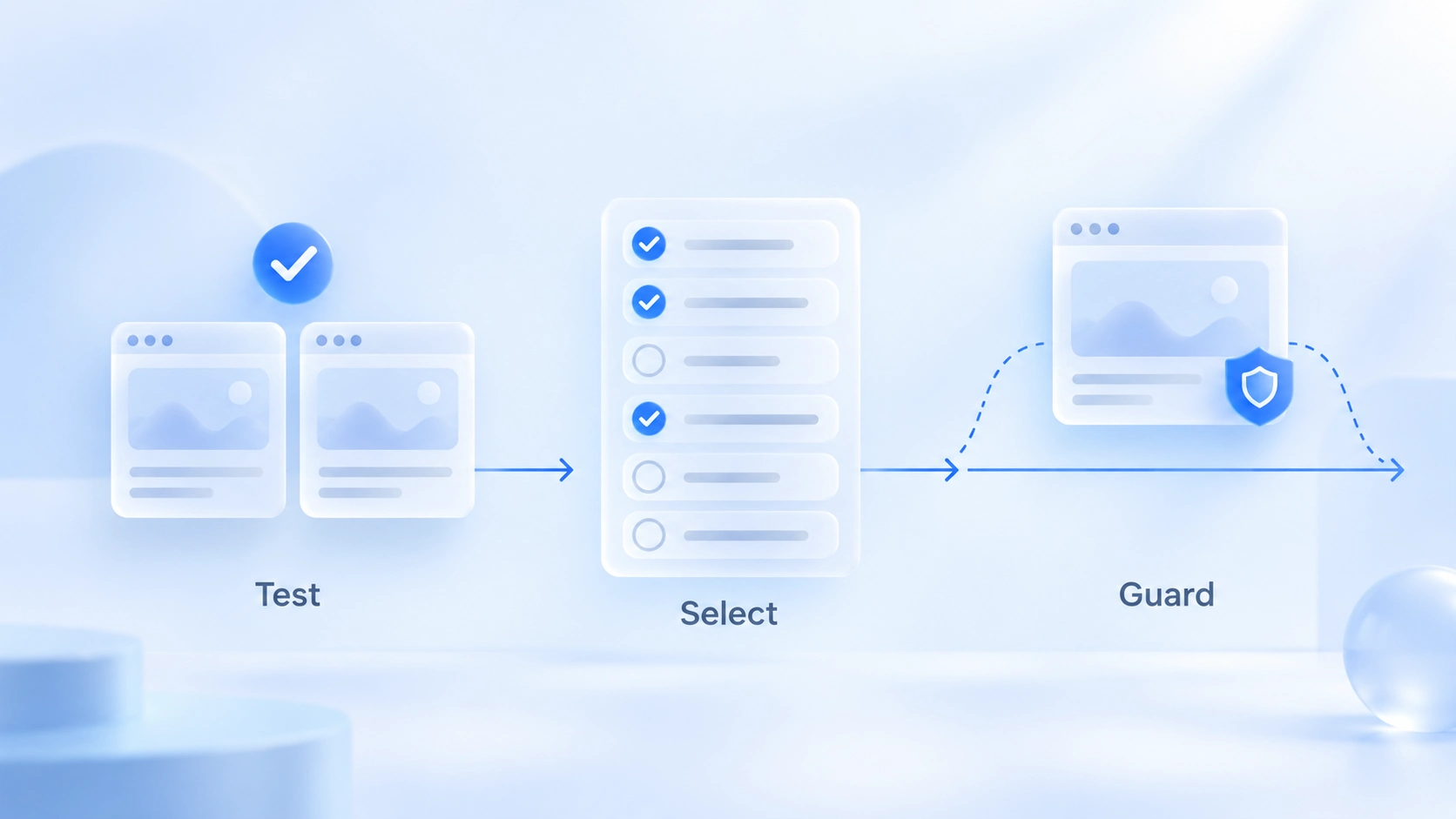
Habit one: rehearse, then spread. Run a new set of actions through two test environments first; once the scope and content check out, include the production ones. It costs a few minutes and protects the whole batch of accounts.
Habit two: select small, not wide. Before syncing, glance at the selected list: everything that should move this round is in, everything that shouldn't is unchecked. A missed window can be added in another round; an accidental one can't be taken back.
Habit three: keep the valuable environments out. Accounts fresh off verification and environments mid-campaign sit out any sync that writes. They watch; they don't move.
Grid tiling or stacked layout: choose by how you watch
The layout decides how you watch, so pick by how many windows you need to see at once. Two layouts, two ways of watching:
| Layout | Best for |
|---|---|
| Grid tiling | Watch at once: data, comparing backends |
| Stacked layout | Take turns: many windows, one at a time |
The companion controls: uniform size evens out mismatched windows, "show windows" brings occluded ones back into view, and multi-monitor users should pick the target display before arranging. If sizes still look uneven afterwards, check the display resolution first: screen resolution sets the usable space, window size is the actual footprint; the piece on screen resolution and window size breaks down the difference.
Does window sync break environment isolation?
It merges no environments and changes none of the signal structure platforms see. Behind every synced window there is still its own fingerprint, proxy, and local data, untouched by the sync action. Window sync sits at the efficiency layer, while the security of the environment layer depends on each environment's own configuration; the full division of labor is explained on the page what MostMate is.
Two boundaries are worth adding. Sync itself neither lowers nor raises association risk; don't expect it to fix environment problems, and don't fear that it dirties environments. A tidy window layout says nothing about whether the environment is configured well; fingerprint and proxy hygiene needs its own check.
Two matters, judged separately.
FAQ
Does window sync share login state?
No. What syncs is window layout and actions; login state, cookies, and fingerprints stay in each environment, and synced windows still sign in to their own accounts.
I made a wrong move in the master window. What now?
The blast radius is limited to the windows you checked. Stop what you were about to do next, then inspect the affected windows one by one; the cleanup (closing the page you just opened, say) can also be spread back through sync.
Window sync or RPA: which one?
Small volumes that need a human watching the pace suit window sync; fixed, high-frequency flows that run unattended suit RPA. One line to remember: sync needs you present, RPA doesn't.
How many windows per sync?
Depends on the screen and the task. Comparing two to four windows on one screen feels best; a full grid on one display tops out around seven or eight. Past ten, a stacked layout with groups handled in turns is the practical choice.
Closing thoughts
Window sync usage compresses into one line: what you spread is actions, what you guard is identity. Select scope by group, arrange before acting, and let action grading decide what spreads; do those three and every round of repeated clicks becomes time saved. To walk through the flow yourself, download MostMate; the free plan includes two environments, so start with a two-window sync.

MOSTMATE
Secure Multi-Account Management, Made Simple
Start with your first account and use MostMate to build safer, smarter, and more efficient multi-account operations.
- Independent profiles. Consistent identities.
- AI Automation · Account Health · Team Operations



