
MostMate Window Sync, RPA, and API: What's the Difference, and Which One Fits Your Workflow?
The core takeaway: each of the three automates something different — Window Sync takes over "the actions you're doing right now," mirroring every click and keystroke from a master window onto several others in real time; RPA takes over "workflows with fixed steps," running them automatically from platform templates; the API takes over "the connection between your systems and the environment," letting business tools and AI assistants call the environment directly. Start the decision with one question: is the thing you want to automate a single action, a repeatable process, or a system integration. This article turns that into three questions with criteria, combinations, and the lines you shouldn't cross.
Mention automation and most people think RPA first, treating the other two as side features. That leads to two familiar kinds of waste: building an automated workflow for a one-off task whose cost you never recover, or clicking through the same content manually across thirty windows when one synced sweep would do it. The problem isn't unfamiliarity — it's never asking "what exactly am I automating" before you start. Pick the wrong entry point and the better you get with the tool, the more time you waste. MostMate is an antidetect browser that gives every account its own browser environment, and the three entries in its automation menu — Window Sync, RPA tasks, and the API — each answer a different kind of question. This article gives you a decision framework you can apply as-is.
What each of the three takes over: actions, workflows, integrations
Everything starts with seeing that the three each "copy" something different. Get that one concept straight and the rest is just application.
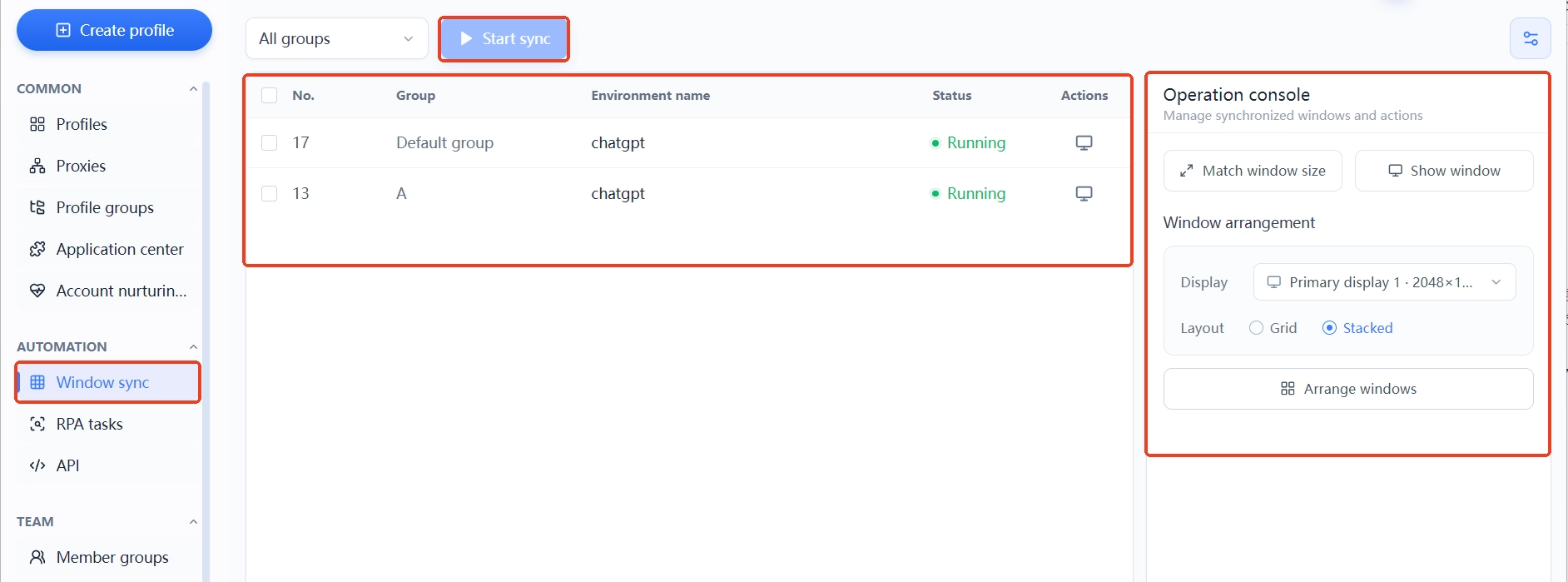
- Window Sync copies what your hands are doing. When several environments are open and need the same set of actions, whatever you click or type in the master window is mirrored in real time by the rest. In the console, size the windows uniformly and tile them across the screen first, then use one-click arrange to line everything up so no window hides another.
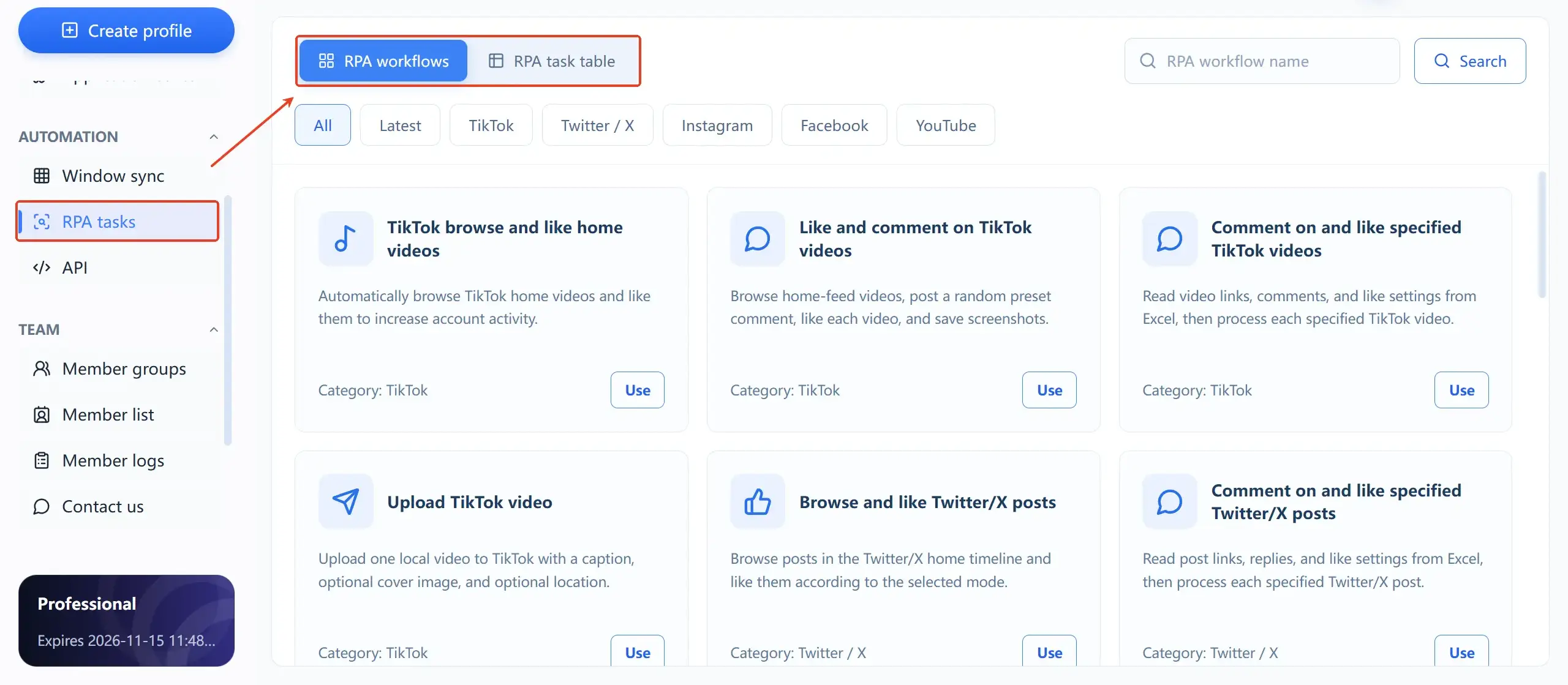
- RPA copies whole step sequences. The RPA template library is grouped by platform — TikTok, Twitter/X, Instagram, Facebook, YouTube — with templates covering fixed actions like browsing, liking, commenting, and posting. Pick a flow, choose the environments to run it in, and it runs; every execution lands in the task list, traceable by environment.
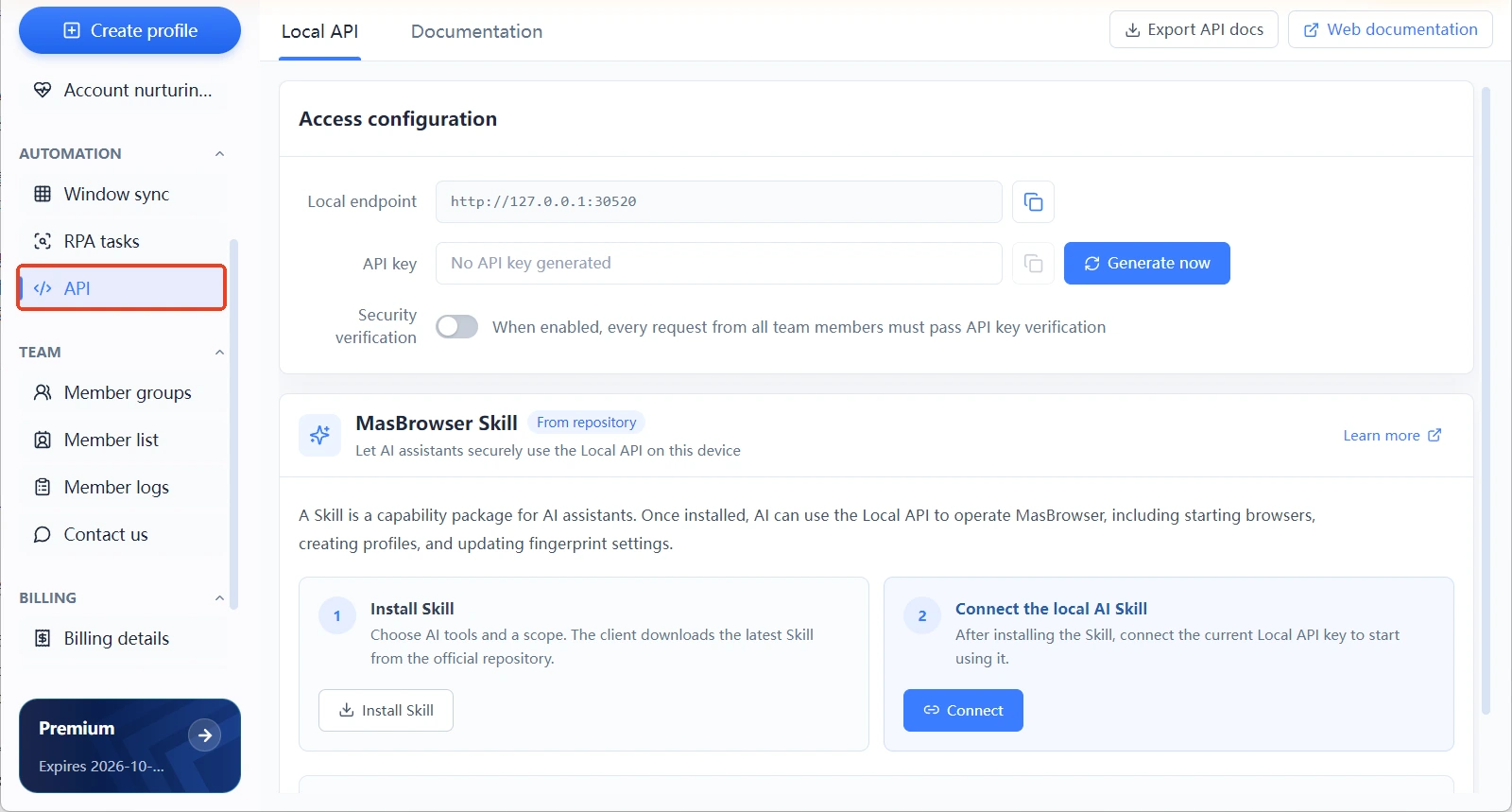
- The API copies the calling channel. The Local API page provides a local endpoint and keys, and once verification is on, every team member's requests have to pass it. The API docs can be exported for your developers; batch queries, spinning environments up or shutting them down all go through this one channel.
In one line each: sync needs you present, RPA doesn't, and the API doesn't even need a person — the further down you go, the more automatic it gets and the more preparation it demands. Read that order backwards and you have your decision order. The full division of labor for environments is covered on the What is MostMate page; this article sticks to the automation layer.
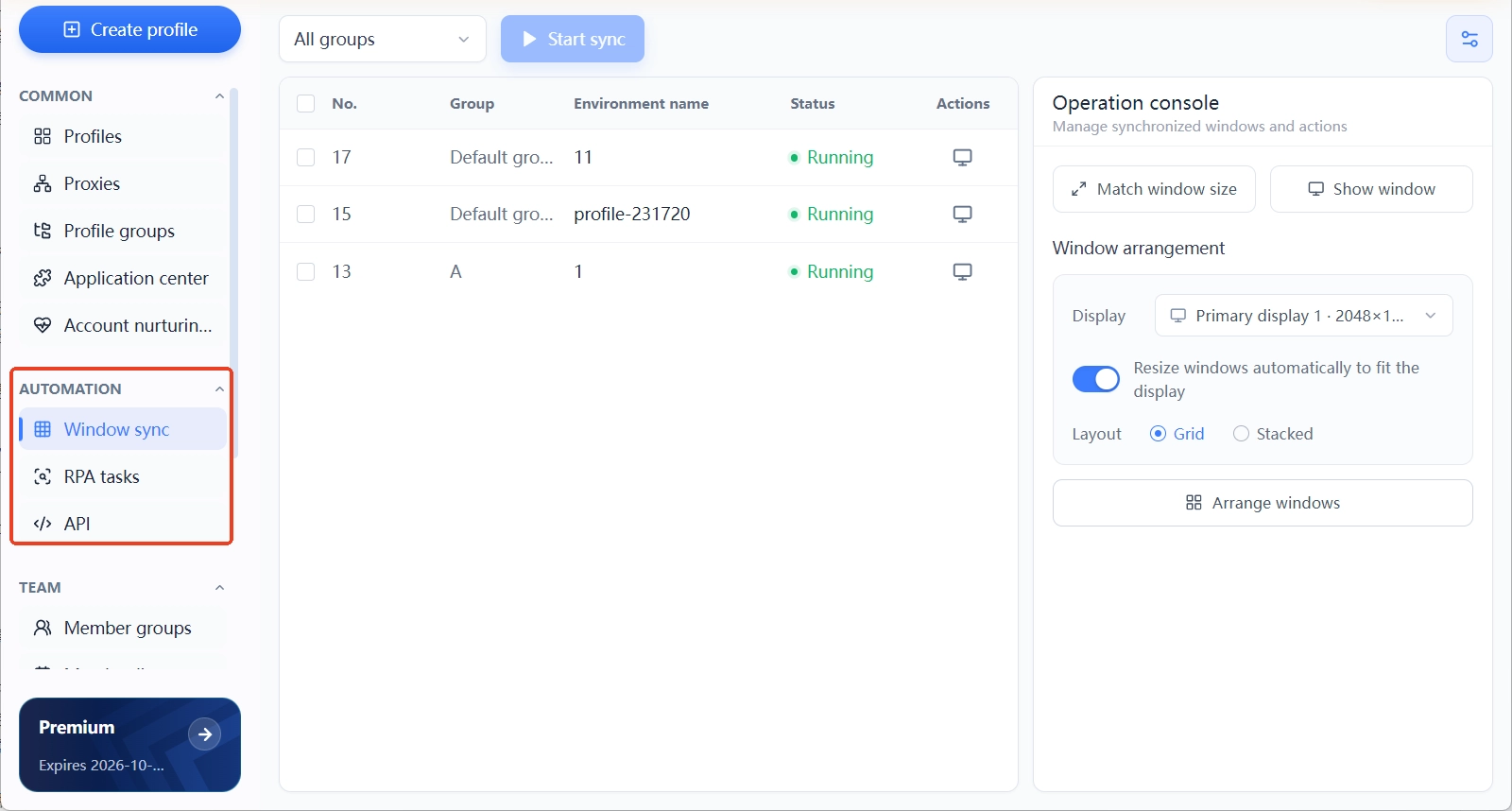
Three questions to find your layer: answer these before you start
Choosing between the three becomes simple once you translate "I want to automate" into three concrete questions. Ask them in order; whichever you hit decides what you use:
- The same actions, performed for how many environments at once? Many environments, identical actions, needed right now — Window Sync. The classic case is a batch of new environments that all need browsing time: one round of manual work becomes one round of sync.
- Is the process fixed? Will it run repeatedly? Fixed steps, high frequency, no supervision needed — RPA. Actions already covered by a template can be switched on directly; there's no need to build a flow from scratch.
- Does it need to plug into your own system? You run a scheduling sheet or an admin backend, or you need to operate dozens of environments in bulk — the API. It's built for teams with integration needs.
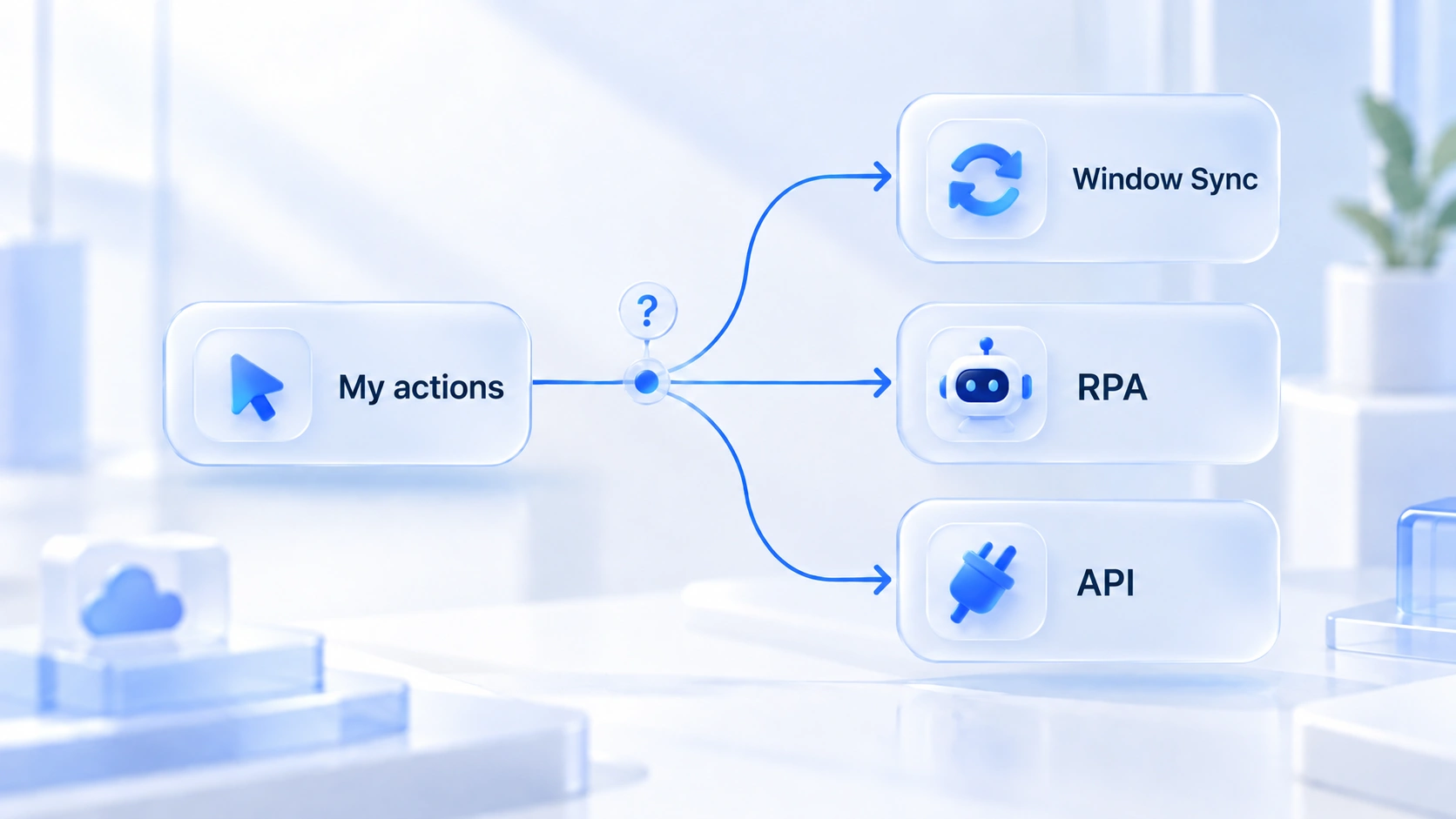
If none of the three hits, that's fine too — it means your current volume is perfectly manageable by hand, and automation isn't mandatory for every batch of accounts. For where the thresholds sit at each account scale, the article Who is MostMate for lists standards by size; check where you fit, then come back and pick your tool.
Using them together: the three are complements, not alternatives
In real operations the three run on different schedules, and any one of them alone covers only a slice of the work. The more common split: RPA flows handle the daily baseline, with templates running no-identity-risk fixed actions like browsing; Window Sync picks up what templates don't cover, such as page actions that need a human sense of pacing; the API feeds environment status back to your scheduler or admin backend, so batch open-and-close no longer depends on someone clicking.
One complete loop: during warm-up for new accounts, RPA templates run scheduled browsing tasks every day to build up an activity record; for actions templates don't cover, open a Window Sync round at midday and spread them manually; once the team grows, creating and assigning environments moves to your business system in bulk through the API. Each of the three owns its stretch, and none of them steps on another's toes. For pacing an activity schedule, the logic in the account health and growth plan article applies directly — RPA is an efficiency lever there, not a substitute for behavioral discipline.
Safety lines: automated actions are behavior records too
Environment isolation solves device linking, but the actions automation performs are still behavior the platform can see. If you don't hold this line, the smoother the trio runs, the higher the risk. Three rules come before anything else:
- Actions that express identity stay out of automation. Votes, comments, DMs — these carry "this account's attitude," and appearing in bulk on the same rhythm is the single most suspicious pattern for risk systems. Keep them manual, in genuinely human scenarios only.
- Don't let the rhythm look uniform. Dozens of environments starting the same template on the hour produce behavior curves no human would show. Stagger task times and batch by environment — that matters more than squeezing out execution efficiency.
- Only touch your own accounts. Manage only accounts you own or are authorized to use, and follow each platform's rules. That's the precondition for all automation.
Teams wiring up external systems have one more layer: the local interface uses keys and verification, so never commit keys to a public repo, and connect AI assistants through a standard channel like the Model Context Protocol (modelcontextprotocol.io) so permission boundaries stay clear.
Getting started: which entry point to run first
Don't switch all three on at once the first time. Work through them in order — manual first, then sync, then flows, then integration — and let each step settle before starting the next. The order for setting up environments is laid out in building your first environment from scratch; this picks up from there at the business level.
Step 1: Run the business manually in a single environment. Do the complete set of actions by hand in one environment first and confirm the process itself holds — automation only amplifies a process that doesn't work.
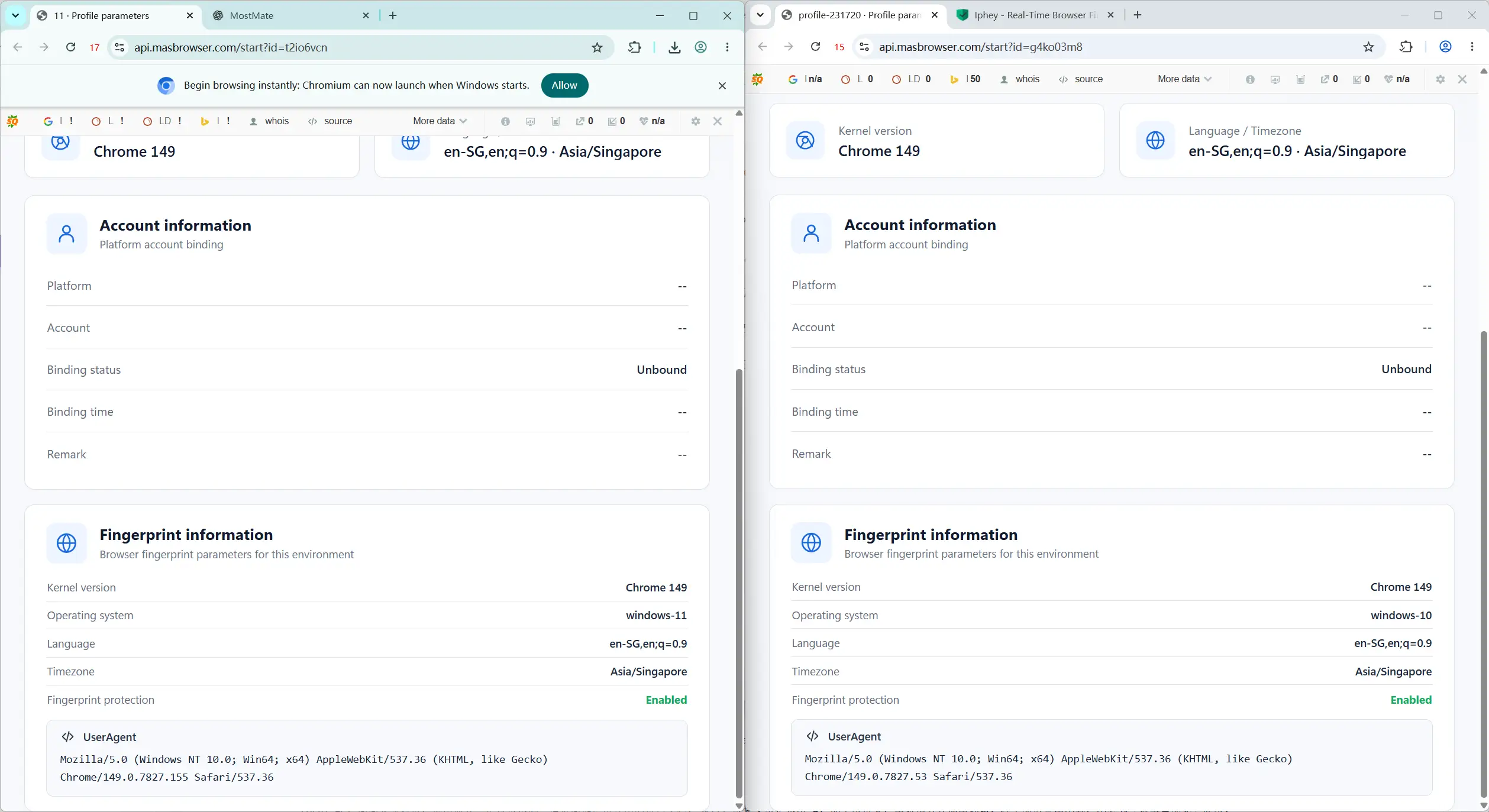
Step 2: Try Window Sync with two environments. Open two windows doing the same actions, get a feel for how much of your clicking and typing carries over, and while you're at it get comfortable with uniform sizing and one-click arrange in the console.
Step 3: Hand your most repetitive actions to RPA. Go through the RPA template library, switch on the templates matching your platforms, watch environment and status in the task list, and only scale up once results match expectations.
Step 4: Turn on the API only if you truly need integration. Generate keys, enable verification as needed, and export the API docs for your developers; if the goal is letting an AI assistant operate environments, the Skill section on that page walks you through it step by step. A full integration plan deserves its own article — first confirm that the third question really applies to you.
The trio in one sentence: Window Sync saves repeated hands-on time, RPA saves fixed-process time, and the API saves the back-and-forth between people and systems — work out which of the three you're saving, then open that entry point.
Frequently asked questions
Do Window Sync and RPA overlap? Which one for the same action?
They do overlap — the same browsing routine can be done with either. Two things decide it: if the pacing needs human judgment and the volume is small, use Window Sync; if the steps are fully fixed, it runs every day, and nobody needs to be present, use RPA. One-off actions go to sync, recurring actions go to templates.
Can I use the API without writing code?
The Local API is built for system integration and calls take some technical background. That said, the page offers exportable API docs, and the Skill section lets you connect a local AI assistant and drive environments through conversation. If you run everything manually you won't need it — don't wire it up just to look automated.
What if RPA templates don't cover my platform or action?
Check the platform filter tags in the template library first to see whether a ready-made template exists. For anything uncovered, ask whether it is fixed, frequent, and free of identity expression — only when all three hold is an automation worth considering; everything else goes back to Window Sync or manual work.
Does using automation make my accounts more likely to get banned?
The tool itself adds no risk — rhythm does. Uniform behavior across batches of environments and identity-expressing actions appearing in bulk are the signals risk systems watch for. Stagger your tasks, grade your actions, operate only your own accounts, and your exposure stays manageable.
Closing thoughts
The difference between the three compresses into one line: they automate different things — actions, processes, integrations — and the entire decision happens in those three questions before you start. Environment isolation solves "looking like different people"; automation solves "stop wasting time on repetition." The two layers are independent, and operations are only complete when both are in place. All three entries live in the same automation menu — no tool switching needed. To try the roadmap in this article, download MostMate — the free tier includes two environments, enough to get sync working before you decide where to go next.

MOSTMATE
Secure Multi-Account Management, Made Simple
Start with your first account and use MostMate to build safer, smarter, and more efficient multi-account operations.
- Independent profiles. Consistent identities.
- AI Automation · Account Health · Team Operations



