Is Your Account Healthy, and What Comes Next? MostMate Answers With Two Dashboards
Anyone running a dozen Facebook ad accounts opens a laptop in the morning with two questions to settle: what state are these accounts in, and what has to happen today.
The answer to the first one is scattered across four places. Ad accounts live in the ads manager, the Business Manager in Business Suite, pages in settings, two-factor authentication in the security centre. Reading one account end to end means logging in four times.
The second question is harder. There is nowhere to look it up, so you carry on from whatever the last round taught you.
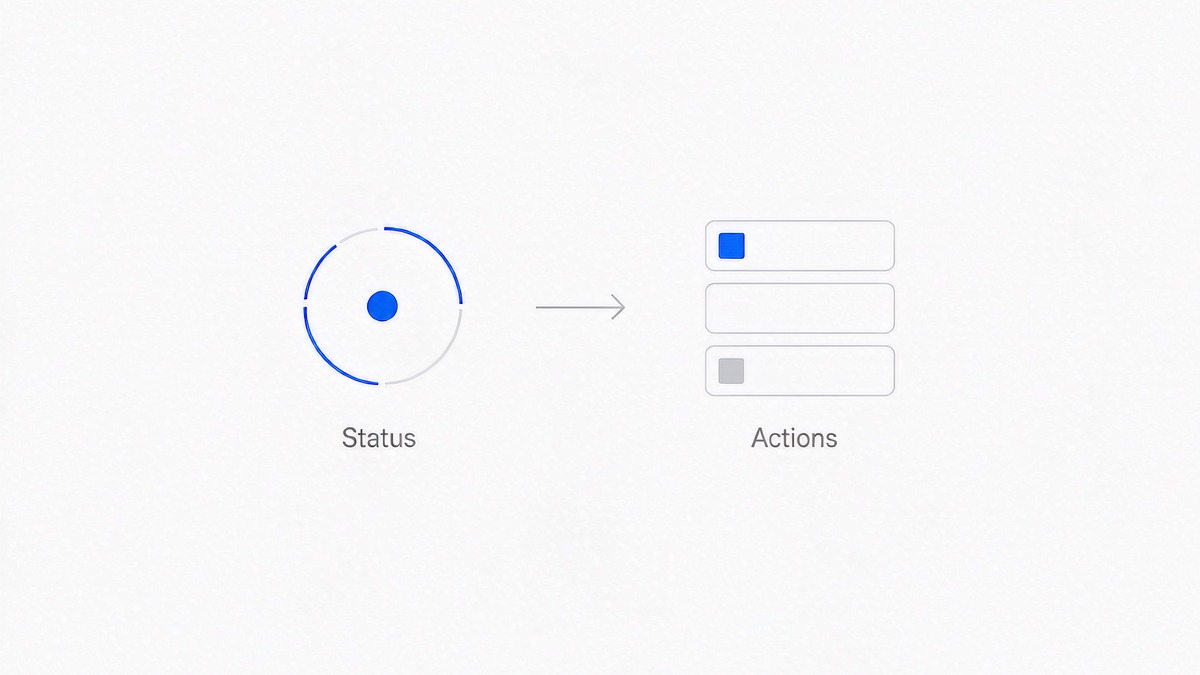
MostMate splits these into two separate entry points. Account health answers state, the account growth plan answers action. They are not two names for one thing. They get read on different schedules, and what you do afterwards differs as well.
This article does not repeat how to set up profiles. It is about reading each panel once the profiles exist, stringing the two into a weekly rhythm, and three very common habits that rarely get said out loud.
The Two Dashboards Do Not Answer the Same Question
Account health is descriptive. It gathers the status of six assets onto one screen, adds a health score and one suggested next step. The answer you want is what things look like now, and when you look is up to you: once a week, or whenever something feels off.
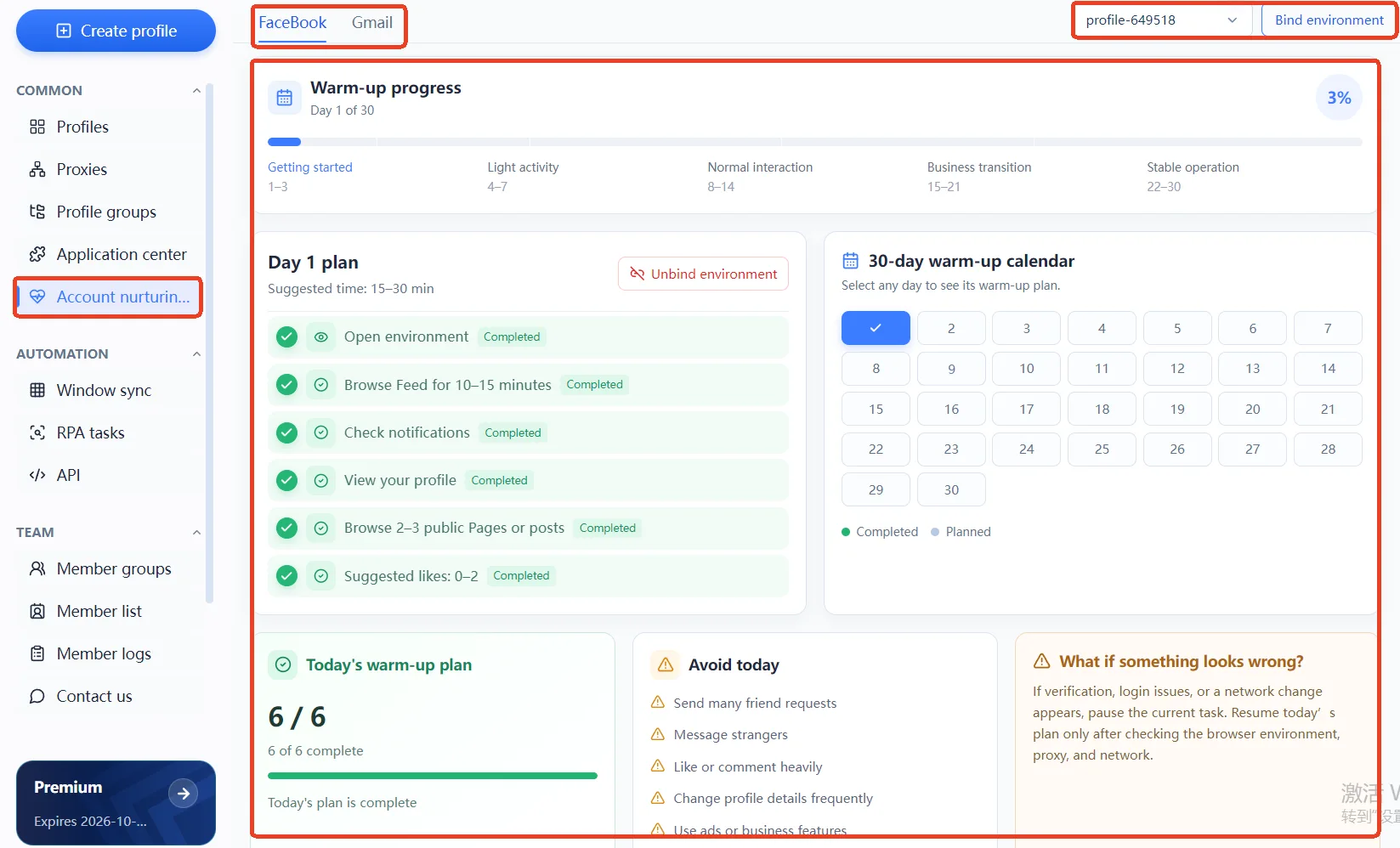
The account growth plan is prescriptive. It lays the work out by day and tells you which day you are on, how far the progress has come and what the risk level is, with the day's suggested tasks listed underneath. The answer you want is what to do today, and this one has to be read daily. Read late, it means nothing.
One reads state, the other reads action.
The two are not symmetrical. State changes daily, action follows a rhythm. If one item inside account health flips to restricted, that day's plan has to change with it. The reverse does not hold: no matter how neatly the plan runs, it will not restore the restricted item by itself. There is a further difference worth knowing in advance. The numbers in account health come from the most recent check, so they describe where the account stands on the platform; the account growth plan records the rhythm of what you did locally, so it describes your own activity. The first you can only observe. The second you decide. Kept apart, both are easier to judge.
Account Health: What Each of the Six Assets Watches
The Six Split Into Four Groups
- Your personal account and your pages answer whether the assets are still there: whether the account itself is in order, and how many pages sit under it.
- Ad accounts and Business Manager answer whether the ability to spend is still there: whether you can keep advertising, and whether the layer carrying it has been limited.
- Two-factor authentication answers whether this account can prove it is you. An extra check is an extra threshold, and NIST's digital identity guidelines write it in as a formal requirement, for the same reason as any ordinary login: once a password leaks, the second factor decides who the account belongs to.
- The account restriction item answers whether anything has been flagged. It reads none as good news, and of the six it is the only one phrased in reverse.
The four only mean something together. If an ad account reads normal while Business Manager shows restricted, the problem is not sitting on that single ad account but on the layer carrying it. Look only at the count of normal against restricted and the information in the distribution is lost.
Normal Is Not a Word to Read Literally
Two of the six carry numbers. A page may show 3 normal, Business Manager may show 2 normal / 1 restricted. Those numbers are meant to be compared with last week's record.
Four pages last week, three this week. The one that disappeared in between is the clue, even if the remaining three all read normal. The number is worth more attention than the status word.
There is also a level called needs review, and it is not the same thing as restricted. Needs review is closer to the system asking you to go and check; restricted already has a definite outcome behind it. Mix the two up and something still recoverable starts to look settled.
A Score Only Compares Within One Account's Timeline
The health score collapses the six statuses into a single figure so it can be read at a glance. It comes with two traps.
The first is treating it as a performance target. When the score drops, the cause is usually one item changing on its own, and finding that item is more useful than staring at the total. The score is an outcome, not a goal.
The second is comparing accounts. One account may hold three pages and two Business Managers, another only a personal account. Their frames of reference are not the same, so the meaning of a score lives in its own history, not in a ranking.
The scores shown in the interface come from the official sample account, not from your own data. To look at your own, run a check first.
A Suggested Action Points You Somewhere, It Does Not Solve Anything
The bottom of the panel gives one suggested next step, such as check the restricted Business Manager. It points the way, telling you which layer to look at first; it does not mean one click makes the problem disappear. A tool cannot replace judgement.
The cause of a restriction has to be traced up the asset chain yourself. Meta's own ad quality guidance is blunt about this layer: the status, the policy that was cited and the route for requesting a review all have to be checked item by item in Business Support. A tool pulls the statuses onto one screen, it does not read the policy for you.
The Account Growth Plan: Turning Next Into Something With a Date
The Task List Is a Rhythm, Not a To-Do Queue
Every line carries a suggested completion marker, and the wording is worth noticing. It says suggested, not a box that must be ticked. If today's work is unfinished, the progress bar shows 3 of 4 done, the remaining item moves to tomorrow, and the rhythm itself is intact.
What does break the rhythm is timing that runs out of order. Moving an action meant for two weeks from now into day three looks like faster progress, but in practice it makes the behaviour curve steeper.
What To Do When Something Looks Wrong Is the Block Most Often Skipped
A small block on the panel covers what to do when a verification, a login anomaly or a network change appears. The instruction is clear: pause that day's tasks, first confirm whether the profile's network, cookies and browser state are in order, and carry on with the day's plan once they are.
It reads like a disclaimer, and it is in fact the most defensible part of the whole panel. Most people meet a verification and immediately switch to another proxy to try again, which alters the network environment and destroys the baseline they had to compare against. Stopping first is steadier than acting at once.
Plans Are Built Per Profile
The top of the panel has a profile switcher and a button to create a plan. A plan belongs to a specific profile rather than being created once for an account and reused everywhere. With many accounts in hand, the order has to be decided: the ones running live business go first, the rest get filled in by batch.
Stringing the Two Dashboards Into a Weekly Rhythm
Frequency is where the real difference in usage sits.
- Look at the account growth plan daily, following the day's list, and stop when something looks wrong.
- Pick one fixed day a week for account health. Record the six statuses together with their numbers, and read the gap against last week rather than the absolute value of today.
- When a status changes, locate before acting. Work out which layer the problem sits on, then decide whether to adjust profile settings or use the platform's review route.
Of the three, the second is the easiest to drop. The daily list is pushed along by the interface; nobody reminds you about the weekly walk-through, and after two missed weeks the record is broken. Once the record is broken, judgement has nothing to stand on.
Three Ways the Dashboards Get Used Wrong
- Treating the health score as a metric to chase. The score is the outcome, the six statuses are the cause.
- Requesting a review on every restricted item. Locating the specific layer along the asset chain first is more efficient than filing for each one.
- Building a plan for only one profile. The rest rely on human memory, and memory stretched that far amounts to no plan at all.
All three share one habit: treating the panels as a one-off inspection. What they describe is an ongoing state, and it has to be revisited on a rhythm.
The Premise Is Cleanly Separated Profiles
Account health reads the state of accounts and assets, the account growth plan sets the rhythm of behaviour, and both rest on one account per separate profile. When several accounts already share one profile, the statuses read on the panel affect each other and every judgement after that becomes hard to explain.
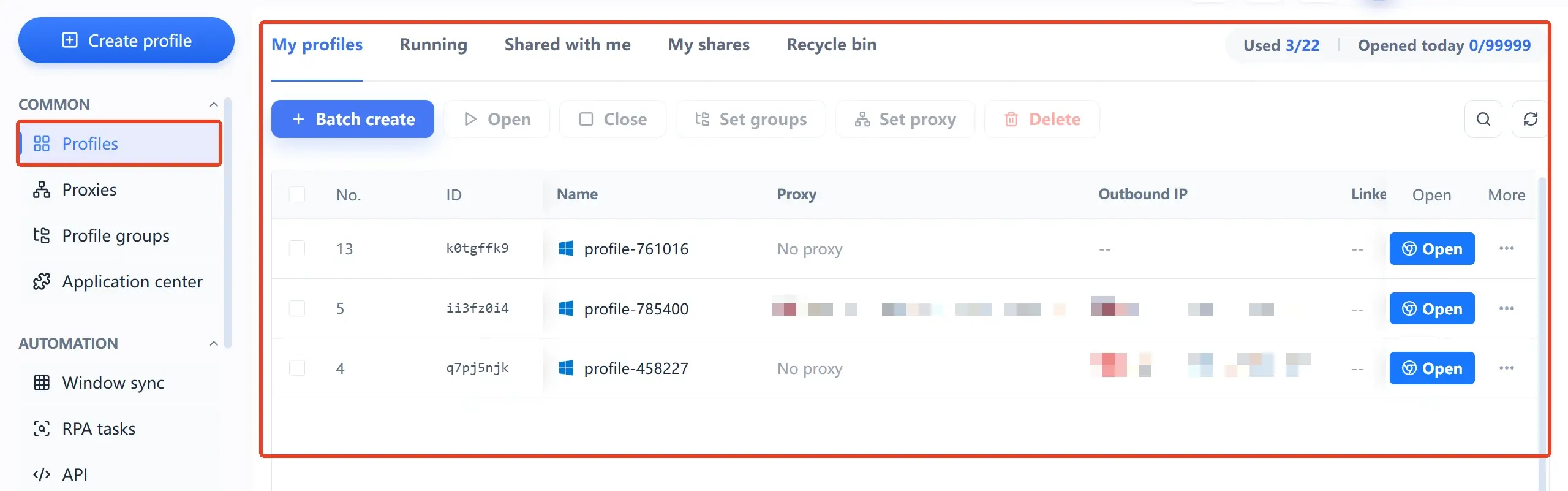
How profiles are separated and how parameters are kept consistent with each other is covered in two sections of the official site, browser profiles and account health. The premise is the same for both: once the boundary between accounts holds, the two panels start to mean something.
There is a knock-on effect that is easy to overlook. If profiles are shared, cookies, local storage and login sessions drift towards each other, and account health no longer reads the state of one account but the result of everything mixed together. The numbers on the panel still move, yet they stop being indicative, and the plan laid out by day in the account growth plan loses a clear subject too. So before asking whether these panels are useful, ask the earlier question: is it reading one account's own data. That step cannot be skipped.
To start further back, read what the MostMate fingerprint browser is; more topics of this kind are collected in the MostMate blog.
What this article covers is how to read the numbers; inside the product it turns into concrete work: how six sources are gathered onto one screen, how the health score is calculated, how a growth plan is laid out by day. To go through it against the interface, how MostMate turns account status and operating rhythm into a product sets all of it out. The download page gathers the platform details in one place too.

Frequently Asked Questions
Which platforms does account health support?
Facebook is the focus for now. Statuses from other platforms have not been gathered onto this screen yet, and the official site says as much on the page, so there is no need to be surprised when another platform shows no data.
What counts as a normal health score?
There is no universal standard. A score is compared against the same account's own history, and a drop usually comes from one item changing on its own. Comparing across accounts means nothing, since the assets underneath differ to begin with.
What changes on the panel after an account is restricted?
The account restriction item moves from none to something, and the related asset items may turn to needs review or restricted along with it. Locate it along the asset chain first rather than filing a review on every item in a hurry.
Do the tasks in the account growth plan have to be finished every day?
No. Each line is marked suggested, the progress bar shows how many are done, and anything unfinished can move to tomorrow. What really needs avoiding is doing later-stage actions early. A broken rhythm is the actual problem.
Can these two dashboards guarantee an account will not run into trouble?
No. Account health shows the result of the most recent available check, which describes the state at that moment and is no promise about the future. The account growth plan sets a rhythm of behaviour and promises no outcome either. What they can do is put both state and action in plain view, so judgement has something to stand on.