
What Is Do Not Track? The DNT Toggle and Browser Fingerprints, Explained
Do Not Track is a message a browser sends to websites: "please do not track me." It is a statement of intent with no enforcement power; whether a site can read the signal and how it interprets it is the entry point to its relationship with browser fingerprinting. The unremarkable "Do Not Track" option in the browser settings is one many people have hesitated over. This article breaks it down: how it works, why it was abandoned, how it relates to fingerprinting, and where the boundaries are. The last part gets practical: how to check this signal in an anti-detect browser.
What Do Not Track Actually Is
Do Not Track (DNT for short) is an HTTP request header whose job is to express the preference "the user does not want to be tracked across sites". The concept was proposed by researchers in 2009, and Firefox 4 was the first to officially support it in 2011. Chrome, Safari and IE followed one after another. Once enabled, every request the browser makes carries one extra header field. It has three values: 1 means the user does not want to be tracked, 0 means the user does not mind being tracked, and null (or not sending the header) means no preference has been expressed.
Web scripts can also read the same value through the navigator.doNotTrack property. So a detector can obtain this value via both the header and the script.
The nature of DNT deserves a clear explanation. It is only a "request". Whether to comply is entirely up to the website. No law requires platforms to respond, and no penalty mechanism backs it up. In practice, DNT has not received sufficiently broad compliance, and turning it on does not ensure a website stops tracking. MDN's documentation of the DNT header now marks it as deprecated, stating that work on the specification has been discontinued.
Why Browsers Dropped It One After Another
The reason DNT was abandoned can be compressed into two sentences: websites barely complied, and the signal itself could become a fingerprinting variable. Three milestones in this decade-plus process are worth remembering:
- Around 2011, DNT was adopted by several mainstream browsers, aiming to let users express their preference not to be tracked through a request header. In those years the media presented it as a standard privacy protection feature.
- In 2019, W3C ended the related work, judging that the standard lacked sufficient real-world deployment. That same year Safari removed support, citing the desire to keep DNT from becoming a fingerprinting variable.
- In 2025, Firefox removed the DNT setting starting with version 135, instead steering users toward privacy preference options based on GPC (Global Privacy Control). GPC expresses the same opt-out intent through the Sec-GPC header and is still actively in use.
GPC differs from DNT in one fundamental way: its legal force comes from the scope of specific privacy regulations. In scenarios covered by those regulations, websites must respond to the signal. That does not mean every website in every region has to comply. But at least there is a lever with real grip.
Looking back, DNT failed not in its technical implementation but in its mechanism design: a statement with no enforcement power, where compliance is purely voluntary. This history also explains something else: why its relationship with fingerprinting turned sour.
DNT and Fingerprints: It May Increase Distinguishability, Within Limits
Unlike device facts such as screen size or operating system, DNT expresses the browser's tracking preference. But as long as a website can read the value, it can be folded into the combined analysis of browser characteristics. That is the entire path through which it connects to fingerprinting. The vast majority of users never open the privacy settings page, so DNT stays unsent. Those who turn it on are a minority. In a system that reasons from "how different is this from the majority", a minority value naturally carries a bit of distinguishability.
The boundary here is narrower than many articles suggest. Three points:
1. DNT is not a unique identifier. It cannot by itself prove that two requests come from the same device, let alone determine account linkage on its own. Whether risk-control systems read this signal, and how much weight they give it, cannot be observed from outside.
2. A different value does not mean an abnormal environment. Browser versions, privacy settings and implementation details all affect detection results. A different DNT status does not necessarily point to the same verdict.
3. Consistency does not mean the more uniform the safer. There is no basis for requiring all environments to enable or disable DNT; the direction of the value has no standard answer.
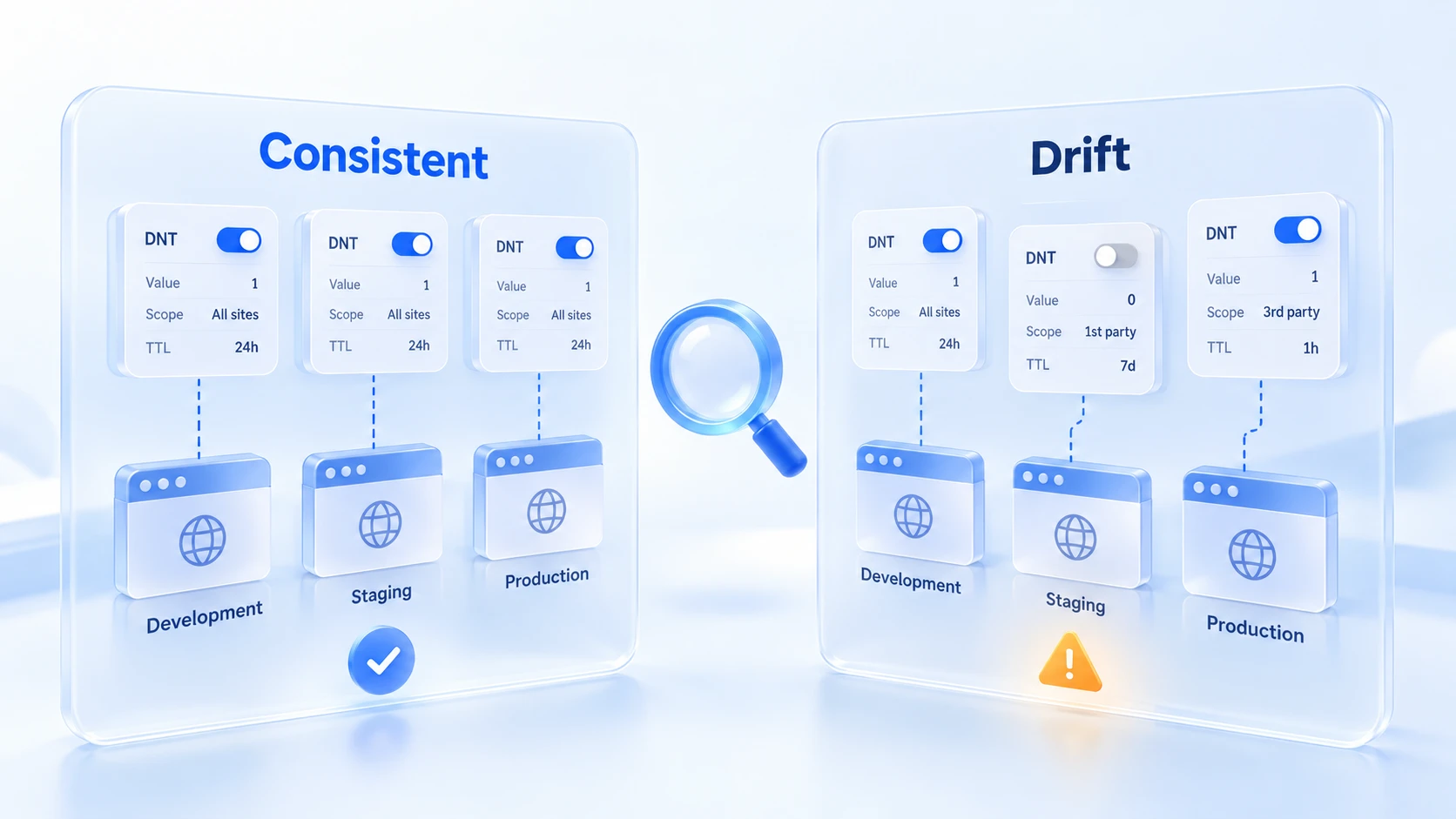
Apple's stated reason for removing DNT is the most direct official evidence so far: this header field can be used as a fingerprinting variable. Being usable and actually being reused are two different things. The safe reading is that DNT sits within what websites can read; how much it matters depends on the collector's practices, not on the toggle itself.
To check which characteristics your environment exposes, go through the Whoer Check Scoring Guide item by item. DNT-type signals also appear among the returned items on the detection page.
How to Check DNT in an Anti-Detect Browser
The core of checking comes down to one rule: trust the signal the website actually receives, not the toggle on the settings page. DNT has been deprecated, and browser support varies. Firefox 135 has removed the original setting, and MDN marks both the DNT header and navigator.doNotTrack as deprecated.
The toggle state and the signal actually sent may not be the same thing.
Run the specific check against this table:
| Check item | What to confirm |
|---|---|
| Browser support | Is DNT still supported; sending may be gone |
| Request header | DNT present in requests? 1, 0 or unsent |
| Script reading | What navigator.doNotTrack returns |
| Interpretation | Not supported, unsent, other value: 3 cases |
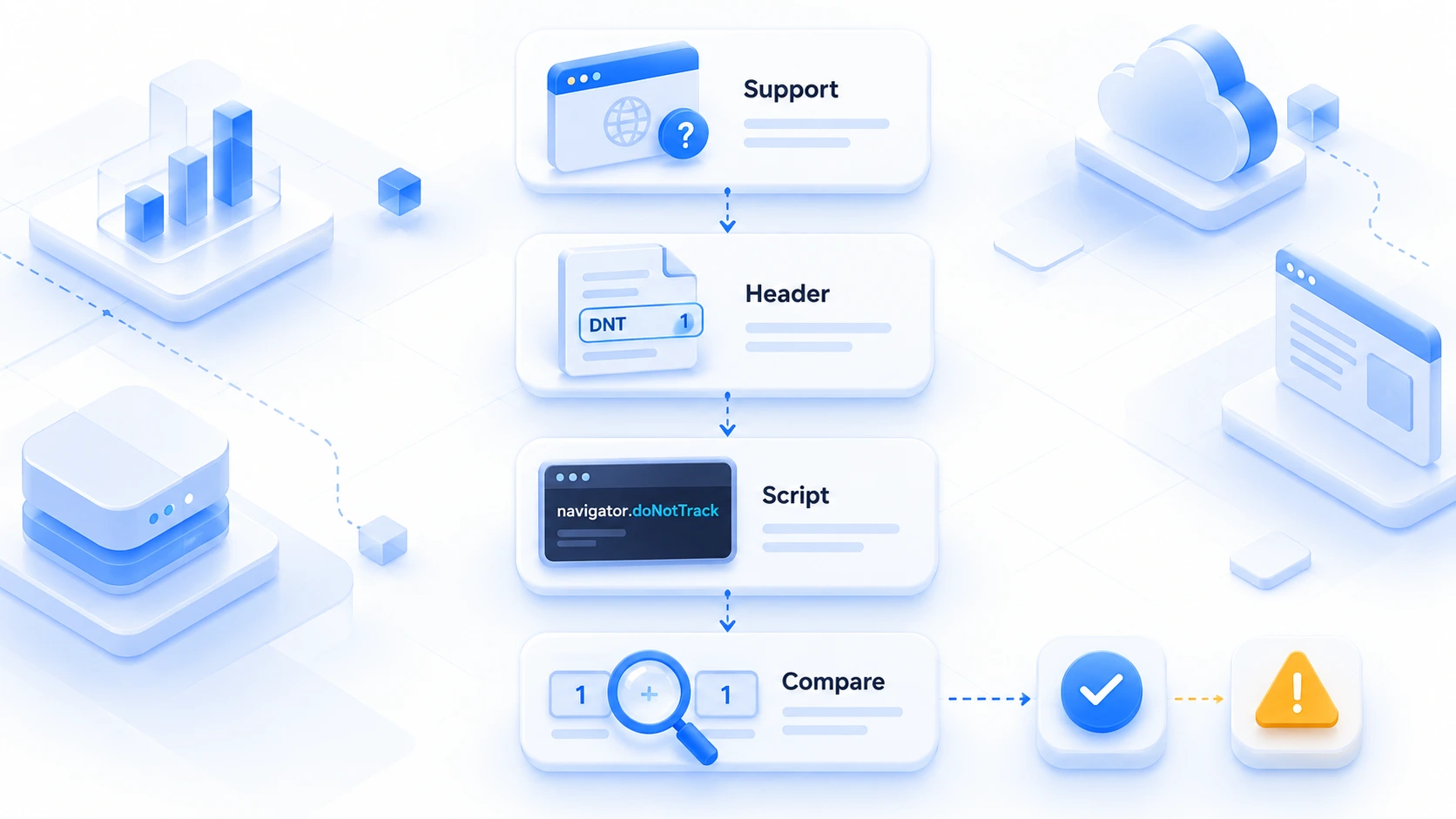
The best approach is to cross-check the request header against the script reading. If both routes return the same value, the signal in this environment is self-consistent. If they disagree, it is worth checking the environment's browser kernel version and configuration.
MostMate is an anti-detect browser that keeps browser configurations separate per environment. Each account gets its own environment, with the parameter set stored independently. Whichever environment you log into, that set of configurations is what gets used. Environments never share settings. Browser-level signals like Do Not Track are managed together with language, timezone and WebRTC inside the environment configuration, so switching environments requires no separate handling. The UA Consistency Check Guide covers the idea of "no parameter drift within one environment", and the same thinking applies to DNT. For how the modules divide the work, see the product overview page.
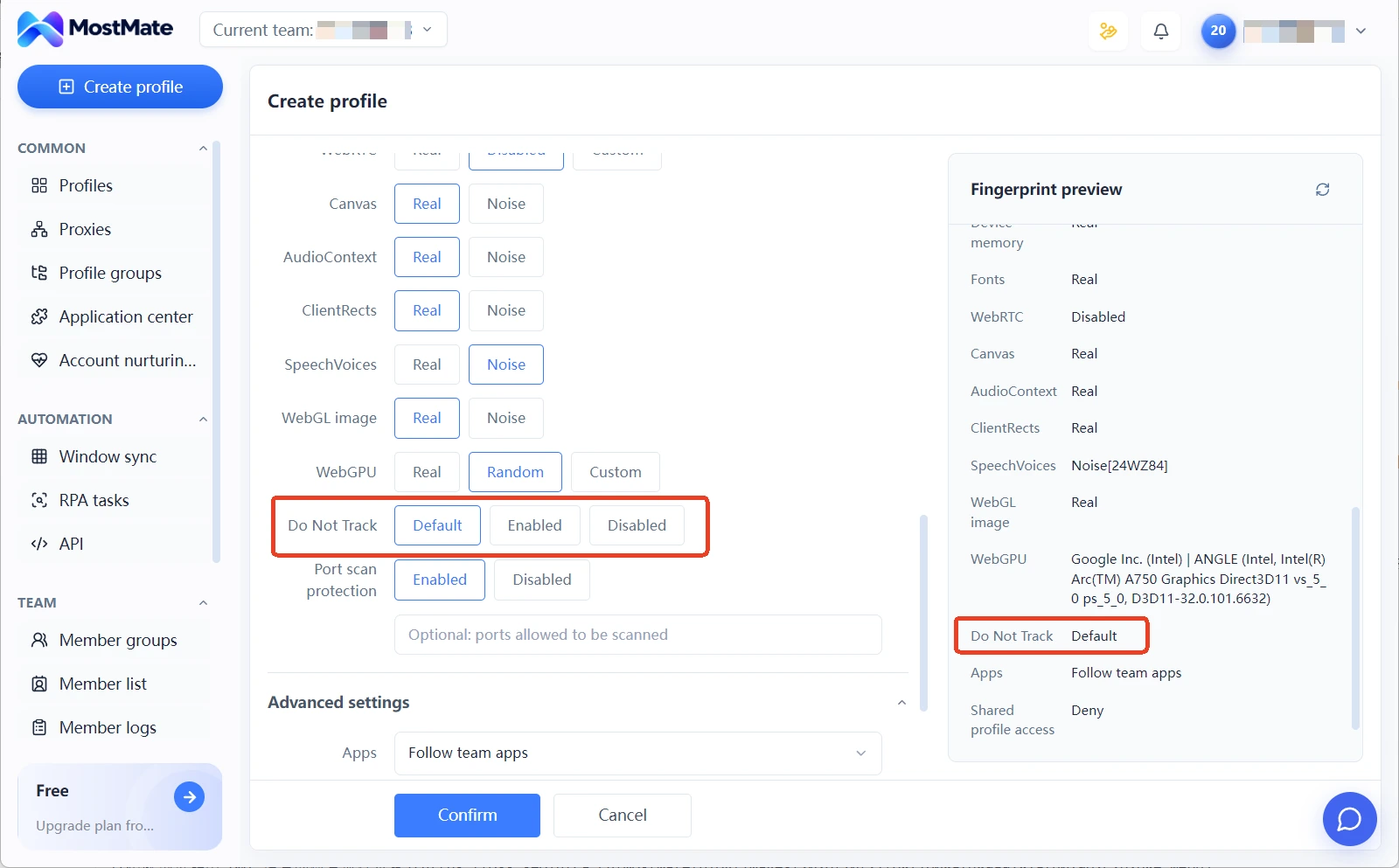
To go one step deeper and find out whether environments have other misalignments, follow the steps in the Multi-Account Association Risk Self-Check Guide. Put environment configurations, proxies and account operation records side by side. DNT is only one item among them. On its own, it says little.
Frequently Asked Questions
Does turning on Do Not Track help?
Limited. It is a statement with no enforcement power, it has not received sufficiently broad compliance, and it does not actively stop tracking scripts from running. Content-blocking tools belong to a different mechanism that directly blocks tracking requests; the two are not the same thing.
What is the difference between DNT and private browsing?
Two different things. DNT is a declaration sent to websites and governs "whether the other side can track you"; private browsing is a local behavior and governs "whether browsing history and cookies are left on this device". Turning on private browsing does not send DNT, and turning on DNT does not stop websites from reading your fingerprint.
Will GPC replace DNT?
In direction, yes. GPC expresses the same opt-out intent through the Sec-GPC header, and its legal force comes from the scope of specific privacy regulations. In scenarios covered by those regulations, websites must respond; that is a status DNT never had. It does not take effect in every region or on every website.
Conclusion
The fifteen years of Do Not Track show that a "polite request" does not stop "commercial tracking", and they also reveal one detail of fingerprinting: a toggle that expresses a privacy preference is itself within the range websites can read.
For multi-account operators, the actionable move is to check rather than agonize over the direction of the toggle: confirm browser support, verify the request header against the script reading, and keep the value stable within each environment.
If the configuration system for environments and signals is not in place yet, start with What Is a Browser Fingerprint to fill in the concepts, then use MostMate to lock down your environment configurations. Signal-level settings should be stabilized from day one.

MOSTMATE
Secure Multi-Account Management, Made Simple
Start with your first account and use MostMate to build safer, smarter, and more efficient multi-account operations.
- Independent profiles. Consistent identities.
- AI Automation · Account Health · Team Operations



