
How to Set Up Fingerprints and Proxies for Web Scraping: A Configuration Playbook
Core takeaway: Collection blocks rarely trace back to a single cause. Most spread across three layers: proxy, fingerprint, and collection pacing. Configuration order matters more than the number of parameters. First, pin down a dedicated proxy exit for every task. Next, give each environment a logically consistent set of fingerprint parameters. Finally, keep request frequency within what the target site tolerates. This guide gives a checklist in that order and explains how to plug environment management into your scraper with the Local API.
"I bought a dozen proxies." Yet bans arrived even more often. Teams that scrape tend to spend their budget on proxies, but the problem does not necessarily lie in proxy count. Requests flowing in and out of the same exit at high frequency, every session carrying the same browser traits, a crawler still running on its original schedule after hitting a captcha: any one of these imbalances drags the exits you paid for down with it.
From a product standpoint, MostMate belongs to the fingerprint browser category: each account gets an isolated browser environment, with proxies, fingerprint parameters, and login state all managed inside it. In a scraping context, one environment acts as the running unit of one collection task, and environments share neither exits nor device traits. The proxy decides which line a request leaves through, and the fingerprint decides what kind of device the target site sees. Once these two layers are stable, pacing control has room to work.
Blocks Signal Across Three Layers, and the Configuration Order Follows
Anti-bot checks on a visit unfold roughly across three layers. Each layer inspects something different, and each calls for a different configuration move:
- Connection layer: the target site first checks which IP a request comes from and what type it is. High-frequency traffic through one exit, or traffic landing in a flagged IP range, is the easiest to block first.
- Device layer: page scripts read Canvas, WebGL, font lists, time zone and other parameters to judge whether the visitor is a real, normal device.
- Behavior layer: request intervals, navigation paths, and the rhythm of actions after login. Long-running mechanical patterns keep raising suspicion.
The order in which the layers break down dictates the configuration order. Until the exit is fixed, parameters that move with the IP, such as language, time zone, and geolocation, have nothing to attach to. Until device traits are pinned down, however natural the pacing, the target site still sees one machine hitting it at high frequency. So the working order is proxy first, fingerprint next, pacing last, and the sections below follow that line.

Proxy Setup: A Stable Exit Matters More Than Quantity
Giving every scraping task its own dedicated exit gets you closer to stable collection than piling up rotating IPs. When several tasks share one exit, one task tripping risk control often takes the others on the same exit down with it. With exits kept separate, tasks no longer drag each other down at the connection layer, and troubleshooting points straight at the line where the problem is.
Match the exit type to risk-control strength. For sites with loose controls, datacenter IPs are affordable enough. On major e-commerce and social media sites, residential IPs usually survive longer. For the trust gap between the two, their cost structures, and their fitting scenarios, use the comparison in the Residential IP vs Datacenter IP Guide rather than picking by gut feeling.
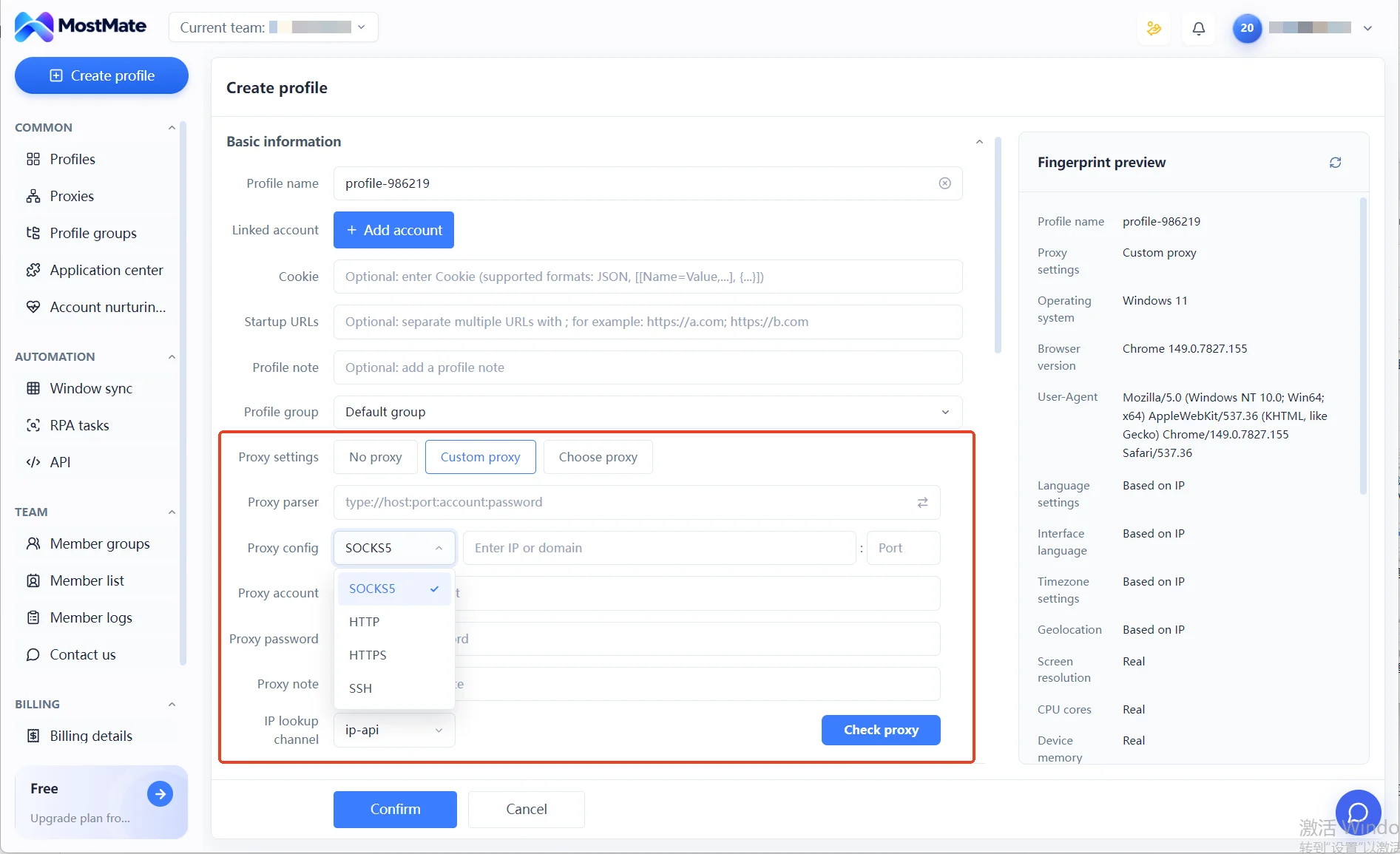
In MostMate specifically, proxies are managed separately in the proxy list. All four protocols, HTTP, HTTPS, SOCKS5, and SSH, have their own entries, and every entry can be tested on the spot with the Check proxy button for connectivity and exit ownership. Once a proxy passes, assign it to an environment. The proxy setting in the environment form has three options: no proxy, custom proxy, and select proxy. For scraping environments, pick the third. With all exits in one list, checking which task runs on which line takes a glance.
Once the proxy layer is done, move on to device traits.
Fingerprint Parameters: Consistency First, Randomization with Caution
The fingerprint goal for a scraping environment is to present the traits of one normal, unchanged device over the long run. Around that goal, parameters split into two groups: those tied to the exit go to auto-alignment, and device-own ones get fixed into a set that stays put.
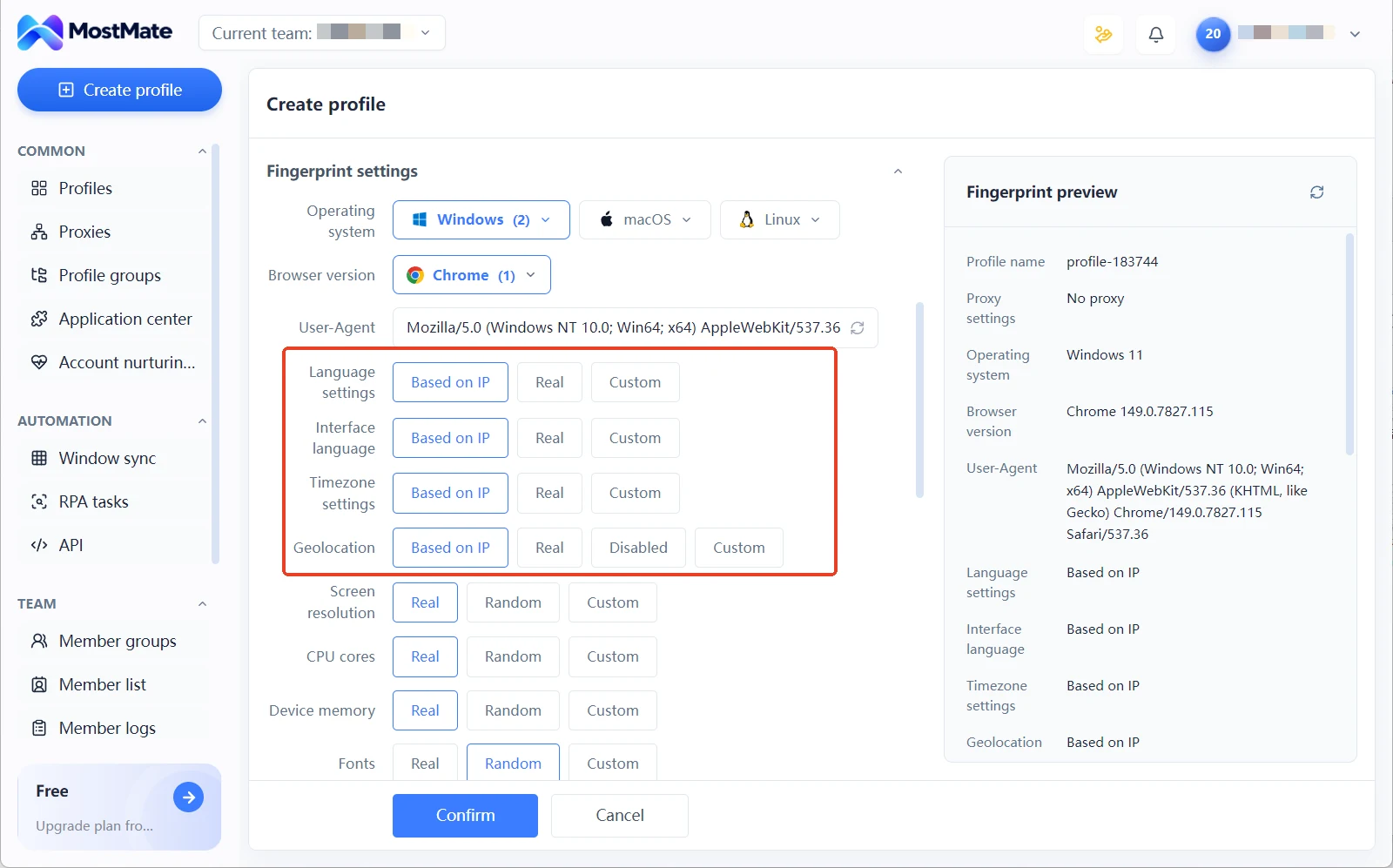
Four items, language, interface language, time zone, and geolocation, default to IP-based configuration. Once the exit is set, their values align on their own, saving a round of manual checks whenever you switch exits. Pick one OS and browser version combination and lock it in; the UA follows, and it stays put for the whole task cycle. Screen resolution, CPU core count, device memory, and the font list keep real values, consistent with the declared system.
Rendering-type parameters deserve closer attention. For imaging and audio output such as Canvas and WebGL, the interface offers a noise preset: light perturbation layered over real values while preserving the device's original logic. What the detector receives is still a self-consistent output. Why random values are actually dangerous is argued in Why Fingerprint Randomization Is Unsafe.
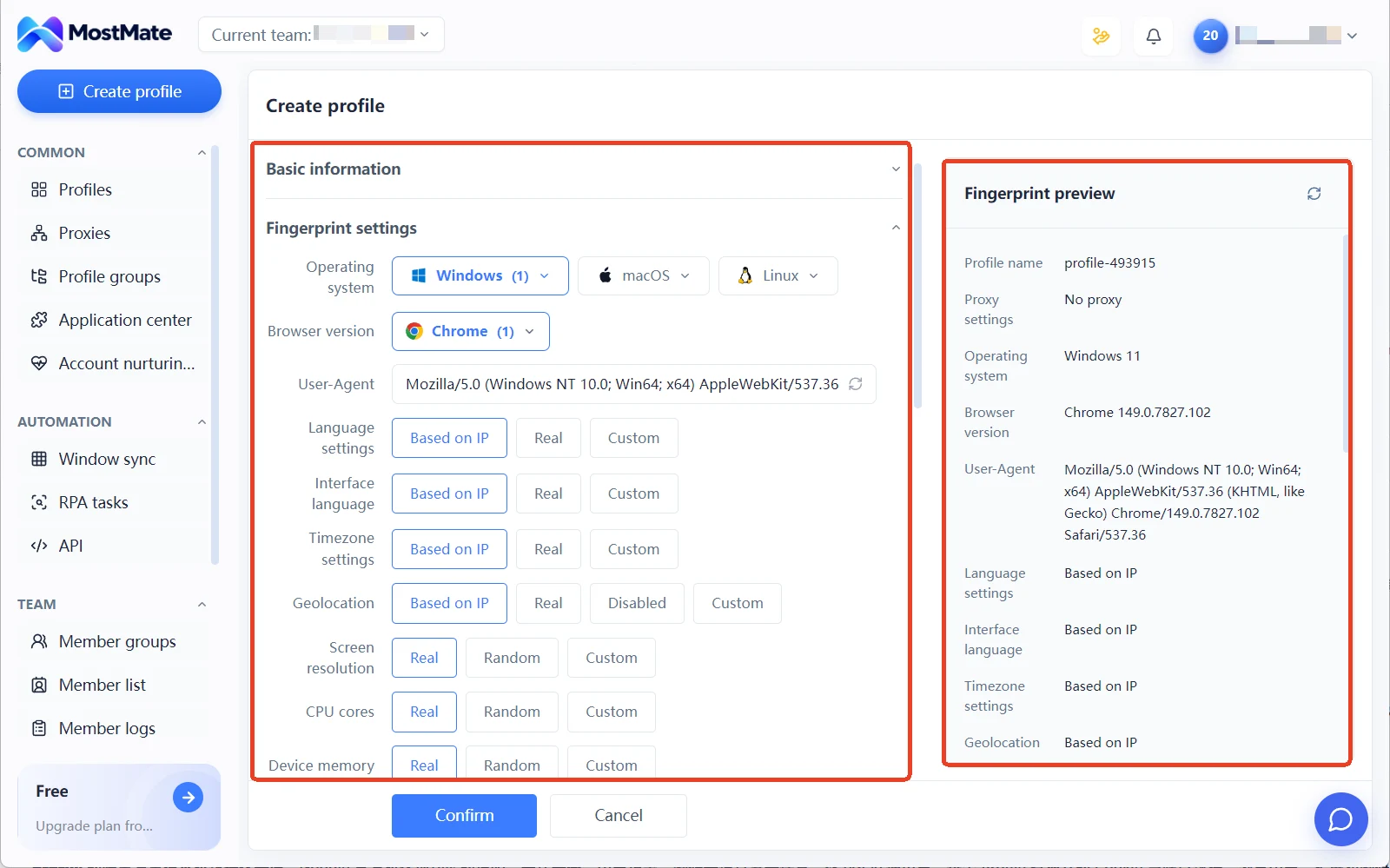
The practice for scraping environments is concrete: choose the noise preset for rendering-type parameters, not the random preset. You do not need to verify by feel either. The fingerprint preview panel on the right side of the environment form lists time zone, Canvas preset level, and other values in real time. One glance before saving, and obvious mismatches surface on the spot.
Pacing and Login State: Lowering Behavioral Uncertainty
A trial run for a new task can follow three steps:
1. Set a starting point: single-digit concurrency, second-level intervals, run for a day or two first. Log how often captchas appear and the share of abnormal responses. 2. Find the boundary: the moment a captcha shows up, step back to the previous frequency level. That level is the current safety boundary for this exit. 3. Scale up carefully: after several stable days within the boundary, raise concurrency a little. Add random jitter to base intervals so the request rhythm never looks machine-even.
Keep login state inside the environment. For data that requires login, log in once and the environment keeps the Cookie and session, ready to reuse next time. That saves the verification cost of repeated logins and keeps frequent logins from becoming a suspicious signal in themselves. Before you start, confirm the scope of collection. The robots protocol and terms of service decide whether a task can run long term; see the robots.txt entry on MDN for protocol details. This check comes before every configuration parameter.
Plug Environments into Your Scraper with the Local API
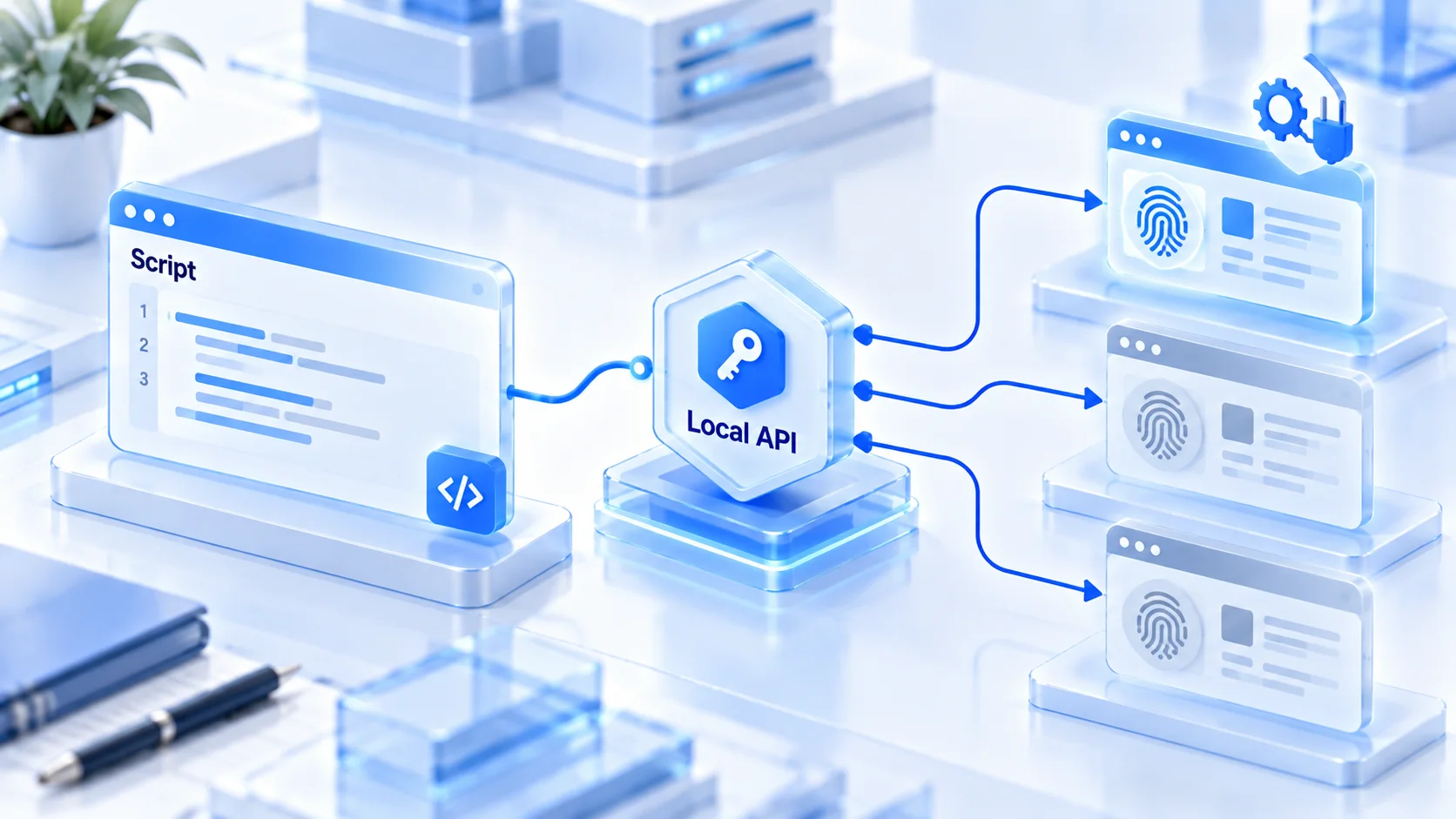
Once environments multiply, toggling them by hand cannot keep up with script pacing. MostMate offers a Local API: a local interface plus an API key, and once security verification is on, every request must carry the Key. Through it, scraping scripts can start and stop environments and query environment status, handing the decision of which environment to run to code. Window sync, RPA, and API each fit different scenarios; the Multi-Account Automation Comparison covers the differences, and pure script-based scraping maps mainly to the API line.
Page-level scraping usually drives a browser with an automation framework; Playwright's installation and onboarding are fully documented in the official docs. The pairing is straightforward: the script first opens a specified environment through the Local API, the automation framework takes over page operations in that environment, and the environment closes when collection ends.
Page requests are issued by a full browser environment, with Cookie, storage, and fingerprint parameters kept inside it, preserving far more traits than bare HTTP requests. For how environments, proxies, and fingerprints fit together in the product, the What Is MostMate page gives a systematic overview; read it before writing scripts and understanding the API's returned fields gets much faster.
The Local API has call limits by plan; the interface marks it as available on plans of six months or longer. Confirm your plan cycle before writing scripts, so you do not discover call limits after the pipeline is built.
Frequently Asked Questions
Does every scraping task need its own proxy?
Judge by the target site's risk-control strength and task volume. For sites with strict controls and heavy tasks, a dedicated exit is worth it. Low-frequency small tasks can share one, but the sharing tasks should be unrelated in business terms. Once one gets flagged, other tasks on the same exit are easily dragged in.
Do fingerprint parameters need periodic rotation?
No. Keeping parameters fixed long term is the goal for the same environment; frequent changes break device-trait continuity. Only touch a specific item when the exit changes or a mismatched parameter is found.
Can't I just use requests directly?
For simple APIs, yes. Request libraries like requests do not execute page scripts, so they cannot obtain full browser traits. They suit open APIs that need no rendering. For page-level scraping or sites with strict controls, running a full browser environment is steadier.
Data suddenly comes back empty. What do I check first?
Treat it as a pacing problem first. Slow down and observe for a day or two. If it is still abnormal, check exit-fingerprint consistency, then manually visit the same page in a browser environment to tell a site structure change from blocked access. Changing the exit comes last.
Closing
Whether collection runs long term depends on all three layers holding at once: a stable exit, consistent fingerprints, restrained pacing. An imbalance in any layer magnifies the cost of the other two. MostMate keeps proxies, fingerprints, and login state inside every environment; an environment is the running unit of a task, and with the Local API it plugs straight into your existing scraping scripts.
To build your first scraping task, start from downloading MostMate, run monitoring for one small site on the free version's environments, then replicate it to other tasks step by step.

MOSTMATE
Secure Multi-Account Management, Made Simple
Start with your first account and use MostMate to build safer, smarter, and more efficient multi-account operations.
- Independent profiles. Consistent identities.
- AI Automation · Account Health · Team Operations



