
What Is a Media Device Fingerprint? How Camera and Microphone Data Feed Browser Identification
Core takeaway: a media device fingerprint is a way of identifying a browser environment from the media device details the browser itself exposes. A page reads the list of cameras, microphones, and speakers through the enumeration API, and how many fields come back depends on privacy limits and permission state. Device counts, types, and groupings add a supporting signal, but they cannot pin down who the user is on their own. The sections below cover the enumeration mechanism, the logic of identification, the influencing factors, the testing steps, and the checks to run in MostMate.
Before a video meeting starts, your browser usually shows the cameras and microphones you can pick from. Behind the scenes is the media device enumeration API, enumerateDevices(). Other pages can call it too. Even without your permission, many browsers still hand back limited device information, while names, identifiers, and the visible count are governed by permissions and privacy policy. MostMate is an anti-detect browser, and What Is MostMate covers the product in full. Media device readings are easy to overlook when you audit profile consistency, so this article walks through them.
What a media device fingerprint is
A media device fingerprint is an identification signal built from the media device information a browser can access: the device count, types, and groupings returned by the enumeration API describe this machine's audio and video hardware as the browser sees it. The API's formal name is enumerateDevices, and it belongs to the MediaDevices family. It is a close relative of getUserMedia, which asks for camera access; that request needs your approval, while simply listing devices does not.
For the full interface details, see MDN's enumerateDevices documentation.
Each device comes back as one record with four fields: kind marks the type and splits audio input, audio output, and video input; deviceId is the device identifier; label is the device name; groupId ties together devices that share the same physical hardware. How much of this you can read depends on permission state. The caveats, field by field:
| Field | Main use | What to watch |
|---|---|---|
| kind | Separates audio and video input and output | The output may be trimmed by the browser |
| deviceId | Tells devices or device entries apart | Varies with permissions and browser settings |
| label | Shows the device name | Usually readable only after permission |
| groupId | Links devices on the same physical hardware | Limited by browser privacy rules |
Without permission, the browser will usually still let a page call the enumeration API, but the list it returns may be trimmed. Some browsers hide every non-default device, and names or identifiers can come back empty. Browsers also handle this differently from one another, so a test result may not cover every device actually connected. Trust a live test over theory.
Permissions are managed per site. Once a site has been granted access, it can usually read more device detail, though what actually comes back still depends on the browser and the state of the hardware.
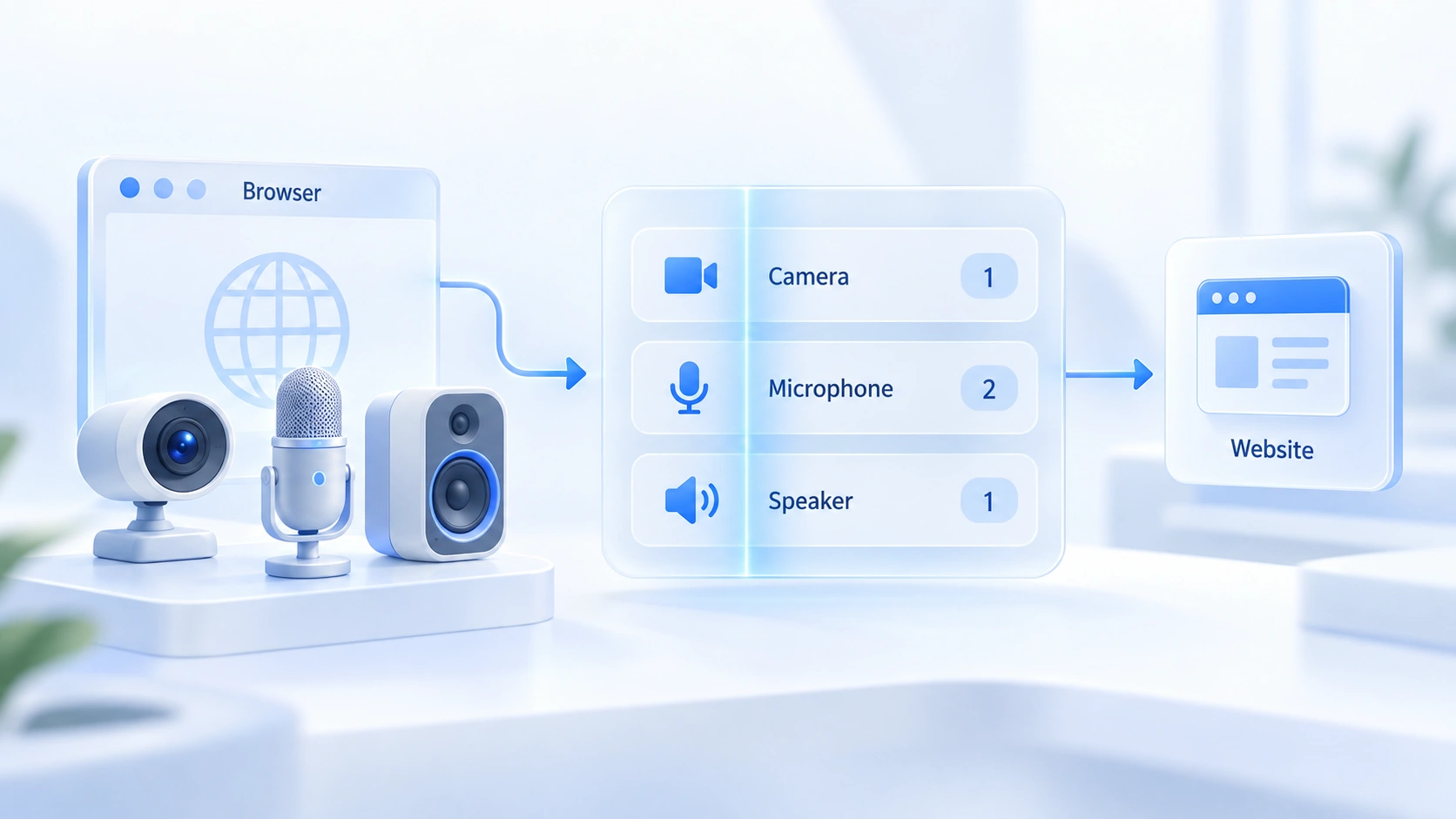
How websites use device data to tell browser environments apart
The identification value of device data lies in its long-term stability, but its discriminating power is limited, so treat it as a supporting signal. Three points worth unpacking.
- Stability comes with conditions. As long as the hardware and browser settings stay untouched, the list can hold steady for a stretch and serve as a supporting signal. Plugging devices in or out, permission changes, cleared data, and privacy policy can all shift it.
- Combinations and grouping. groupId can link devices that belong to the same physical unit, say a monitor with a built-in camera and microphone. It describes relationships between devices, not the hardware model or whether the hardware is genuine, so sites weigh it alongside other signals instead of on its own.
- Know the limits. Huge numbers of users share the same device list: one laptop plus one headset returns identical counts and types. With so many configurations looking alike, media device data separates very few people on its own. Sites combine it with fonts, screen parameters, and other signals to sharpen the picture.
A concrete example.
Two environments both run macOS. One reports a single video input and two audio devices; the other returns just one audio device. The gap may come from the hardware setup, or from permission state and browser policy. It adds information an identifier can work with, but the difference alone cannot prove the two environments sit on different machines. The more signals get collected, the fuller the profile becomes.
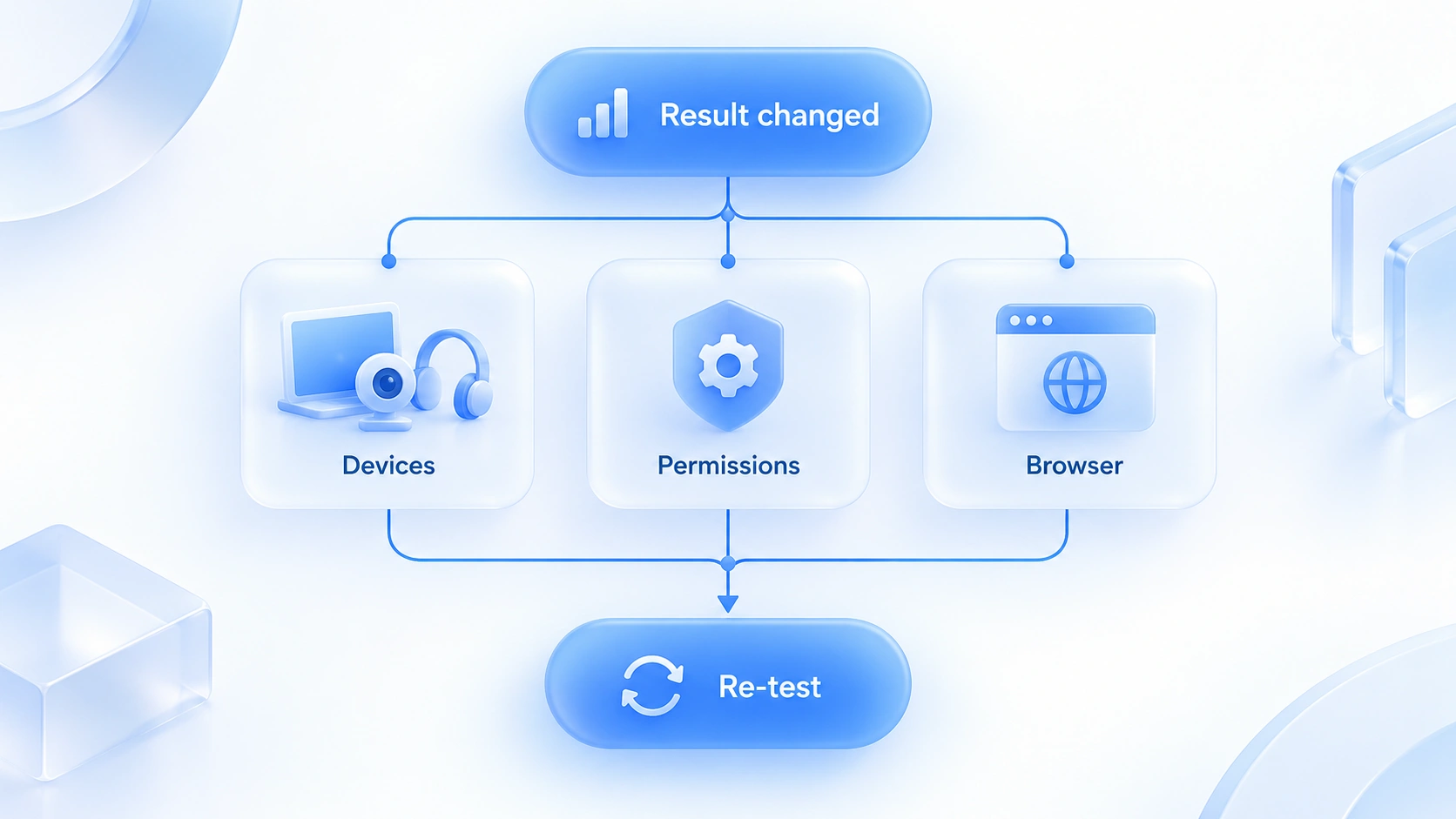
What affects a media device fingerprint
Readings from the same environment drift with conditions, so rule out the usual causes before drawing conclusions. Four cases:
- Empty device list. The cause may be genuinely missing hardware, browser privacy protection, or the runtime environment. A desktop without a camera is a perfectly normal setup, so an empty list alone says nothing about automation.
- Device count changes. Plugging or unplugging gear and adjusting permission settings both alter the results.
- Device names or IDs change. Usually tied to permission state, cleared browser data, or replaced hardware.
- Different browsers, different results. Each vendor applies its own privacy policy to the enumeration API, so comparing lists across browsers is pointless.
Hardware changes are normal events, and real users swap peripherals all the time. When results diverge from expectations, work through device connections, permissions, and browser settings.
How to check your browser's media device fingerprint
No extra tools are required. Run a before-and-after comparison on a demo page to get a first read of the enumeration results; the real skill is knowing how to interpret them. Work in this order:
- Record the current list. Open the device enumeration page from the official WebRTC samples in your browser. Three dropdowns list audio input, audio output, and video sources; note the count and the entries for each. The page must load in a secure context such as HTTPS, and if nothing comes back, check the context and permissions before concluding that devices are missing.
- Change one condition and observe. Keeping permission state constant, open the same page in another browser or environment and compare the two results.
- Chase down the cause. If the lists disagree, check hardware connections and permissions first, then browser configuration, and only then suspect the environment setup.
What matters here is counts, types, and combinations rather than exact values. Demo pages can present details differently, so comparisons across sites mean nothing; a before-and-after check inside the same tool is what counts.
How to check media device info in an anti-detect browser
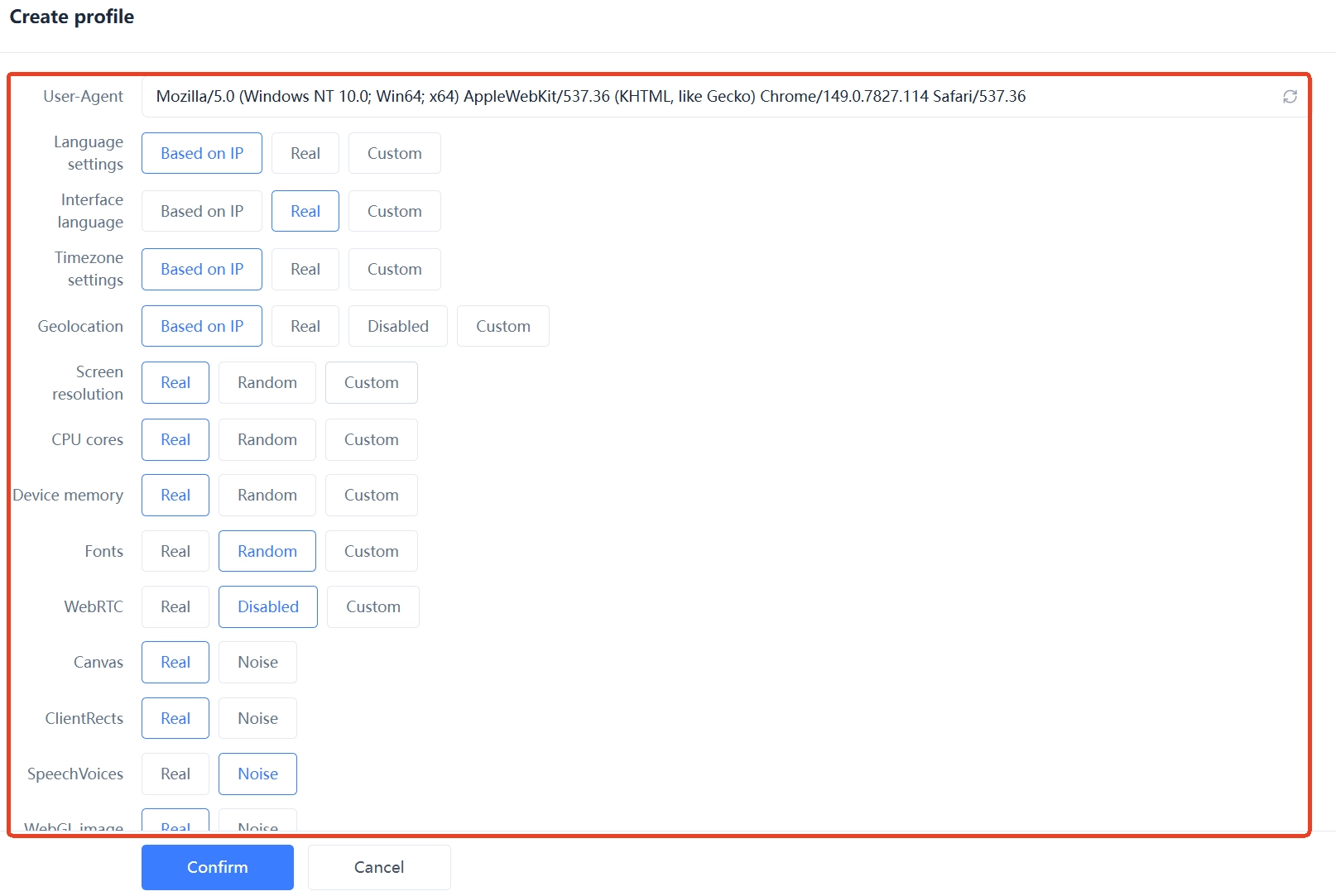
MostMate's Fingerprint Settings (指纹设置) currently have no dedicated media device option, so the enumeration results for cameras, microphones, and speakers cannot be changed through parameters.
Day-to-day verification takes three steps. When you create or edit a profile, first confirm the operating system image in Fingerprint Settings. Then open the profile, run the test from the previous section, and record what it reports. If the results diverge from expectations, troubleshoot in order: device connections and permissions first, browser configuration next, then a cross-check against the other fingerprint readings.
After adjusting device connections, browser permissions, or profile settings, run the test again to see whether anything moved. If a proxy or other fingerprint parameters were changed at the same time, review the network information and the corresponding fingerprint items separately. The two checks target different things, so keep them apart.
Two capabilities are easy to confuse, so draw the line clearly. The WebRTC option in Fingerprint Settings governs network address exposure. A real-time communication connection may query STUN servers for the machine's network addresses, and whether the real IP leaks depends on the browser, the proxy, and the exact configuration. That logic is covered in What Is WebRTC in an Anti-Detect Browser.
AudioContext belongs to the rendering class of fingerprints and measures how a browser processes audio signals; the logic is explained in the AudioContext fingerprint guide. Neither of the two amounts to media device enumeration control, and neither replaces a device audit. The boundary of environment isolation is covered in What Is Environment Isolation. Device list readings do not affect isolation itself, but sites will cross-check them.
Frequently asked questions
If I never grant camera or microphone access, can a site still read device info?
Partly, yes. The enumeration API remains callable without permission, but the list may be trimmed: some browsers hide non-default devices, and names or identifiers can come back empty. Permissions are granted per site, so only a site that once held permission can read fuller fields. Exact behavior varies by browser and version.
Can a media device fingerprint pick out one specific computer?
No. Device lists repeat across huge numbers of users. A site has to cross-check them against the IP, fonts, screen parameters, and other signals; device data is one supporting piece of evidence among many.
Are media device fingerprints and WebRTC leaks the same thing?
They are different problems. Media device enumeration reads device info through a browser API, while WebRTC IP exposure happens during real-time communication and involves network addresses. The targets, the mechanics, and the troubleshooting all differ, so a WebRTC IP test cannot substitute for a media device check.
Will the fingerprint change if I swap cameras or microphones?
Yes. The device list follows the hardware, so plugging in peripherals or changing headsets alters the enumeration result. For a single profile, hardware changes are normal events. When results diverge from expectations, work through device connections, permissions, and browser settings.
Can an anti-detect browser modify the media device fingerprint?
MostMate currently has no dedicated media device option, so enumeration results cannot be changed through parameters. What you can do is keep the profile image plausible, test the readings inside the profile, and check them against the other fingerprint parameters for consistency.
Closing thoughts
Media device enumeration requires no heavy graphics or audio rendering; a single API call reveals the media devices the browser currently lets a page access. Its discriminating power is limited, though in some identification scenarios it can be combined with other browser characteristics. Its signals separate poorly, and in some identification scenarios it serves as an auxiliary input alongside other features. On an anti-detect browser, run a device audit inside every profile, and when results change, troubleshoot hardware, permissions, and browser configuration in that order. To build a setup from scratch, download MostMate, verify each profile one by one, and only then put it to work.

MOSTMATE
Secure Multi-Account Management, Made Simple
Start with your first account and use MostMate to build safer, smarter, and more efficient multi-account operations.
- Independent profiles. Consistent identities.
- AI Automation · Account Health · Team Operations



