
Fingerprint Browser vs VPN vs VPS vs VM: What's the Difference? Sort It Out by Signal Layer
The core takeaway: These four tools don't compete on the same layer. A VPN only changes the network exit; a VPS and a virtual machine change where things run and the hardware shell, leaving browser-layer signals untouched. A fingerprint browser rewrites browser-layer signals directly and hands network-layer traffic to a proxy. For everyday private browsing, a VPN on its own is enough. For multi-account anti-linking, the fingerprint browser is the main piece, a VPS can host it, and a proxy takes over from the VPN. The audience fit is just as direct: pick a VPN for everyday private browsing; for multi-account anti-linking, the fingerprint browser is the core tool; add a VPS when you move to the cloud or share environments across a team.
Plenty of people buy all four without knowing how they differ. First they pay for a year of VPN, yet accounts keep getting restricted. Then they rent a VPS hoping for a stable exit, and bans keep coming. Finally they set up a virtual machine, and the daily overhead becomes too much to sustain. Three purchases, one underlying problem: none of these tools touches the layer of signals platforms actually collect.
MostMate is an AI-powered fingerprint browser built to be beginner-friendly. It does one thing with focus: giving every account its own isolated browser environment. This article breaks down how the four tools divide the work by the layers of signals platforms collect, so you can tell which one to buy and which ones are worth stacking.
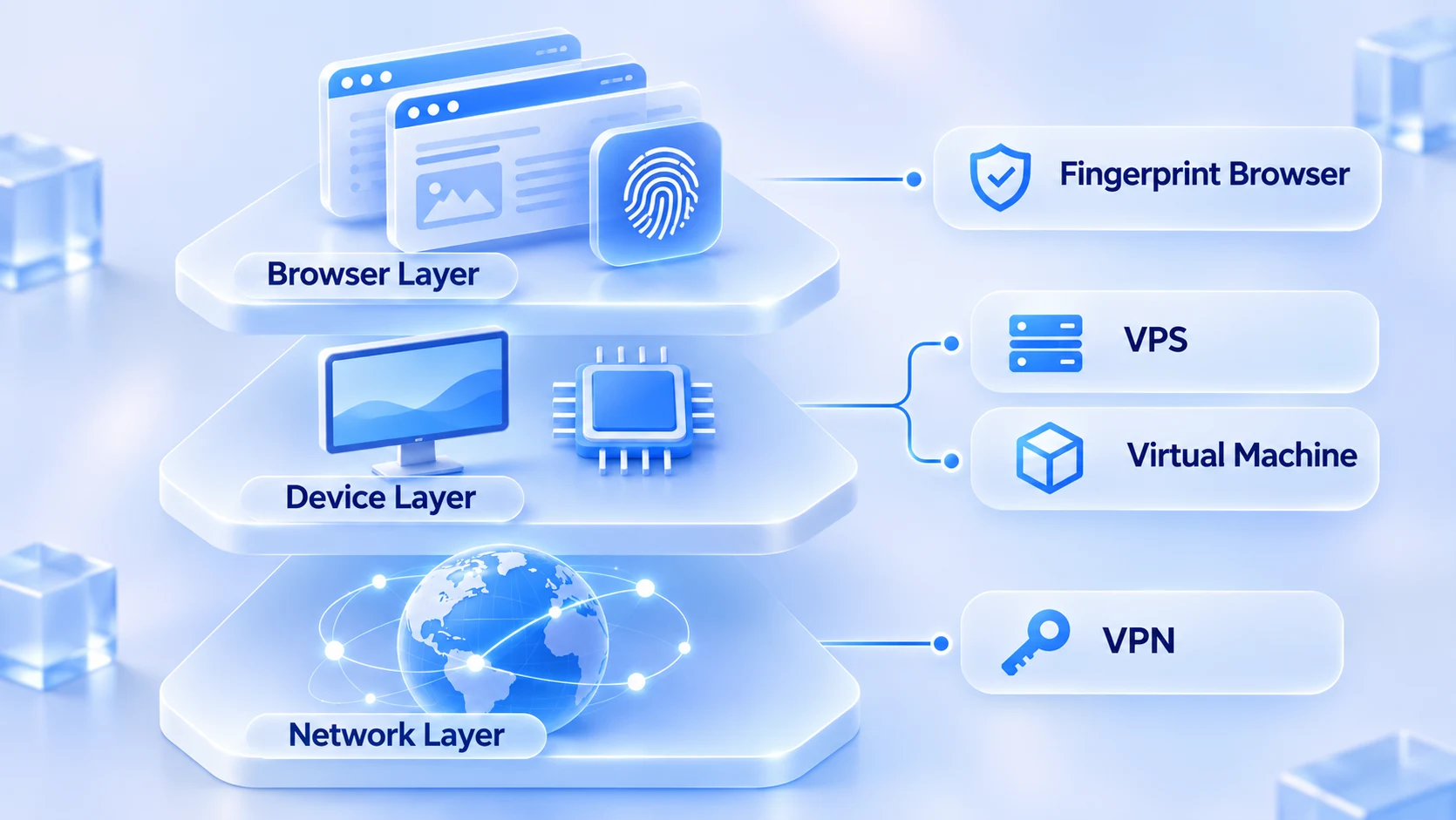
Platforms Look at Three Signal Layers, and Each Tool Covers One Stretch
To judge the difference between the four tools, start with what platforms collect. MostMate splits environment signals into three layers. The device layer covers OS, GPU, and screen; the browser layer covers User-Agent, WebGL, and local storage; the network layer covers IP, timezone, and language. Beyond these three layers, behavioral signals such as click rhythm and action intervals are also evaluated. Those reflect operating habits, and this article leaves them aside.
Apply this layering and the division of labor becomes obvious. VPNs and proxies only touch the network layer. A VPS and a virtual machine give you a complete machine, replacing part of the device-layer signals. The fingerprint browser is the only one of the four that rewrites the browser layer directly. Most wasted spending comes from tools that sit on a different layer from the signals you need to cover.
VPN and VPS: Both Move the Network, in Different Places
A VPN is simple in principle: it builds an encrypted tunnel between you and the target site, and traffic exits through the provider's server. Malwarebytes' explainer sums it up as a tool that protects privacy in transit. That framing is accurate: it governs the transfer process, not your browser identity.
In multi-account scenarios, a VPN has two weaknesses you cannot work around. First, its exit IPs are shared by large numbers of users, and their reputation is long worn out. The knock-on effects after an IP range gets flagged are covered in IP bans and proxy quality. Second, the encrypted tunnel only covers the IP item; your local timezone and browser language stay fully exposed. A browser on a US node with its timezone still on UTC+8 is a contradiction any risk system spots at a glance.
A VPS is a remote host rented from a cloud provider. You connect to it and operate it there, and the data center assigns the IP. Compared with a VPN it adds a complete machine, so part of the device-layer signals genuinely change. It has two weaknesses as well. Data-center IP ranges are a prime target for platform scrutiny, so signup and login pass rates are naturally lower. Browser-layer signals depend on what you install on it. On a clean VPS, ten accounts sharing one Chrome still produce ten identical fingerprints.
For how to choose between fixed and dynamic IPs, there is a dedicated comparison. Not covered here.
Virtual Machine: New Hardware Shell, Same Browser Signals
A virtual machine works much like a VPS, except the remote host becomes a virtual computer inside your own machine, and the common choice is the open-source VirtualBox. Its changes to the device layer are even less thorough than a VPS. Screen resolution and GPU details often pass straight through from the host, and the clock follows the host. Virtualization artifacts themselves are also a penalty item for some risk systems.
The real cost is maintenance. Each virtual machine needs an OS, a browser, and proxy settings, with disks starting at tens of GB. Running ten virtual machines roughly doubles memory requirements. For all that spending, you only change a layer that was never properly covered anyway. Among the four tools, it ranks last on return on investment.
Fingerprint Browser: Rewriting Browser-Layer Signals as a Whole
Among the four tools, only the fingerprint browser treats the browser layer as its main working target. MostMate creates an isolated browser environment for every account. Cookies, local storage, sessions, and cache are each isolated. Fingerprint parameters such as OS, GPU, Canvas, WebGL, fonts, and WebRTC are configured as a whole, proxies are bound per environment, and network-layer signals are brought under the same roof. The site sums up its isolation goals in four words: independent, consistent, authentic, stable. Parameters are not just required to differ; their combination also has to make sense as one real device.
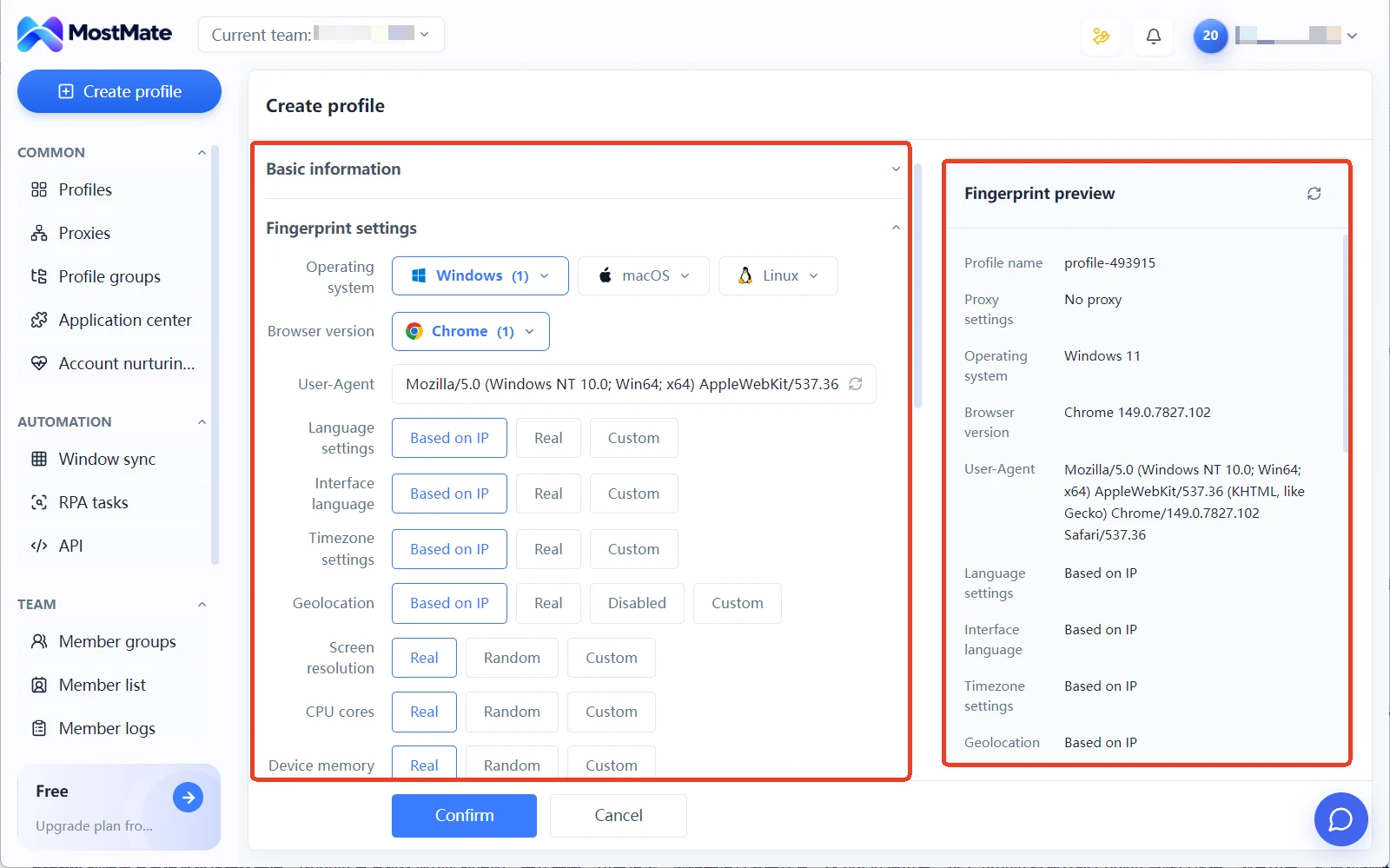
The meaning of "consistent" shows in a pair of contrasts. A Windows UA paired with a macOS GPU, or a US IP with a UTC+8 timezone. Combinations where parameters are random on their own yet clash with each other stand out more than using no tool at all. Flip it around: a Windows 11 browser with matching GPU and WebGL, and a US IP with a New York timezone, finally looks like a real device. For how far isolation goes and where its boundaries sit, environment isolation principles goes into more detail.
Three Common Stackings: Two Work, One Is a Waste
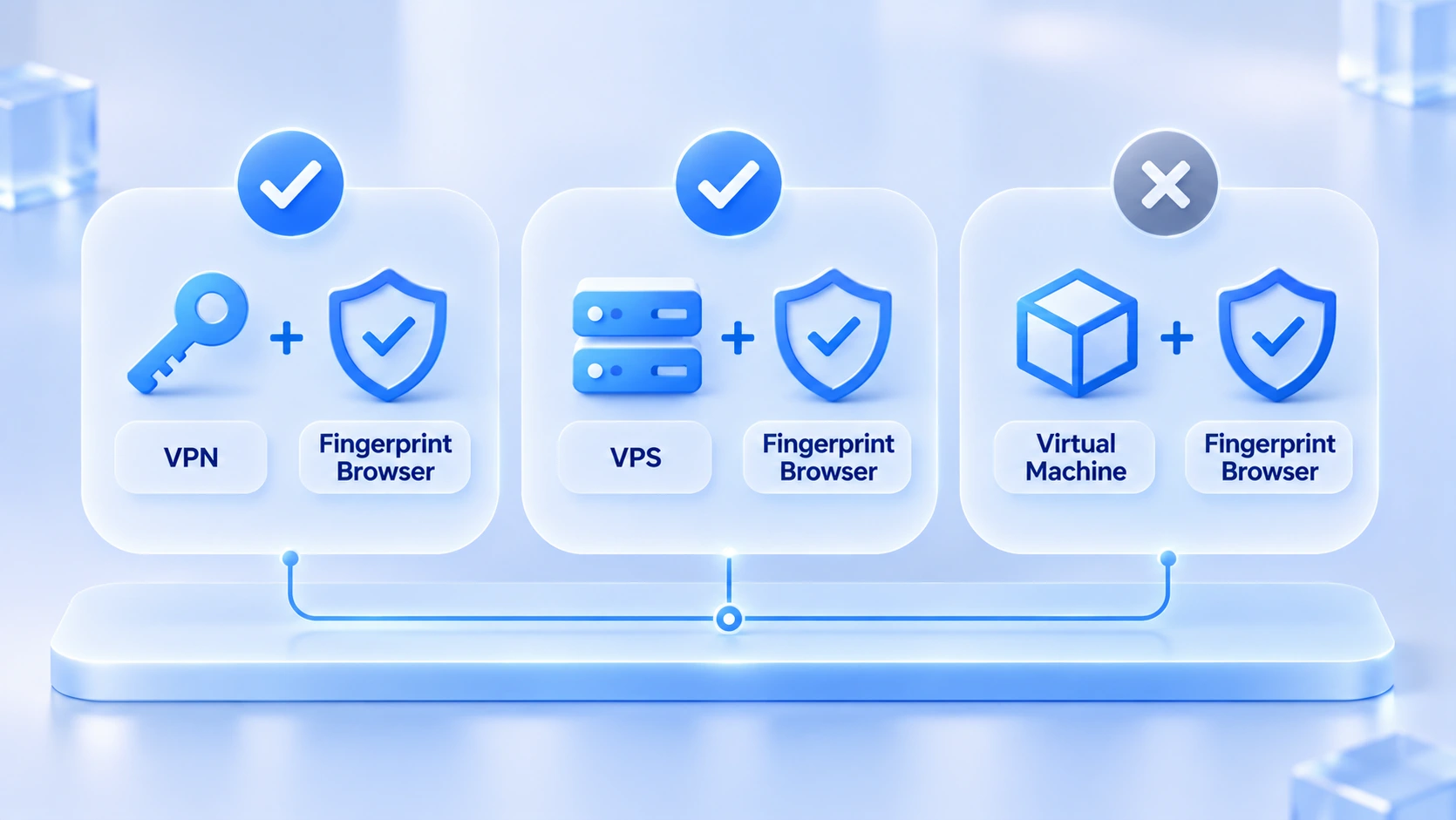
The four tools sit on different layers. Stack them by layer to fill gaps and the combination works; repeat across layers and it is waste. Three combinations come up most often:
1. VPN plus fingerprint browser is not recommended for long-term use. The VPN takes over the exit IP the proxy maintains, breaking the consistency. When you need a new exit, configure a proxy directly in the environment.
2. VPS plus fingerprint browser is a valid combination. It fits moving environments to the cloud, or teams sharing a batch of environments. Verify deployment feasibility before you start; the cloud server guide has a checklist.
3. Virtual machine plus fingerprint browser is duplicate spending. The slice of device-layer signals a VM changes is already covered by the fingerprint browser, and nested layers also slow down daily work.
Match the Tool to Your Goal
The layering verdicts compress into one table. Find your goal, read the row.
| Your goal | What's enough | Why |
|---|---|---|
| Everyday browsing on public Wi-Fi | VPN | Encrypted channel only, lowest cost |
| Fixed remote machine for always-on scripts | VPS | An always-on remote host, stable location |
| Legacy testing, sandboxing risky software | VM | Build and delete at will, no impact on host |
| Multiple platform accounts in one browser | Fingerprint browser | Independent, consistent signals per account |
| Multi-account team collaboration | Fingerprint browser | Group permissions map environments to people |
| Scaling accounts and pushing efficiency | Fingerprint browser | Window sync and bulk actions need isolation |
Don't buy two tools for the same layer; that is the bottom line of tool selection.
The table leaves out combinations like VPN plus a virtual machine, because both tools solve problems on the same layer. Buying both usually means the requirements haven't been thought through.
Frequently Asked Questions
Can you run multiple accounts on one VPS?
Technically possible, but two conditions must be met. Each account uses its own browser environment instead of sharing one Chrome. And you have to accept stricter scrutiny of data-center IP ranges than residential ones. As accounts scale, single-IP usage becomes the bottleneck, so an independent proxy is usually required.
When is a virtual machine still needed?
Scenarios tied to where things run, not to accounts. Testing software compatibility on legacy systems, or isolating installers from unknown sources. Virtual machines handle those well. But using one to solve multi-account fingerprint problems is the wrong direction from the start.
What is the cheapest combination on a tight budget?
Buy by layer. Use a pay-as-you-go proxy for the network layer, and start on the fingerprint browser's free plan for the browser layer. MostMate's free plan includes 2 environments and 2 member seats. Validate the workflow first and upgrade when accounts scale; that beats buying all four tools up front by a wide margin.
Closing Thoughts
The dividing line between the four tools is the signal layer. VPNs and proxies handle the network layer; VPS and virtual machines provide a machine; the fingerprint browser owns the browser layer. The hard part of multi-account operations has never been buying equipment. Keeping each account's three layers of signals independent yet consistent with each other is the main workload, and tools now take care of that part. Once environments are set up, see multi-account use cases for industry-by-industry breakdowns of daily operations.
To verify it hands-on, download MostMate and walk the full flow from creating an environment to viewing the account dashboard.

MOSTMATE
Secure Multi-Account Management, Made Simple
Start with your first account and use MostMate to build safer, smarter, and more efficient multi-account operations.
- Independent profiles. Consistent identities.
- AI Automation · Account Health · Team Operations



