
How to Choose a Fingerprint Browser? Four Decision Cards for E-commerce, Social Media, Airdrops, and Ad Campaigns
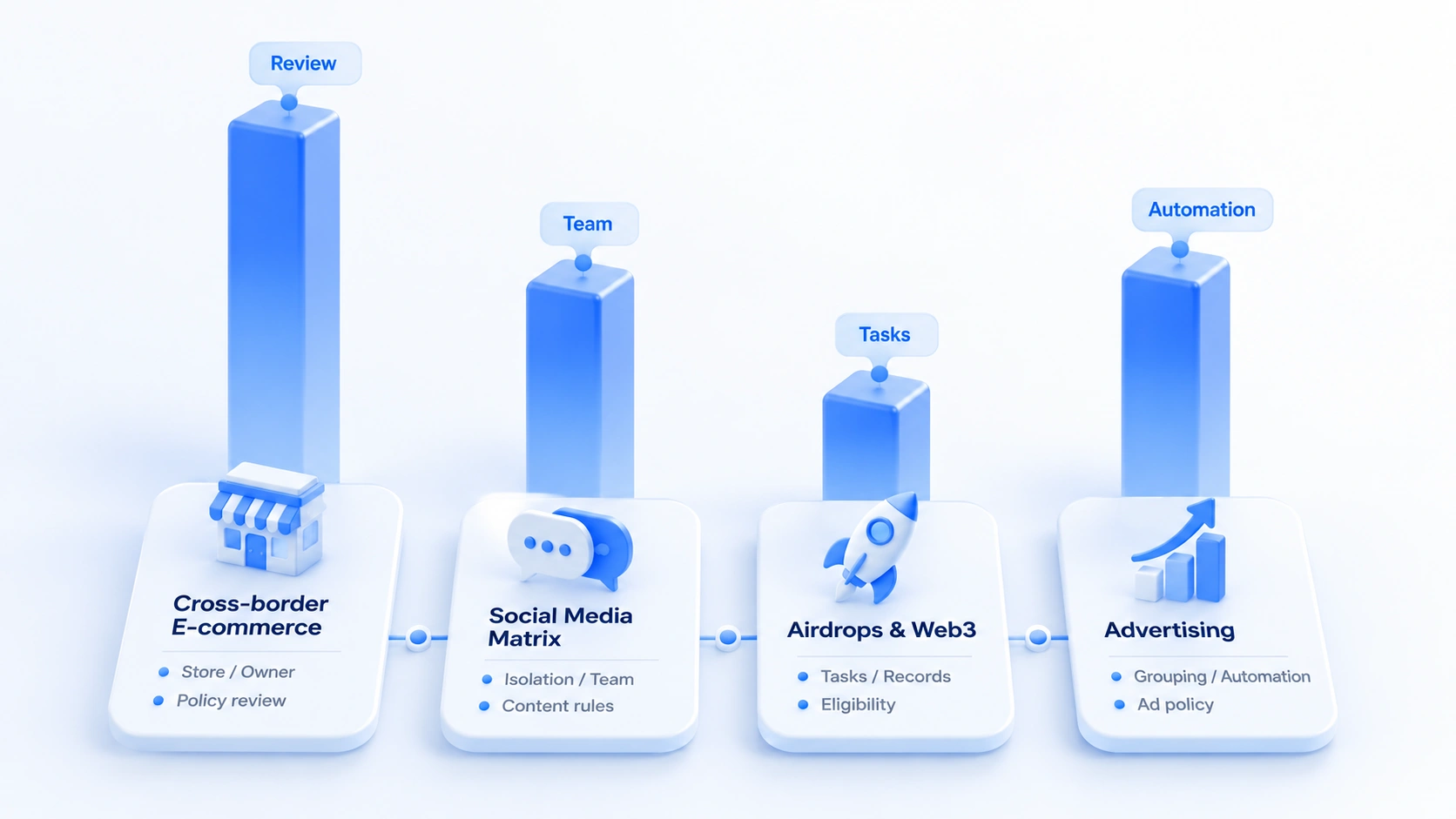
The core takeaway: choose a fingerprint browser by business scenario, not by a leaderboard. E-commerce cares about shop handovers, social media about account identity and collaboration, airdrops about task tracking, and ad campaigns about project grouping and automation. Each scenario gets its own decision card, and checking against the card beats memorizing feature lists. This article provides four cards, a priority comparison table, and a four-step testing checklist.
You have probably read plenty of fingerprint browser recommendations and bookmarked a stack of product pages, yet when the moment comes to choose, you still don't know which one fits your business. The reason is usually not a lack of research, but that you haven't first worked out which part of your daily work is the most painful. Managing cross-border shops, the biggest headache may be environment handover; running social media accounts, you easily end up with accounts and environments mixed together; joining multiple Web3 projects, you need tasks and environments clearly organized; ad teams tend to care more about project grouping and the efficiency of repetitive work.
These needs all look related to multiple accounts, yet the priorities when choosing a tool differ. Rather than comparing leaderboards first, list your own checkpoints by business, then verify with hands-on testing.
MostMate is a fingerprint browser. Below, we work through four scenarios (e-commerce, social media, airdrops, and ad campaigns), summarize what matters in each, and provide a method you can use to test any tool directly.
Choose by Your Business, Not by a Leaderboard
A fingerprint browser is mainly used to manage separate browser environments. Each environment can store its own browser data and login states; if the product supports proxy configuration, you can also set up a different network connection per environment. Exactly which data is isolated and which settings can be configured independently depends on the actual implementation.
Different businesses weigh these capabilities differently. Cross-border e-commerce teams care most about whether shop environments are easy to identify and hand over; social media teams want to reduce confusion between accounts and environments; airdrop and Web3 projects need to keep tasks and environments mapped to each other; ad teams tend to focus on project grouping, member collaboration, and the efficiency of repetitive operations. Choose based on the work you actually handle every day, not on the number of features.
If you only have one or two accounts and don't need complex team collaboration, environment management, or proxy configuration, try the independent user profiles built into a regular browser first. Firefox, for example, has an official page on profiles explaining what data profiles store. Once the number of environments grows and handovers become frequent, then evaluate whether you need a dedicated fingerprint browser.
The four decision cards below cover the four business types. Each card starts from everyday problems, lists the capabilities worth checking, and gives criteria for judging whether a tool fits.
Four Decision Cards: Match the Scenario First, Then Run the Checklist
The four cards share the same structure: a core question first, then checkpoints, then a decision conclusion. Scan the core questions, pick the card that sounds like your daily work, and start there.
Decision Card 1: Cross-Border E-commerce, Shop Environments and Handover
Core question: Several platforms and shops run at the same time, staff may change, and at handover no one can say which shop maps to which browser environment or whether recent configurations were changed.
When choosing, check three things first:
- First, whether environments can be grouped by platform, shop, or site, with names the team can recognize at a glance.
- Second, if your business needs proxies, whether they can be configured per environment and the actual network exit easily verified.
- Third, whether environments support notes on the associated account, purpose, and handover instructions, so the person taking over doesn't have to keep asking.
What matters most: If your team frequently mis-hands over because environment names are unclear or account ownership is ambiguous, prioritize environment organization and information recording. Shop counts, business qualifications, and platform rules on multi-store operation must be checked against platform policies separately; browser environment management alone cannot settle them.
Decision Card 2: Social Media Matrix, Account Identity and Team Collaboration
Core question: When a team runs multiple social accounts at once, it's easy to pick the wrong environment, mix up login states, or hand over incomplete information. A mis-post isn't necessarily caused by the browser environment; content scheduling and internal review processes can be at fault too.
Focus on whether environments can be grouped by platform or team, whether account ownership is easy to identify, and whether the product offers member permissions and sharing options that fit the team. If accounts will be used long term, also test whether login states survive closing and reopening an environment as expected.
What matters most: Solve account identity and environment management first, then consider advanced features like bulk actions and window sync. Actual permission and log capabilities depend on the product, and account numbers and content publishing still need to follow platform policies.
Decision Card 3: Airdrops and Web3, Task Records and Environment Ownership
Core question: When you join multiple Web3 projects at once, task entry points, progress, wallet usage, and project rules can be scattered across places. Once a project ends, if nothing was organized along the way, the team struggles to confirm which tasks are done and which still need follow-up.
Start by checking whether environments can be grouped by project or purpose, and whether you can record project links, task notes, and owners. If the team also needs to track wallet interactions or task completion, confirm whether that information comes from the wallet, a block explorer, or the project platform; don't assume a fingerprint browser automatically records full on-chain activity.
What matters most: Prioritize mapping projects to environments, organizing task information, and team handover. Airdrop eligibility, wallet-link judgments, and Sybil rules are decided by each project team; using separate browser environments does not mean you qualify, nor does it guarantee passing screening. Before joining a project, read the eligibility conditions and participation rules the project has published.
Decision Card 4: Ad Campaigns, Project Grouping and Workflow Efficiency
Core question: When an agency or ad team handles multiple clients and projects at once, it needs clarity on which business, owner, and workflow each environment corresponds to. If accounts, creatives, and reports for different projects are managed separately, handovers and repetitive work add to the workload.
Start by checking whether environments can be grouped by client, project, or platform, whether environment ownership is clear, and whether member permissions fit the team's division of labor. Only when the team truly has a large volume of repetitive operations should you go further and test bulk actions, RPA, or other automation, and confirm these features actually cover your workflow.
What matters most: Get project grouping and collaboration flowing first, then decide whether you need automation. Ad account reviews, payment status, and advertising eligibility are governed by platform rules; browser environment management cannot replace those checks. When automation is involved, also confirm the way you operate complies with each platform's usage policies.
Priority Comparison Across the Four Business Types
All four scenarios may need separate browser environments, but how environments are organized, how the team collaborates, and whether automation is needed depend on the actual workflow.
| Scenario | How environments are organized | Capabilities to check first | Rules to verify separately |
|---|---|---|---|
| Cross-border e-commerce | Shops, platforms, sites | Identity, ownership, handover notes | Shop policies and business qualifications |
| Social media matrix | Platforms, teams, account purpose | Isolation, collaboration, permissions | Account policies and content rules |
| Airdrops and Web3 | Projects, tasks, owners | Ownership, task notes, project records | Project eligibility and participation rules |
| Ad campaigns | Clients, projects, platforms | Grouping, workflows, automation needs | Ad account and campaign policies |
The table lists the capabilities each business type usually needs to check first; it doesn't mean every team should choose in the same order. Map your own workflow first, then test products against real needs; only then can you tell which features are worth the budget.
Before You Download or Buy: A Four-Step Hands-On Test
Product pages and feature lists help narrow the field, but whether a tool fits your business still has to be confirmed by hands-on use. Prepare two test environments and work through the four steps below.
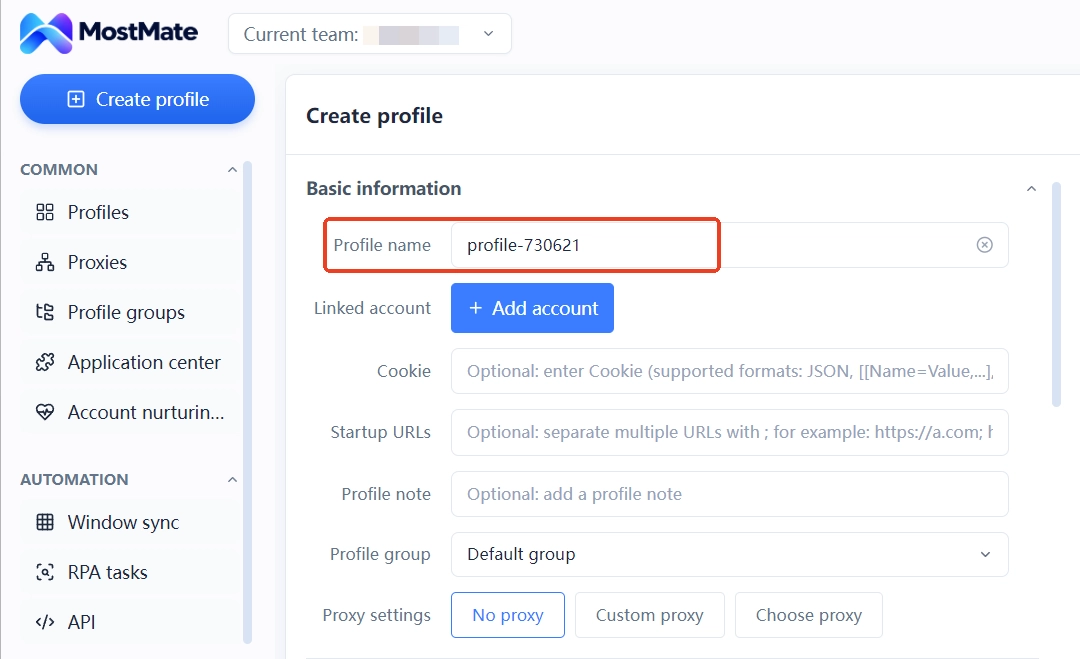
1. Two test profiles, different accounts, reopen, states apart.
2. Name and group the environments after your own business, then check a few days later whether you can tell the platform, purpose, and owner without opening them. If you have to dig through chat history every time, the naming rules or the way information is recorded need adjusting.
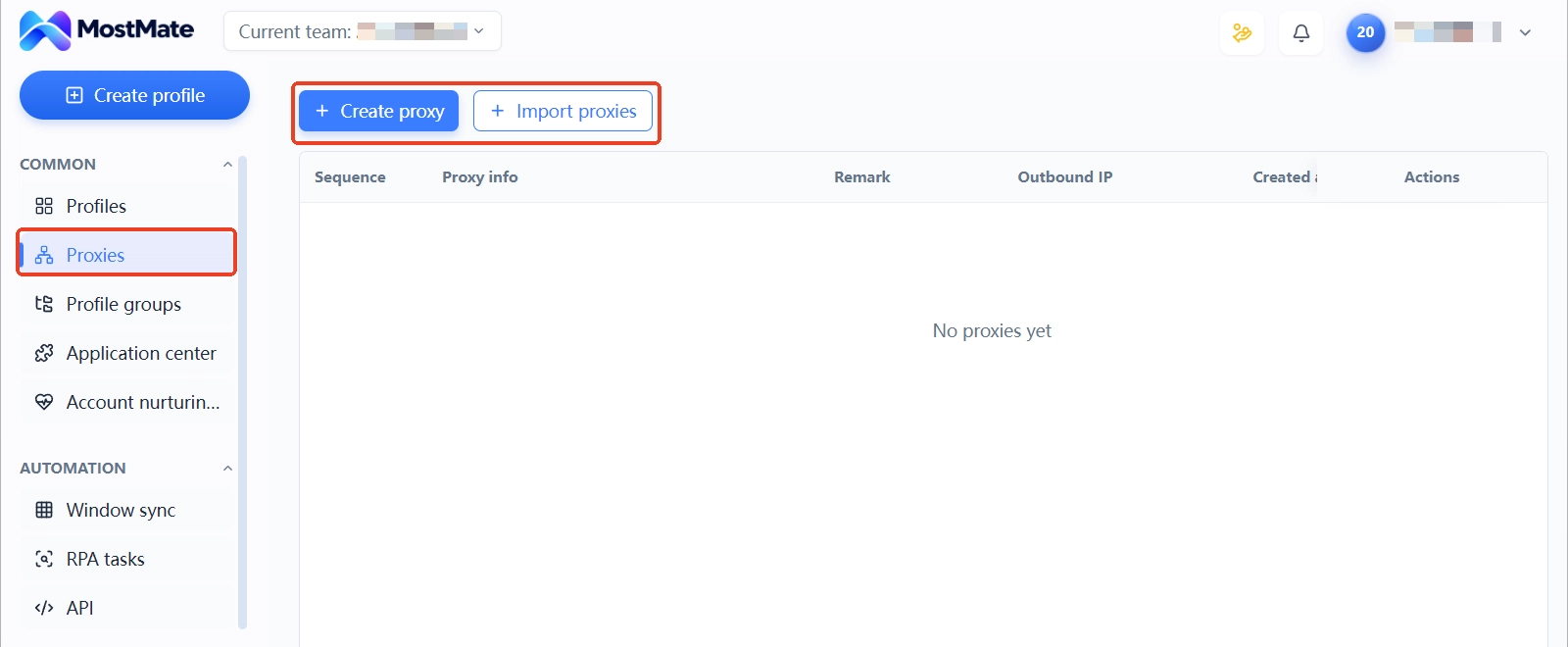
3. For businesses that need proxies, configure different proxies for the two environments and verify the exits. One proxy attached to several environments still shares one exit IP; keep that in mind.
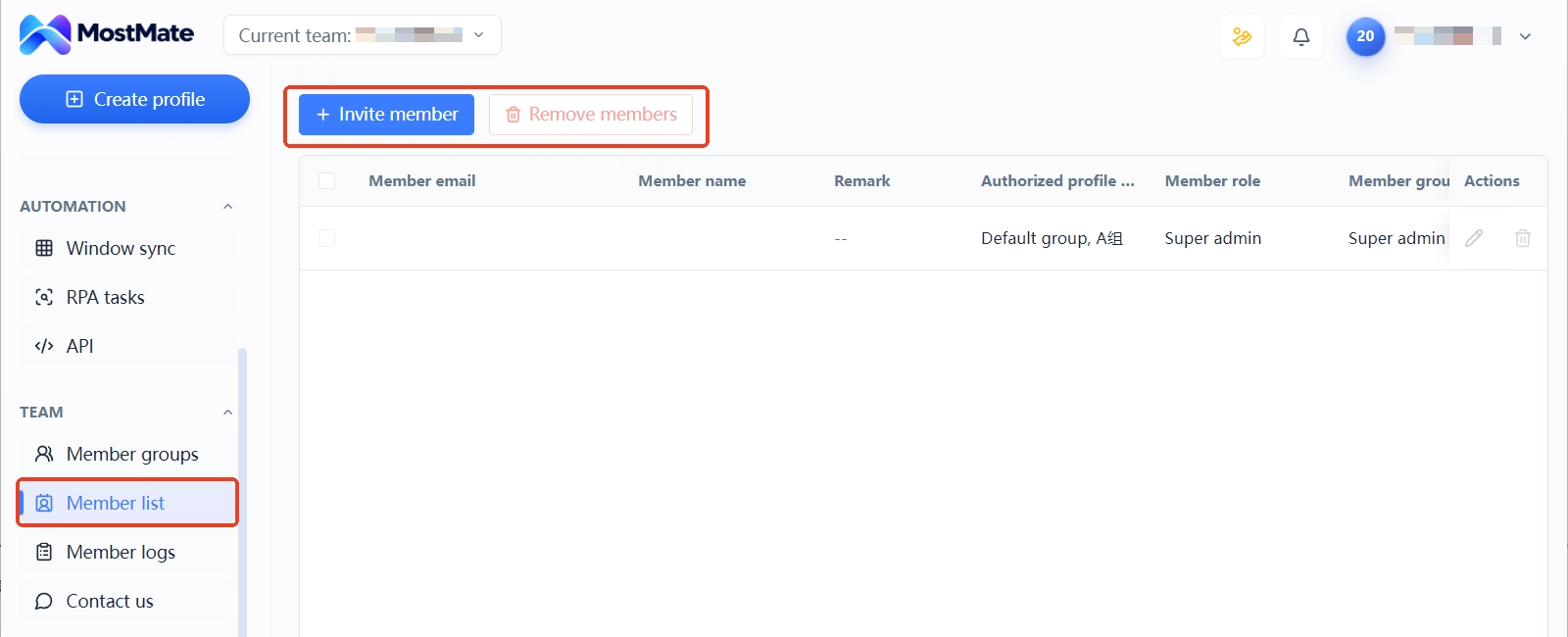
4. If you have a team, use the test environments to try member authorization and handover; if you need automation, list your most frequent repetitive tasks first, then check whether the product supports them. Don't judge by feature names: run the full flow once and check whether failures are noticed and handled in time.
If a key need fails the test, first work out whether it's a configuration issue, a usage issue, or something the product simply doesn't support, then decide whether to switch tools. For what to check before creating an environment, see the environment setup checklist.
How MostMate Maps to These Four Business Needs
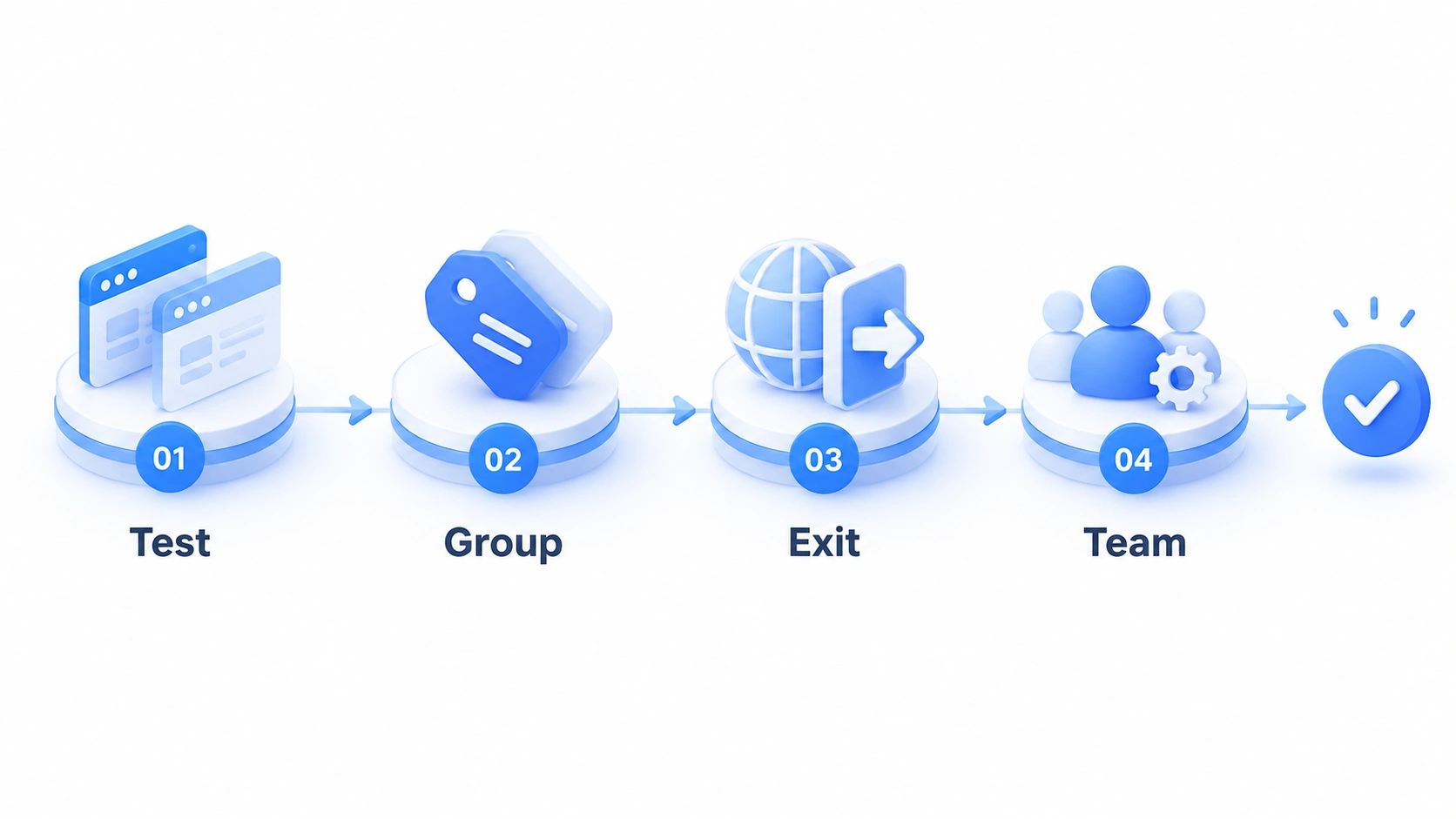
Judged against these standards, MostMate's usage in every scenario lands on environment management. In e-commerce, groups and notes tie shops and sites to environments; at handover, the environment is the ledger. In social media, RPA templates and window sync fold posting and browsing into a repeatable flow, with member permissions assigned by role. For airdrops, environments are created in batches per project, task progress lives in the notes, and projects are archived when they end. For ad campaigns, environments are grouped by client, with bulk actions handling daily multi-account routines. How to stay organized once the environment count grows is covered stage by stage in that article on managing multi-account scale.
Tools handle boundaries and efficiency at the environment layer; platform rules, account ownership, and content compliance still need a human in the loop. First confirm you're in the target audience: Who is MostMate for uses three questions to decide. For the technical principles behind environment isolation, open What is MostMate and compare point by point. For budgets and plan limits, see the free plan comparison of six tools.
FAQ
Is a fingerprint browser the same thing as a proxy?
No. A proxy mainly forwards network requests and affects the network exit; a fingerprint browser mainly manages browser environments, including the related browser data, login states, and environment configuration the product supports. The two can be used together, but they do different jobs. Using different browser environments doesn't mean the network exits differ; conversely, swapping only the proxy doesn't mean browser data is isolated.
Do all four scenarios need a dedicated proxy?
Not necessarily. Whether you need a dedicated proxy depends on the business's network requirements, platform rules, account management style, and the team's actual needs. Before choosing, confirm the proxy's region, stability, actual exit, and how the product configures it. Multiple browser environments can be isolated from each other in data and still share one public IP; using different proxies also doesn't mean the platform will treat the accounts as unrelated.
Can different businesses share one browser environment?
Whether it's technically feasible depends on how you work. But if different businesses need separate login states, browser data, and handover records, they are usually easier to maintain in separate environments. Whether to split should be decided against platform rules and the actual workflow.
Already using another fingerprint browser? How to tell whether to switch?
List the checkpoints from the four decision cards and verify them one by one against your current tool. Prioritize the key needs that affect daily work, such as environment isolation, environment identity, proxy configuration, or team collaboration. If the current tool already meets your needs, there's no reason to switch just because another product has more features; if some critical flows genuinely can't be completed, then compare alternatives on features, price, and total cost of use.
Closing Thoughts
Before choosing a fingerprint browser, write down the two or three problems you most need solved, then use hands-on checks on environment isolation, proxy configuration, environment organization, and team collaboration. E-commerce, social media, airdrops, and ad campaigns don't have identical needs; there's no reason to pick a tool packed beyond what you currently use.
If you're considering MostMate, start with the product introduction to see what it actually does, then visit the download page for current versions and plans. Confirming your needs first, then deciding, is more reliable than choosing by leaderboard rank alone.

MOSTMATE
Secure Multi-Account Management, Made Simple
Start with your first account and use MostMate to build safer, smarter, and more efficient multi-account operations.
- Independent profiles. Consistent identities.
- AI Automation · Account Health · Team Operations



