
How Walmart Sellers Isolate Multiple Accounts: Environments and the Data Layer
A team's Walmart stores had grown to a third one. The environments had been separated long ago: each store runs its own browser environment and its own proxy. But while the new store application was still under review, an established store's performance metrics started to fluctuate, and another one received a data review notice from the platform.
The login logs show no shared devices. The issue isn't the login layer.
When Walmart looks into multiple accounts, the paper trail runs ahead of login history. Business licenses, payout accounts, tax details, and brand authorizations all enter the platform's records at onboarding. Browser environment isolation can block device-level signals, but it cannot block overlaps at the records level.
This guide follows two lines: login environments on one side, registration data on the other. It covers how to isolate and verify each one, and how to manage both in MostMate.
What Linkage Signals Come First Under Walmart's Review Process
Walmart Marketplace onboards sellers through an application review. New sellers submit company information and can only open a store after approval. Before the store even opens, the platform already holds the full entity profile: registered entity, contact person, business address, and payout account. Every performance metric and every policy check afterwards is attached to that profile.
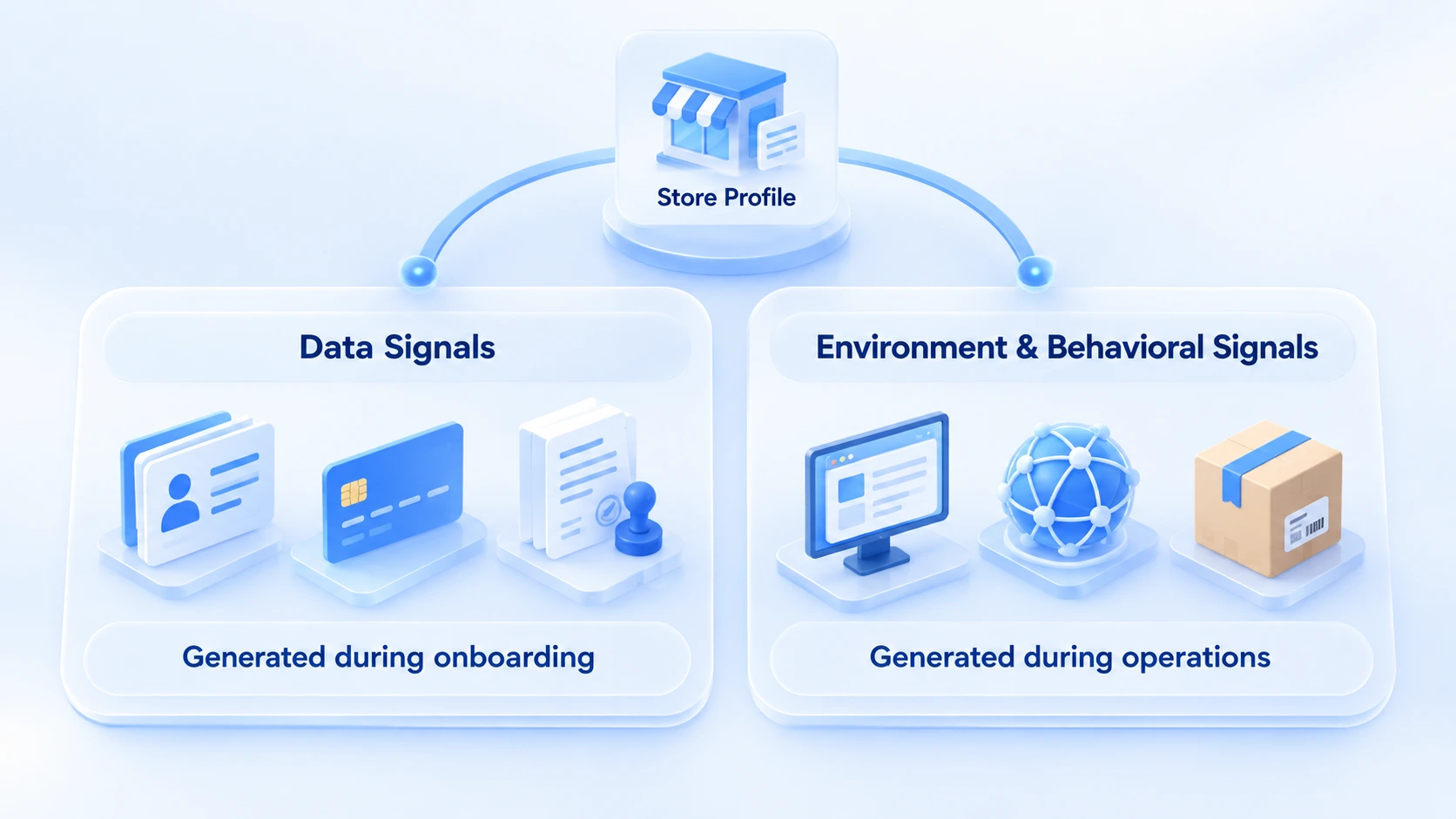
This is where the risk starts. If two store profiles overlap, no amount of clean login isolation explains why the same entity keeps opening stores. So checks should be split into two categories by information source.
The first category is registration signals. Registered entity, business address, contact phone, payout account, tax information, and brand authorization documents all count. If any one of them repeats across stores, the stores are connected at the records level. These signals are created at onboarding, and there is the least room to change them afterwards.
The second category is environment and behavior signals. Login device fingerprints, exit IPs, product structure, shipping trails, and performance trends all belong here. They keep building up during operations and can be adjusted through environment configuration and operating practices.
For official policies and seller rules, refer to the current guidance in the Walmart Marketplace Seller Center. Review criteria are not published. This article covers isolation and verification practices that apply to multi-account scenarios in general; it does not predict how the platform will decide.
The Environment Line: Isolating the Login Layer
The goal of the environment line is to make every store appear at the login layer as an unrelated device and network. It breaks down into three steps:
- One browser environment per store. Cookies and local storage stay sealed within each one, so login states never bleed into each other.
- One fixed exit IP per store. Test the proxy right after purchase, then verify the exit region, IP type, and stability.
- Configure fingerprint parameters per environment instead of applying one template to every store. Set the time zone and language to match the exit IP region.
For a full rundown of proxy checks, the two-layer proxy IP check guide covers them in detail. Before a new store goes live, run one final acceptance pass: verify the proxy, fingerprints, and login state item by item, and the 8-point checklist for new environments was written for exactly this step. For the full setup workflow, how to isolate environments breaks it into five steps that Walmart stores can follow directly.
The Data Line: The Second Isolation Line That Environments Can't Reach
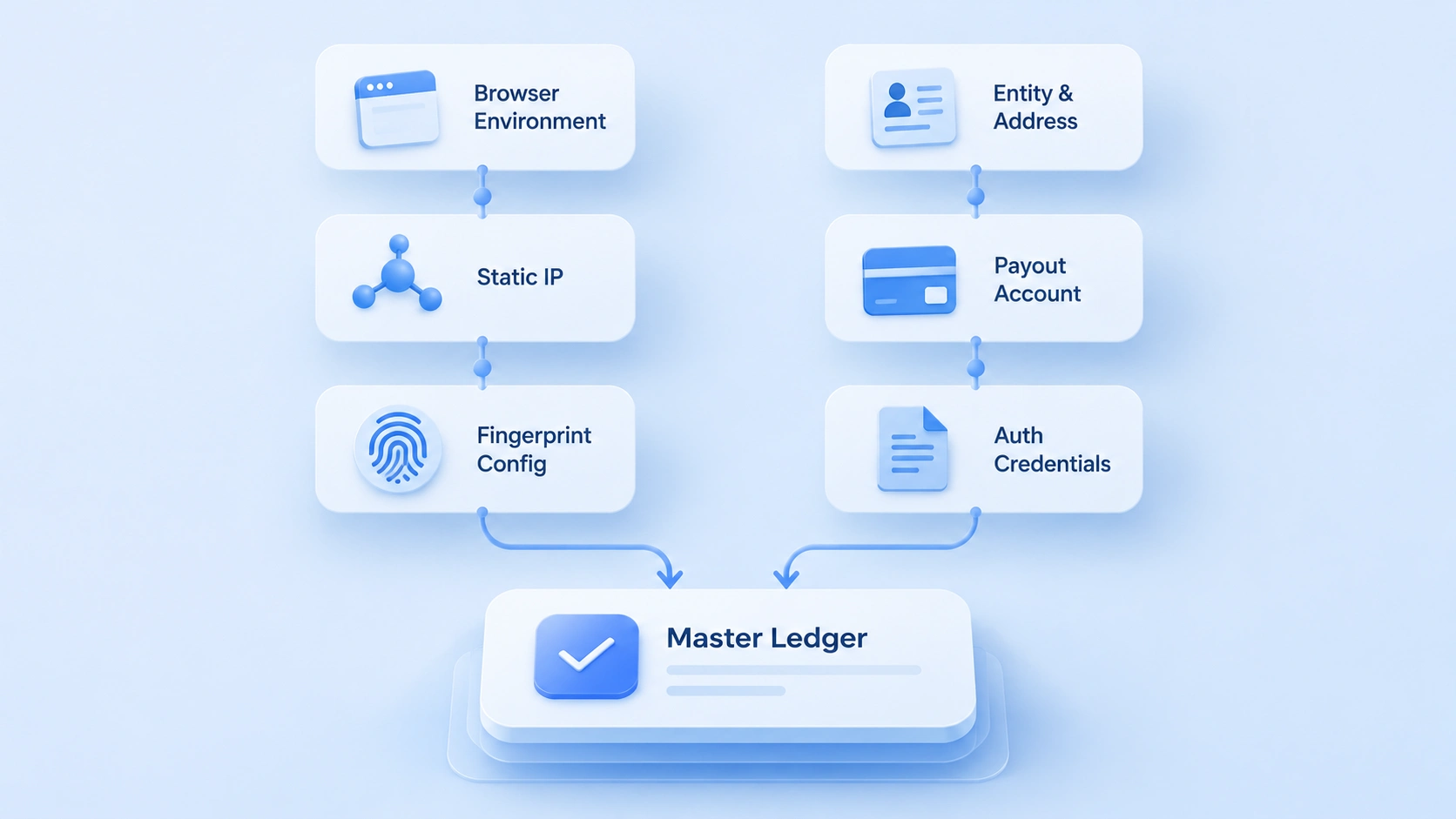
The core of the data line is giving every store a clear set of entity information in the platform's records. No technical tool works at this layer. The data line runs on planning and record-keeping.
- Entity and address: Decide internally which business license and registered address each store uses before starting onboarding. For multi-store eligibility, follow the current guidance on the application pages.
- Payout account: Binding several stores to one payout account raises the overlap in fund flows. Before binding, confirm with the platform or your payment provider which account structure is safer.
- Authorizations and documents: Archive brand authorizations, tax forms, and contact details store by store, and log each store's document versions and update dates.
To check linkage signals on existing accounts, checking PayPal payout account linkage walks through the verification steps, and the same approach applies to Payoneer and other payout channels Walmart sellers commonly use.
The output of the data line is the ledger. Register each store's entity, payout identifier, authorization document versions, and owner, entry by entry, instead of leaving it in someone's memory.
Keep the ledger with environment records so later checks can line up.
Running Both Lines Together in Day-to-Day Operations
Once stores are live, both lines keep producing new signals. Monitor performance metrics per store: record order defects, cancellation rate, and late shipment rate separately, so one store's fluctuations don't bleed into judgments about another. Watch the shipping side too: check WFS inbound tracking numbers, self-fulfilled order tracking numbers, and ship-from addresses per store, so multiple stores don't expose overlaps at the fulfillment layer.
On a fixed schedule, run the multi-account association risk check and go through both the data line and the environment line. When a store receives a data review notice or a performance alert, compare it against the ledger and environment records first, work out which line the problem sits on, and then decide what to change. Checks need complete records as a starting point.
Managing Walmart Multi-Account Environments with MostMate
As the store count grows, day-to-day maintenance on the environment line becomes real work. Which store uses which environment, whether a proxy has been swapped, who handled the last incident — keeping that in memory and scattered spreadsheets invites mistakes.
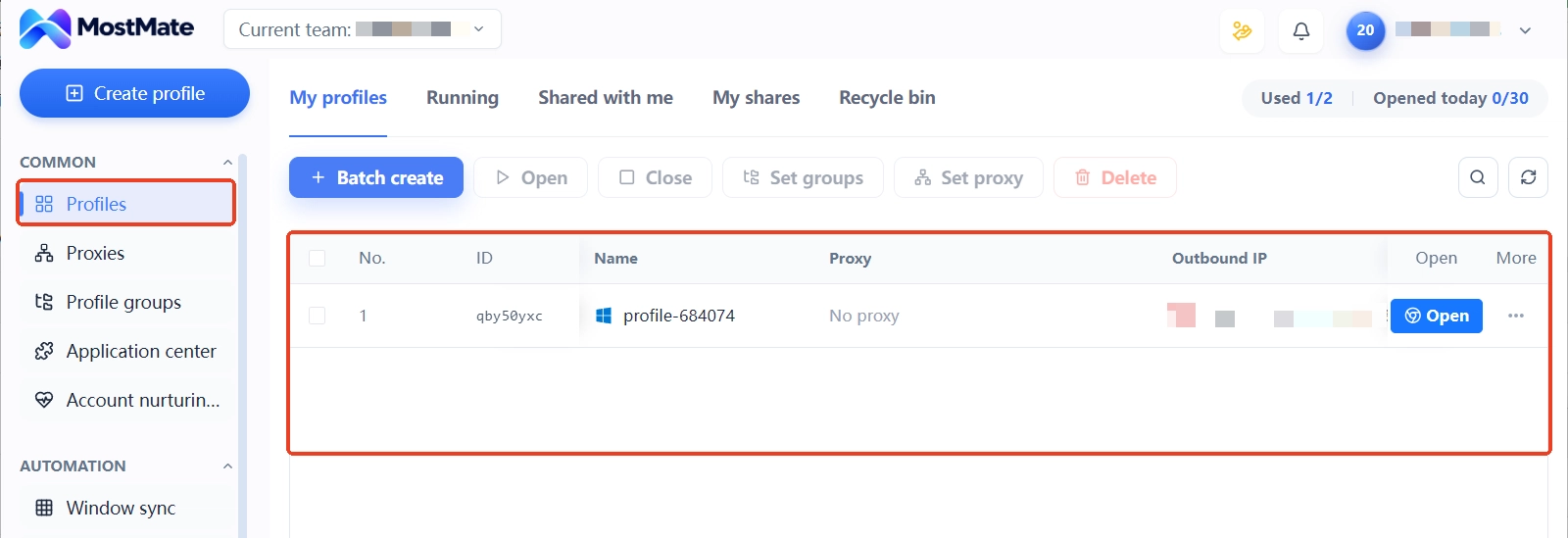
MostMate is an AI antidetect browser that keeps every multi-account browser environment in one workspace. For Walmart multi-account teams, each store maps to one environment, with proxies, fingerprints, and login states all configured and stored inside it. Day-to-day use comes down to four steps:
1. Create an environment per store with clear, consistent names such as Walmart Store A and Walmart Store B, so the mapping is obvious at a glance before login.
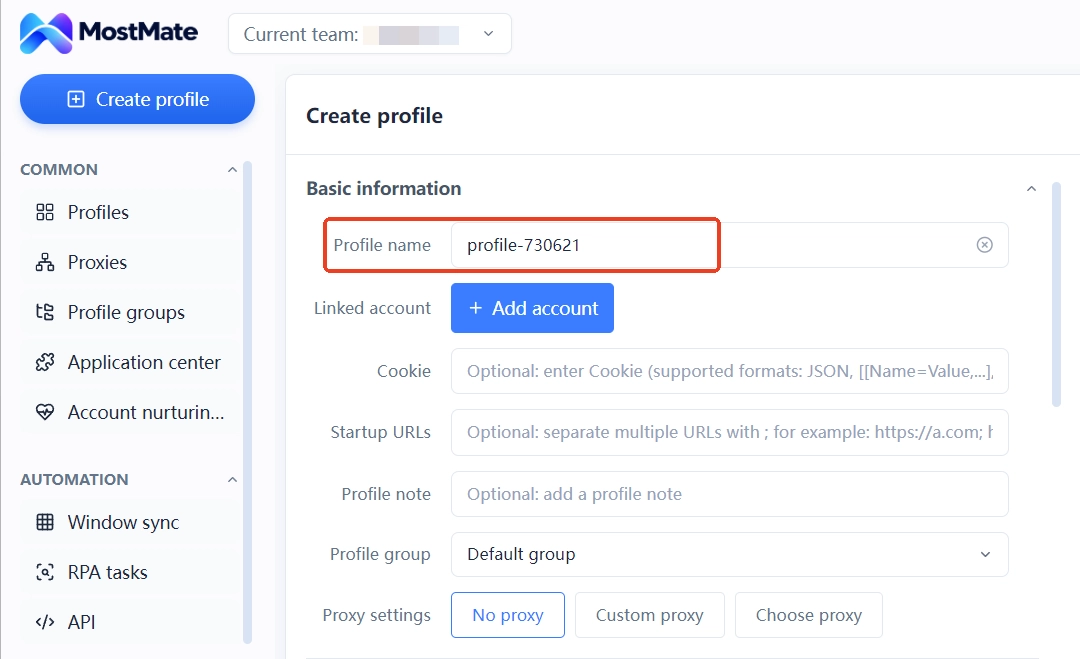
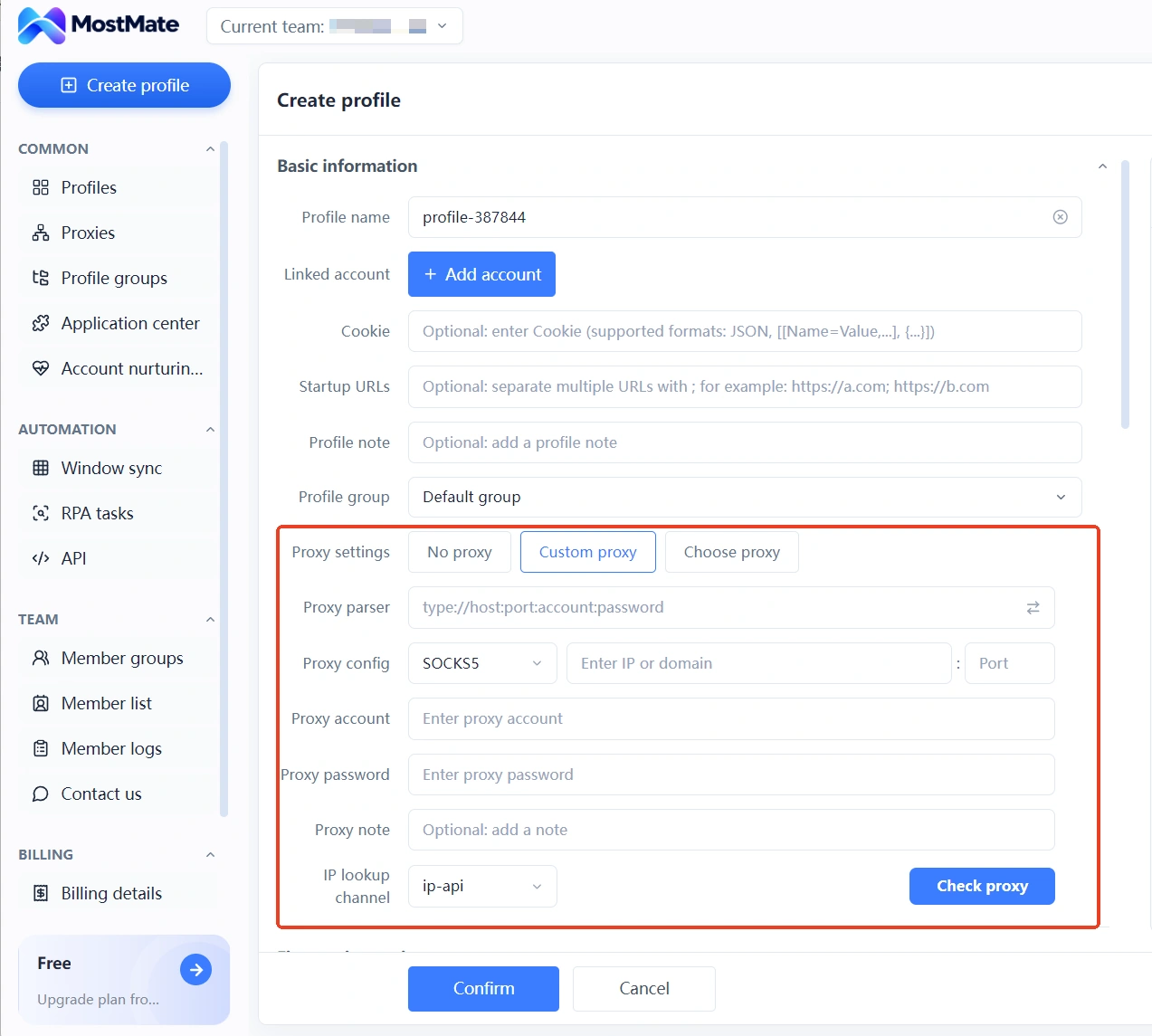
2. Configure the proxy inside the matching environment, check the connection status and exit IP, and confirm the environment-to-store mapping hasn't shifted.
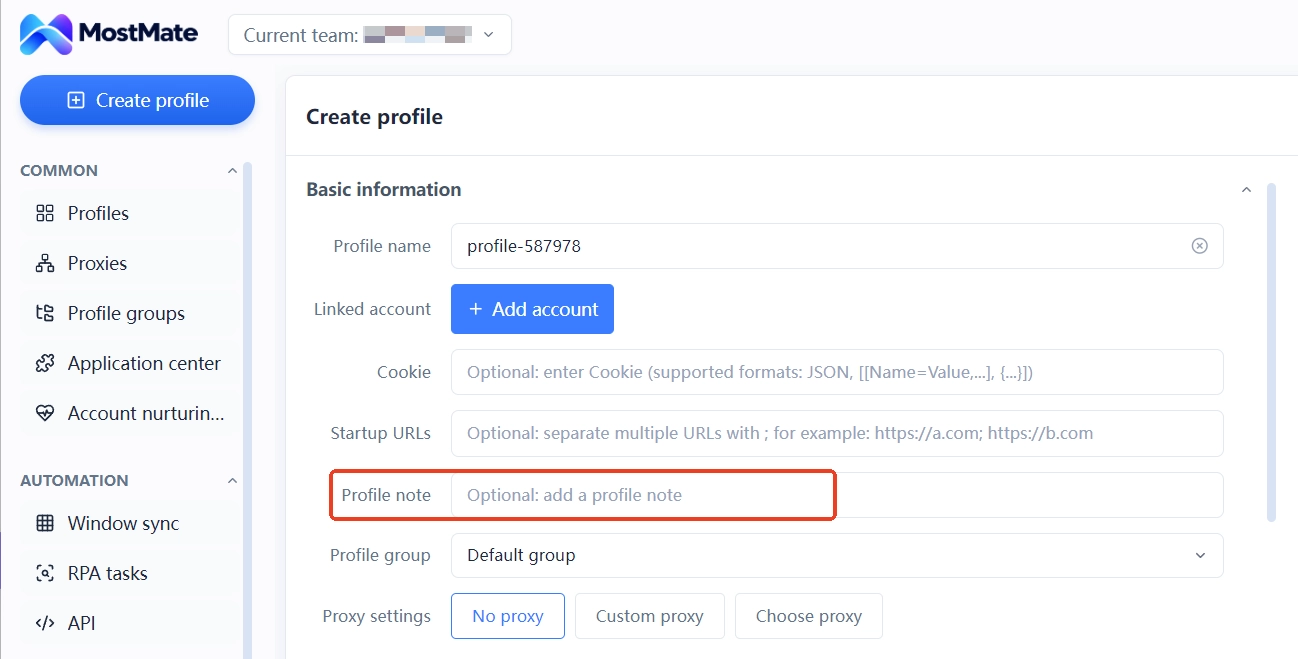
3. Use environment notes to record the store, the owner, document versions, and pending items, keeping sensitive information stored according to your team's data policies.
4. When a performance fluctuation or data review notice comes in, pull up the matching environment's proxy and configuration records and use the platform notice to locate the problem.
In this workflow, MostMate handles the environment line: it keeps device, network, and login-state isolation solid, so every check has records to fall back on. Entity planning and payout arrangements on the data line are beyond what any tool can substitute for; those still follow platform rules and business needs. For a full introduction to environment management, see the MostMate product page, then build your own environment checklist based on store count and your existing proxy setup.
Frequently Asked Questions
How many stores can one company open on Walmart?
Policy changes with category and recruiting cycles; the most reliable reference is the current guidance on the application pages. How many stores you can open is one question. How to arrange registration data and payouts across them is another. Plan them separately, and don't share data across stores just because more stores are allowed.
Environment isolation is in place. Why did a data review notice still arrive?
A data review points at records-level information, such as overlapping registered entities, payout accounts, or authorization documents, which is a separate line from login environments. Check the ledger for data-layer overlaps first, then go back and verify the environment records.
Can an antidetect browser guarantee Walmart multi-accounts won't be linked?
No. It covers device and network signals at the login layer. Linkage at the data layer and the operating-behavior layer has to be resolved through planning and operational differences, and no tool can substitute for that part.
Can multiple stores share one payout account?
Overlap in fund flows will rise. Whether that arrangement carries additional consequences is best confirmed with the platform or the payment provider before binding. For existing accounts, you can run through the payout linkage check checklist.
If a new store application is rejected, is it related to existing stores?
Possibly. If new and old stores overlap at the data layer, the new application may be affected by profile linkage. Compare the two sets of data for differences, separate whatever can be separated, and resubmit.
Conclusion
For Walmart sellers running multiple accounts, isolation work spans two lines: the environment line covers devices, IPs, and login states, while the data line covers entities, payouts, and authorization documents. An overlap on either line can connect the stores. Start by clarifying the mapping between the two lines in the ledger, then verify environment configurations store by store.
MostMate brings day-to-day maintenance on the environment line into one workspace: one environment per store, proxies and fingerprints configured per environment, notes carrying the owner and document versions, and issues located by environment whenever an alert arrives. Once the data line is planned out, download MostMate and get the isolation and record-keeping on the environment line running together.

MOSTMATE
Secure Multi-Account Management, Made Simple
Start with your first account and use MostMate to build safer, smarter, and more efficient multi-account operations.
- Independent profiles. Consistent identities.
- AI Automation · Account Health · Team Operations



