
How to Run Multiple Temu Seller Accounts: Environment and Data Isolation under the Semi-Managed Model
Core takeaway: The hard part of running multiple Temu accounts is not opening stores; it is how easily the data and environment layers cross paths. Register each store under a distinct entity with distinct information, and give each store its own isolated browser environment with a dedicated exit. Watch product overlap and account performance day to day, and your stores can run steadily within what platform rules allow.
Semi-managed is one of the main models open through Temu seller onboarding, and how it divides work with the fully managed model shapes a seller's workload. Under the fully managed model, sellers only supply goods; pricing, operations and logistics are all handled by the platform. Semi-managed hands those tasks back to the seller: how to price, how much stock to hold, how orders ship, all become your own decisions. Responsibility grows, and so does freedom.
Category coverage, multi-market tests, and combining models to scale all need more than one store. The number of stores a single entity can open is capped; third-party cross-border service providers put the onboarding guidance at around 3 stores per model, varying by market, and the onboarding page shows the actual figure.
To expand beyond that limit, you register under a new entity. That is where data isolation begins.
Which Signals Temu Uses to Link Stores
Before opening any store, understand the dimensions the platform uses to tie stores together. Based on rules compiled by third-party cross-border service providers, the signals concentrate in four layers. Overlap at any one layer can bind stores you deliberately separated back into a single whole.
- Entities and qualifications: business licenses, legal representative details, registered addresses; stores under the same entity are treated as one operating body
- Registration information: phone numbers, email addresses, emergency contacts, return addresses; repeated fields are logged as association clues
- Payments and funds: payout accounts, withdrawal cards, invoice titles; crossing fund flows are a hard signal
- Network and devices: login IPs, device fingerprints, browser environments; running several stores on one computer and one network is the most common source of incidents
Linked-account enforcement is the most tangible cost of running multiple Temu accounts. Per the penalty tiers compiled by a third party, when one store's rating slips, other stores under the same entity face restrictions too. Limits start with listing restrictions and escalate to frozen new listings, in severe cases reaching fund settlement. The effort in multi-store operations belongs in keeping all four signal layers from crossing, not in patching things up after an incident.

Separate the Data Layer before Opening Stores
Plan data isolation before registration. Changing things afterwards costs far more. The goal of this step is for every store to look like an independent business in the platform's records.
1. Plan entities first. List every store you intend to open and decide which business license or sole-proprietor registration each one will use. The legal representative, shareholders and registered address must not overlap with any other store. Before registering a new entity, confirm its phone number and email have never been used on another Temu store.
2. Reuse no registration field. Treat every field in the registration forms as an independent asset. Phone number, email, emergency contact, return address, shipping address: one set per store. Reusing any item for convenience hands evidence to the association review.
3. Separate payments and settlement. Give each store its own payout account and withdrawal card, with deposits, settlement accounts and invoice titles following the store. Fund flow is a hard signal; this item is worth extra time to verify.
4. Archive qualification documents separately. Semi-managed involves stocking and fulfillment qualifications, and markets such as Europe add compliance requirements. Create a folder per store and keep qualification documents, submission records and review results apart, so they are ready for follow-up audits.
The preparation process itself is a ledger. Record each store's entity, phone number, email and payout account in a spreadsheet. When you later investigate an association issue or hand operations to someone else, checking the spreadsheet beats scrolling chat logs and relying on memory.
Environment Setup: One Store, One Environment, One Exit
Separating data is only the first step; overlapping login environments can still connect otherwise independent stores. This layer is what an antidetect browser solves. MostMate belongs to the antidetect browser category, and its product positioning and features give the overall picture. The core practice: build one standalone environment per store, keep cookies, caches and browser fingerprints separate, then attach each store's own exit.
Choose each environment's exit by store type. For cross-border stores operated from within your home country, use a fixed domestic line. For local stores selling into overseas markets, a static residential exit in the target country matches local users' network characteristics better. For a field-by-field comparison, see the residential vs datacenter IP guide.
MostMate maintains proxies one by one in proxy management. All four types connect: HTTP, SOCKS5, HTTPS and SSH. Run a connectivity test on each entry right after filling it in. Confirm the exit's location and availability, then assign it to the matching environment.
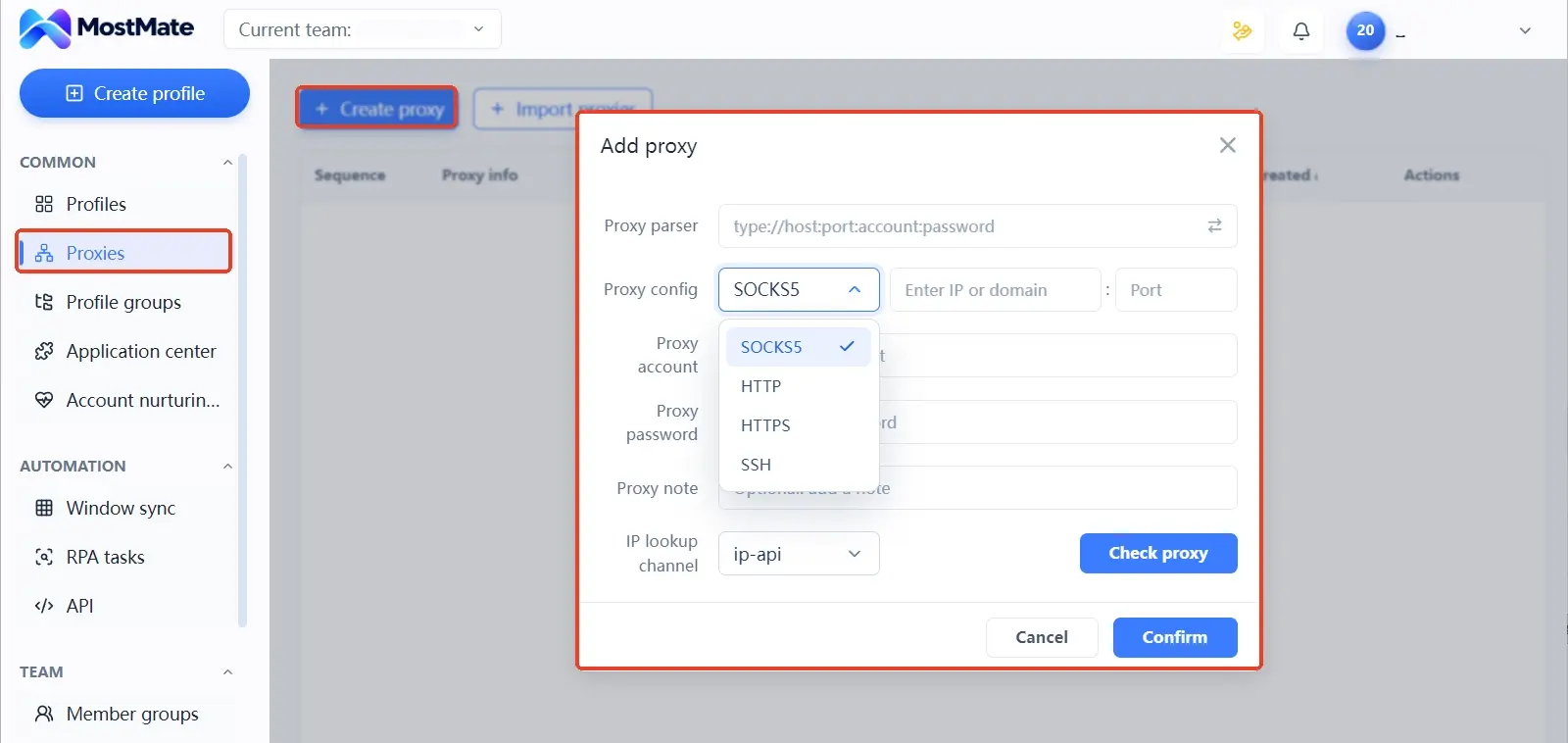
Testing before assignment filters out most low-quality lines.
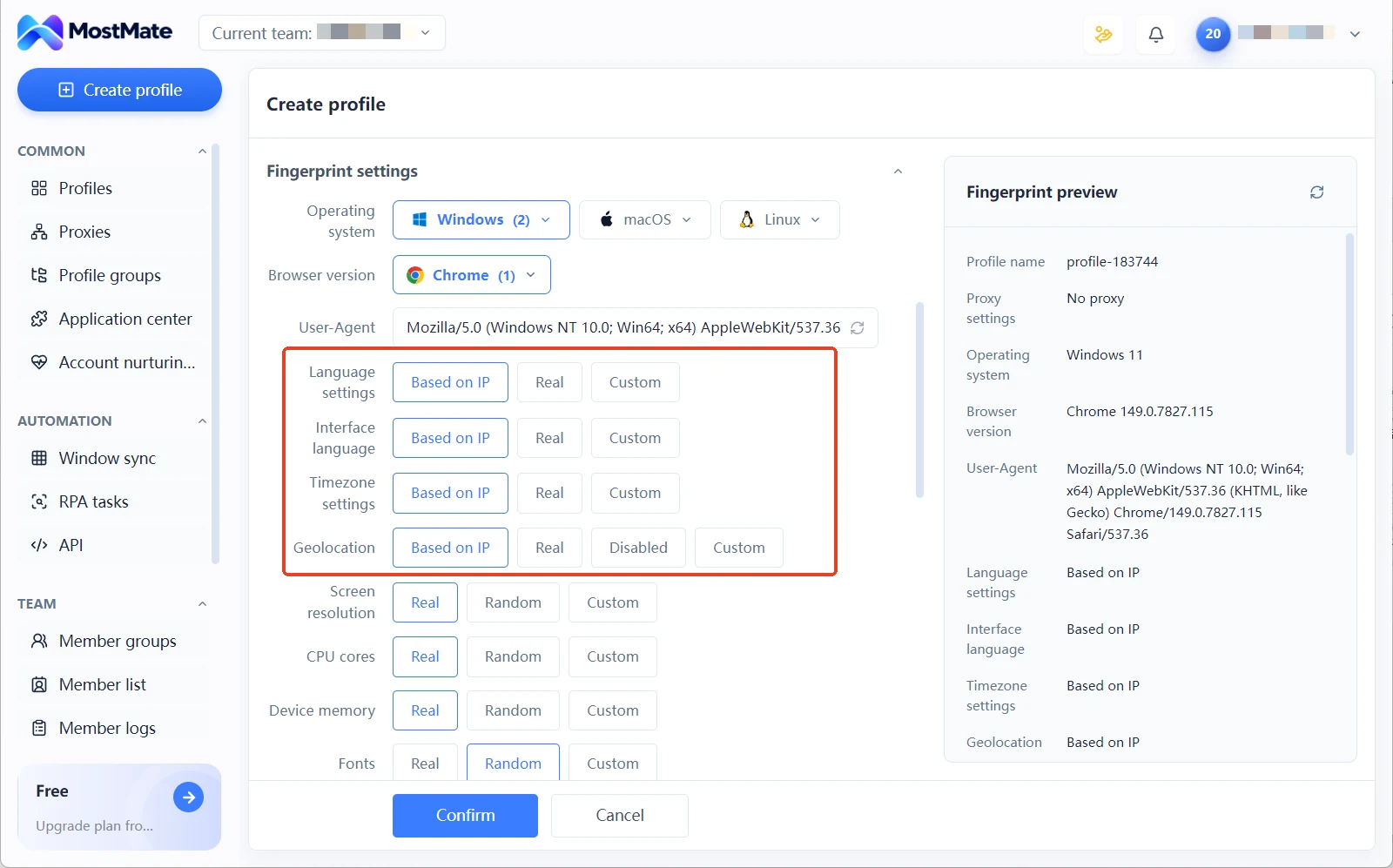
Once an environment is built, set the fingerprint parameters with the IP-based configuration so time zone, language and other values follow the exit's region. Align the parameters before the store opens and you skip the later item-by-item checking. That alignment logic is laid out in the multi-account consistency guide; one line here: once the exit is set, parameters follow the exit, and you do not manually switch them to another region.
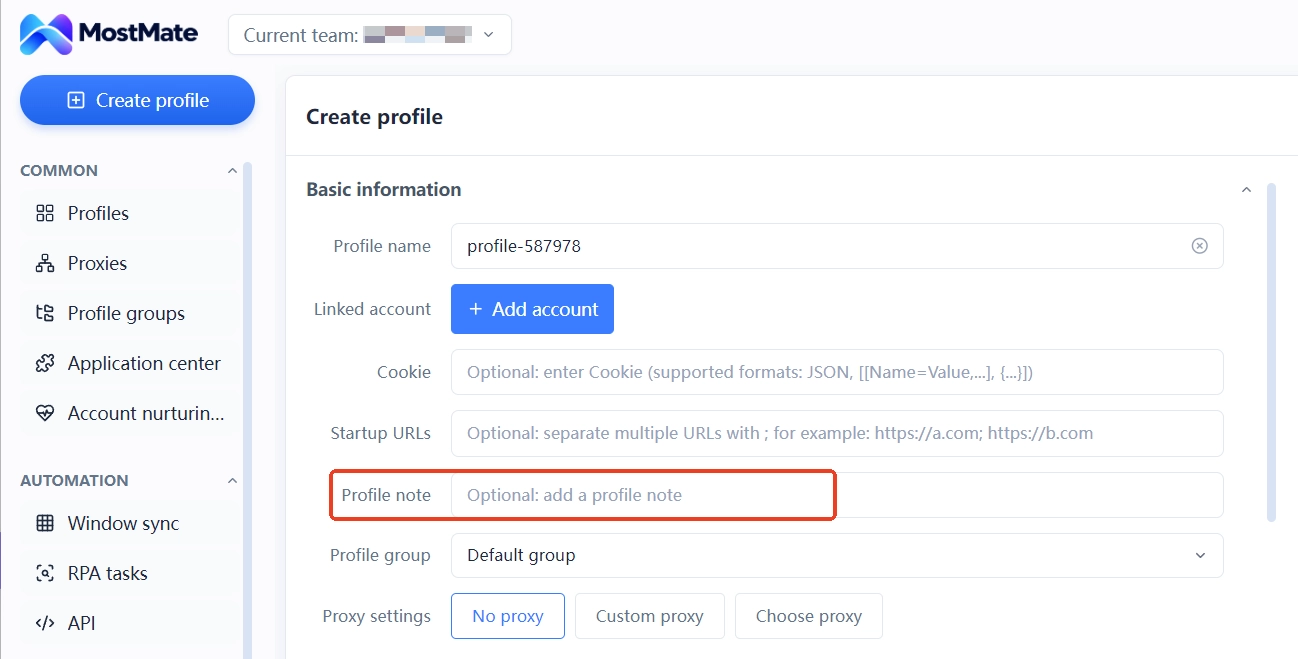
Record each store's mapping in the environment notes: store name, market, model, entity, last four digits of the payout account. Once stores multiply, this notes column becomes the operations ledger anyone on the team can pick up. However many environments you run, group them by market or model so finding environments and running batch actions stay orderly.
Before a new environment logs into a store for the first time, go through the new environment checklist. Confirm the exit, the parameters and the login account all correspond before going live. If you want the underlying logic of isolation, the environment isolation explainer covers the boundary between cookies and local storage.
Four Daily Habits against Linked-Account Penalties
Once the configuration is in place, linked-account risk comes mostly from the details of daily operations. Four habits, kept up over time, are what make multi-store operations stable.
1. Audit product overlap regularly. Make titles, main images and detail pages as different as possible across stores. Third-party operators widely treat excessive overlap between stores as the trigger for duplicate-listing enforcement. Sample your on-sale products weekly and compare category and asset differences across stores. Before listing anything new, check for duplication among your own stores first.
2. One store, one person, one environment. Fix the login environment and the operator for each store. Never sign into a store account from a temporary environment, and never hand credentials to a colleague to log in from another computer. When collaboration is needed, use MostMate's environment sharing and member permissions to assign the environment to the right person, rather than sharing the account itself.
3. Watch performance across stores together. Since account-wide enforcement is calculated at the entity level, shipping timeliness, quality scores and after-sales metrics across stores need to be reviewed side by side. When any store raises a warning, handle it first; do not let its rating slide into the penalty tiers.
4. Leave an operation trail. Whenever you change an exit, adjust parameters or regroup environments, note it in the environment remarks. When something goes wrong across stores, these records make it clear what was touched, cutting investigation time from days to hours.
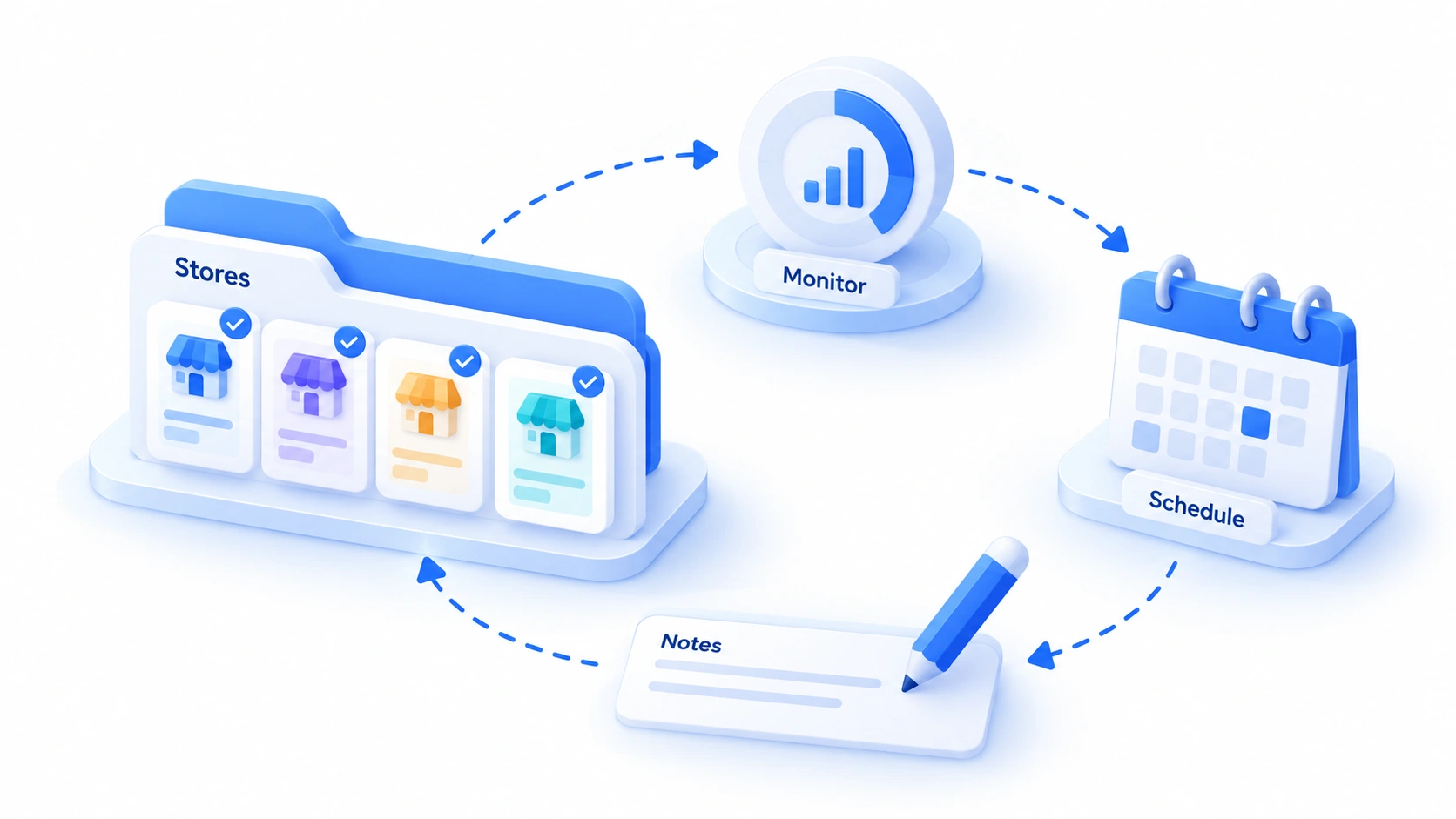
None of the four habits costs much; the difficulty is keeping them up. Put them into the fixed weekly routine, and multi-store operations shift from relying on caution to relying on process.
Frequently Asked Questions
Can one person open multiple Temu stores?
Yes, with a cap. The number of stores one corporate entity can open is counted per model; third-party cross-border service providers put it at around 3 per model, varying by market, and the onboarding page shows the actual figure. Beyond the limit you need a new entity, and a new entity means a new set of data isolation requirements.
If multiple stores share one business license, does environment isolation still leave them exposed to linked-account penalties?
Yes. Account-wide enforcement is calculated mainly at the entity and qualification level. Environment isolation addresses the network and device layer; it cannot undo the binding at the entity level. Stores under the same entity are assessed together, so to truly separate risk you have to register separately at the entity level.
What IP type should a semi-managed store use?
It depends on the store type. Cross-border stores run by domestic entities work fine on a fixed domestic line. Local stores targeting overseas markets fit a static residential exit in the target market, which matches real user characteristics better. Avoid dynamic lines shared by many people, and keep the exit's location consistent with the store's market.
How many Temu stores can one computer log into at the same time?
With an antidetect browser's isolated environments, you can stay logged into several stores at once, provided each store has its own environment and its own exit. Opening multiple store backends in a regular browser on one computer, or having several people on one LAN sign into different stores, are both common sources of incidents.
Final Words
The freedom of Temu's semi-managed model gives sellers room for multi-store layouts and hands them the responsibility for isolation. Lay the data layer on independent entities and zero-reuse information, and set up the environment layer with one store, one environment, one exit. Day to day, product self-checks, fixed environments, synchronized performance monitoring and operation logs hold the line, and your stores run steady.
The earlier the tooling, the easier it gets. The MostMate website documents every feature, and new users can get the client from the download page. Start with the free version, build two or three environments, get the one-store-one-environment habit running, then scale with your stores.
For the methodology of multi-account management, see the multi-account management overview and place single-platform operations into a bigger framework.

MOSTMATE
Secure Multi-Account Management, Made Simple
Start with your first account and use MostMate to build safer, smarter, and more efficient multi-account operations.
- Independent profiles. Consistent identities.
- AI Automation · Account Health · Team Operations



