
How to Prevent Multi-Account Association? Fingerprints, IPs, and Environment Setup
The core point: effective anti-association means your fingerprint, IP, cookies, and usage all tell the same story: each environment stands on its own, and no settings contradict each other. However thoroughly you tweak parameters, internal contradictions will still trip you up.
You've assigned every account its own proxy, with exit regions spread across the map. Yet within days of a new account logging in, the platform throws repeated verification challenges or flags a suspicious login. The first instinct is to blame the proxy: sellers hop from one provider to another, and the verifications keep coming.
More often than not, the proxy isn't the problem.
An IP only answers one question: where did this request come from? Whether the browser environments are truly separate, whether cookies have crossed over, whether account behavior follows the rules, whether each environment's ownership is clear, all of that sits in what the platform can see. If one signal doesn't line up with your other accounts, those accounts can get grouped together and treated as one.
Lay these signals out and you get four dimensions: fingerprint, IP, cookies, behavior. Each platform weighs detection signals differently, so treat these four as an investigation framework, not a risk-control formula. This kind of check lives at the environment layer—home turf for MostMate as an anti-detect browser. Below we break it down into four dimensions, three common conflicts, and one checklist.
First, Sort Out the Four Dimensions: What Each One Controls
IPs control the exit, fingerprints control the environment, cookies control login state, and behavior controls usage. Four layers with different jobs; your troubleshooting is incomplete if you skip one. For easy reference, here is what each layer does and what usually goes wrong:
| Dimension | What it does | What to check |
|---|---|---|
| Browser fingerprint | Describes the browser and the device | OS and browser version pairing plausible |
| Proxy IP | Provides the network exit | Exit live? Region fits the use case |
| Cookies & local storage | Hold site data and login state | Any cross-account sharing or wrong imports |
| Account behavior | Reflects actual usage | Follows platform rules; no odd sharing |
Two misconceptions to clear up first. First, several accounts on one IP won't necessarily get banned, and different IPs don't guarantee that accounts stay unlinked. Whether it's a risk depends on platform rules, the relationships between accounts, and the use case. Second, there's no "cleaner is better" answer for fingerprints. Start by seeing how many traits your own browser exposes; a realistic sense of your baseline beats blind parameter tweaking. EFF's Cover Your Tracks runs a free test in a few minutes.
The proxy layer also splits by type and usage. The differences between datacenter, residential, and ISP proxies are covered in What Is an ISP Proxy; pick whichever fits your business scenario.
What Consistent Configuration Means: Three Common Conflicts
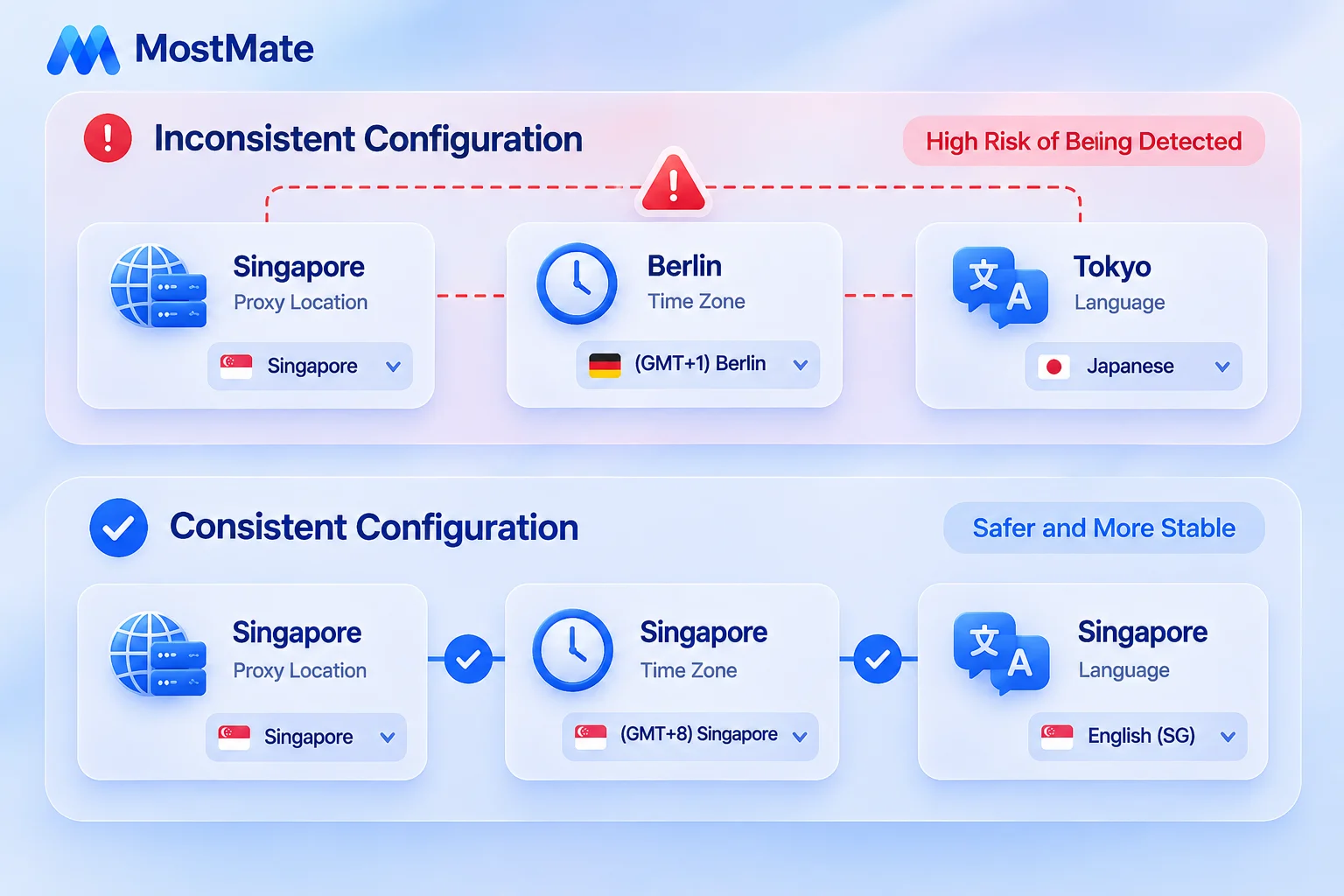
Consistent configuration has one test: every setting has to make sense together, and match what the environment is actually used for. Most "I changed the IP and still got linked" cases boil down to one of three conflicts.
The first: proxy region and browser settings don't match. The proxy exits in Singapore, but the browser's timezone and language point somewhere else, and one comparison exposes the mismatch. Check that the settings suit the actual use; you don't need every parameter to mirror the proxy's country. MostMate environments default their timezone and language to the proxy's region, which avoids most of these conflicts at creation time.
The second: fingerprint parameters contradict each other. An implausible OS and browser version pairing, or a modified Canvas left next to a mismatched User-Agent, makes an environment look suspicious. Do it in the right order: pin down the OS and browser version first, then align the other parameters rather than randomizing them one by one. Fields like the UA have a clear structure documented on MDN; understand what it leaks before you touch it.
The third: separate environments, overlapping usage. An employee logs into an account from the wrong environment, cookies get imported into someone else's profile, a login session gets shared with a teammate on a whim. The parameters are fine; the management process failed.
This one gets missed most often, and settings alone won't fix it.
The Consistency Checklist: Six Questions to Ask
Expand the three conflicts and you get a checklist you can lift straight into your workflow. Run through it before each batch of new accounts goes live, and run back down it when something breaks:
| Check | What to confirm |
|---|---|
| Proxy exit | Actual exit matches the configured one |
| Region settings | Language and timezone fit the business use |
| Browser fingerprint | OS and version pairing conflict-free |
| Account data | No cookies or sessions crossed by mistake |
| Daily operations | Logged-in account matches the environment |
| Team access | Only authorized members get access |
Work down the list in order. Exit and region are hard conflicts—clear them first. Fingerprint and data live inside the environment; second. Operations and access are about people; last. Run all three passes and most conflicts point to a specific item.
Running the Four-Step Check in MostMate
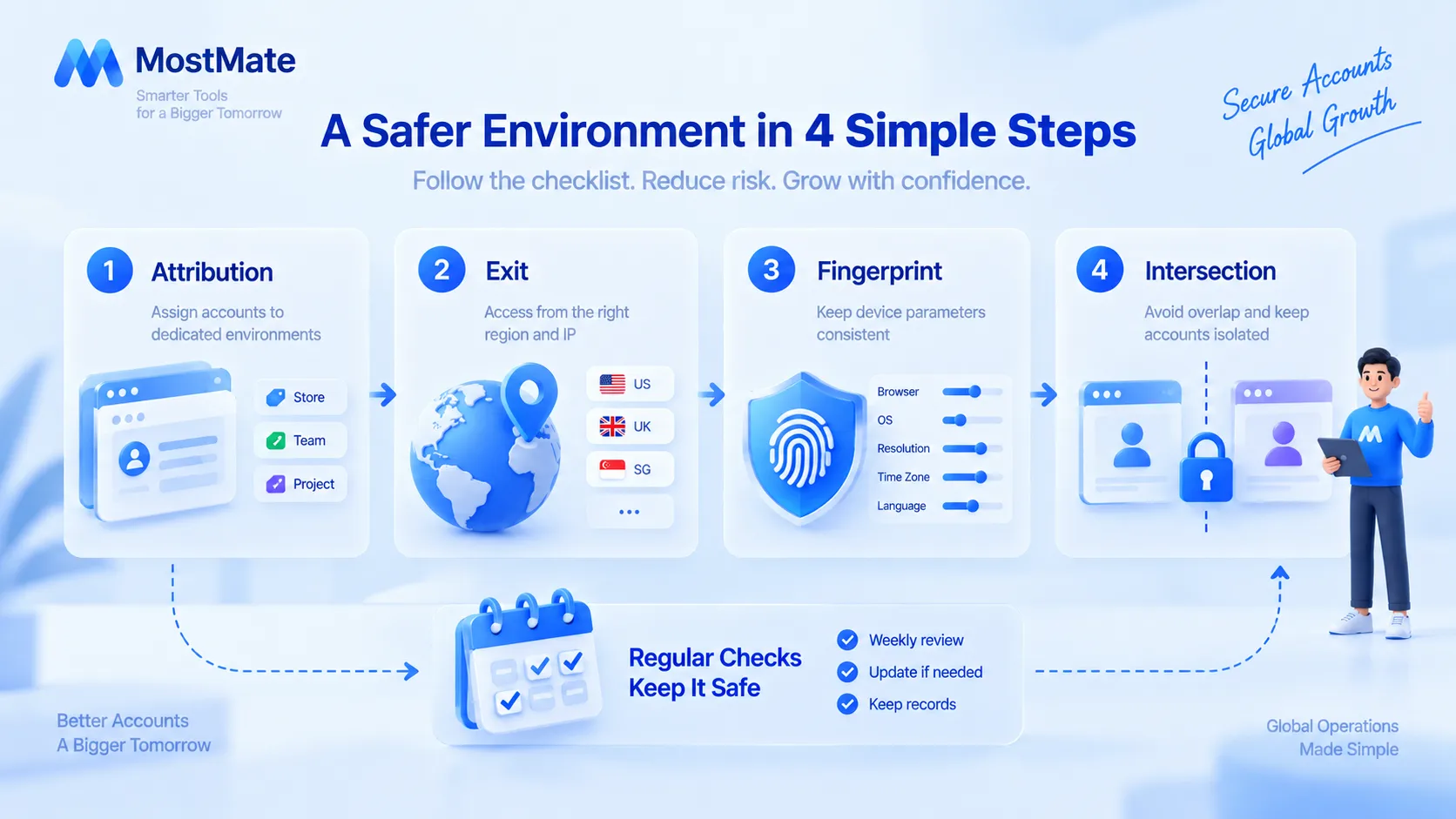
A checklist only works with tooling behind it. Four steps, and every account's environment lines up with the table:
- Align ownership: Name, group, and annotate each environment with its account and purpose so teammates don't grab the wrong one. What exactly separates environments is covered in the full isolation scope in our environment isolation piece.
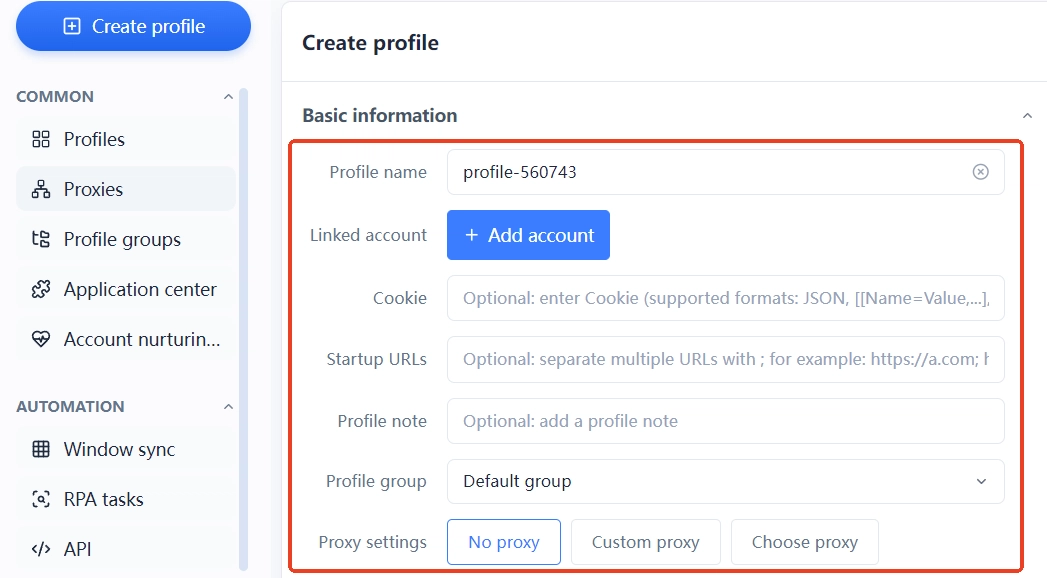
- Verify the exit: Proxies live in a dedicated list and get assigned to environments; after launching an environment, check the actual exit on any IP-detection page. If it doesn't match, don't log into the account yet.
- Walk the fingerprint: Settle the OS and browser version first, then language, timezone, and the rest. If the creation flow is still new to you, follow the four steps in the getting-started guide.
- Contain the overlap: Assign permissions by role, revoke access before handovers, and keep member logs so any issue traces back to a person.
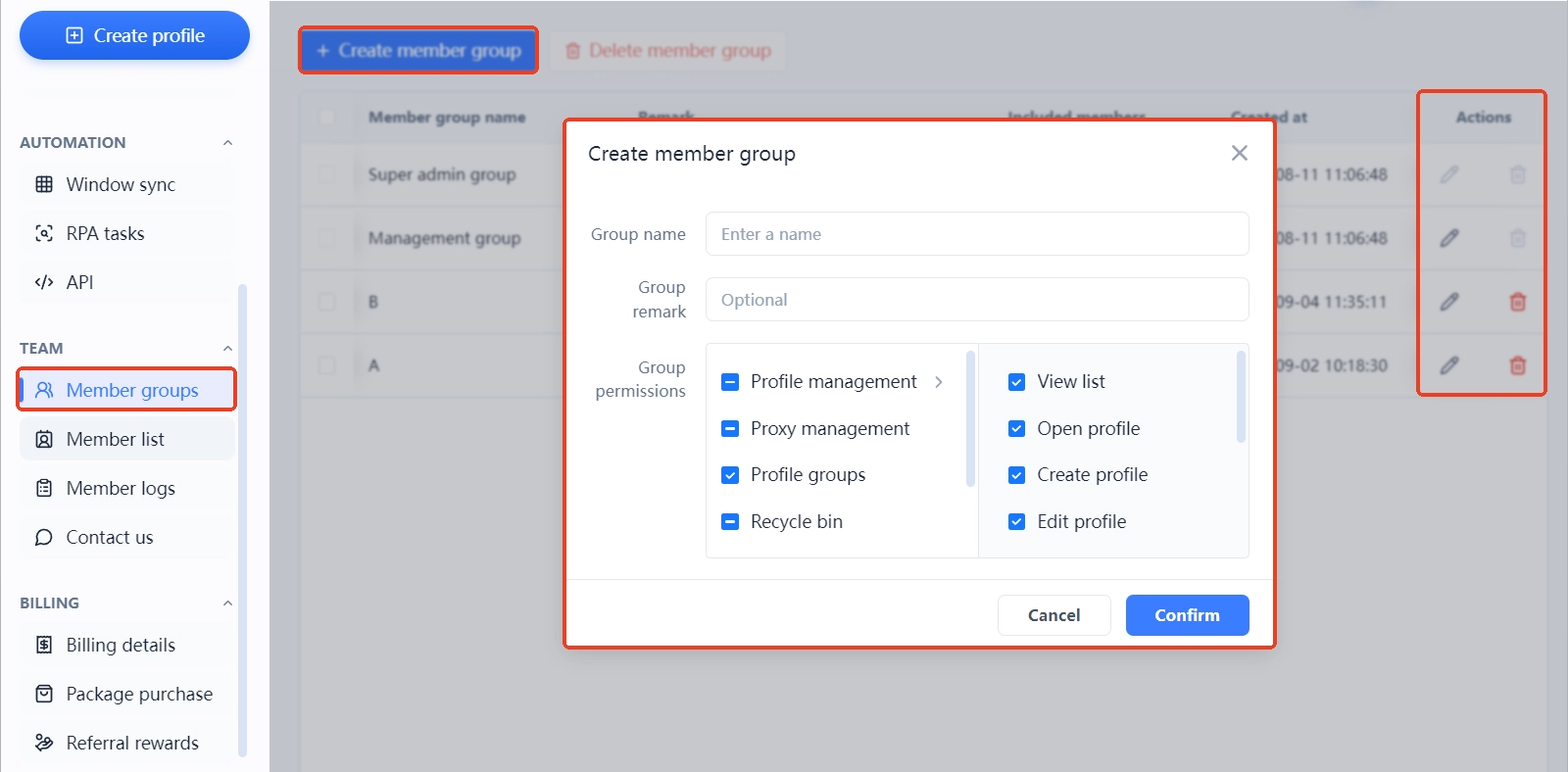
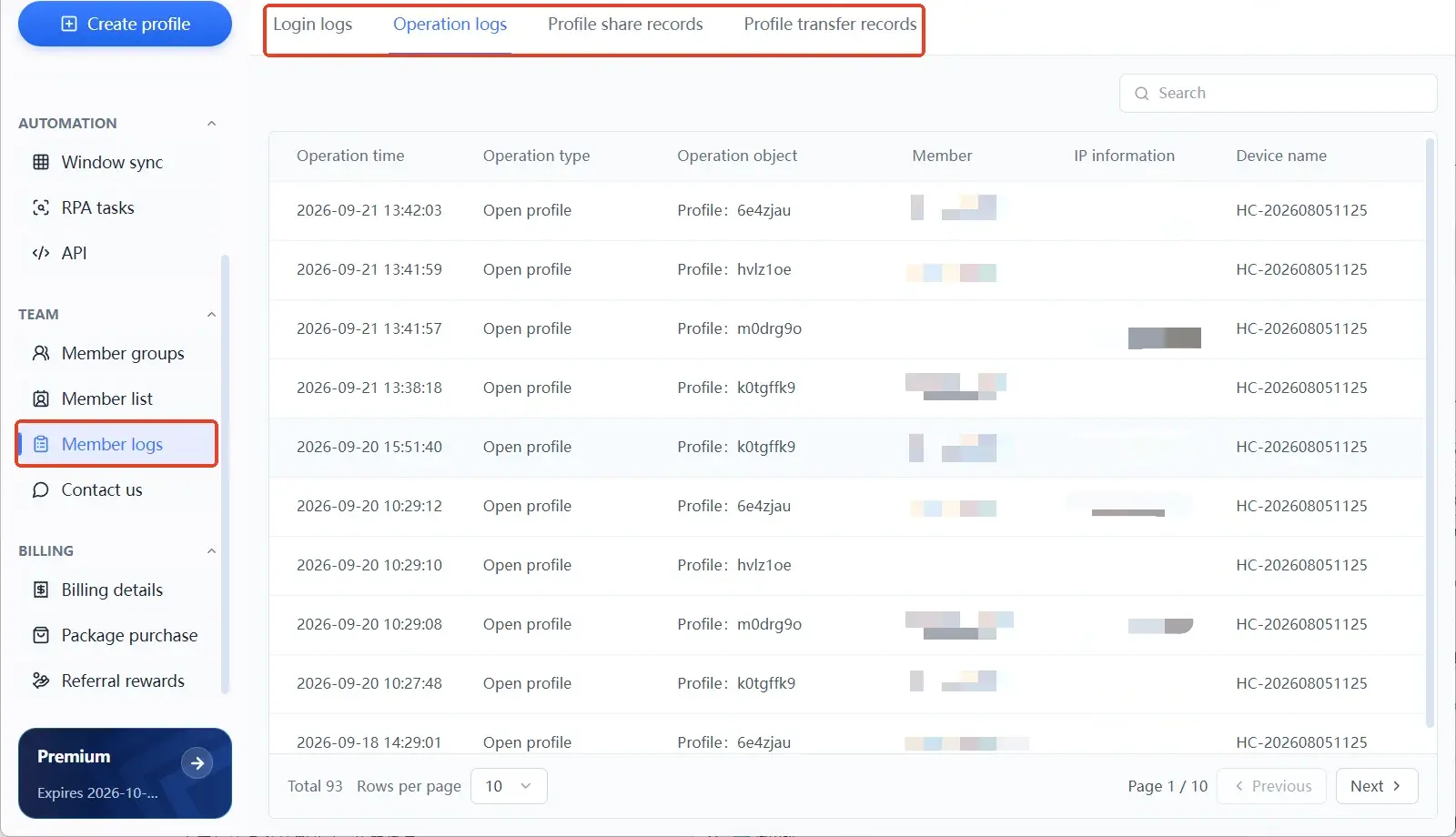
One boundary to be clear about: MostMate manages the browser environment layer. It lowers the risk of crossover use, but it cannot promise that a platform will never link accounts, and it doesn't replace platform rules or normal account operations. Once the environment is managed, behavior and profile data still depend on your processes and your people.
FAQ
Why can accounts still get linked when each one uses a different IP?
IP is only one network-layer dimension. Browser environments, login state, the real relationships between accounts, and each platform's own detection rules all shape the outcome. Working through the four dimensions beats swapping proxies over and over.
Does every fingerprint parameter have to be different?
No. Different values don't equal a sensible setup: first make sure the parameters match the actual device and business scenario. Random changes with no basis create contradictions between parameters.
Does one account, one environment, one IP fully prevent association?
No guarantee. Separate environments and a proper proxy setup reduce the risk of crossover use, but platforms detect differently, and how accounts are actually used and platform rules matter just as much.
Which matters more, the browser fingerprint or the proxy IP?
They solve different problems. The proxy decides where requests leave from; the anti-detect browser manages the browser environment. Compared outside a concrete scenario, the question loses meaning. Check both layers when troubleshooting.
With MostMate in place, do I still need to check account behavior?
Yes. The tool helps manage environments; it doesn't replace compliant operations, permission management, or routine security checks. Behavioral signals stay guarded by usage habits and team processes.
Closing Thoughts
Anti-association isn't judged by how radically you change parameters, but by whether your settings contradict each other. Fingerprints, IP, cookies, and behavior each cover their own layer of signals; consistent configuration simply means they all tell the same story. The six questions on the checklist are that sentence made concrete.
Run the checklist before any new account goes live. Write environment ownership down clearly. Verify the proxy exit before you use it. Ready to tidy up your own environments? Download MostMate, align every environment's configuration first, then bring the accounts in.

MOSTMATE
Secure Multi-Account Management, Made Simple
Start with your first account and use MostMate to build safer, smarter, and more efficient multi-account operations.
- Independent profiles. Consistent identities.
- AI Automation · Account Health · Team Operations



