
How Do You Manage Multiple Telegram Accounts Without the Chaos? Environment Isolation and Session Essentials
Core takeaway: the hard part of managing multiple Telegram accounts isn't signing up or logging in. It's whether login sessions, browser data, and network exits each have their own boundaries. The official client already makes switching between accounts effortless. But easy switching and separate data are two different things.
This guide covers four things in order: what multi-account switching can't fix, where to draw environment boundaries, how to pin each account to one dedicated environment, and a checklist to run through before any handover.
Switching Is Easy. That's Also Where Mixing Begins
One support agent juggling five or six Telegram accounts is a perfectly normal setup. A sales inbox, a community announcement account, an internal collaboration account, each with its own job. The official client lets you add several accounts in one app and switch with two taps, so day-to-day use feels smooth. The trouble shows up in the details: an announcement posted to a group run by another account. A customer message answered from the personal one. Another account from last week still sitting logged in on Telegram Web.
All of these slip-ups trace back to one root cause: every account shares the same underlying setup. Official multi-account switching is just session switching inside one app. The device signals, local storage, and network exit are all shared. Between accounts, the only real barrier is the switch button. Telegram Web makes the problem even more obvious: it runs in the browser, so the login session lives in Cookie and local storage. Sharing one browser means putting several accounts' sessions in the same drawer. The more you switch, the faster things tangle.
Switching covers login convenience. Data boundaries are a separate job.

Beyond Sessions, Three More Things Must Follow Each Account
How accounts, environments, proxies, and team permissions fit together is covered in full in the overall framework for multi-account management. Here we only cover the three things most often missed with Telegram.
- Device signals. User-Agent, screen parameters, Canvas, WebGL, font lists. At the device level there is only one set of these. When two accounts keep entering and leaving through the same device signals, you've handed the platform a ready-made cross-reference point. Which data environment isolation actually separates is broken down in the mechanism and boundaries article; we won't repeat it here.
- Network exit. The exit IP, along with the timezone and language tied to it, determines the login location the platform sees. An agent logs in on the office network by day and switches to home broadband at night. When the exit keeps changing, every new location gets treated as a fresh session to confirm. Shift handovers slow down too.
- Ownership records. Which account is whose responsibility, which environment it logs in from, which settings were changed. Without this record, every account sits in a state where anyone can log in and no one is accountable. When something goes wrong, there's no one to ask.
Pin Each Account to One Environment with MostMate
At the implementation stage, the tool's job is to lock these boundaries in place. MostMate is an anti-detect browser that gives every account its own isolated browser environment, so login data never mixes. One account, one environment. Who works where is clear at a glance.
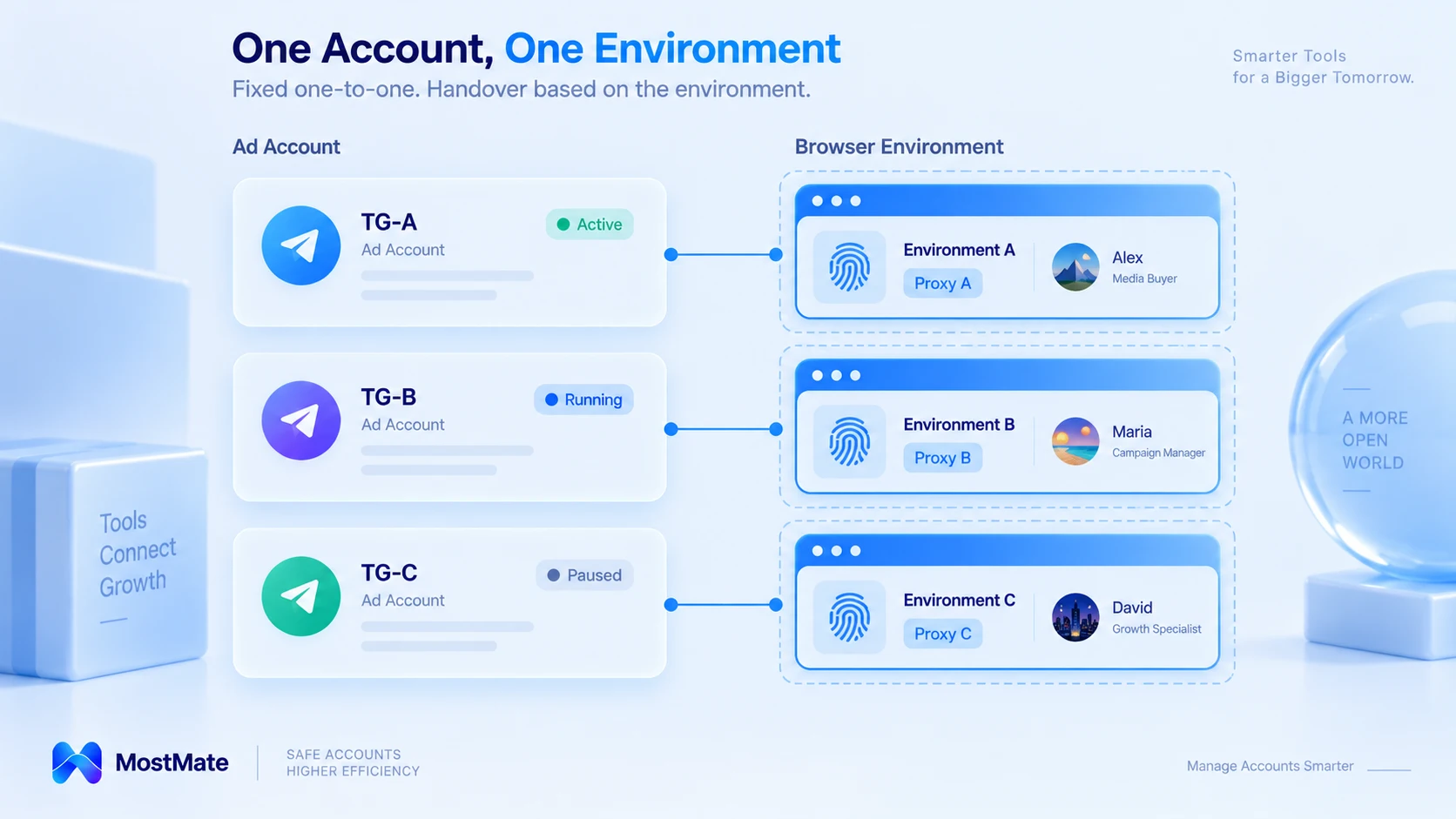
Open the Environment Management (环境管理) page and each row is a complete profile for one environment. The environment name comes first, followed by proxy, exit IP, bound account, group, and notes. Once a Telegram Web account is placed inside an environment, that row becomes its full provenance. When something goes wrong, you search by row instead of reconstructing a timeline from memory.
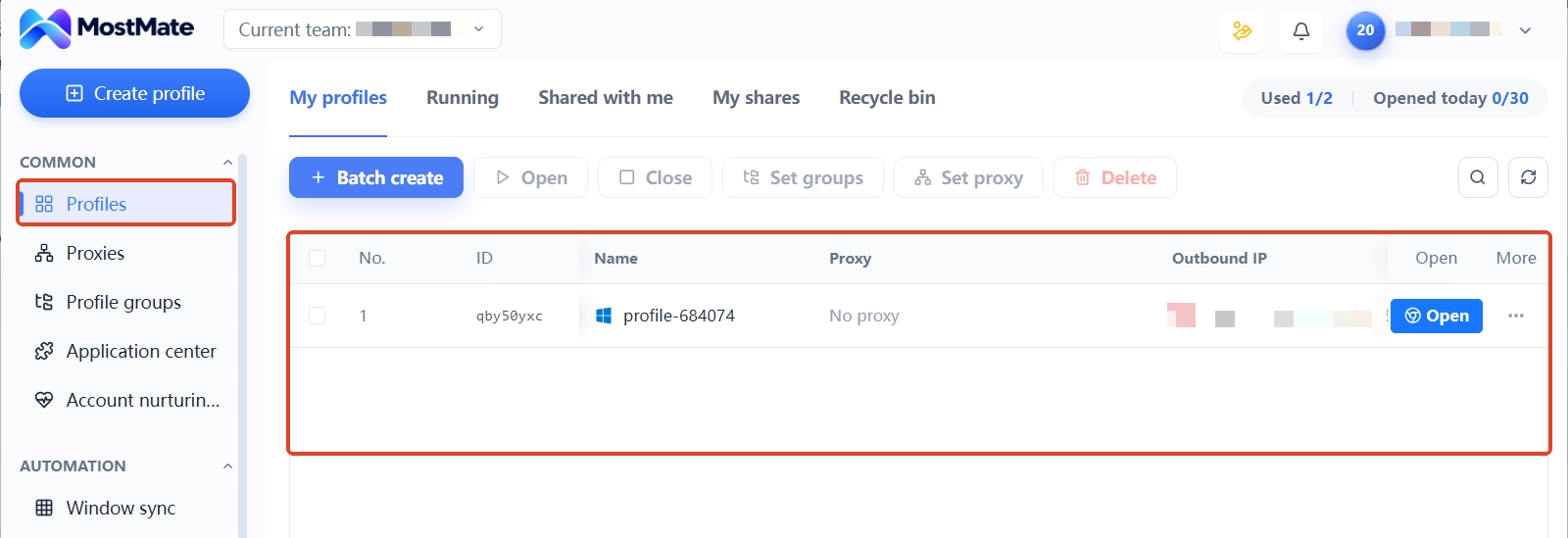
When you create an environment, the name, bound account, Cookie, and proxy settings are all set in one form. Proxies are maintained centrally in the Proxy Management (代理管理) list first, then assigned to specific environments. Exit details stay with the environment instead of being scattered across everyone's browser settings.
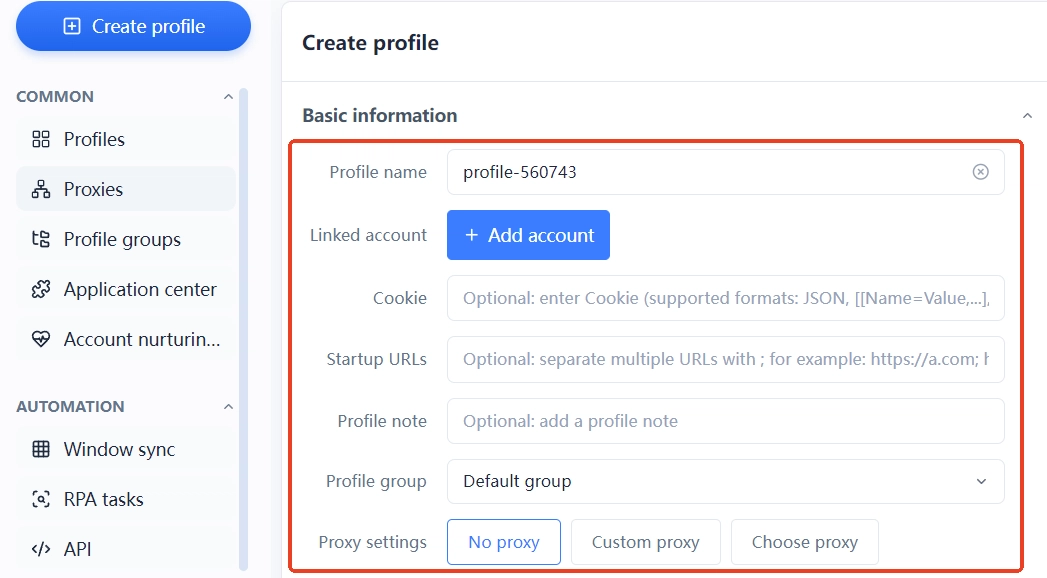
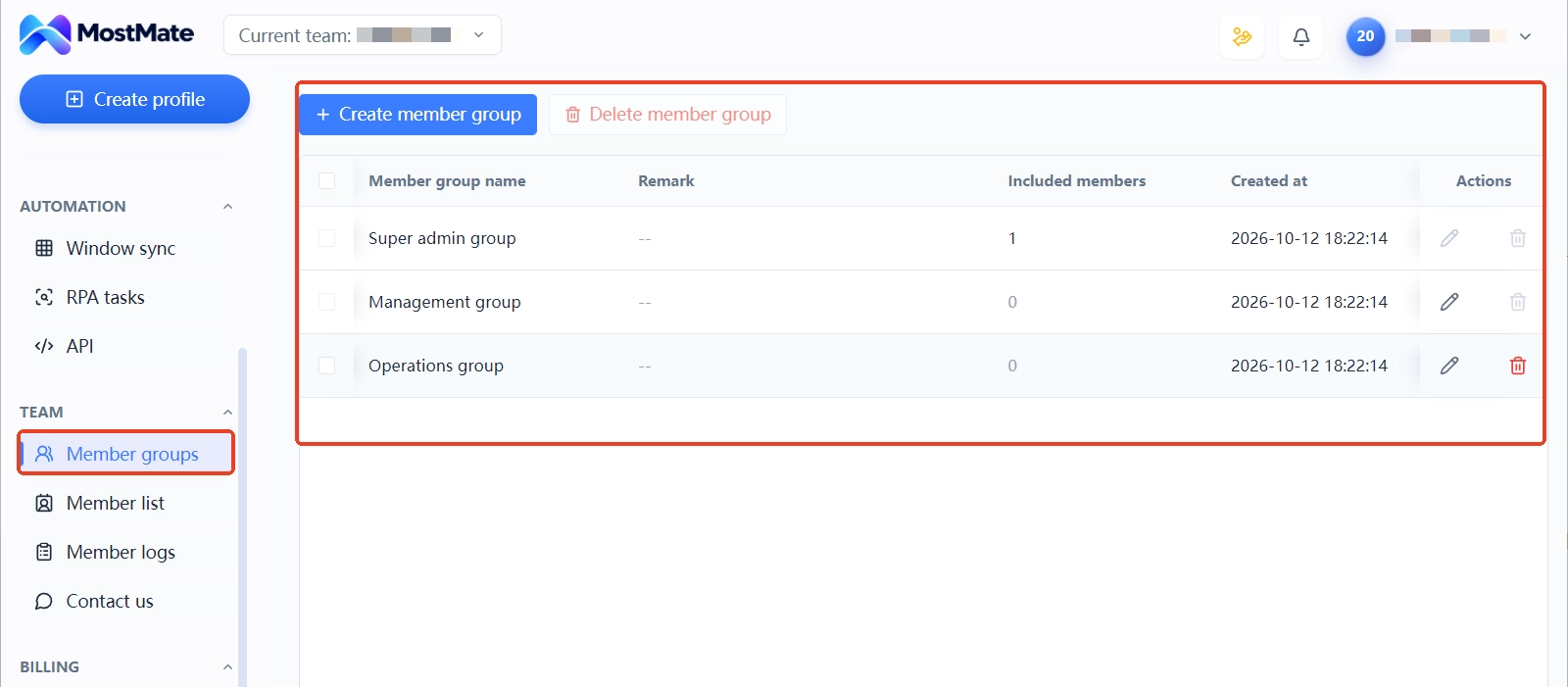
Team collaboration runs on Environment Groups (环境分组) and the member system. Groups are authorized to the right members, and the member logs keep sign-in logs, operation logs, environment sharing records, and environment transfer records. At handover you don't interrogate anyone about what happened; the records line up with the timeline on their own.
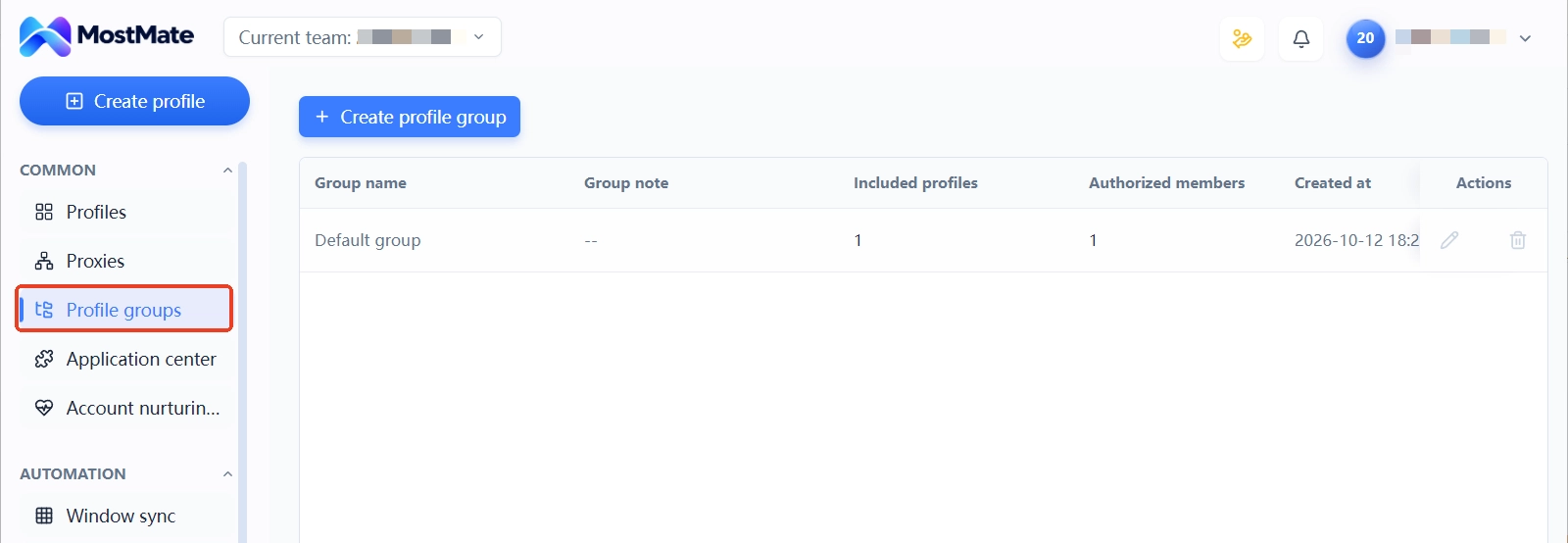
For a full tour of the product, see What is MostMate; for complete setup steps, see the getting started guide.
One thing to be clear about here: an isolated environment governs the boundary of local login data and configuration. It keeps your operations organized and traceable. How Telegram judges accounts and when it reviews them are rules the platform holds. Registration details, login behavior, and session characteristics are all within its scope of inspection. No tool can guarantee an account will never trigger verification.
Three Common Mistakes, Each with Its Own Fix
Mistake one: keeping verification methods on personal devices. The registration phone number, the two-step verification password, the recovery email, all scattered across members' phones and notes. The account follows the person, and when the person leaves, the ownership trail snaps. The fix is to register all of these in the ownership record and store critical items like two-step verification in a place the team has agreed on. The account's provenance stays verifiable at all times.
Mistake two: using Window Sync for login verification. MostMate's Window Sync mirrors clicks and typing across multiple windows, which suits repetitive actions like batch browsing and unified viewing. Login verification and two-step confirmations are sensitive operations: do them window by window, one at a time. Actions leave a clean trail that way too.
Mistake three: tweaking parameters right after creating the environment. Some teams, chasing the feel of "a brand-new device," change the UA or swap Canvas parameters every few days. Device parameters are meant to stay stable over the long term. Frequent changes are themselves an anomaly signal. And parameter tuning was never the cure for mixed-up sessions anyway; the boundaries from the previous section are the right treatment.
Before Any Handover, Check in This Order
Handovers go wrong mostly because the order is wrong: permissions get granted before the information is verified. Walk through the steps below; each one has a clear completion marker:
- Check ownership: register the bound account, registration details, and verification methods one by one, and backfill records for any account with no owner.
- Check sessions: open the account's active session list, confirm login locations match the registered environments, and terminate any unfamiliar session before moving on.
- Check network: make sure every environment's proxy and exit IP is on record, and confirm no two environments share the same exit.
- Check signals: leave the device parameters set at environment creation untouched; make no adjustments on handover day.
- Check permissions: sync the member group authorizations up or down, and archive the environment transfer record.
This checklist isn't only for staffing changes. Client account transfers, proxy vendor switches, a bulk cleanup of existing accounts: the same order works every time. The cost of running it is low. The cost of a missed item is not.
FAQ
Do official multi-account switching and environment isolation conflict?
No. They cover two different layers.
Multi-account switching in the official client handles login convenience, for accounts you operate inside the official app. Telegram Web, which runs in the browser, is the part environment isolation directly governs. Register ownership for each side's accounts separately, and don't mix them.
Can an anti-detect browser stop Telegram from banning accounts?
No. What it manages is the isolation of browser environments and the consistency of their configuration. It makes no guarantee about review outcomes either. Telegram's platform rules are set by the platform itself, and no tool changes that.
Why does the account still run into trouble after an IP change?
An IP is only one signal. Mixed login sessions, shared device signals, login locations that keep moving: any one of these alone can put the account on the platform's review radar. Fixing only the network layer doesn't solve the whole problem.
A team member is leaving. How do we hand over their Telegram accounts?
What gets handed over is the environment profile; the password is just one item in it. Verify who owns the account and its verification methods, adjust member group authorizations, and keep the environment transfer record. Run through those three steps and the person taking over receives a complete profile.
Closing Thoughts
Order in multi-account Telegram management comes from every account having a clear story: which environment it logs in from, which network exit it uses, who is responsible for it. Official multi-account switching gives you convenience. The boundaries you have to draw yourself. For a personal setup with a few accounts, clean environment boundaries remove most of the chaos. For a team, add records on top of boundaries, and handovers finally have something to stand on.
To set up this mapping, start by downloading MostMate. Build a dedicated environment for the account that matters most right now, replicate it for the rest, and let the team connect permissions and records through groups and member logs.

MOSTMATE
Secure Multi-Account Management, Made Simple
Start with your first account and use MostMate to build safer, smarter, and more efficient multi-account operations.
- Independent profiles. Consistent identities.
- AI Automation · Account Health · Team Operations



