
LinkedIn Multi-Account Management: When It Works, and When It Shouldn't
The bottom line: with LinkedIn multi-account setups, everything comes down to ownership. One account per person, registered under a real name, is written into the User Agreement, and sharing a personal account or running unauthorized automation crosses the line all the same. What a team needs to sort out is what personal accounts, Company Pages, and paid seats each cover. Which practices go too far and which scenarios can be managed properly, then let environment management keep logins and handovers in order.
Start with the scenario. A ten-person B2B sales team, each member with their own LinkedIn, plus the company page and Recruiter seats: that is more than twenty login points. Someone proposes sharing accounts to save on seat fees; someone else wants extra accounts to work separate verticals. Which of these holds up, and which will backfire sooner or later? Read the rules before deciding.
Separate the Three Account Types First: Where the Boundary Sits
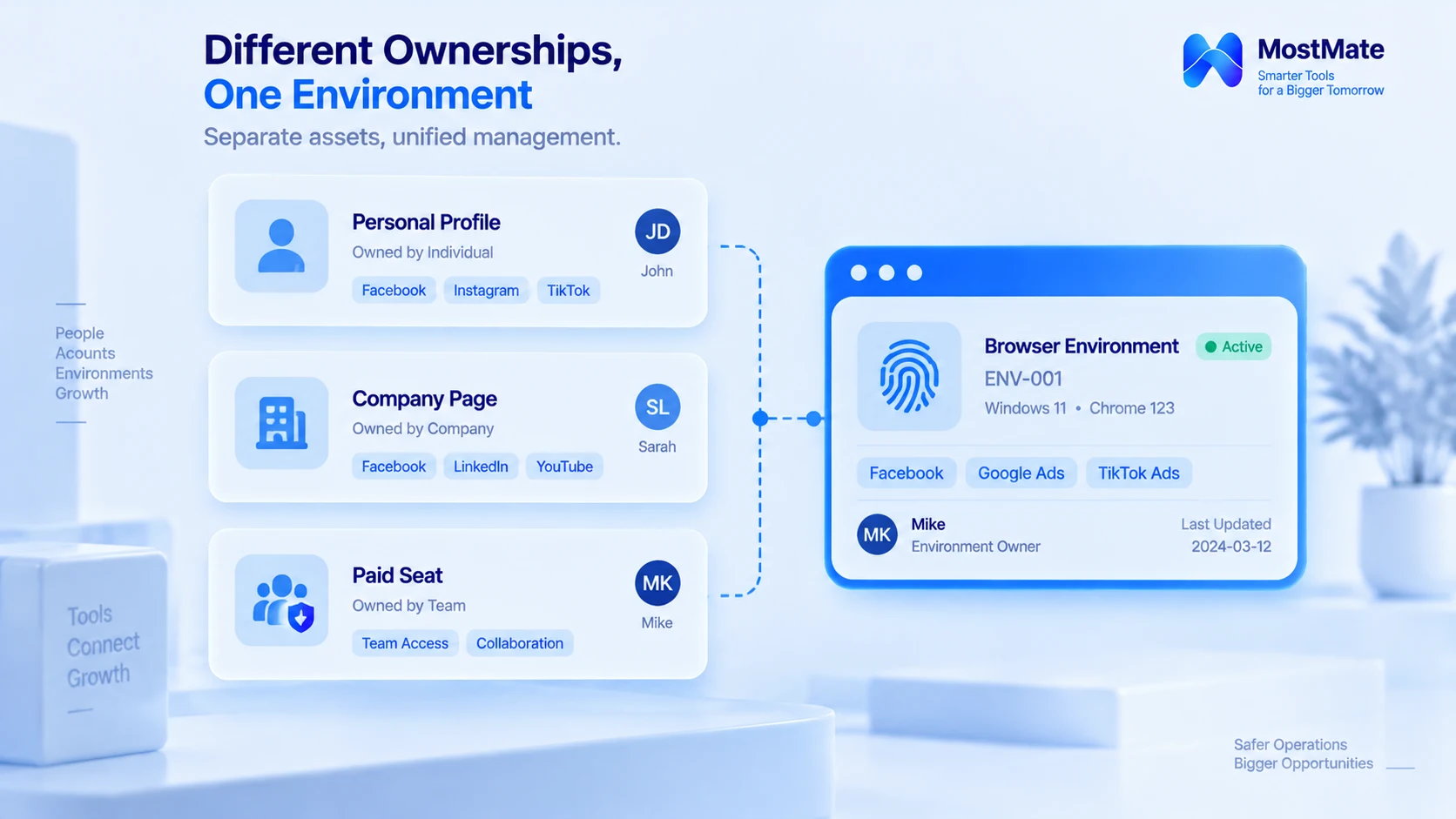
LinkedIn's rules and company controls cover three different objects:
Personal accounts. Ownership follows the real name entered at registration; professional connections and interaction history all accrue to that one identity. Whether the account goes with an employee who leaves is a matter for the employment relationship; what platform rules govern is identity authenticity and one account per person, not which company the account belongs to.
Company Pages. A genuine corporate asset. LinkedIn officially supports multiple admins collaborating; publishing, recruiting, and analytics all run on assigned permissions, and no one has to hand over a personal password.
Paid seats. Products like Sales Navigator and Recruiter are licensed to a business per seat. A seat buys the right to use a tool; it does not license several people to take turns inside one personal account.
Two clauses of the agreement matter most. First, every member holds exactly one account and must register under their real name; signing up with false information violates the terms. Second, members may not share or transfer accounts, and the text explicitly names "sharing login credentials" and "copying cookies." See the LinkedIn User Agreement. Every judgment below rests on these two clauses.
Three Things You Really Cannot Do
1. Multiple personal accounts on one identity. The agreement is explicit: one account per person. Side accounts for separate verticals fail at the identity level, and no amount of operation changes that.
2. Several people sharing one personal account long term. Nobody can trace who sent which message, passwords circulate out of control, and the client relationships built up in the account become impossible to attribute. The ban on sharing and transferring accounts is spelled out in plain text.
3. Unauthorized automation. The agreement prohibits scripts, plugins, and bots that scrape or bulk-operate on platform content. When mass messaging or auto-connections "save time," the account carries the risk.
What these three share is this: work that belongs to permissions and processes gets pressed onto an identity that should never have carried it. Swapping networks and environments does not change the nature of the arrangement under the agreement.
Three Scenarios You Can Manage Properly
- Employees use accounts they registered themselves. What the company manages is not identity but the login environment and the handover process: whoever owns the account answers for it, work devices stay fixed, and offboarding separates the job handover from what happens to the account.
- Company Pages are run collaboratively through official admin permissions. Content editing, ad campaigns, and analytics are granted by role; when staffing changes, permissions change with it, and nobody ever needs anyone else's personal password.
- Agencies serving multiple clients register each client's LinkedIn assets separately: the client, the page, the staff involved, and the scope of authorization. Clients stay distinct on the record from day one.
Set against the heading question, these four rows map one to one:
| Scenario | Recommended approach | Boundary to watch |
|---|---|---|
| Employees on their own personal accounts | One account each; company assets via roles | A personal account isn't a shared work login |
| A team managing one Company Page | Use the official page admin roles | Assign by duty; adjust when staff change |
| An agency serving multiple clients | Log clients, assets, owners, authorization | Authorization doesn't cover shared accounts |
| Teams managing browser environments | Group environments and configs by purpose | Isolation doesn't mean the platform approves |
Turning the Rules into Daily Operations: A Checklist
Once the rules and the scenarios are clear, day-to-day operations boil down to six checks:
| Question | What to confirm |
|---|---|
| Personal account or company asset? | Account to the person; assets via page roles |
| Registered under a real identity? | One person, one account; real name on file |
| Does anyone share a login? | Use role-based access or separate logins |
| Are automation tools authorized? | Disable unapproved scripts and plugins |
| Are login environments mixed? | One environment per line, with a named owner |
| Is the handover process documented? | Offboarding covers disposal and records |
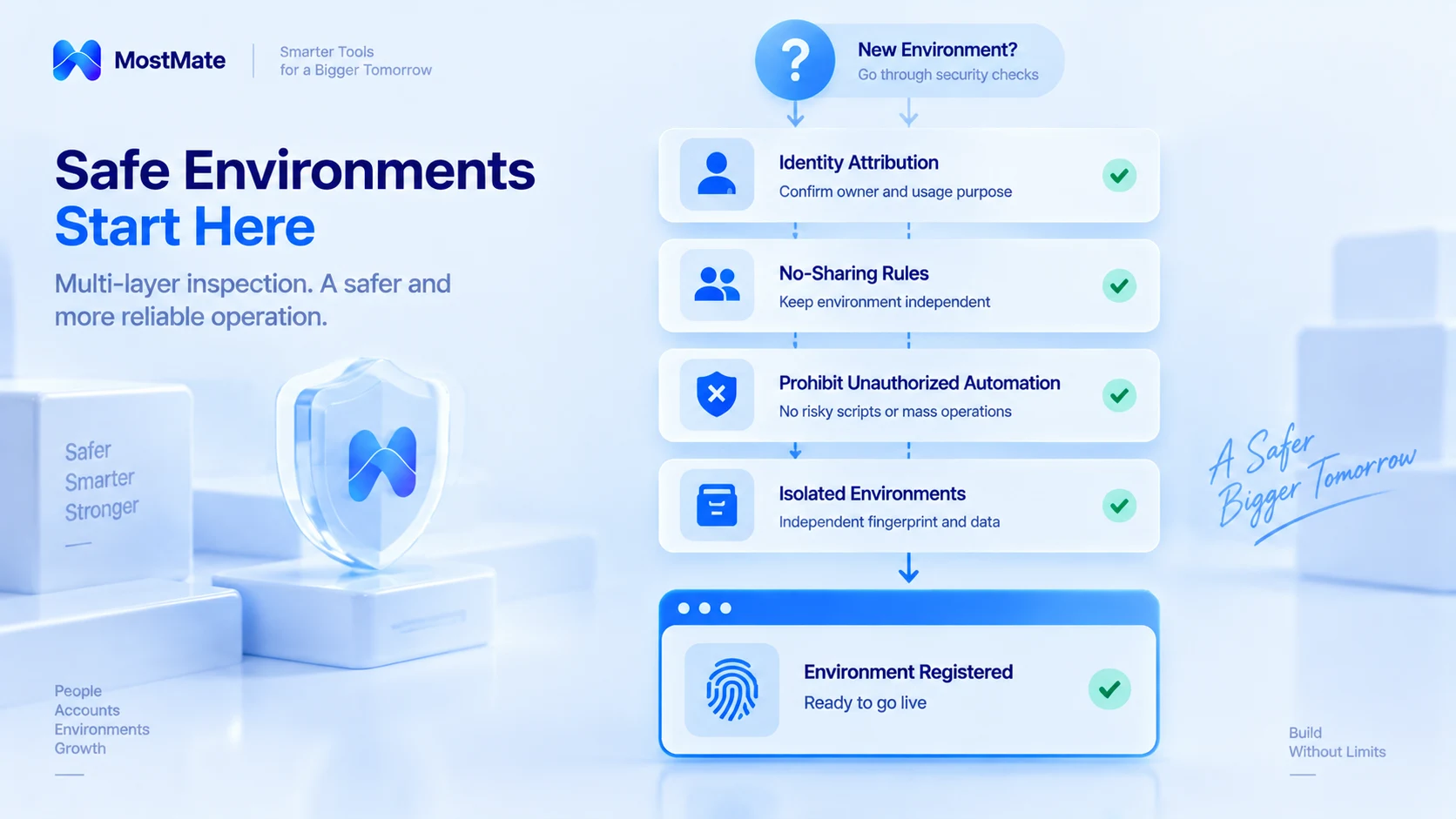
The first four items check whether accounts and their usage fit LinkedIn's rules; the last two are about how the team uses and hands over environments day to day. Suppose an employee moves to another role: who takes over the browser environment they were using? Can you tell at a glance which account belongs to which environment? When details like these are left unorganized, environments get mixed up and handovers slip through the cracks.
This is where environment management earns its keep: it maps each account to its browser environment and to the person responsible, so the team runs on something more orderly.
What Environment Management Helps With, and What It Cannot Solve
Two items on the checklist, mixed environments and the handover process, only settle once you work through them one by one: which environment maps to which account, which proxy it goes through, who is responsible. MostMate helps at exactly this stage: every account gets its own browser environment, so login data and configurations never cross over. Environment groups and notes turn the account-to-environment-to-owner mapping into a record, and member logs keep a history of use and transfer, so a handover can be verified against the record. For the full product picture, see What Is MostMate.
One boundary belongs at the end. Environment management solves management problems such as shared login data and unclear mappings. Whether an account complies with platform rules depends on whether the identity and the usage are compliant. It is not an authorization mechanism from LinkedIn, it does not change platform rules, and it makes no guarantee of any kind about account status.
Frequently Asked Questions
A team member has left. What happens to the client contacts under their name?
The personal account goes with the person; how contacts are handled follows company policy and local law. Company assets are adjusted through page permissions, and browser environments are handled according to the handover records, never by sharing an account.
Can several people manage a Company Page together?
Yes. A page supports multiple admins; grant permissions by duty across content, ads, and analytics, and no one ever needs to share a personal account's login credentials.
Can an anti-detect browser prevent LinkedIn bans?
No. What it manages is browser environment isolation and the records of what maps to what. Whether an account gets restricted depends on whether the identity and the usage comply with platform rules.
Do different IP addresses make accounts independent of each other?
The network exit is only one factor in an environment. Account independence comes from identity and ownership. If multiple accounts belong to the same real person, switching networks does not change that.
Closing Thoughts
On LinkedIn, start from the rules: one account per person, real identity, no sharing, no automation. Then manage by process: compliant accounts, clear environment mappings, permissions, and handover records. If your team needs to untangle browser environments across several lines of business, download MostMate and start with the messiest line, matching ownership to records one entry at a time.

MOSTMATE
Secure Multi-Account Management, Made Simple
Start with your first account and use MostMate to build safer, smarter, and more efficient multi-account operations.
- Independent profiles. Consistent identities.
- AI Automation · Account Health · Team Operations



