
Does Incognito Mode Stop Account Linking? Where the Isolation Ends
Bottom line: No. Incognito windows (Firefox calls them private windows) separate what stays on your machine, not who you are online. Both vendors say the same thing: once the window closes, history, cookies and site data are gone from the device, but your ISP, your employer and the sites you visit still see your activity. Private windows on one machine share a single fingerprint, a single exit IP and the same hardware signals, and that second half is exactly what platforms weigh when they decide accounts are linked.
A reader who runs a batch of shop accounts once told me he kept three incognito windows open in the same Chrome, signed into three store dashboards, one per window, reasoning that three disconnected windows amount to three devices. On day three, all three accounts got restricted together.
Of the two words in "incognito mode", only the first one is honest. The second quietly suggests a whole new identity, and that is not what you get.
First, be precise: it isolates traces, not identity
Both browsers are answering the same question: how to keep your device from keeping records.
Chrome's help page is blunt about it: Incognito mode stops the browser from saving certain information on the device, keeps no site data after the session ends, and records no history of the pages you visited. The same page adds a warning: Incognito mode doesn't make you invisible. Websites you visit, and organizations that run your network, such as schools, employers and internet providers, may still see your activity.
Firefox's official page on private browsing reads the same way: visited pages, form and search entries, the download list, cookies, cache and offline content all get left behind nowhere. But the page sets one line apart as "Important": private browsing doesn't make you anonymous on the internet. Your internet provider, employer or the sites themselves can still gather information about the pages you visit.
Put the two statements side by side and the boundary comes into focus: what incognito cleans up is what your device keeps, and once data leaves the machine the promise no longer holds. When a platform asks whether two accounts are linked, it never asks whether records were left on the machine; it asks whether the two visits look like the same device on the same line.
What it does and doesn't touch: the itemized list
The official lists are thorough; they are just scattered across pages. Sort the items by one question, whether anything survives the end of a private session, and the pattern jumps out.
What gets cleaned up:
- Visited pages: none of them reach your history or the address bar's autocomplete.
- Form and search entries: what you typed into text and search boxes is not kept for autocompletion.
- Download list: after the session closes, the downloads manager shows nothing.
- Cookies and site data: held in memory only while the session runs, then dropped on close.
- Cached pages and offline content: none of it gets written to disk.
- Third-party cookies and trackers: Firefox's private windows block them by default, and Chrome on mobile blocks cross-site cookies by default too.
What it leaves alone:
- Exit IP: sites still see the address of the same line you always use.
- Browser fingerprint and hardware: GPU, fonts, screen size, CPU core count, memory tier, all of it reported as usual.
- Bookmarks and passwords: anything you save in a private window is still there for your regular session afterwards.
- Downloaded files: the list entry disappears, the file stays on the drive.
- System time zone and language: they follow the system settings; private windows change nothing.
- The private windows among themselves: they form one temporary session, share one set of in-memory cookies, and everything is dropped only when the last window closes.
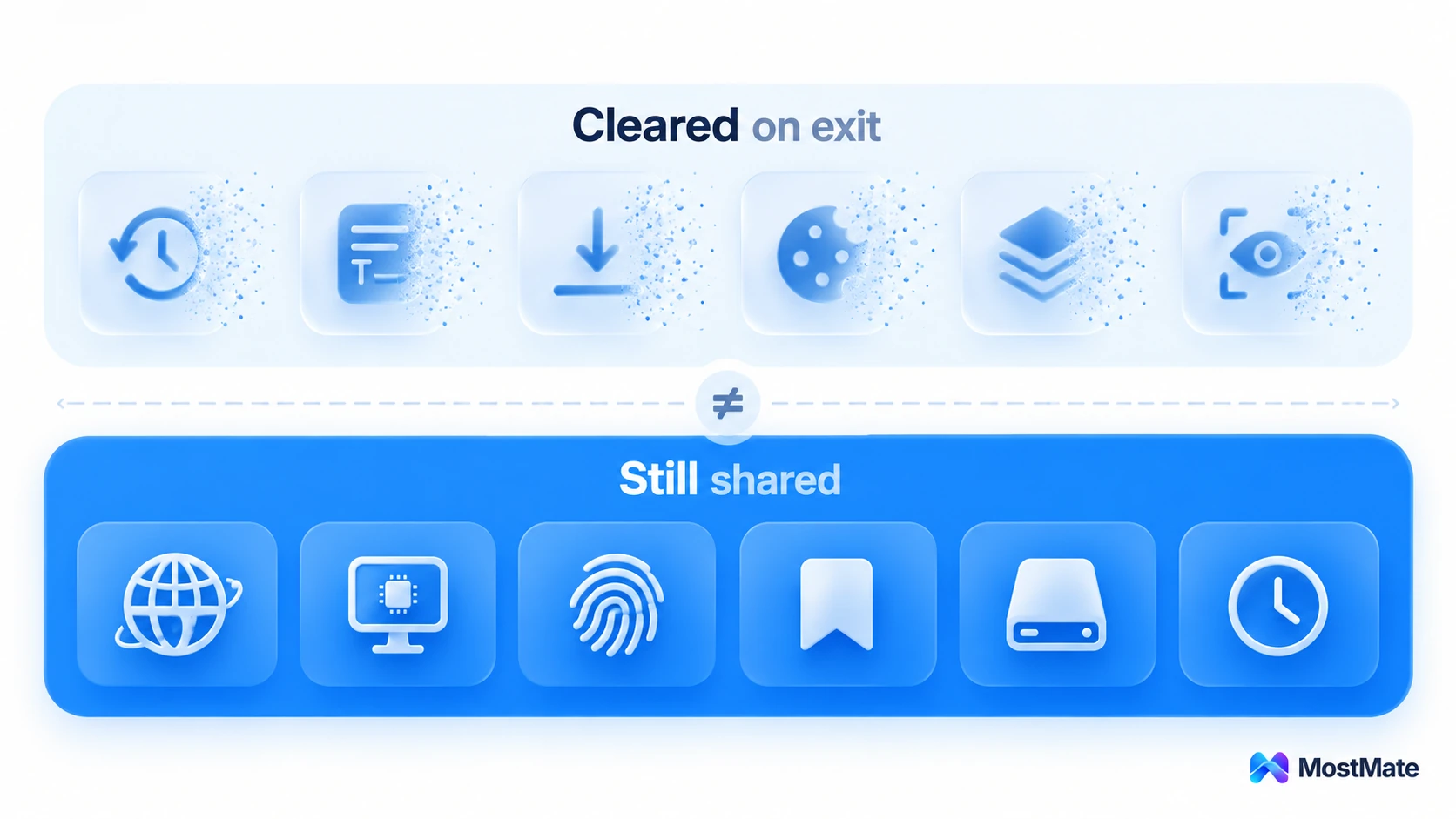
The pattern is clean: everything it can clear is a record your machine keeps, and everything it cannot clear is a signal your machine reports outward. The first kind only matters to the next person using this computer; the second kind is what platforms actually judge you by.
Cookies get separated, identity doesn't
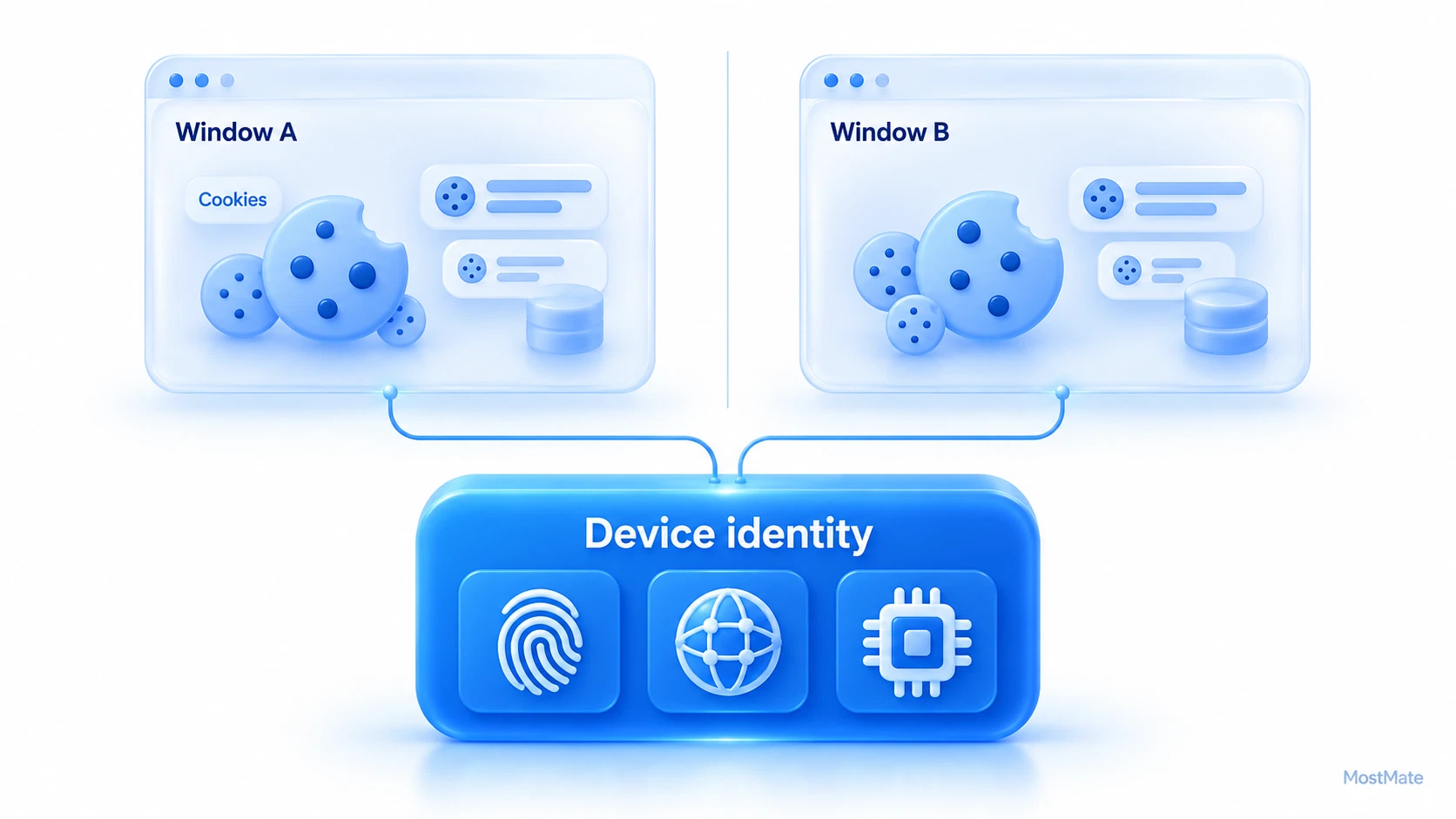
Per Mozilla's documentation, cookies set in a private window are held in memory for the session and kept apart from the cookies your regular windows use, then discarded once the last private window closes. That separation is real: log account B in a private window and account A in a regular one, and neither side can see the other's login.
So "open an incognito window for the alt account" sounds reasonable: two sessions that leave each other alone, which looks like two separate environments.
The catch is that cookies live at the session layer, while platforms decide whether accounts are linked from device and network evidence. On the same machine, a regular window and a private window report the same browser version, the same canvas rendering, the same font list, the same screen parameters, the same time zone and language, and the exit IP is identical down to the last digit. Cookies are separated; the fingerprint is not. The session is separate; the device is not.
This is also why opening more private windows never helps: they all belong to the same temporary session, so three windows amount to three tabs on one device. A genuinely isolated environment needs its own fingerprint, its own exit and its own long-lived session data for every account, and a private window offers none of the three. Tools build for that job, and how they compare are laid out in the Best Anti Detect Browser in 2026 guide.
Why fingerprints are hard to change and which parts they are built from is covered in detail in how a browser fingerprint gets assembled, so I won't repeat it here. One line to remember: private windows solve "sessions on this machine don't mix" and cannot touch "the device itself gets recognized".
A two-step test: watch the identity stay put
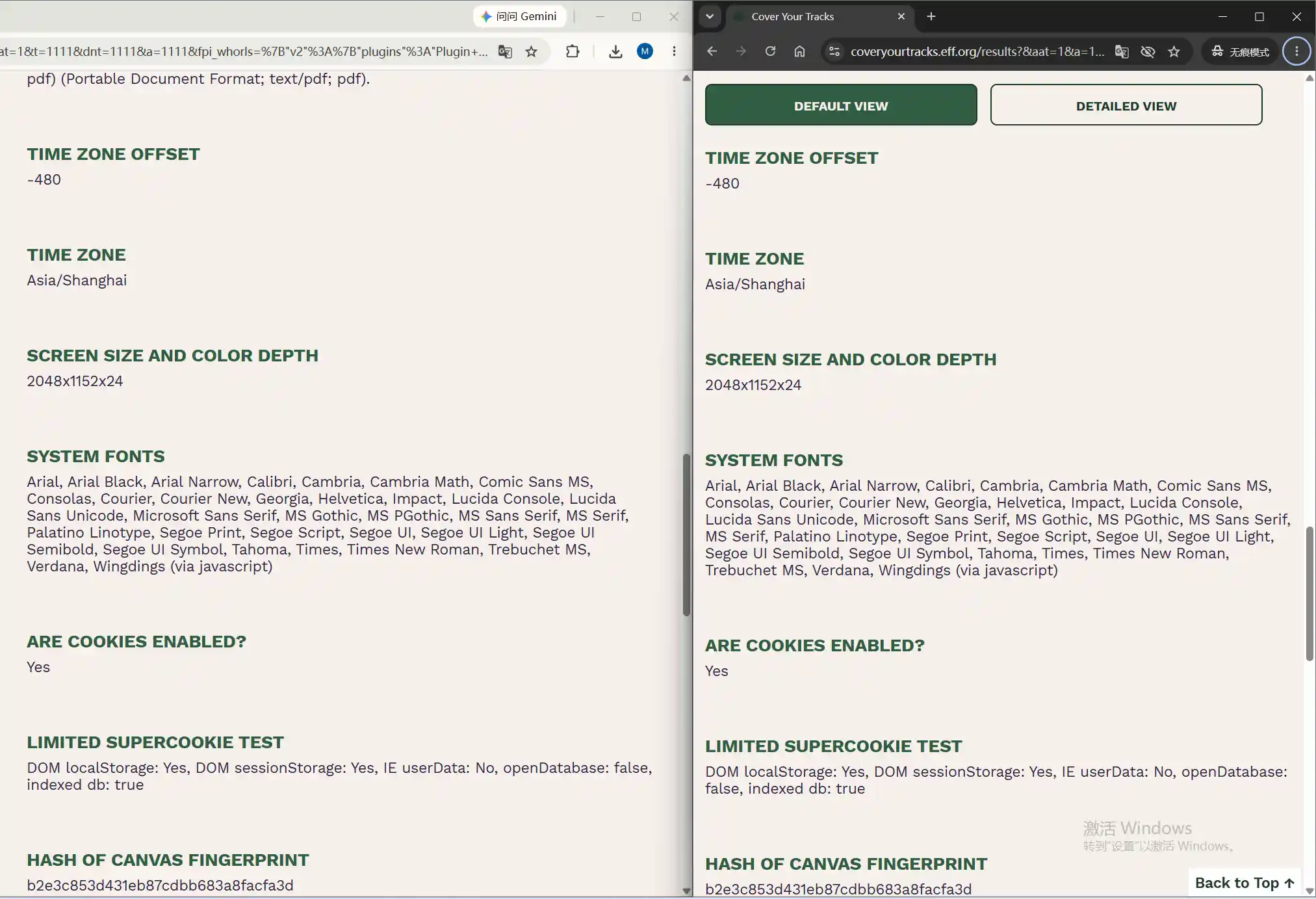
Rather than take the conclusion on faith, spend two minutes and see it. EFF's Cover Your Tracks needs no sign-up; it runs the moment the page opens.
Step 1: run the test in a regular window and note down the traits it lists, paying attention to browser and system information, time zone and language, fonts and rendering.
Step 2: run it again in a private window and compare the two.
The outcome is remarkably stable. Browser and system information, time zone and language, the font list, canvas and graphics rendering come back near-identical or exactly identical both times, and the only real change is usually cookies and local storage. The comparison is the most direct proof there is: a private window swaps the session, not the device.
To turn this kind of judgment into a daily routine, the order of operations matters more than any single check. Setting up your first environment from scratch walks through proxies, profiles and the checklist in the right sequence.
When incognito is enough, and when you need a different tool
Incognito mode is not useless; its natural uses are everyday ones:
- Shared computers: leave no browsing history behind for the next person.
- Price checks and "new visitor" offers: no old cookies in the way, so you see what a first visit sees.
- A quick login on a public account: close the window and no login state lingers.
- Debugging a page: check whether an odd display comes from stale cache.
- Demos for clients: start from a clean session with no extensions or logins in the way.
What these uses share is that the problem to solve is what the machine keeps, not who the visitor is. Said differently, incognito mode protects you from people, not from machines: it can hide your browsing from the roommate, family member or coworker at the same computer, and it cannot stop a platform from placing your two accounts next to each other.
Turn the requirement around, though, and the picture flips: the moment your need is "run several accounts on one computer without the platform connecting them", incognito mode has nothing to offer. That job belongs to environment isolation. Environment isolation is about identity boundaries, not about records on your machine.
Ad operations are where this boundary bites hardest: an anti detect browser for facebook ads exists because every ad account needs its own fingerprint and exit, something no amount of private windows provides.
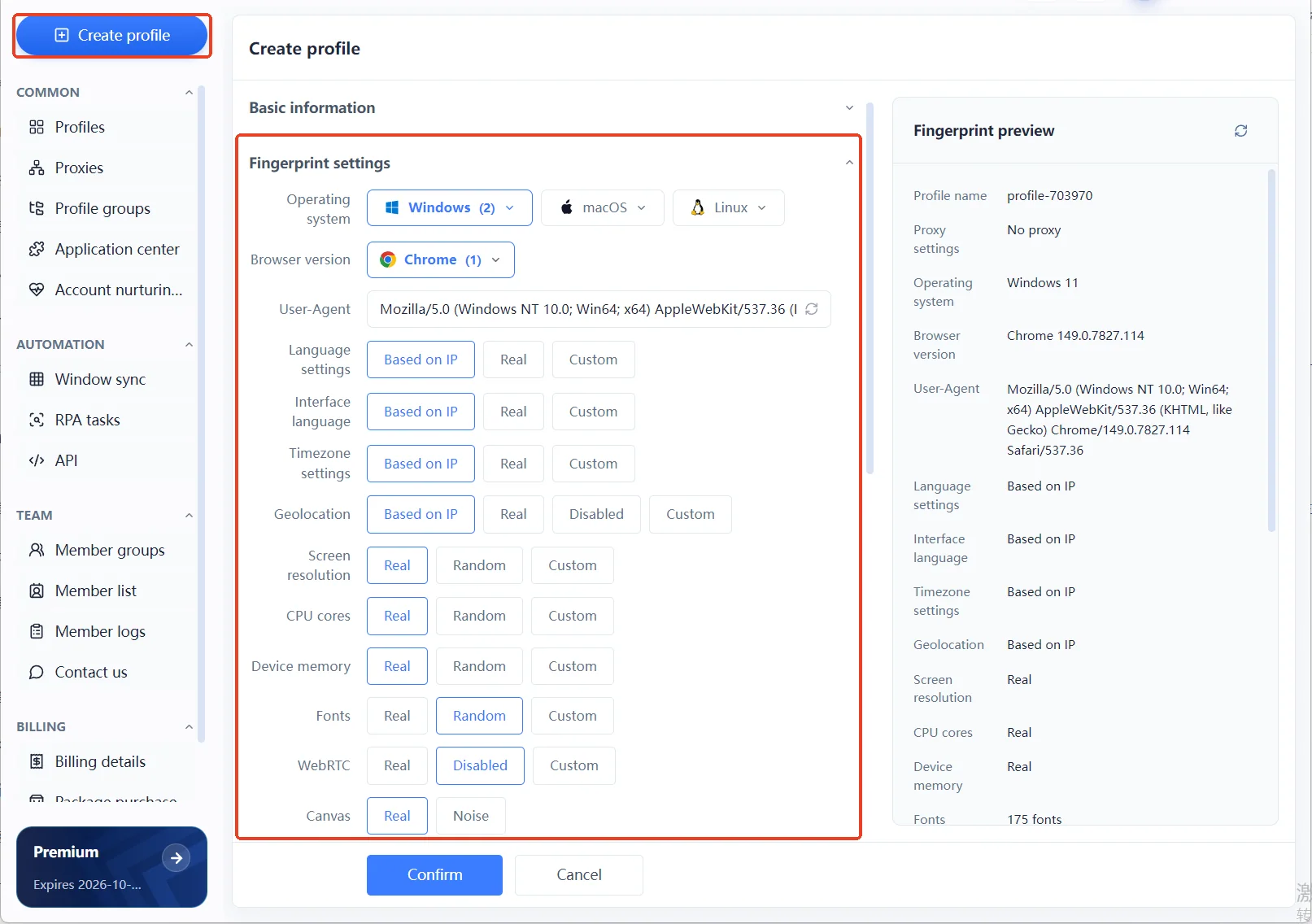
MostMate was built around exactly this gap. It is an anti-detect browser: MostMate prepares a separate browser environment for every account, and while you create one you set screen, core count, memory and the rest of the hardware picture together with language, time zone and location, defaulted to follow the exit. The place where different identities can be configured is here; a private window has no such door.
Frequently asked questions
Can websites detect incognito mode?
Yes. In a private window the browser still exposes its version, its fingerprint and the usual signals, and some sites can even infer private mode from which storage APIs are available. For risk control, it is neither protection nor extra exposure, just another visit from the same device.
If I log into an account in a private window, am I logged out when it closes?
The login state ends by itself. Cookies are dropped when the window closes, so the next open asks you to sign in again. That only clears what your machine keeps; the login and device records on the platform's side remain exactly as they were.
Does incognito mode hide your real IP?
No. It never touches the network exit, so sites still see the address of your usual line. Switching exits takes a proxy, and a proxy only covers the network layer; the fingerprint and hardware signals stay exactly where they were.
Closing thought
Incognito mode was never built for invisibility; it was built for leaving nothing behind. It solves the records problem on a shared device and was never designed to protect multiple accounts. Knowing where its isolation ends saves you a lot of wasted effort, because the most expensive mistake with the wrong tool is investing again and again in a direction where nothing can work.
If your use case really is multiple accounts, move the thinking up to the identity layer: one environment per account. Start by getting to know what MostMate is, then download MostMate, build two environments on the free plan and run the two-step test from earlier once more; the difference is more convincing than any explanation.

MOSTMATE
Secure Multi-Account Management, Made Simple
Start with your first account and use MostMate to build safer, smarter, and more efficient multi-account operations.
- Independent profiles. Consistent identities.
- AI Automation · Account Health · Team Operations



