
Will payout accounts get linked? Binding signals and rules for tools like LianLian and PingPong
Core takeaway: when a third-party payout tool decides whether accounts are linked, one rule sits at the core: entity consistency. Device environment and activity rhythm are signals layered on top of it. The binding rules come down to three lines: one entity per payout account, and both store authorization and dashboard logins done in the same fixed environment. When re-binding or switching tools, change one thing at a time.
Most sellers running Amazon or TikTok stores collect cross-border payments through tools like LianLian, PingPong, or WorldFirst. Routing payouts from several stores into one payout account is convenient and fully compliant, as long as those stores are registered under the same company. In the cases that go wrong, the payout account itself is usually not in violation. The problem sits in the binding relationships: either a different entity has slipped in, or the device records behind dashboard logins are a mess.
MostMate builds environment isolation for multi-account operations. Each account gets its own browser environment, with login data and cookies kept separately and never shared across environments. Following the official guidance from LianLian and PingPong, this article explains which linking signals payout tools read, which checklists to verify before binding, how to pin down the environment for your payout dashboard, and how to keep re-binding steady when you switch payout tools.
What payout tool risk control reads: a three-layer net of entity, store, and device
Risk control at payout tools does not stop at the payout account itself; it follows the money flow and ties the store, the entity, and the login devices into one net. The ecommerce platform and the payout tool each run their own risk control. The platform looks at store registration data and login behavior; the payout tool looks at the verified entity and where funds go. Binding authorization connects the data on both sides. An anomaly on either side can travel down this chain to the other.
Entity consistency is the backbone of this net. LianLian's official support gave a direct answer when asked whether binding one account to multiple Shopee stores triggers linking. Shopee has its own linking rules: stores registered under the same entity can be bound to a single LianLian account for payouts, while stores registered under different entities need separate LianLian accounts (see the official LianLian support reply).
PingPong states the same direction in an official risk-control checklist. One account can manage all cross-border TikTok sites, but the payout entity for each site must match the store entity (see the official PingPong article). Neither licensed institution treats multi-store binding itself as a risk. The line is drawn at the entity.
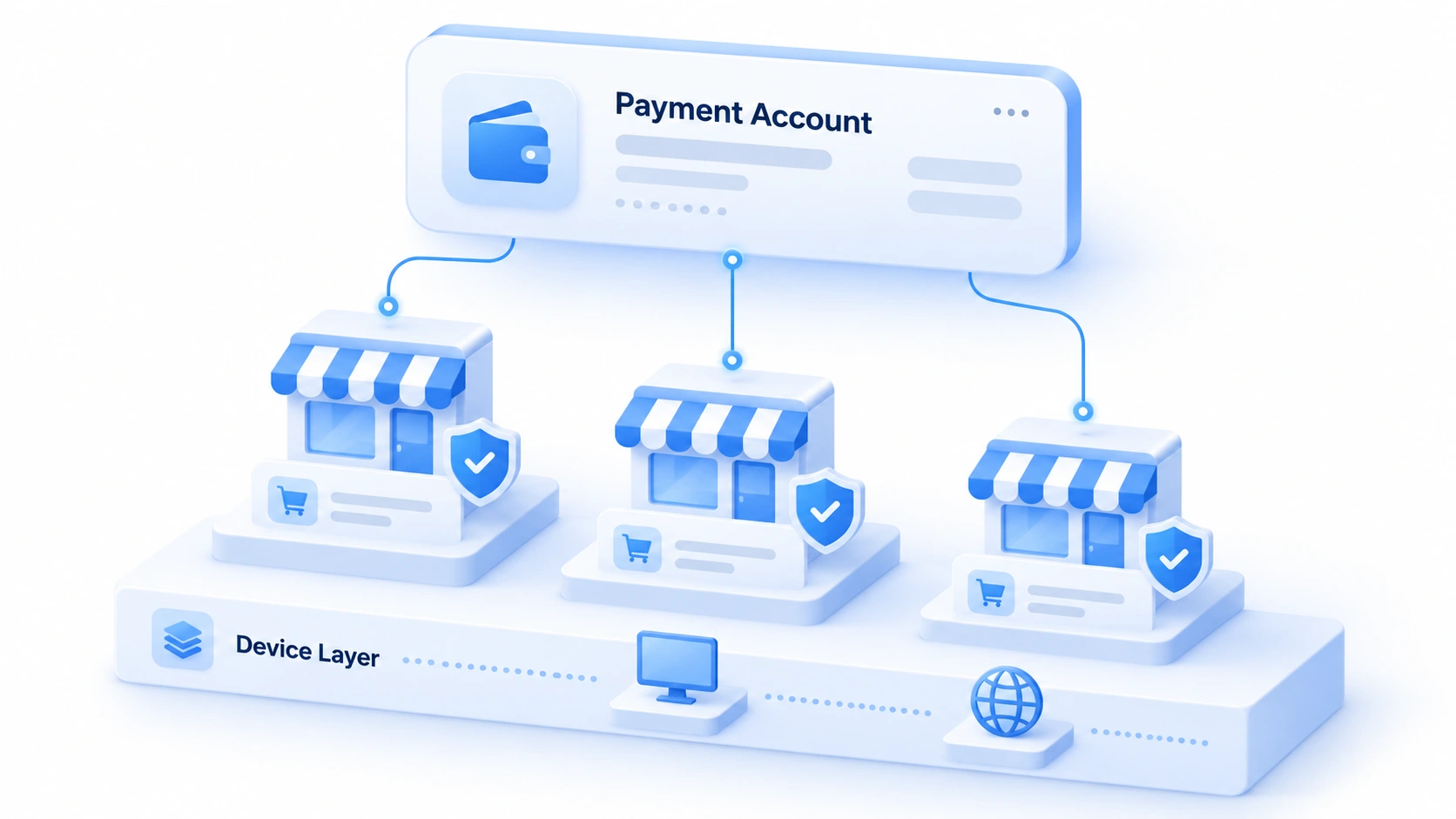
In other words, linking issues at the payout stage rarely come from how many stores you bound. The more common case is that the bound stores do not belong to the same entity. Every rule below builds on this judgment.
Three types of binding signals: entity documents, device environment, and activity rhythm
The signals risk control reads fall into three types, and both troubleshooting and prevention start there. Check the documents first, then the devices. Any single type alone leaves room for interpretation; stacked together, the conclusion is hard to argue with.
Entity documents are the first type. The verified name, business license, legal representative details, and withdrawal bank card all go through consistency checks at binding. Two mismatches are common, and both should be avoided: a store registered under company A with a payout account verified under company B; or a store registered by an individual mixed with a payout account under a corporate entity. When documents do not match, binding may fail at best; at worst it is flagged as a linking violation that drags down store weight and deposits.
Device environment is the second type. The payout dashboard keeps login logs just like a store backend: browser fingerprint, IP location, and login hours are all recorded. Several payout accounts logging in long-term from the same device environment will be grouped as one operator. The reverse also holds: one payout account switching environments frequently triggers verification just like switching devices. The logic here matches our earlier piece on PayPal payout account linking. The payout tool matrix simply swaps a single platform for a set of tools.
Activity rhythm is the third type. In the article above, PingPong specifically warns that frequent changes to account information themselves trigger new risk checks. When binding, unbinding, switching withdrawal cards, and editing entity details pile up within a short window, the risk signals stack on top of each other.
Three common mistakes catch plenty of operators:
- Running the payout dashboard and store backends in the same browser: the stores stay isolated, but the payout layer links them right back together.
- Several businesses under different entities sharing one withdrawal card: document-level linking is even harder to explain than device signals.
- Rushing binding authorization in a temporary environment or on someone else's computer: the authorization record now carries a device that does not match.
Three checklists before binding: entity, store, environment
The binding itself takes only a few minutes; the mistakes are almost always made before it. Verify the checklists first, then act, and you will block most linking risks.
Step 1: Verify the entity. List the registration entity of every store involved and compare each one against the verified entity of the payout account. Names, licenses, and legal representatives all need to match. LianLian's official TikTok payout FAQ adds one more rule: benefits such as deposit refunds also require the store entity and the LianLian entity to be the same (see the LianLian TikTok payout FAQ). For stores whose entity does not match, give them a separate payout account.
Step 2: Sort out the stores. For stores under the same entity, confirm the payout tool generates an independent payout card number for each store. Do not mix personal stores with corporate stores in one account. Check cross-platform stores separately, since each platform's requirements for payout accounts differ.
Step 3: Fix the environment. Decide in advance which environment completes the binding authorization, and keep using that same environment for dashboard logins afterward. Check the proxy line and browser configuration ahead of time; on authorization day, touch nothing else, neither the environment nor the proxy. What should you check before a new environment goes live? The new environment setup checklist lists every item by parameter; walk through it once before you start binding.
Once the three checklists are done, binding is just operation.
Pin down a fixed environment for the payout dashboard in MostMate
The payout dashboard deserves its own environment, separate from every store backend. This environment logs into the payout tool only and never touches store operations. However the store-side environments get adjusted, the login records of the payout layer stay untouched.
Here is how to set it up. Name each environment after its payout tool, entity, and purpose, for example LianLian - Company A - Amazon payouts. Pick one fixed proxy line and route both binding authorization and daily logins through it. Note the verified entity, the list of bound stores, and the binding date in the environment notes; when you need to audit or hand over later, the notes are your ledger.
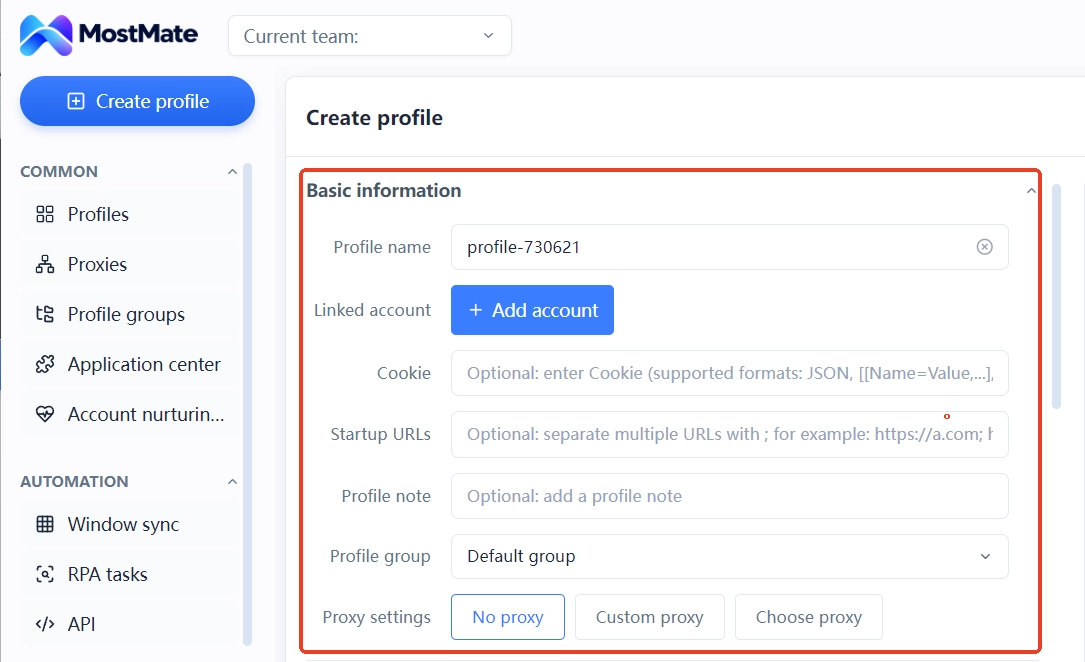
In team settings, sharing the payout environment with the colleague who handles funds is safer than sharing one set of login credentials. The operator can change; the environment does not. Login data always stays inside the environment. For overall planning of accounts and payouts, see the multi-account security management landing page; its role-division practices apply directly.
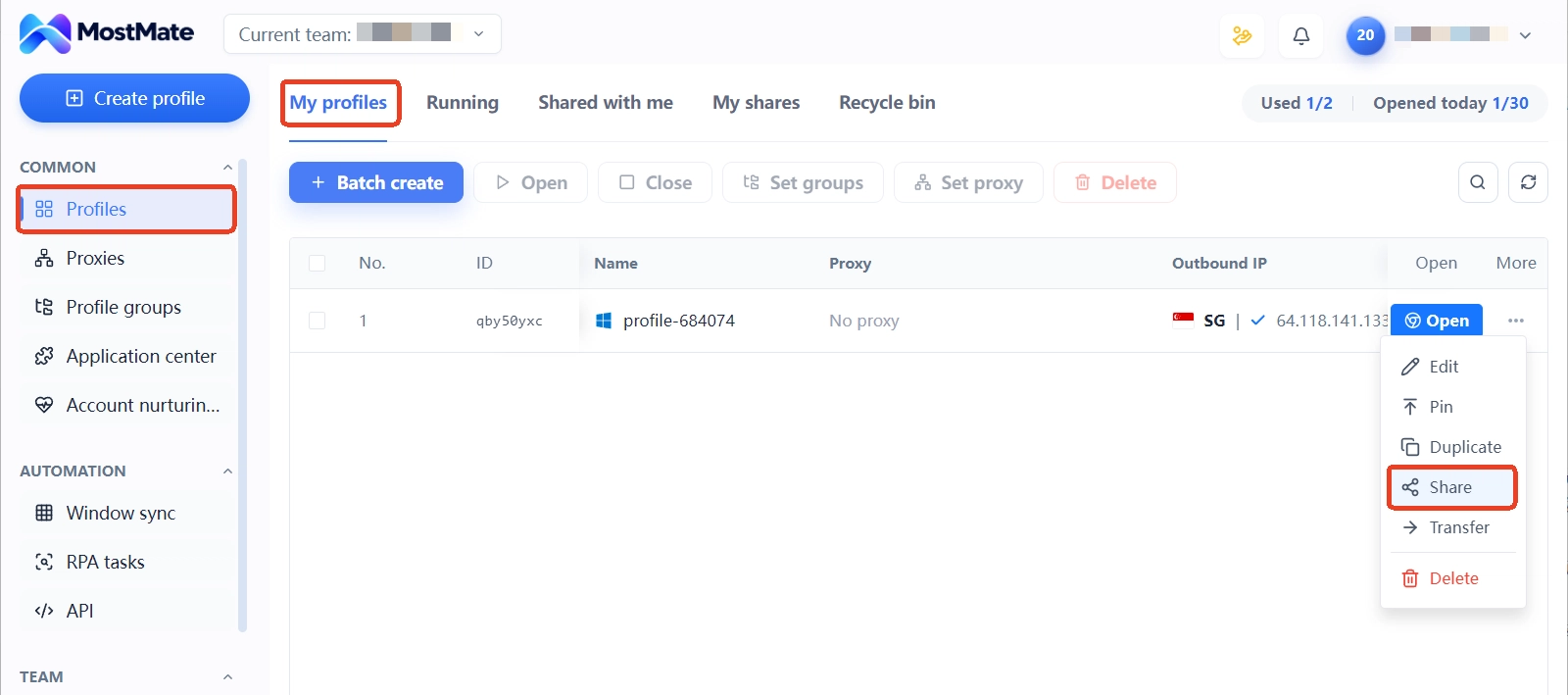
Switching payout tools or re-binding stores: how to move without trouble
The risk of a change lies not in the change itself but in stacking too many changes in the same window. PingPong officially lists frequent account-information changes as a risk-control trigger. Read in reverse: split changes up and space them out.
A few rhythms you can follow:
- Schedule re-binding outside major sale periods, away from platform review and settlement peaks.
- Change one link at a time: switching tools means not touching the withdrawal card; switching the card means not touching entity details.
- Before any change, confirm no funds are in transit and leave about a week of buffer.
- Record the time, content, and environment of every change in a log. Changes must leave a trail.
For the old environment freed up after unbinding, use the categories in our environment reuse and cleanup guide to decide whether to archive or clean it. Clear out the old bindings. Afterward, do not casually use that environment to log into another payout account.
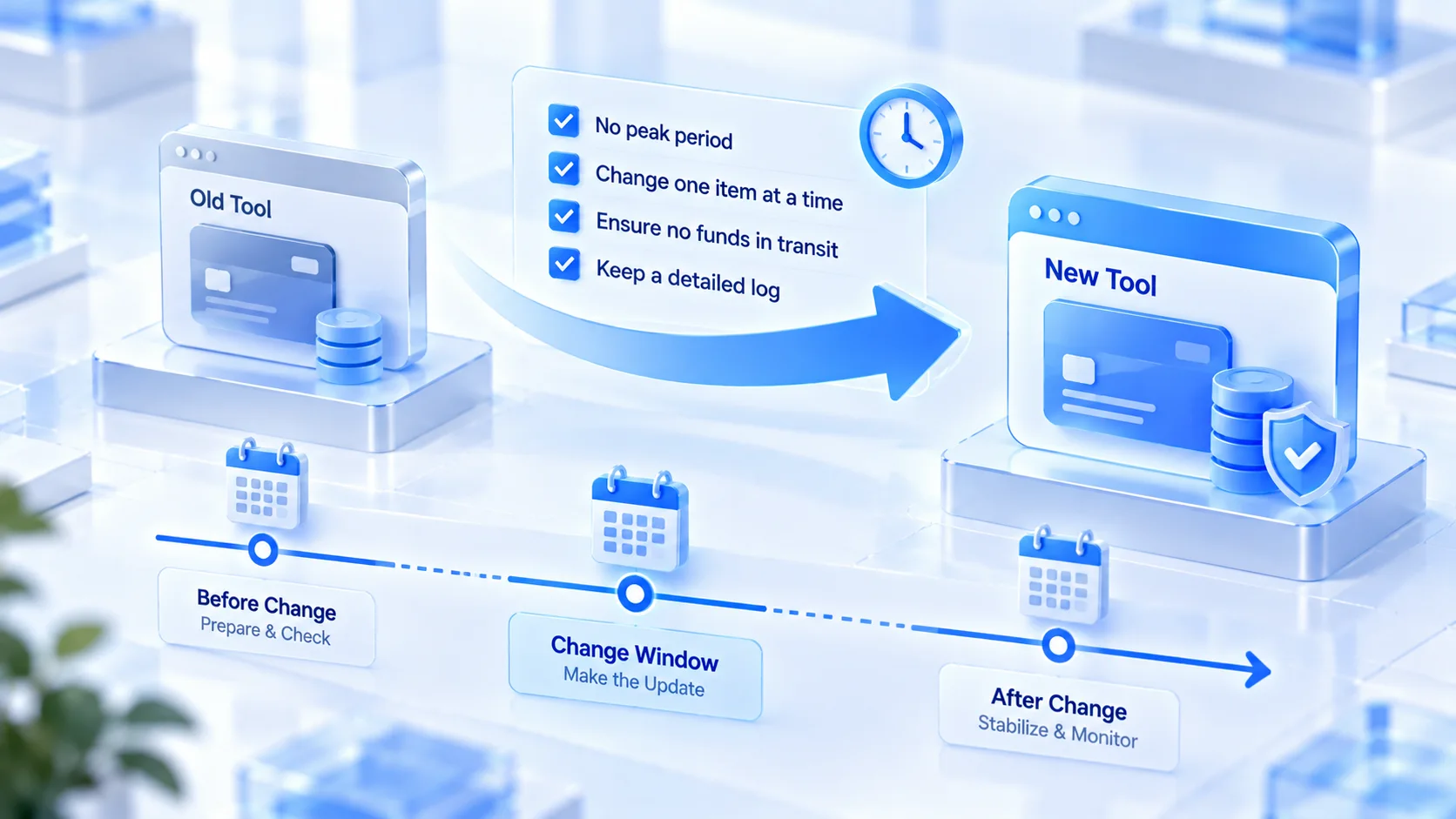
Every record in that log will be your evidence when you need to investigate later.
If abnormal signals have already appeared on the store side, walk through the check items in multi-account association risk self-check, which is sorted by signal type. Amazon sellers facing a linking decision need to write an appeal; start with our POA appeal guide. It includes a checklist for investigating linking causes, and you should include the payout-layer signals in it.
Frequently asked questions
How many stores can one LianLian or PingPong account bind at most?
There is no universal numeric cap; the key constraint is entity consistency. For TikTok stores, LianLian's position is that one account can apply for multiple payout card numbers bound to different stores, and PingPong officially says one account can manage all cross-border sites. Stores under different entities should be split into separate payout accounts. That boundary deserves more attention than the number.
Do payout tools actively detect multiple accounts?
Risk control on the tool side centers on the verified entity and payment compliance; login devices and activity records are supporting signals. The signals are readable, but they do not usually lead to direct penalties. In most cases, the store-side linking decision breaks first and the payout account gets caught up in it.
Is it compliant to log into a payout dashboard with an antidetect browser?
Compliance starts with the account and documents themselves being compliant. An antidetect browser isolates login-device signals; it does not change the money flow or the entity relationships. Licensed payout tools manage accounts by verified identity, and keeping the login environment fixed is a routine way to reduce the risk of false judgment.
If I switch payout tools, should I unbind the old one?
Yes. Leaving store authorizations on the old tool means a no-longer-used entry point remains on the money route. Do the unbinding and the new binding in two stages with a buffer in between; do not squeeze everything into the same week.
Closing thoughts
When it comes to linking risk at payout tools, most of it lies not in the tool but in the binding relationships. Entity consistency is the baseline; a fixed device environment earns extra points; restraint in change rhythm protects you long term. Miss one, and stability is hard to keep. Manage the payout dashboard as an asset on the same level as a store backend. Give it its own environment, a fixed proxy, and clear notes, and the money line is mostly secure.
For payouts across multiple platforms and stores, start by moving the payout dashboard into its own environment. Download MostMate and give each payout entity a fixed environment.

MOSTMATE
Secure Multi-Account Management, Made Simple
Start with your first account and use MostMate to build safer, smarter, and more efficient multi-account operations.
- Independent profiles. Consistent identities.
- AI Automation · Account Health · Team Operations



