
Can You Reuse an Old Anti-Detect Browser Environment for a New Account? A Guide to Reuse and Cleanup
Core takeaway: whether an old environment can serve a new account comes down to three things: whether the original account's login state is fully signed out, whether any local data is left behind, and whether the proxy and configuration records are still accurate. Check all three, then decide whether to keep the environment, clean it up and reassign it, archive it, or start fresh. The judgment itself is not hard; most of the mess comes from skipping it and simply renaming the environment for reuse.
Every team runs into this. A client project wraps up, the accounts stop being used, and the browser environments assigned to them sit idle. Weeks later a new account is ready to launch, and someone renames the old environment and carries on. It looks like a shortcut, but the risk hides in everything that was never checked: login state, local data, and configuration records, none of them touched. This article covers four things in order: what is left inside an environment after logout, when to reuse versus rebuild, the five checks before reassignment, and finally a lifecycle routine for managing environments.
Signed Out, but Is the Environment Really Empty?
Let's clear up a common misconception first: signing out and cleaning data are two different things. Signing out ends the current session, and the website invalidates its server-side session credentials; whatever the browser stored locally is beyond its reach. Login cookies and site data in localStorage can remain in the environment untouched.
MDN puts it plainly: data like localStorage persists per origin until a script or the user actively removes it. See the MDN localStorage documentation.
Local storage. Cookies, localStorage, and cache each run on their own storage mechanism, with different retention periods and different ways of being cleared. Signing out only affects the session-related part; everything else has to be handled separately.
Environment configuration. The proxy is still the same line, the fingerprint parameters are still the same set, and the notes may still describe the previous owner's purpose. The name changed; none of this did.
Ownership records. Which client this environment served, who to contact when something goes wrong, whose entry is last in the activity log, it is all still attached to the old account. When a new account moves in, history and present state end up on one timeline.
Stack these three together and a new account is effectively starting work in an environment with an unclear history. When something goes wrong and you try to trace it back, the records do not line up, and no one can say from which date the environment was actually serving someone else.
Reuse, Clean, Archive, or Build New? Match the Scenario First
Old environments have more than one destination. Match the case first:
| Scenario | Recommended action | Key consideration |
|---|---|---|
| Same account paused, to be reused later | Keep the environment | Keeps login state and config intact |
| Project handed to a new teammate | Keep using after checks | Focus on access and handover records |
| Account retired, environment reassigned | Clean, then reassign | Logout is not cleanup; verify data first |
| Project fully closed, records needed | Archive or deactivate | Keep business records, handle data properly |
| Config messy, purpose unclear | Rebuild if unclear | Never pass on an unclear state |
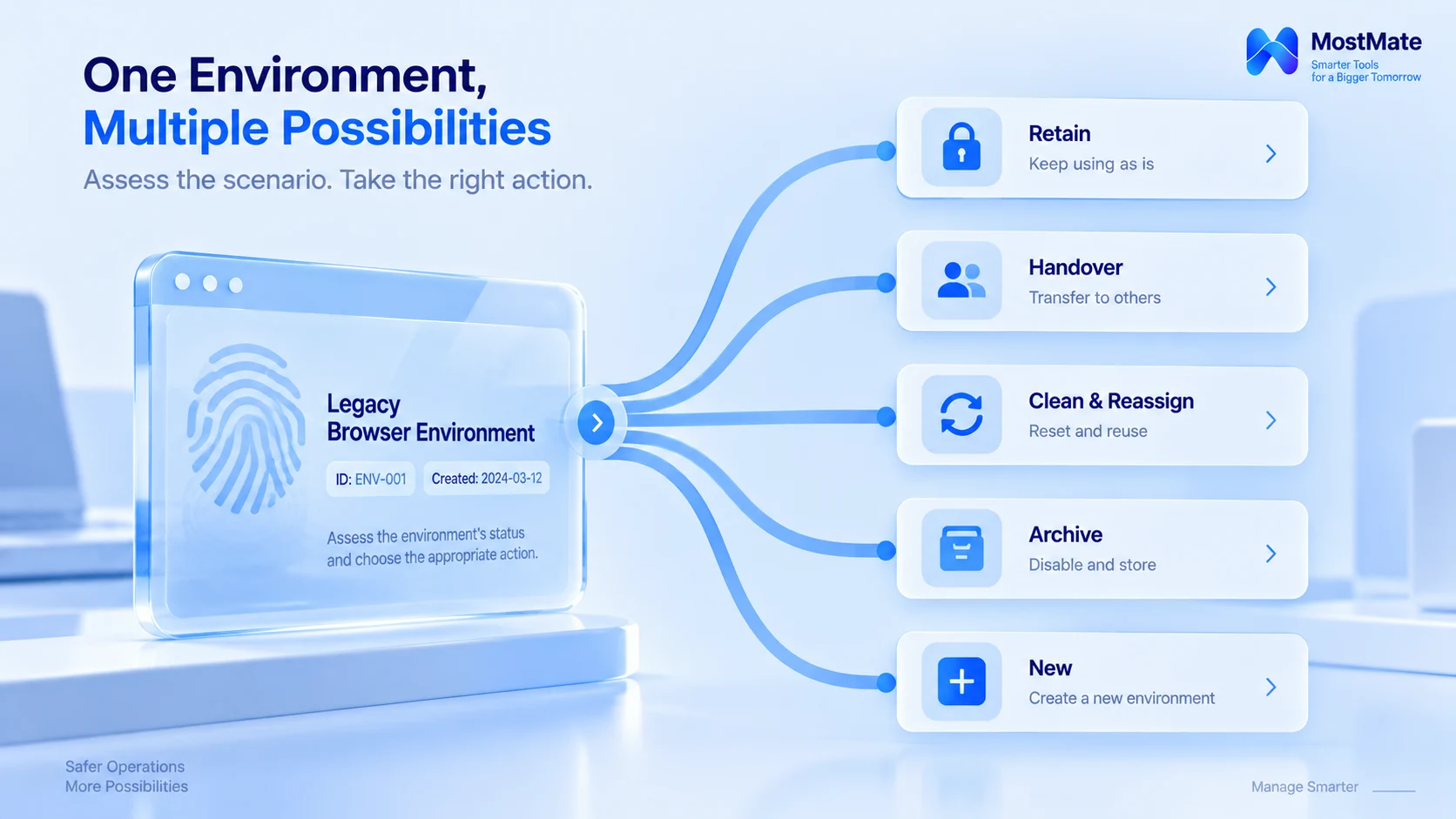
One boundary needs stating here. Creating a new environment changes the boundary of browser data; it does not change the business relationships that already exist between accounts. Platforms recognize accounts through their own rules, involving registration details, usage behavior, and the authorization relationships between accounts. Cleanup and rebuilding manage local order only and offer no guarantee about any platform's verdict.
Five Checks Before Reassigning an Environment
Once you decide to clean and reassign, run through these five:
First, confirm ownership. Which client and which account was this environment originally bound to, and is any business unsettled or handover pending? Leave environments with unclear ownership alone until the records are complete.
Second, check login state. Is the original account still signed in inside the environment? If the account has been retired, close the session the way the platform supports and confirm no login entry points remain.
Third, verify local data. Cookies, localStorage, and cache belong to different mechanisms and are cleared through different paths. As noted above, signing out only covers the session layer; site data needs to be cleared and verified separately.
Fourth, verify the configuration. Proxy line, fingerprint parameters, environment notes, group membership: check each one for accuracy. Run a connectivity test on the proxy first and confirm the exit matches the records.
Fifth, set the final state and update the records. Keep using, clean and reassign, archive, or build new: once decided, update the notes, the owner, and the purpose together so the records match reality.
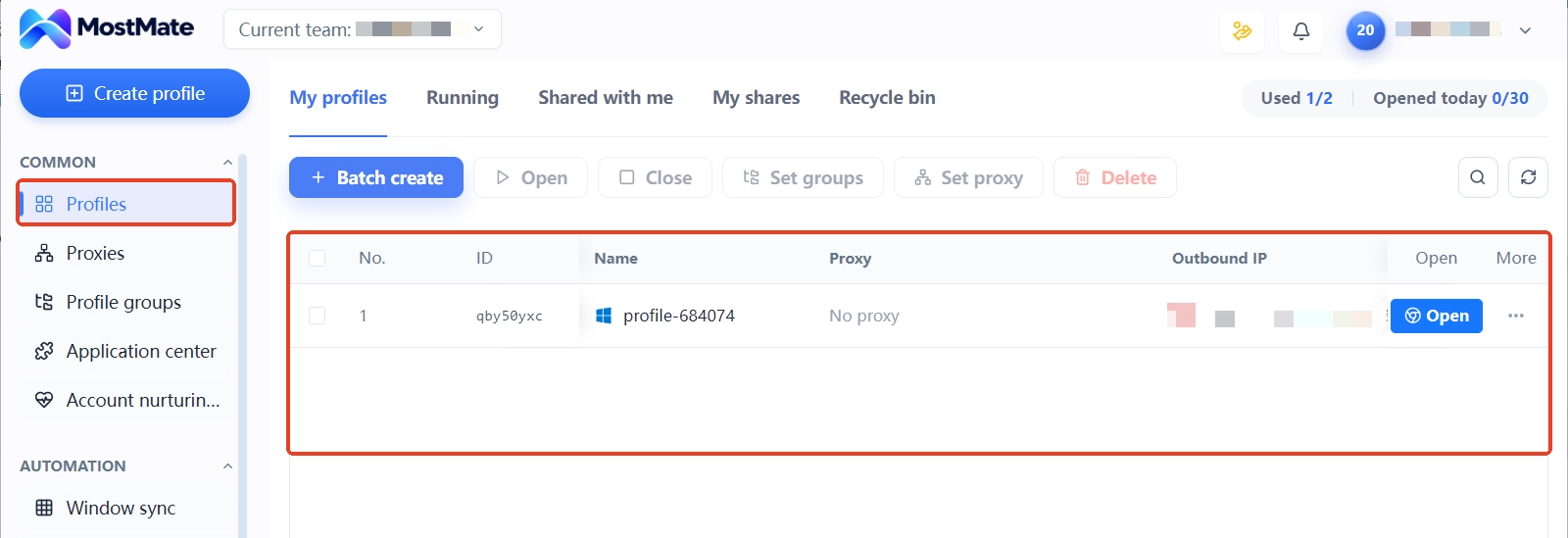
In MostMate's environment management page, each row is the file of one environment, with name, group, proxy, and notes all in one place. These five checks land exactly on that row and the proxy and member records behind it.
Treat Environments as Assets with a Lifecycle
Environments managed loosely depend on memory at every step, and the record breaks the moment someone leaves. Managed by lifecycle, every step from creation to retirement is traceable, and both reuse and decommissioning follow a process. MostMate treats the environment as the basic unit of management: creation, grouping, proxy binding, and member access all revolve around it, which maps neatly onto the four stages below. For the full positioning, see What is MostMate.
1. Create and assign. When creating an environment, write down its purpose, the account it serves, and the owner, so nobody has to guess from the name later.
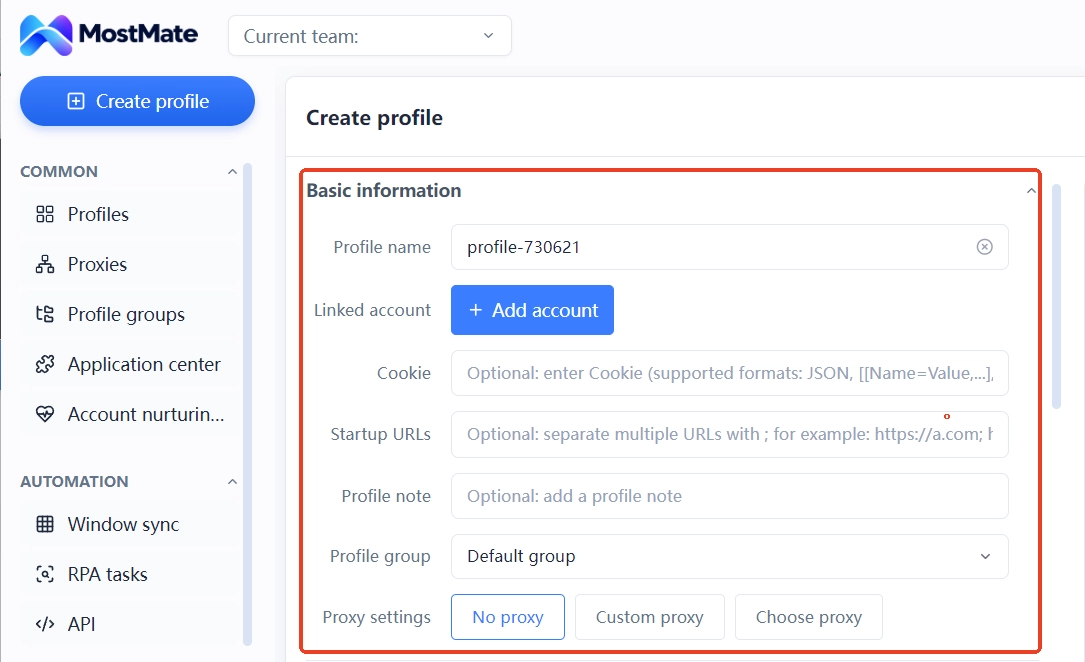
2. Daily use and changes. When the proxy, the owner, or the purpose changes, update the record along with it so every change can be traced.
3. Deactivation and archiving. When a project ends, review access and data-handling requirements first, then decide whether to deactivate or archive; archived environments are sealed per retention rules.
4. Review and reassignment. Before re-enabling, confirm the original purpose has ended, leftover data has been handled, and the new purpose is compliant, then run the five checks from the previous section.
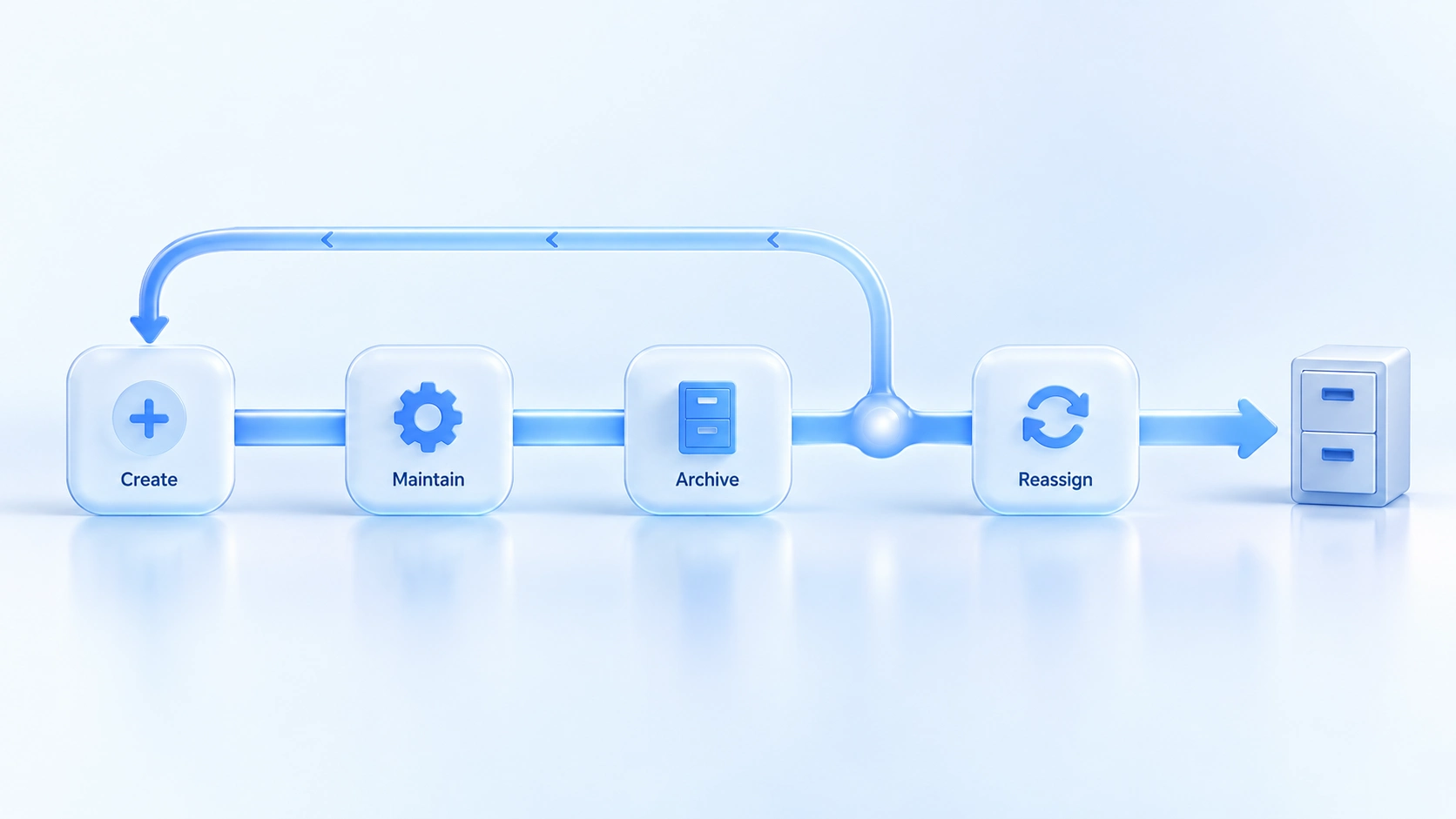
With this routine in place, handovers and audits no longer rely on memory. The ledger mindset was covered earlier in our article on managing multiple accounts safely; you can use the two together. For new teammates, setting up environments properly follows the getting started guide, which gives every later step something to stand on.
Three Common Misconceptions
- Renaming makes it a new environment. A name is just a label; the data, the configuration, and the records are all untouched, so the renamed environment is still the old one.
- Clearing cookies means the cleanup is done. Site data is more than cookies; localStorage and cache each store their own way, so verify the result category by category.
- Building new solves everything. Building new only resets the boundary of local data; the business relationships between accounts and platform rules do not change with it, as explained earlier.
Frequently Asked Questions
After cleanup, can you guarantee the new account will not be linked?
No. Cleanup reduces leftover data and configuration cross-use; the business and authorization relationships between accounts fall within the platform's own judgment, and no tool changes platform rules.
Do cookies and local data get removed automatically after signing out?
Not necessarily. Signing out ends the session; whether cookies and localStorage remain depends on each storage mechanism, so they need separate clearing and verification.
Should an environment be deleted or archived?
It depends on whether you will need it again. For environments that might be reused, archive or deactivate after checking access and data-handling requirements; for those you are sure you will not use, follow your team's deletion policy.
How often should environments be reviewed?
Fixed triggers beat fixed intervals. Staff changes, project closures, proxy swaps, account deactivations: whenever one happens, review the environments involved.
Closing Thoughts
Left unattended, an old environment slowly becomes baggage with an unclear history; sorted through once, it becomes an asset you can use again. Run the five checks before reuse, and use the lifecycle to link creation, changes, deactivation, and review into a closed loop, so the turnover of environments always follows a rule.
To sort through the environments you have now, you can download MostMate, first verifying who owns each idle environment, then deciding what to keep and what to let go based on the scenario.

MOSTMATE
Secure Multi-Account Management, Made Simple
Start with your first account and use MostMate to build safer, smarter, and more efficient multi-account operations.
- Independent profiles. Consistent identities.
- AI Automation · Account Health · Team Operations



