
What Should You Do When Your X Account Gets Suspended?
The core takeaway: X handles accounts through several distinct states. Identify which one your notice describes, then take the matching path: verification, a password change, or an appeal. Most people get stuck because they pick the wrong path. A lockup is cleared by completing verification, a restriction ends after you finish the required action and the countdown runs out, and a suspension leaves only the official appeal. X does not publish review timelines, so any claim that an account will be restored in a few hours has no official basis.
A notice pops up at login saying your account has been locked, and the team chat goes quiet at once. Someone says change your password, someone says wait three days, and someone claims switching IPs will fix it. The advice differs because people are not facing the same state. MostMate is an anti-detect browser that draws clear boundaries for multi-account teams, pairing every account with its own environment. Following the wording of the X Help Center, this guide walks through the four states, the matching handling steps, and the post-recovery review, all in one place.
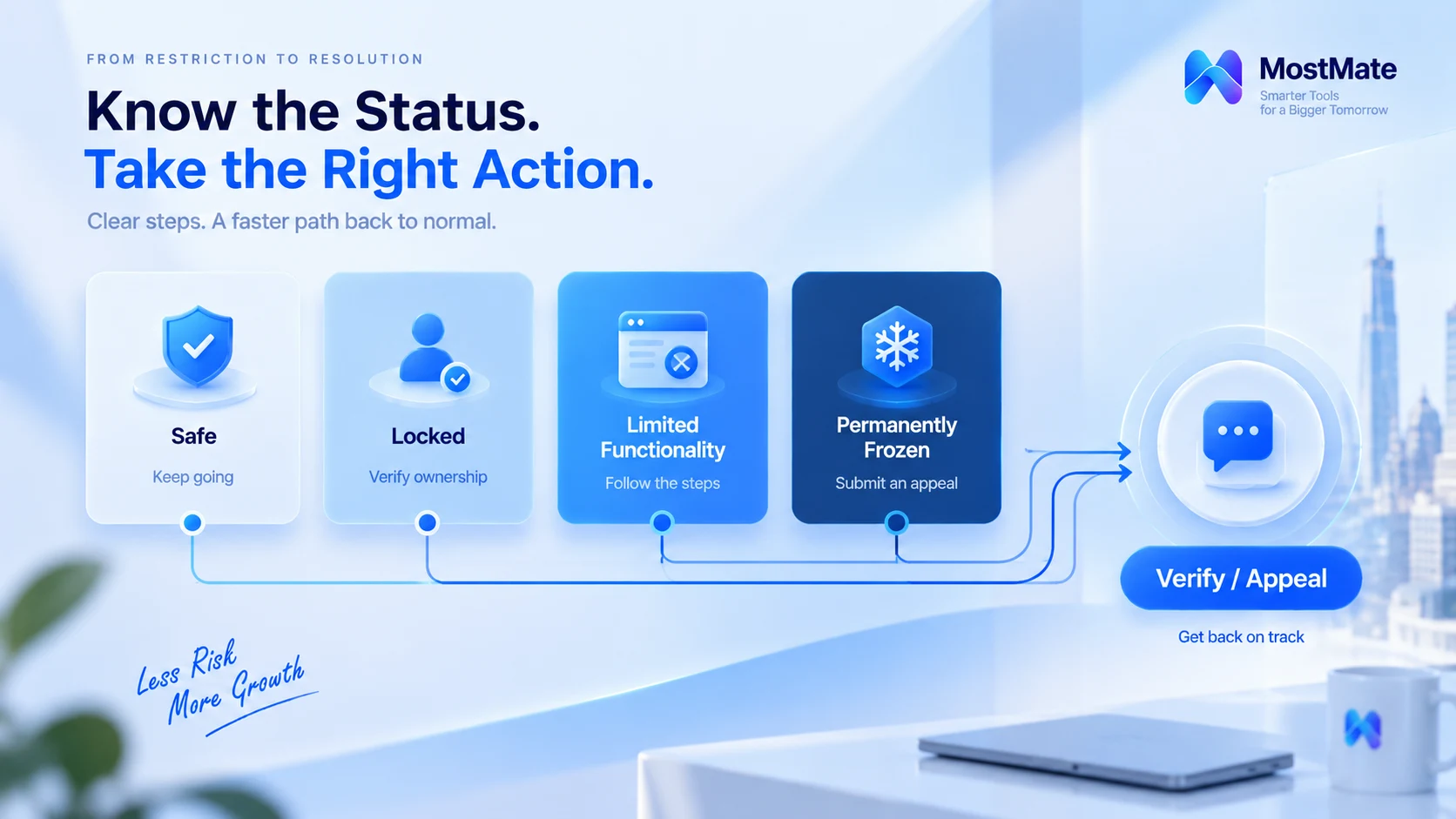
Lockup, restriction, or suspension: tell them apart first
X does not process accounts on a single pipeline from mild to severe; each state has its own way out. The official Help Center groups the common cases into categories, summarized in the table below:
| State | Typical notice | Official path |
|---|---|---|
| Security lockup | Locked for security reasons, suspected theft | Change the password, follow the email steps |
| Ownership verification | Account locked; confirm you are the owner | Verify by phone or email to unlock |
| Features temporarily restricted | Some features have been temporarily limited | Finish the action, wait it out, or verify |
| Permanently suspended | The account has been permanently suspended | Think it is wrong? Contact support to appeal |
Security lockup and ownership verification are both called lockups, but their exits differ: in the first case X suspects the account has been stolen, so you change the password before unlocking; in the second the account usually showed automated behavior that violates the X Rules, and X asks you to prove you are the real owner.
Feature restrictions split further. A rule-violating restriction is a read-only state: you can browse, but you cannot post, repost, or like, and past posts are visible to followers only. A suspicious-activity restriction adds one more choice: either keep using X in a restricted mode within the given time, or verify a phone number or email to regain full features.
Note one thing. There is no fixed escalation order among these four states, and a single violation may trigger a heavier measure right away. Judge by the exact wording of the notice, not by the thought that it went easy last time so it will this time too.
Handle it by state: verification, protection, and appeal
Do not tap through the notice too quickly: the restricted state hides one irreversible choice. The official page states clearly that if you pick Continue to X while features are restricted and enter the time-limited restricted state, the option to restore through verification will no longer appear. If you want to keep the verification route, tap Verify first.
Here is what to do for each state:
- Suspected theft: change the password right away, check the official instructions that arrive by email, then review the third-party apps your account has authorized.
- Ownership verification: enter the code sent to your phone, or use an email code, and submit as prompted to unlock. For accounts that violate rules repeatedly, X may not offer verification at all.
- Feature restriction: complete the required actions as prompted, which may include verifying your email, adding a phone number, or deleting the violating content, then wait out the countdown.
- Permanently suspended: read the rules cited in the notice, and if you believe the decision is wrong, go through the official appeal channel. To appeal a suspended account, log in to that account first, then submit.
One more thing is easy to miss. X's rules are explicit: creating a new account to evade enforcement after action has been taken is itself a violation. Starting over after a suspension does not lower the risk; it stacks it.
Which behaviors tend to trigger restrictions?
X has not published its full decision logic, but the behaviors the Help Center has called out deserve a line-by-line check.
- Excessive engagement. Mass following, unfollowing, liking, or reposting within a short window. The official wording for this is following or engaging excessively, and the usual outcome is a time-limited feature restriction.
- Duplicate content. Multiple accounts posting highly similar content falls under spam and platform manipulation.
- Unauthorized automation. The official list includes states that look like automated behavior among lockup causes, and the authenticity policy also covers impersonation and fake identities. When scripts run your accounts, more than a single post is at risk.
- Security anomalies. Leaked credentials or logins from an unusual location. This one is the simplest to resolve, since a password change fixes it, yet it is the one most often mistaken for a ban and panicked over.
Multi-account teams: check the environment before recovery
Getting the account back is half the job; the other half is finding out whether the team's side created the conditions for it. Four directions:
Are login states being shared across accounts. Several accounts logging in and out of the same browser data leave Cookies and local storage cross-contaminated. MostMate builds isolation at the environment layer: login states, Cookies, sessions, and caches each stay in their own environment, proxy configurations bind independently, and the boundary between accounts is drawn by the environment.
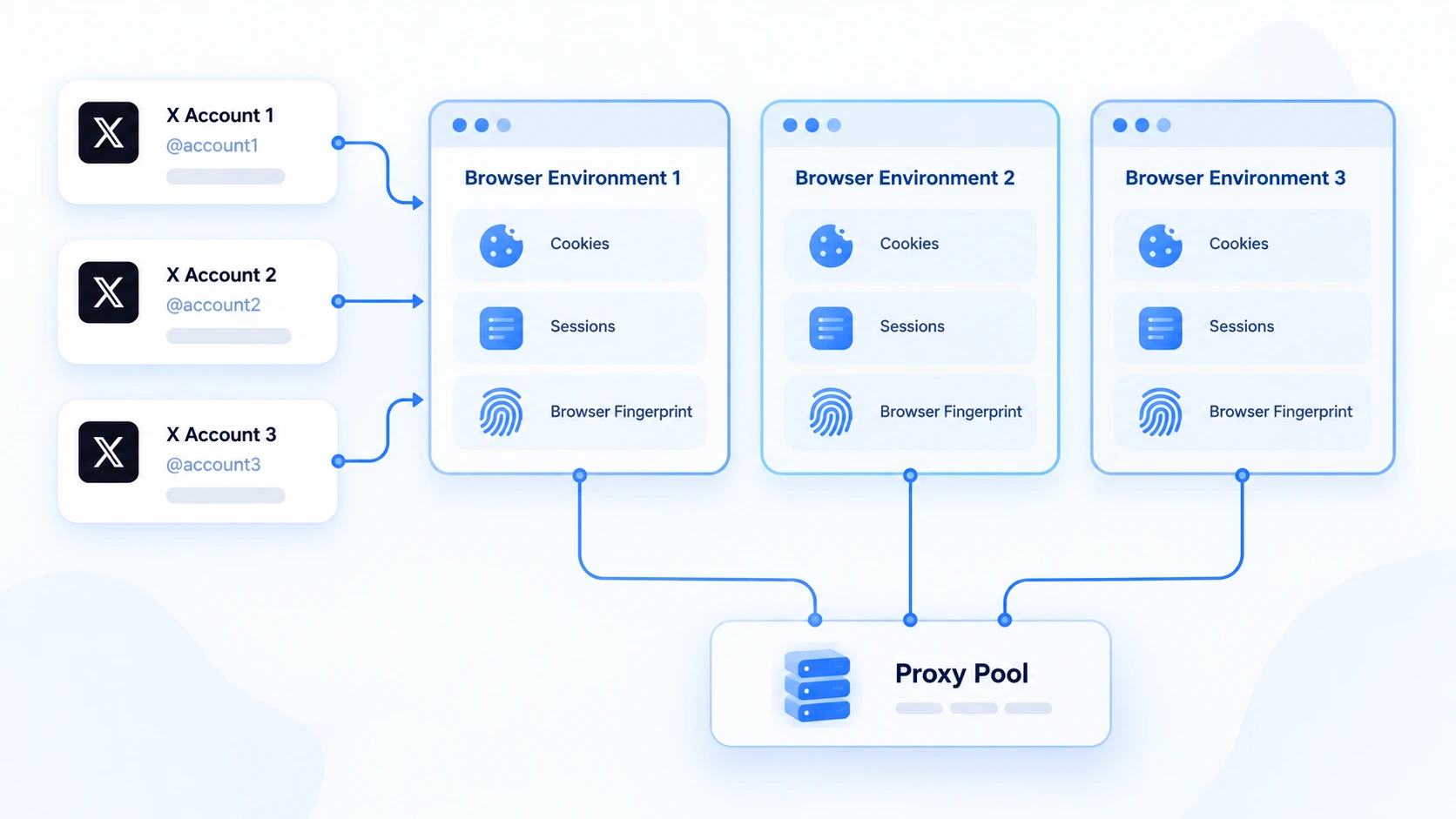
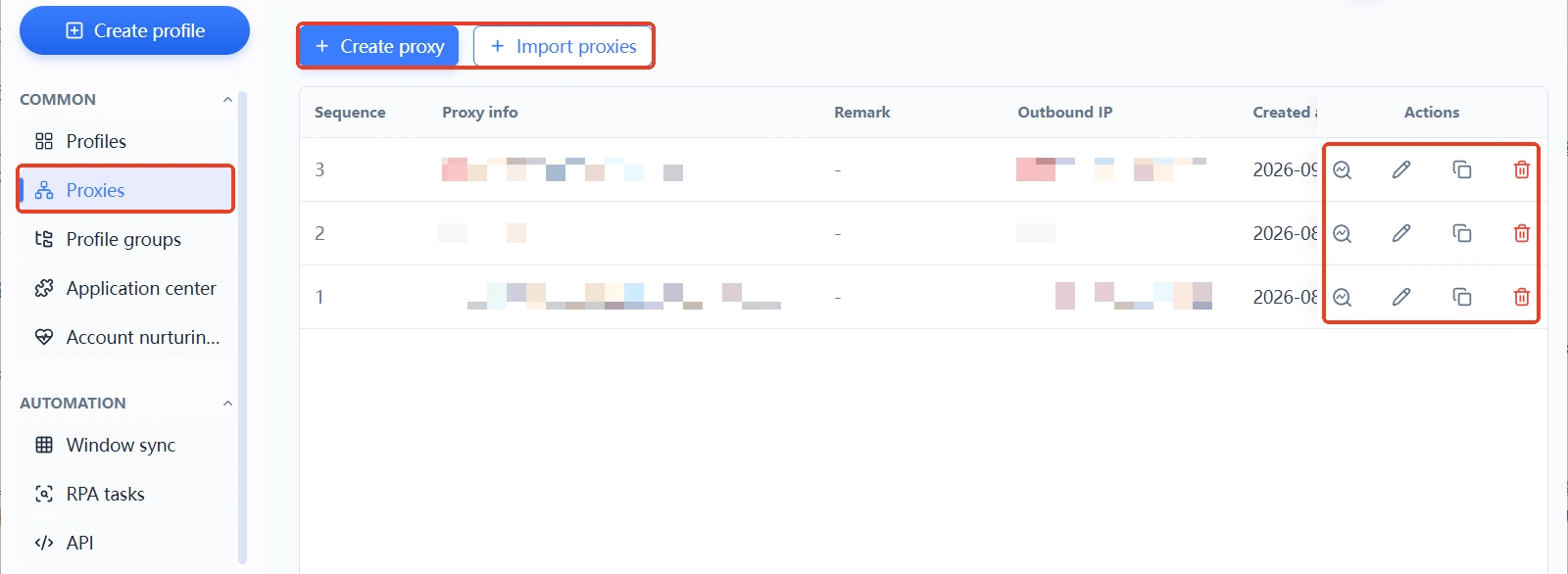
Do the proxy exits match up. Which proxy an environment is bound to, and where its exit lands, should be checkable in the list. Proxies are an asset class of their own, and the proxy maintenance guide recently covered the routine of registering, assigning, and auditing them.
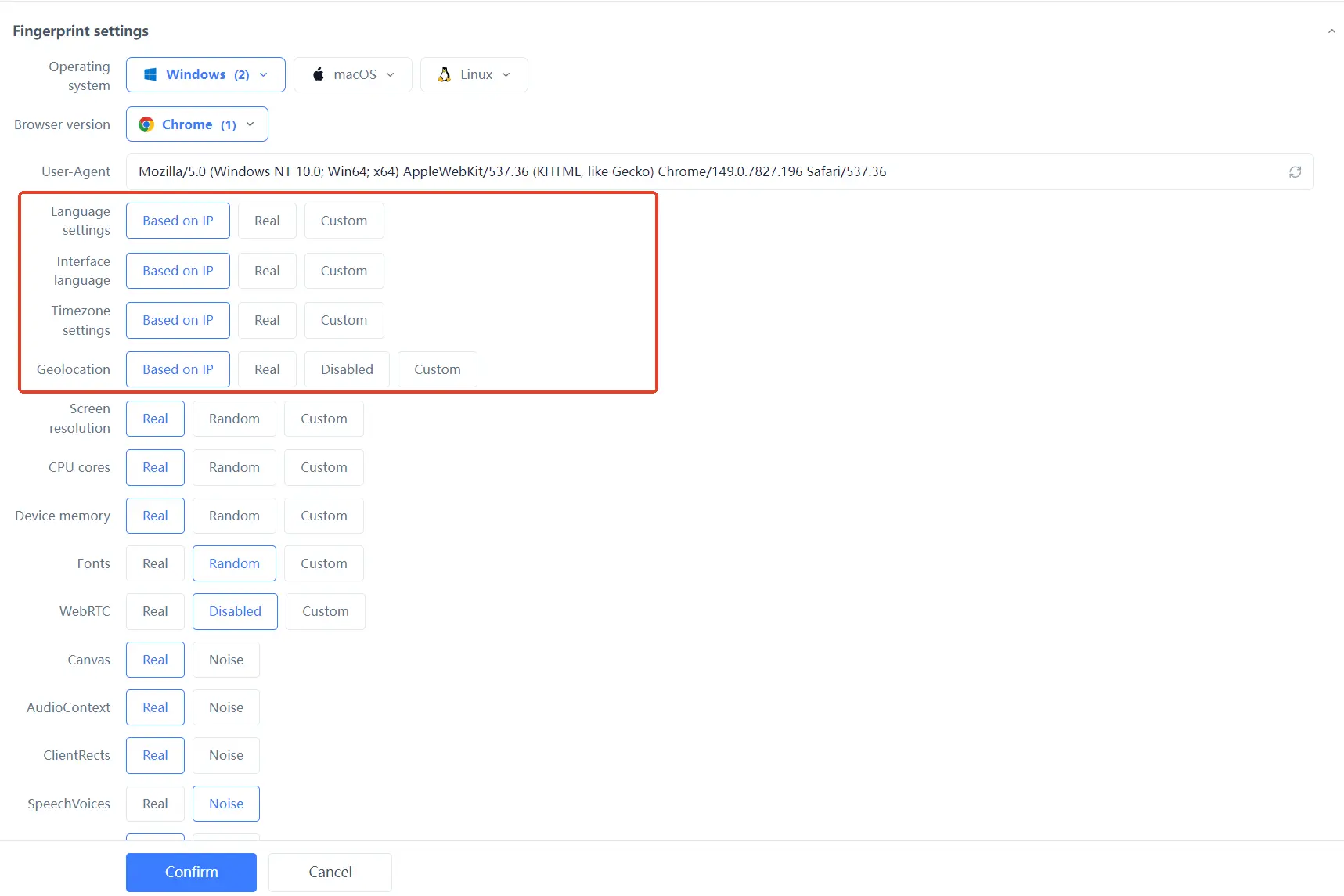
Are the parameters consistent and plausible. Language, time zone, and similar settings have to match the actual region of the business; the anti-association consistency guide has a checklist for aligning them item by item.
Is every action traceable. Who did what in which environment should be on record. MostMate's member logs keep logins, actions, shares, and transfers in separate records, so when a restriction shows up you can trace it back to a person and a time; account nurturing management issues a daily list of operating actions, which gives interaction pacing a rule to follow and stops a fast hand from tipping into excess.
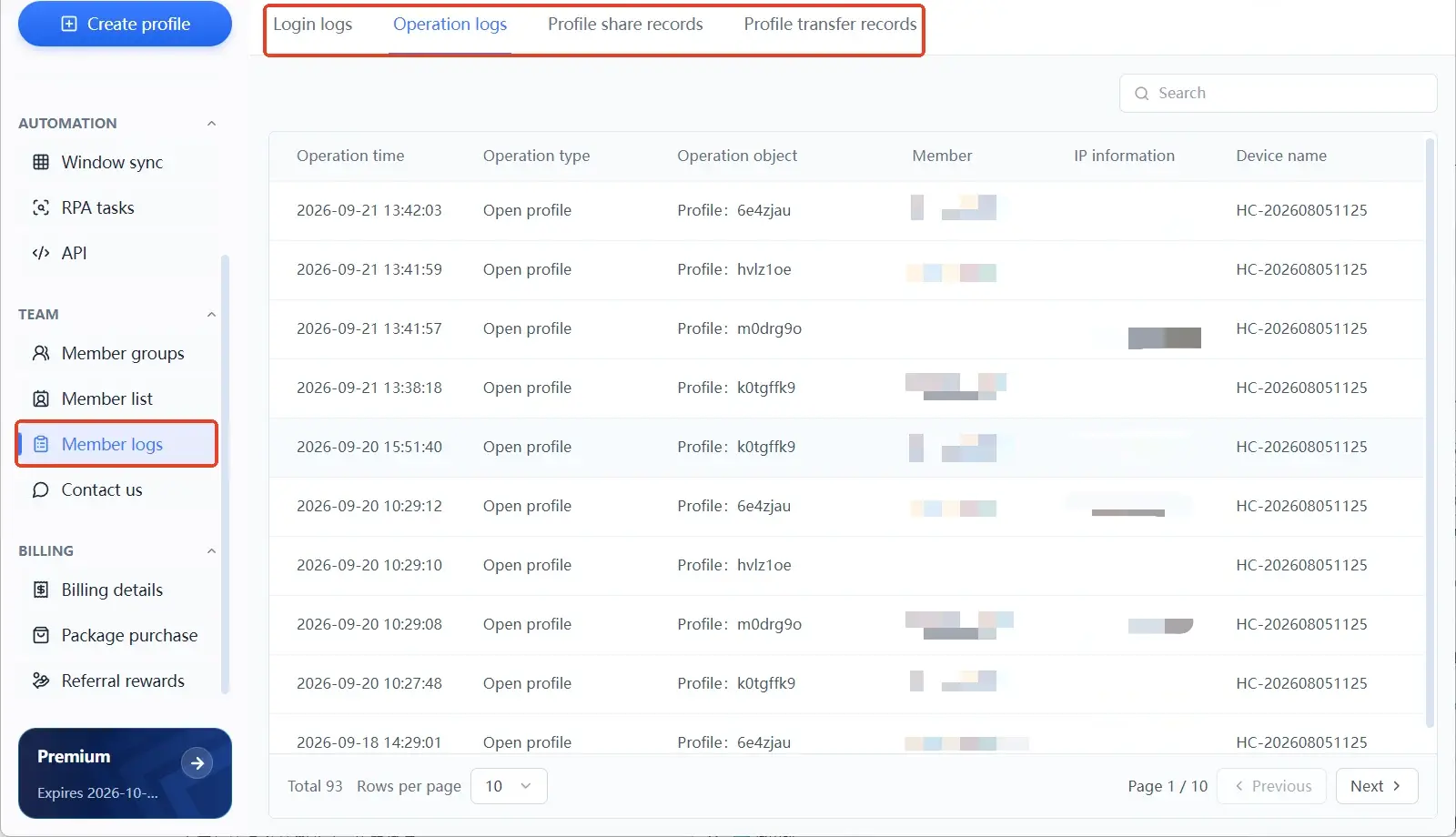
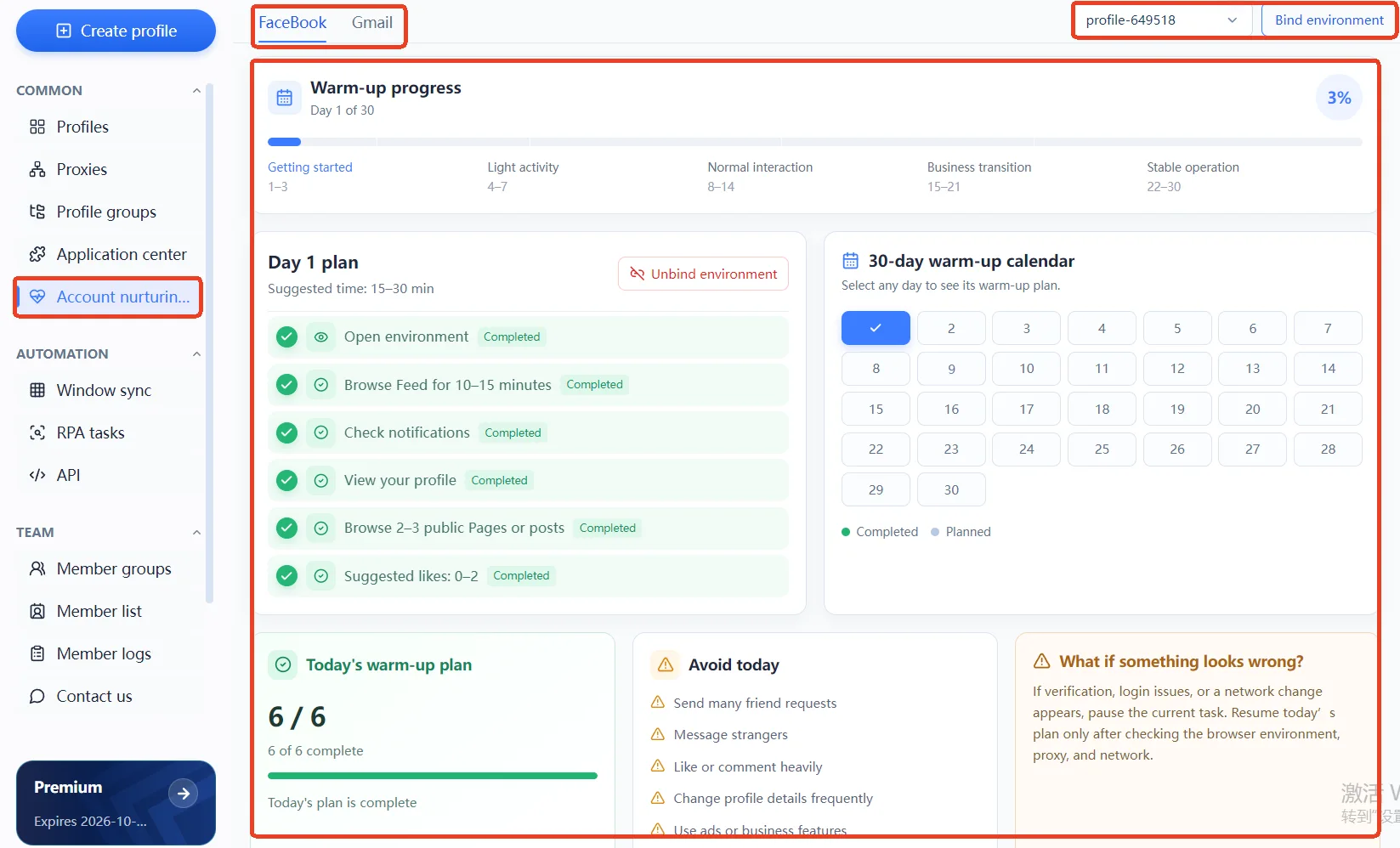
The boundary needs saying up front: these management practices reduce mixing, mistakes, and investigation cost. They do not replace X's judgment.
The five-step review after recovery
The account is back; review prevents the next one. Work in order:
- Archive: save the original restriction notice, the time it happened, and the time it was lifted; the team's investigation records belong here too.
- Compare against the rules: find the clauses the notice cited and check recent content, engagement, and automation workflows one by one.
- Check security: change the password, review email and third-party app authorizations, and rule out theft.
- Check the environment: verify the mapping of environments to accounts, the proxy exits, and the parameter settings, and confirm nothing was shared.
- Adjust the pacing: write engagement frequency, publishing plans, and automation boundaries into the team playbook, then keep watching for official notices.
The fifth step is where the value is. When the same batch of accounts gets restricted a second time, the first review usually stopped at the word success.
Frequently asked questions
How long does it take to restore a locked X account?
X publishes no fixed timeline. For ownership-verification lockups, completing verification unlocks the account; feature restrictions require finishing the required actions and waiting out the countdown; appeals come with no promised response time. The twelve-hour unlock stories circulating online have no official source.
Can you still appeal a permanent suspension?
Yes. Follow the guidance in the suspension notice, log in to that account, and submit an appeal through the official channel; whether it is restored is X's decision after review. Before appealing, match the behavior in question against the rules cited, because a specific account of the facts works better than an earnest one.
Can changing IPs fix a suspended X account?
No. Enforcement targets the account, not the address. A poor-quality IP brings extra verification and risk signals, but restoration runs through verification and appeal; the proxy IP bans guide explains the difference.
Does an anti-detect browser keep X from taking action?
No. An anti-detect browser manages environment isolation, proxy configuration, and team records; it cannot change X's content rules or conduct rules. Overly frequent automation and rule-violating content draw restrictions no matter the environment.
Can one team run multiple X accounts?
Technically yes, provided the boundaries are clear: each account in its own environment with its own proxy, environment names and ownership in a ledger, and member permissions and handovers on record. X's authenticity policy places specific constraints on multi-account engagement, so the operating practices have to stay within the rules.
Closing
When an X account is suspended, step one is recognizing the state, step two is taking the right path, and step three is removing the conditions on the team's side. Do all three and enforcement stops being a matter of luck. MostMate keeps environment isolation, proxy ledgers, and member logs in one workspace, so a multi-account team's day-to-day stays checkable. The full feature list is on the MostMate website.
Next time a lockup notice pops up on a team account, run through the state table in the first section before acting. To set up a multi-account environment with clear boundaries for your team, the MostMate download page has the client; once it is installed, start by creating an environment for your most important account.

MOSTMATE
Secure Multi-Account Management, Made Simple
Start with your first account and use MostMate to build safer, smarter, and more efficient multi-account operations.
- Independent profiles. Consistent identities.
- AI Automation · Account Health · Team Operations



