
How to troubleshoot TikTok zero views: check the network before blaming the content
Core takeaway: with zero views, classify the state first, then act. Counting delay recovers on its own once review finishes, a restricted single video calls for redoing the material, and several zero-view videos in a row point to the network first. Deleting and reposting is the one move that should not come first in any of the three states. Most detours start right here: skipping the classification step and doubting the content instead.
A video has been out for over an hour and still sits at zero views. The usual reflex is to blame the material, delete and re-upload, or push out another video on a different topic right away. These moves often make things worse. Re-uploading exposes the new video to duplicate content detection. Posting new content in a row also hands the anti-fraud system more signals to verify. Among the causes of zero views, content quality ranks surprisingly low. Network environment, review status and account history break down far more often than expected. The value of troubleshooting lies in the order.
First, the reference tool. MostMate is a fingerprint browser that runs each account in its own network and browser data. The steps below use its environment and proxy management. The method itself does not depend on any specific tool; an equivalent product works just as well.
"Zero views" is three different states: sort them out before acting
Zero views is not a single fault. It covers at least three states, and each calls for a different path. A zero one hour after posting is usually review still in progress, with the counter not yet started. One video stuck at zero for a long time points to that material. Several videos, or every new upload, at zero means an account-level block becomes likely. An operations-focused cause analysis draws the same distinctions. Decide the scope first, then decide what to touch.
| State | Typical pattern | First move |
|---|---|---|
| Counting delay | Zero within an hour; others normal | Wait, touch nothing |
| Restricted video | One video stays at 0; the rest normal | Check material source, music and copy |
| Account-level block | Consecutive 0s, or For You share at 0% | Check network and account history |
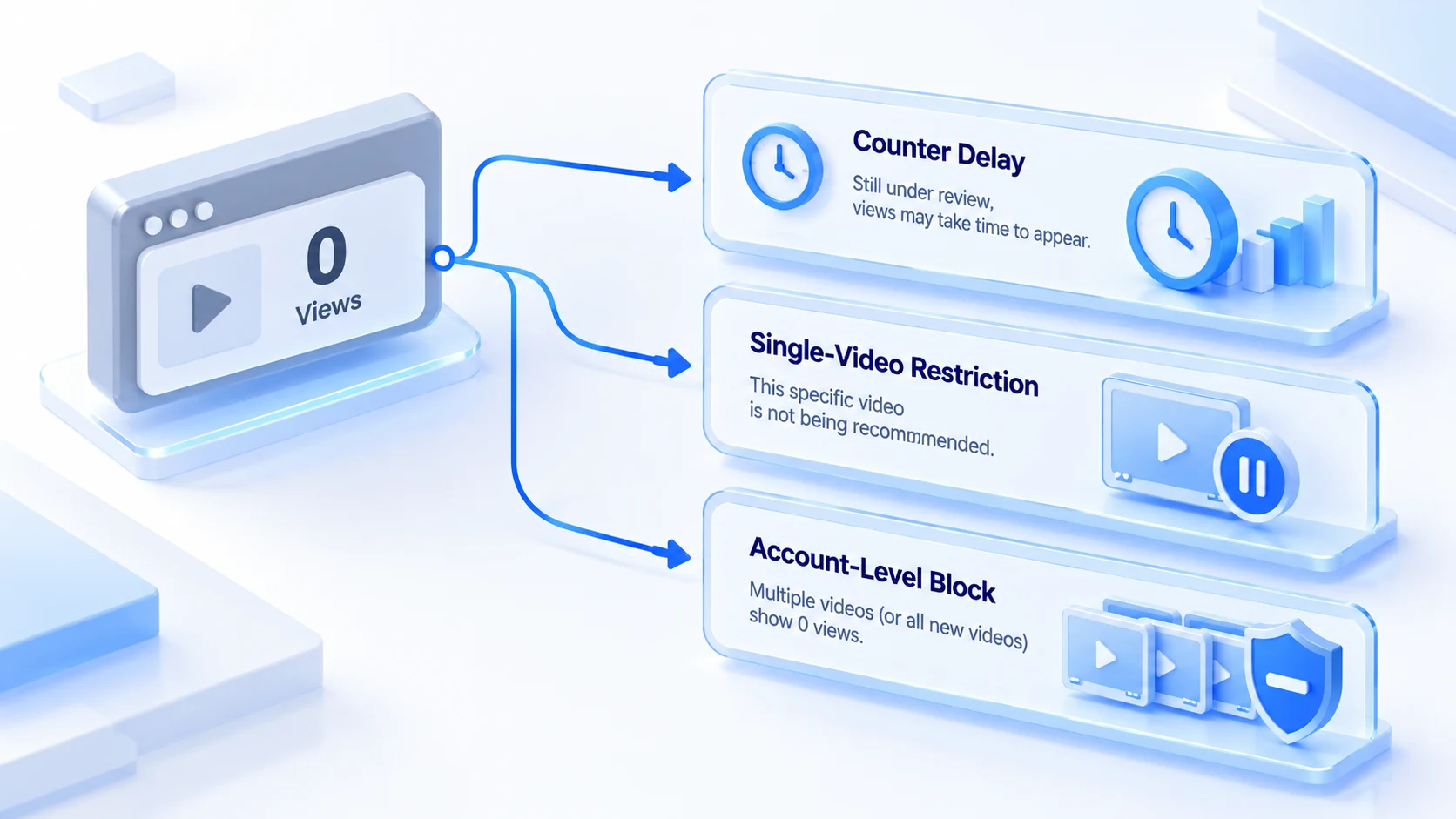
The scope check takes two looks: whether this video is the only anomaly, and whether other videos from the past week perform normally. Once the scope is set, the rest of the check has a clear thread, and you stop swinging between deleting and swapping material.
Network check: the signals anti-fraud systems read first
Hard zero views at the account level mostly trace back to network layer signals, and this layer is exactly what content issues tend to mask. Multiple third-party operations sources report the same observation. When an upload is stopped by anti-fraud filters, three triggers come up most: flagged datacenter proxies, VPN exits on blacklists, and device fingerprints linked to previously banned accounts. These blocks come with no notice. No violation alert pops up; the video simply sits at zero.
Work through the four items below and most network layer problems will surface:
- Exit IP type and reputation. Datacenter IP ranges carry a higher review weight by default, and a flagged exit drags down the accounts behind it. The trust gap between residential and datacenter exits should factor into your choice; residential vs datacenter IP compares them in detail.
- Regional consistency. Exit region, the market entered in the account profile, and the audience region the video targets: when the three sides disagree, account credibility drops.
- Parameter leaks. WebRTC exposing the real internal address, or timezone and language disagreeing with the exit region, are environment layer flaws. Checking and fixing WebRTC leaks lists the checkpoints one by one.
- Shared exits across accounts. Several accounts on one IP means one incident puts every account on that exit under review. This signal is fully within your control: separate the exits and it disappears.
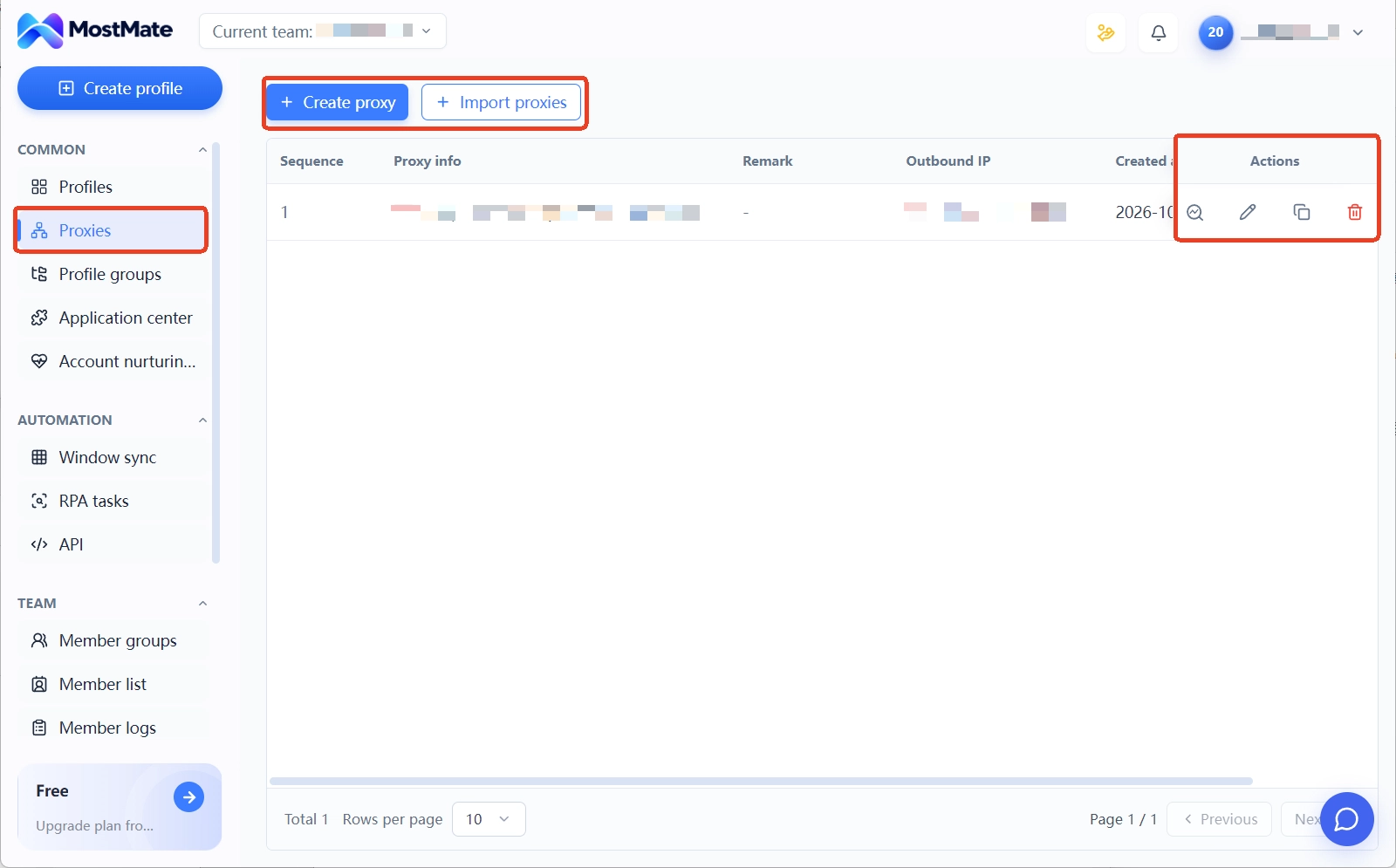
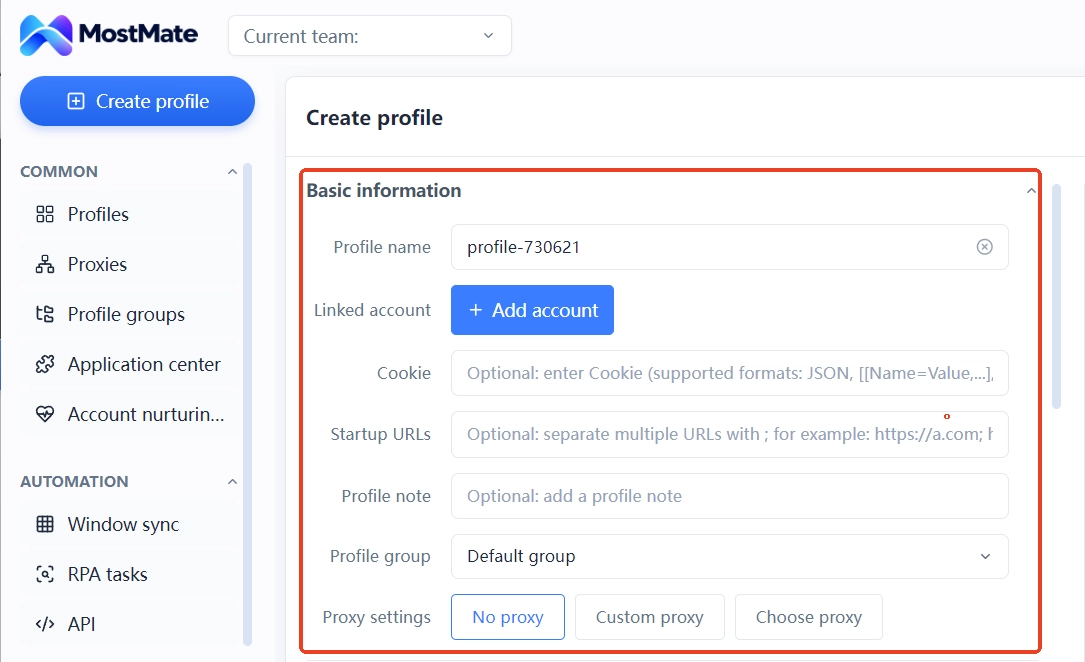
Managing this layer with tooling saves a lot of effort. In MostMate each environment binds its own proxy, the connection is tested before launch, and the actual exit is re-verified on a detection page. Proxy setup passes two acceptance gates: it connects, and the logic is consistent; the specifics are covered in how to check a proxy. Timezone, language and other environment parameters align to the exit region automatically, with no manual entry. Regional consistency drift is removed the moment the environment is created.
Visibility verification: no third-party tools needed
To tell whether an account is shadowbanned, the platform's own analytics are enough, since external "shadowban checker" tools cannot access the platform's internal review records, and their verdicts are reference only. Verification runs in three steps:
1. Wait the full 24 hours before concluding anything. Review queues back up during posting peaks, and late counters are normal. Editing the copy, swapping the music or deleting the video in this window sends it back to the queue. 2. Check traffic sources. The video analytics page shows the For You feed share. Three or more videos in a row with 0% For You traffic, views coming only from profile visits and followers, is the classic signal of account-level isolation. Later's operations blog has a full breakdown of the shadowban mechanism with a signal list to check against. 3. Run a visibility test from another account. Search the username with a small account running in an isolated environment, and check whether the video is visible on the profile and in search. Run the test off the main device. If the platform links the two accounts, restrictions tighten for both.
If the results match an account-level block, go back to the previous section and re-run the network check; if the data is actually fine and only the For You share is low, the problem sits at the material layer.
Content layer: check the material after the environment
Zero views persisting after a clean environment check points at the material itself. Four content layer causes come up often. Videos reposted from other platforms carry the original watermark and get identified easily. Light re-edits of trending videos are filed as duplicate content. Business accounts using music reserved for personal accounts trigger copyright muting or reduced distribution. Editing the copy or hashtags after posting sends the video back into review and wipes the early data.
For a video already blocked, the play is to rebuild, not to revive in place. Re-exporting the material, changing the first three seconds, replacing the audio, and uploading as a new file is far safer than delete and re-upload. Deleting and re-uploading triggers duplicate content detection and suppresses the new upload along with it. The platform reacts to these signals faster than most creators expect.
Response order and long-term prevention
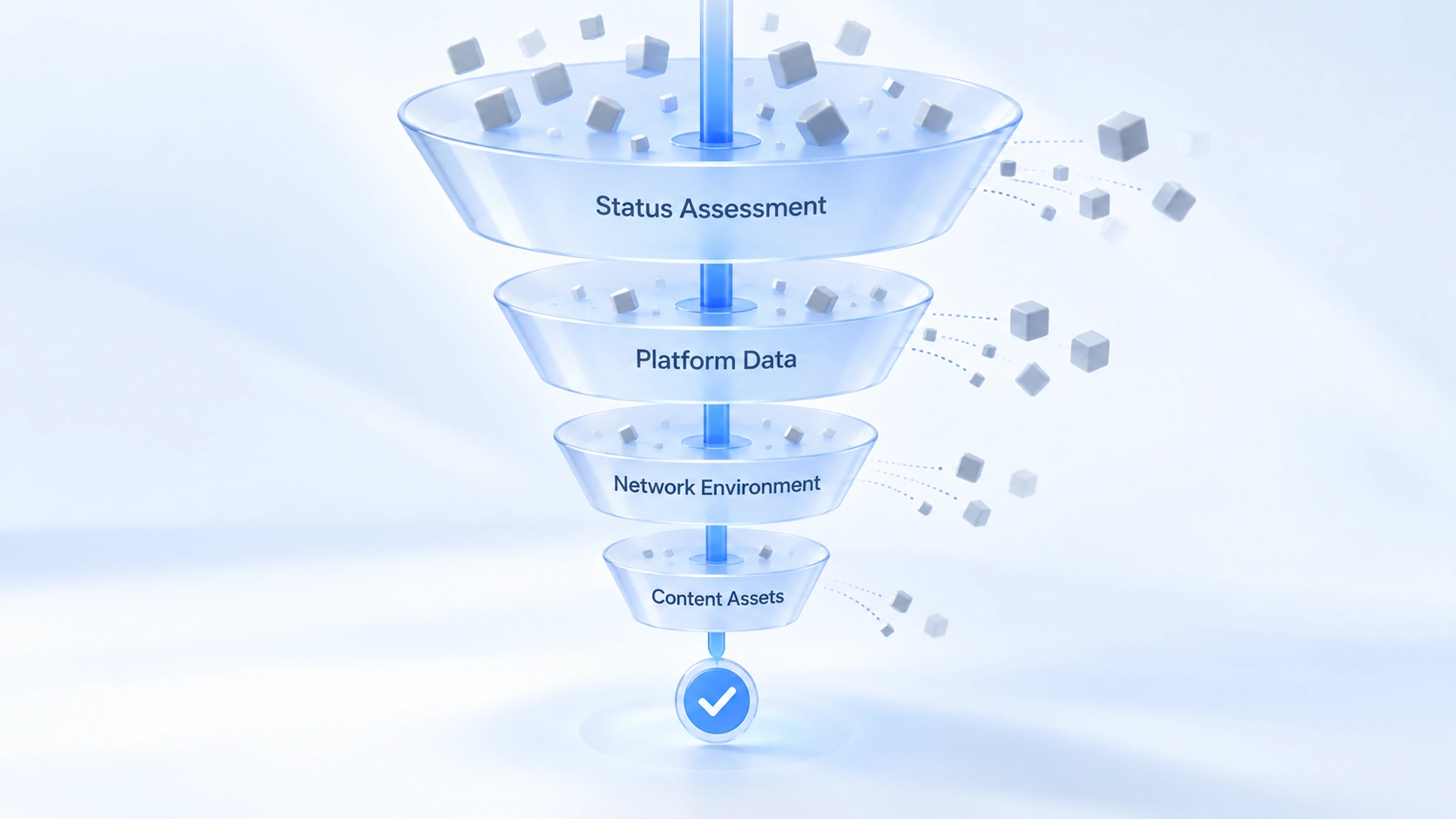
Fold the checks above into one fixed order to follow when trouble hits:
- Set the scope: one odd video, or several in a row.
- Make no edits during the observation window; let the counter finish review.
- Check traffic sources and the account status page for account-level signals.
- Check the network: exit type, regional consistency, parameter leaks, shared exits.
- Rebuild at the content layer: new export, new opening, new audio, upload as a new file.
Long-term prevention costs less than troubleshooting after the fact. Give each account a fixed environment, assign proxies per account, and keep exits from overlapping. Note each environment's purpose and the date of its last anomaly in the remarks; during an incident, records beat memory. The product page What is MostMate explains how environments, proxies and fingerprints fit together. Daily checks can plug into the device, IP and behavior checklists for multiple TikTok accounts; zero-view troubleshooting is exactly that IP checklist in action.
FAQ
How long does TikTok zero views usually take to recover?
It depends on which layer is stuck. Counting delay usually clears on its own within minutes to hours; a single problem video goes through a fresh review after being rebuilt and re-uploaded; recovery from an account-level block takes weeks, and starts with cleaning up the environment before watching how new videos perform.
Does switching the IP fix zero views?
Not necessarily. IP blacklists are one common cause of hard account-level zeros, but parameter leaks, shared exits and duplicate material also stop distribution. After switching exits, timezone, language and other parameters must realign to the new exit. Changing only the IP and leaving the parameters alone makes account credibility worse.
Should a zero-view video be deleted and reposted?
Not recommended. Delete and re-upload triggers duplicate content detection, and the new upload can be suppressed with it. Rebuild instead: new export, new opening, new audio, uploaded as a new file. That is the steadier path.
How can I tell if an account is shadowbanned?
Look for three signals: several videos in a row with 0% For You feed share, an account status page with no violation notice while data stays abnormal, and a video invisible in search from a small account in an isolated environment. All three together point to a shadowban; one weak video is normal fluctuation. The platform never uses the word shadowban; the official phrasing is "not eligible for recommendations."
Closing
The core of zero-view troubleshooting is not hunting one universal cause. It is routing by state and moving layer by layer: set the scope, check the network, and only then the content. Content issues carry the highest emotional cost, so they come last; network issues are the easiest to overlook, so they come first. With the order right, most checks close within a day.
Teams still switching networks by hand and logging in and out can download MostMate first and lock in the environment-to-proxy mapping. Next time something breaks, pull up the order in section five, and step 4 takes only a few minutes.

MOSTMATE
Secure Multi-Account Management, Made Simple
Start with your first account and use MostMate to build safer, smarter, and more efficient multi-account operations.
- Independent profiles. Consistent identities.
- AI Automation · Account Health · Team Operations



