
Managing Multiple TikTok Accounts: Three Self-Check Tables for Devices, IPs, and Behavior
The core takeaway: when something goes wrong across multiple TikTok accounts, check first the three things you can verify yourself: device and browser profiles, IP and network connections, and account activity. This guide turns each one into a self-check table with clear criteria. Fix what you find. For what you cannot trace, follow the platform's process. One boundary up front: whether the platform has linked your accounts cannot be confirmed from the outside. The three tables cover the configuration you control, not the probability of linkage.
A common scenario: one team runs several TikTok accounts for different brands, regions, or content lines. Members take turns logging in. Proxies change now and then. Profile settings have been revised several rounds. One day an account suddenly demands verification, days later another gets restricted, and nobody can say where the problem started. The right move then is to walk through the configurations and records you can verify, not to swap in a batch of new IPs and hope.
Start with what you can control.
Set the platform rules straight as well. TikTok allows operating multiple accounts for genuine, legitimate purposes. Yet the integrity and authenticity section of its Community Guidelines explicitly prohibits using multiple accounts to deceive, manipulate engagement, or evade enforcement. If an account is already restricted, follow the platform's process; do not bypass it with a new account. Multiple accounts are not a violation in themselves. Manipulative behavior is.
Table 1: Devices and Browser Profiles
A device is more than the computer or phone. It also covers the browser profile you actually use, login sessions, and related settings. Go through each item:
| Check item | What to verify |
|---|---|
| Profile ownership | Each account has a clearly named profile |
| Login data | No mixed cookies or login sessions |
| Parameter records | Language, timezone, OS settings documented |
| Handovers | Access rights updated after staff handover |
| Change records | Profile parameters or devices changed lately |
Every item has a basis for checking. If profile ownership is unclear, go back to the account-to-profile mapping. If login data looks mixed, check the current profile, its account, and the login state. If parameters do not match, compare against previously saved records.
MostMate works at this layer by giving profiles clear names, groups, and parameter settings, so the team always knows which account a profile belongs to and what configuration it runs. The environment isolation guide covers the full rationale. One point bears repeating: the goal is clean configuration, no shared data, and traceable records. Randomly changing fingerprint parameters to make accounts "look different" points in the wrong direction.
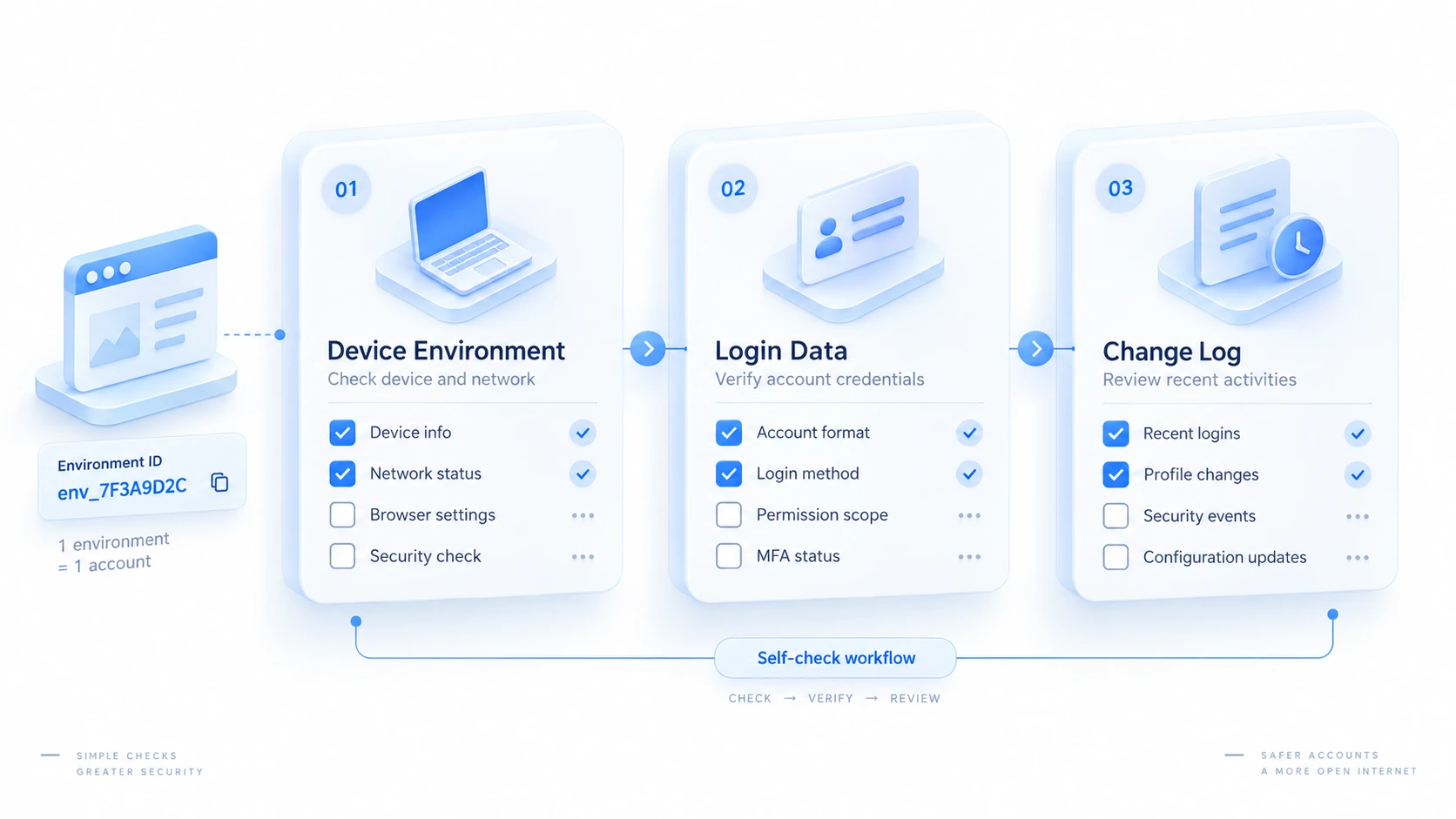
Table 2: IP and Network Connections
A proxy IP and a browser profile are two different things. The proxy decides the network exit. Profile management handles browser data. Check them separately:
| Check item | What to verify |
|---|---|
| Proxy connection | Proxy connects when the profile starts |
| Actual exit | Detected external IP matches what you expect |
| Region fit | Exit region fits the business scenario |
| Change timing | Proxy or network changes before the issue |
| Change records | Proxy changes, status, and checks logged |
A hypothetical scenario to show the method: an account hits a login verification right after a proxy change. The sensible sequence is to confirm the proxy connected and the actual exit matches expectations, then compare the issue time against change records. "Verification appeared after the proxy change" is only a sequence of events. It is not yet proof that the proxy IP caused it.
MostMate lets you configure and manage proxies per profile, and pairs with external IP tools to verify the actual exit. The routine maintenance rhythm (connection tests, exit checks, change logs) is covered in proxy maintenance and exit checks, so we will not repeat it here. One boundary to add: external tools verify the network exit. They cannot detect TikTok's internal account linkage results. A mismatch between IP region and timezone is only a clue to verify. It is not a ban reason.
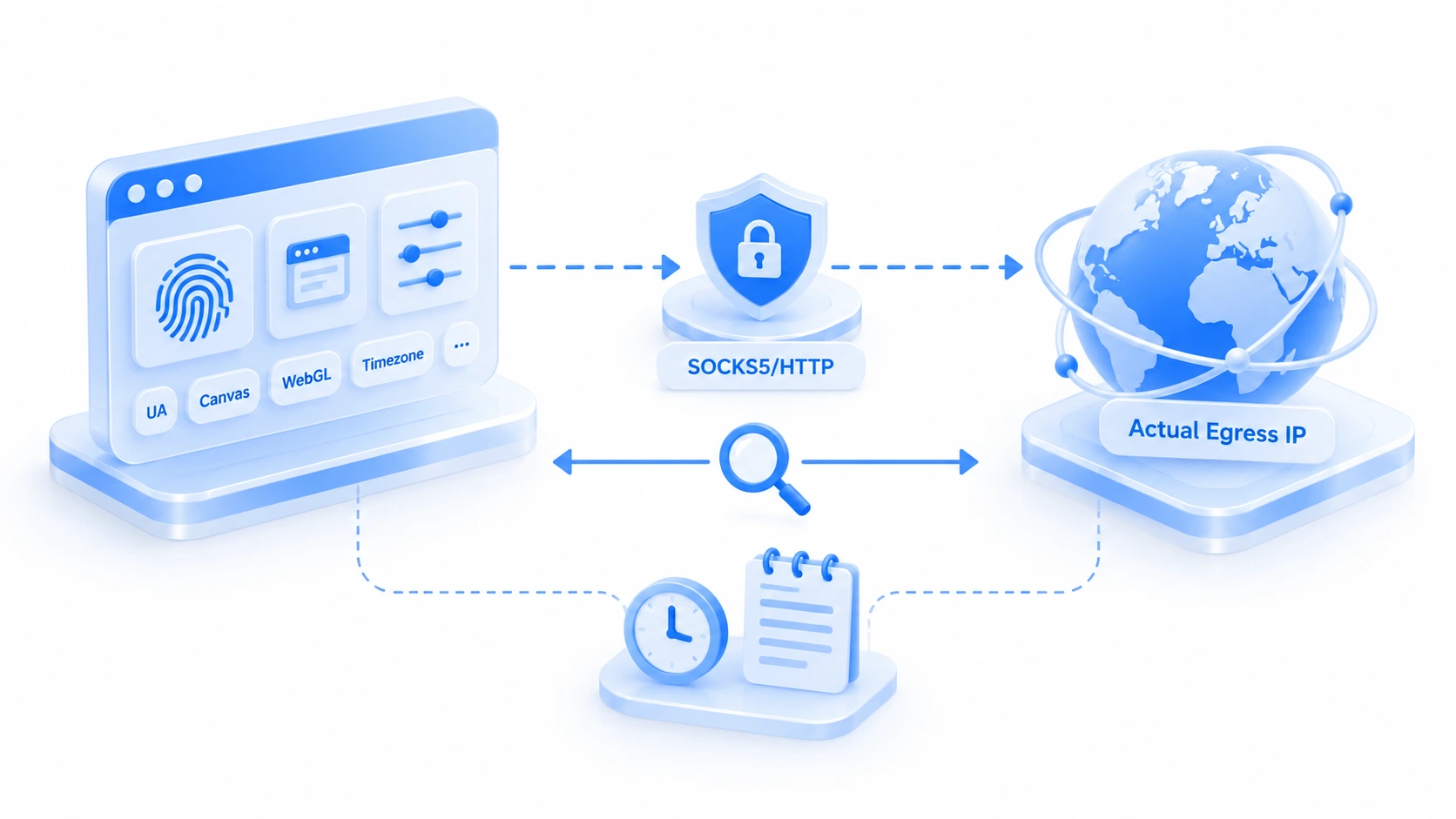
Table 3: Account Activity and Management Records
Checking only devices and IPs misses half the picture. How accounts are used, who manages them, and whether content complies are part of the same review:
| Check item | What to verify |
|---|---|
| Account purpose | Clear brand or business purpose per account |
| Staff permissions | Rights assigned via platform authorization |
| Operation records | Key actions (publishing, handovers) logged |
| Content compliance | Follows TikTok Guidelines and policies |
| Issue handling | Check the cause, then use official channels |
For teams running TikTok accounts, the platform side has an official solution. TikTok Business Center supports centralized management of accounts and assets, member permissions, and role-based access. Account authorization, content compliance, and platform-side permissions should go through these official features first. Refer to its official documentation for exact capabilities. At this layer MostMate divides the work: MostMate manages browser profiles and team access to them, while TikTok-side authorization and compliance belong to the platform.
After the Three Tables: What to Do with Findings
Turn findings into a process:
- Save TikTok's notices, and record the time, the message, and where you handle it.
- Check the account itself first: security status, permissions, and content policy issues.
- Compare against the device and profile table for misassigned profiles, mixed login data, and configuration changes.
- Compare against the IP table to verify proxy connections and the actual network exit.
- Compare against the activity table for team permissions, operation records, and compliance.
- Act on evidence: fix and log configuration errors; for platform restrictions, appeal or seek support through official channels.
While checking, it is easy to treat clues as conclusions. This "symptom and next step" table helps avoid wrong moves:
| Observed symptom | Suggested next step |
|---|---|
| Extra verification after login | Review security alerts and recent logins |
| Actual IP differs from expected | Verify proxy connection and network settings |
| Profile ownership unclear | Check account ledger and profile groups |
| Several accounts restricted in a row | Check notice, status, content, and records |
| No obvious configuration issue | Stop blind edits; follow platform guidance |
Building a Long-Term Routine with MostMate
The three tables are a one-time health check. Long-term management means turning the checks into daily habits. MostMate helps in three places:
- Profiles and accounts: Use profile names and groups to lock in ownership, and prevent wrong profiles or mismatched accounts.
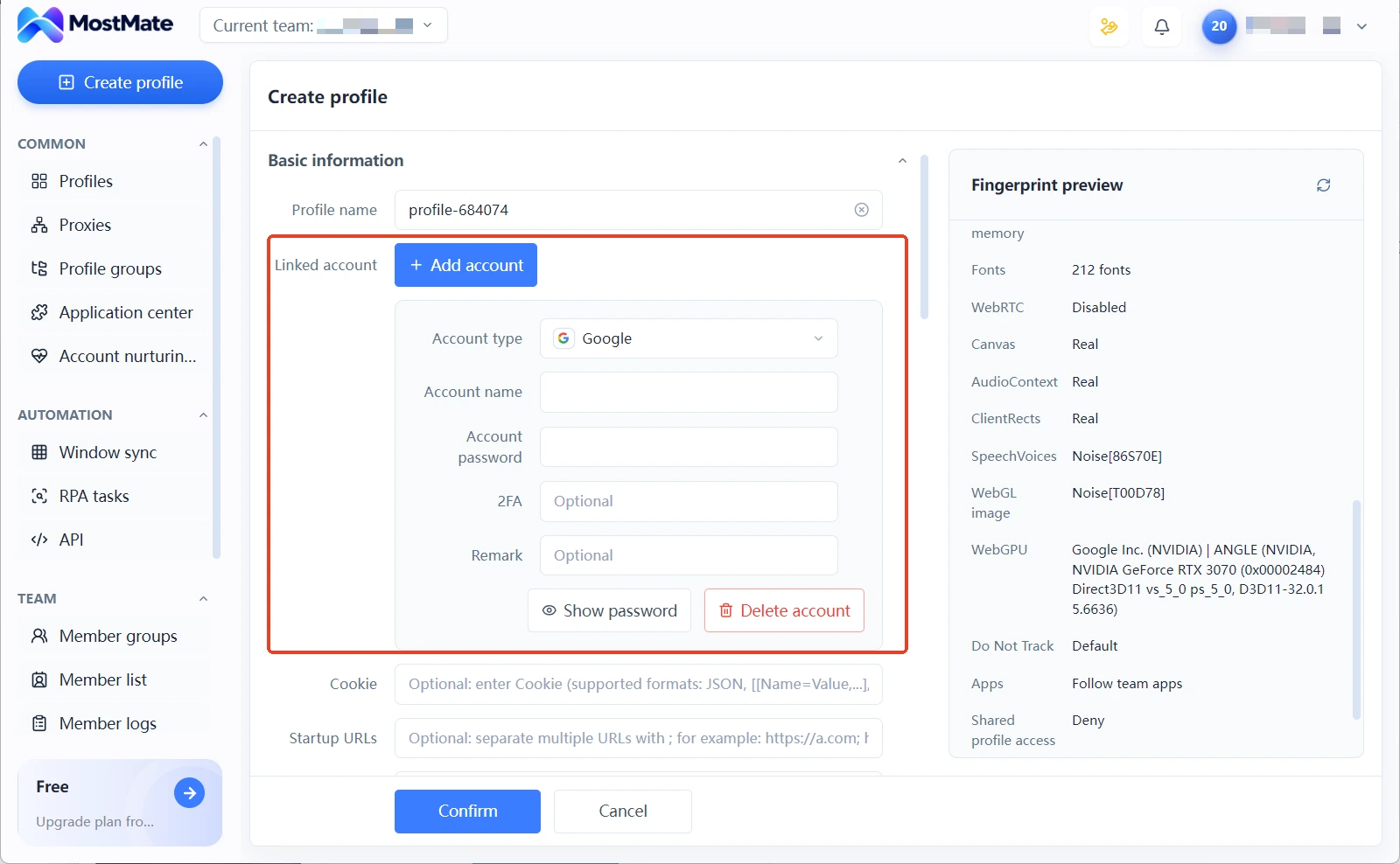
- Configuration and proxy checks: Profile parameters and proxy settings are visible inside each profile, with external tools verifying the actual exit.
- Handovers and permissions: Based on the member permissions and operation records the current version actually supports, keep access scopes, staffing changes, and troubleshooting clues organized.
Keep the product's role in perspective: MostMate helps teams manage browser profiles and related configuration. It cannot stop TikTok's linkage detection, and it does not protect accounts from platform bans. For TikTok-side operations and compliance, the platform's official capabilities and rules come first. To get started, visit the MostMate website to see how profile management works, or download MostMate and begin by building an account-to-profile table for your existing accounts.
Frequently Asked Questions
Are multiple TikTok accounts against the rules?
No. The platform allows operating multiple accounts for genuine, legitimate purposes. What is prohibited is using multiple accounts to deceive, manipulate engagement, or evade enforcement. Switching to a new account to bypass a restriction is, on the contrary, explicitly banned behavior.
If three accounts use different proxies, can they still be linked?
Proxies are only one factor. Devices and browser profiles, account details, and behavior are all within the platform's review scope. Outsiders cannot confirm the platform's specific judgments. What you can do is keep verifiable configuration clean and records traceable, rather than estimating some linkage probability.
Can a fingerprint browser prevent my TikTok accounts from being banned?
No. It manages the browser profile and login data layer, reducing management risks from mixed or mismatched data. Content compliance, account security, and platform policy are outside this layer.
How often should I run through the tables?
There is no fixed cycle. Run them at three moments: when a new account is onboarded, when team members or proxies change, and after any restriction notice. Keep change records in normal times, so checks do not start from scratch.
Closing Thoughts
The hard part of multi-account TikTok management is usually not the lack of a tool, but configuration and operations scattered across different hands. The three tables gather the scattered parts. Devices: ownership and data. IPs: exits and changes. Behavior: permissions and compliance. Fix what you find based on evidence; for what you cannot trace, follow the platform's process.
Handing the profile layer to MostMate saves real effort. Account mapping, configuration checks, and handover records all live in one system. For multi-store e-commerce, see the TikTok Shop multi-store guide and use the two together.

MOSTMATE
Secure Multi-Account Management, Made Simple
Start with your first account and use MostMate to build safer, smarter, and more efficient multi-account operations.
- Independent profiles. Consistent identities.
- AI Automation · Account Health · Team Operations



