
How Do You Manage Multiple TikTok Shop Stores? From Onboarding Documents to Environment Isolation
Core takeaway: multi-store management comes down to two separate jobs. Onboarding documents decide each store's entity and credentials, while the browser environment decides how accounts are used and how the team collaborates day to day. Keep the two apart, and remember that neither replaces the platform's own review. One set of documents per store. One environment per store. One owner per store. Those three sentences are the backbone of this guide.
Start with a real scenario. One seller runs three TikTok Shop stores at once: beauty in the US, home goods in the UK, accessories in Vietnam. The beauty store broke a product-claim rule. Within two days, all three stores were flagged for review. The home goods store had never had a compliance problem, yet it too was blocked from listing new products. Payouts were frozen as standard procedure. Ad campaigns went offline with them.
DAMI, a service provider for cross-border sellers, has reviewed how cases like this unfold: identical entity verification files, identical payout accounts, or identical management IPs; any one of these links stores together. One store breaks the rules, and the whole group lands in the review scope. The full timeline of a linked-store review is documented on their blog: product restrictions, payout suspension, four steps inside two days.
Once you run those numbers, the goal of multi-store management is obvious. Give every store its own documents, environment, and ownership. Whether the platform groups your stores is the platform's call; what a seller controls is keeping their own books straight. Some product background first: MostMate is an anti-detect browser that handles exactly the login-environment layer. The rest of the guide breaks down into four parts: onboarding documents, the document ledger, environment isolation, and team collaboration.
First, Get the Onboarding Requirements Straight: Prepare by Market, Don't Mix Notes
TikTok Shop sets its onboarding requirements by market, and the eligibility rules and document checklists for the US, the UK, and Southeast Asia are each maintained separately. Individual and business sellers submit different materials, and store-count and entity limits differ from market to market. These rules are set out in the official Seller Center guides for each market, so check every item against your target market before opening a store instead of carrying market A's experience straight into market B.
In the onboarding notes compiled by eCOMMop, a cross-border e-commerce service provider, one point is hard: every store needs its own email address, phone number, and login credentials, and the system automatically detects reused information. The usual outcome is failed verification or an application rejected outright. The judging starts the moment you fill in the form.
Two things should be settled at the onboarding stage. First, mismatched documents or expired files are the most common reason for rejection, so check every expiration date before submitting. Second, don't borrow other people's documents to open more stores, and don't hide how your stores relate to each other. That kind of gamble is far riskier than a management slip: once it's spotted, every store under your name is affected.
The Multi-Store Document Ledger: One Set of Records per Store
The document ledger is the first asset of multi-store management, and it belongs before you submit any application. Once stores multiply, nobody can recall from memory which file, which email, and which bank card belong where. Write the mappings down first, and every later step has something to check against:
| Item | What to do | Why |
|---|---|---|
| Email & phone | One set per store; never reuse at any step | Reused info is auto-detected and blocked |
| Entity documents | Log which file each store uses, per market | Speeds up appeals and account checks |
| Payout accounts | Split by entity or store; no crossover | Payout routes are one linking signal |
| Document status | Track expiry and submission status | Expired files are the top rejection cause |
Beyond the ledger, sort your information into three types. Entity documents must be genuine: never borrowed, never disguised. Login credentials must stay independent: never shared between members. Day-to-day operating info must stay findable: which store is running which campaign and who owns it, all recorded in the ledger.
Some cross-border service providers have observed that one business license maps to a single main store in a given market, with additional applications flagged by the system. Opening one store per market under separate legal entities is the safer route. These rules shift with local policy, so treat each market's official Seller Center guides as the source of truth; this article is not a fixed rule.
Devices and Browser Environments: What Happens When You Share a Device
Devices, operating systems, and tools are among the factors platforms use to judge account linkage. Sharing a device won't automatically earn you a penalty, but it will make daily operations messy first. Three problems keep resurfacing: one store's Cookies and login state drift into another, and a support agent replies from the wrong store; an employee logs into the wrong account, and their actions stay in it; and when something goes wrong, half a day disappears just untangling who logged into which store on which device. Chaos at the device level isn't a penalty by itself, but it hands every collaboration a fresh chance to fail.
This is where an anti-detect browser earns its keep. In MostMate, every environment has its own Cookies and cache, so login states never interfere with each other. Timezone, language, and similar parameters are configured by default to match the proxy's region, so the environment follows the proxy. You won't see a UK store running on a Southeast Asian timezone.
Proxies are maintained in their own list first, then assigned to environments, so you can see at a glance which line serves which store. When you create an environment, put the store name and the person in charge into the environment notes, and the mapping is fixed inside the tool rather than in someone's memory. To go deeper on the principle, the environment isolation guide explains what exactly is kept separate between environments.
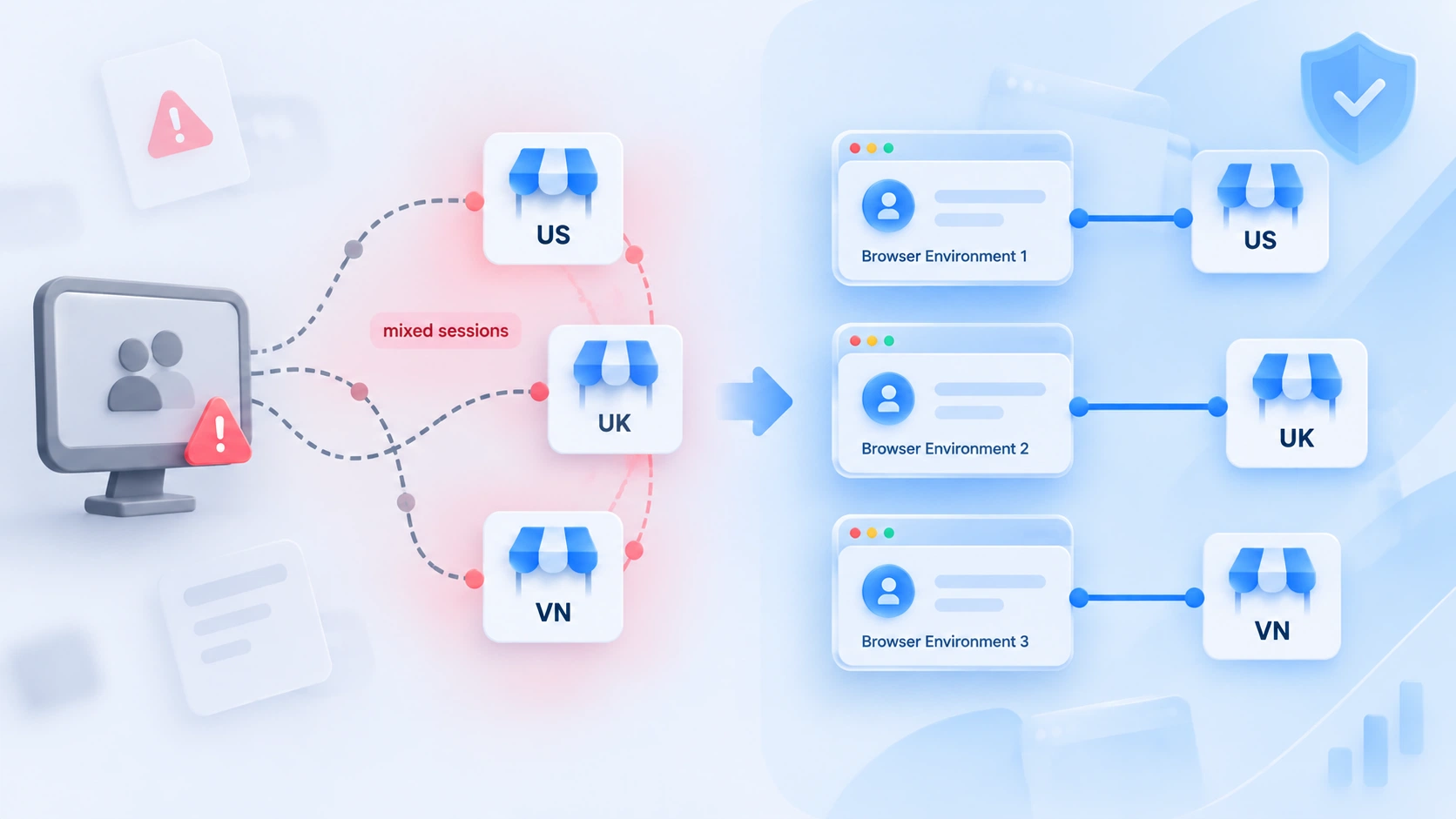
Three habits are worth turning into house rules:
- Open each store only in its assigned environment; don't bounce between logins on one device.
- Assign proxies per store with independent exit IPs; never share a single network exit.
- Never copy Cookies from one environment to another; the history data tags along.
None of these cost much. You can set them on day one.
How Team Collaboration Cuts Mistakes
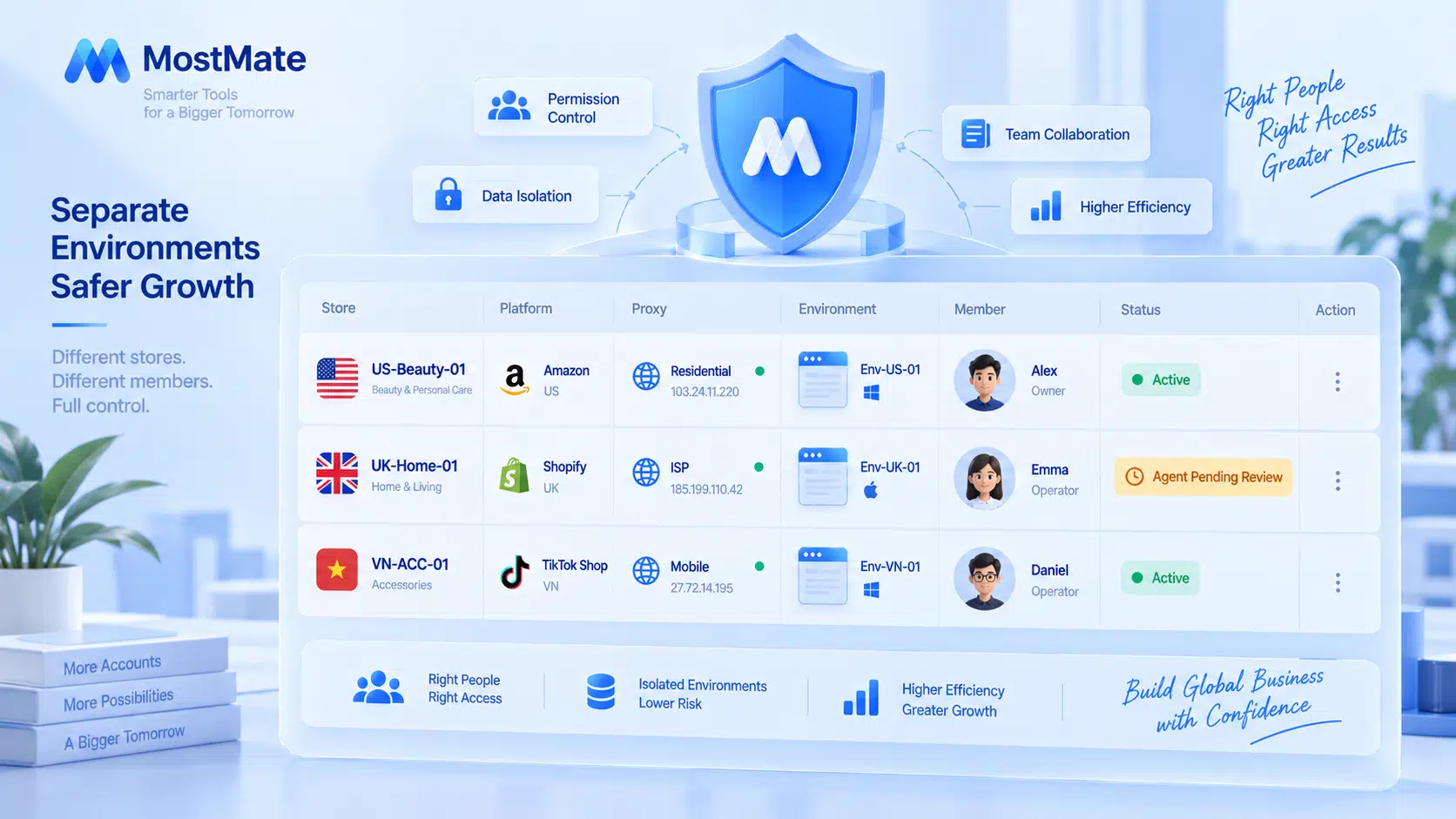
Most multi-store operating mistakes trace back to unclear ownership and messy permissions. With several stores, questions like who runs which store, whether a proxy is healthy, and whose payouts need checking today can't be answered by scrolling chat history. Bind stores, environments, and owners into fixed pairs, and post a mapping table where the whole team can see it:
| Store | Environment | Owner | Status |
|---|---|---|---|
| Beauty (US) | US-Beauty-01 | Content ops A | Active |
| Home (UK) | UK-Home-01 | Content ops B | Proxy check due |
| Accessories (VN) | VN-ACC-01 | Project lead | Review week |
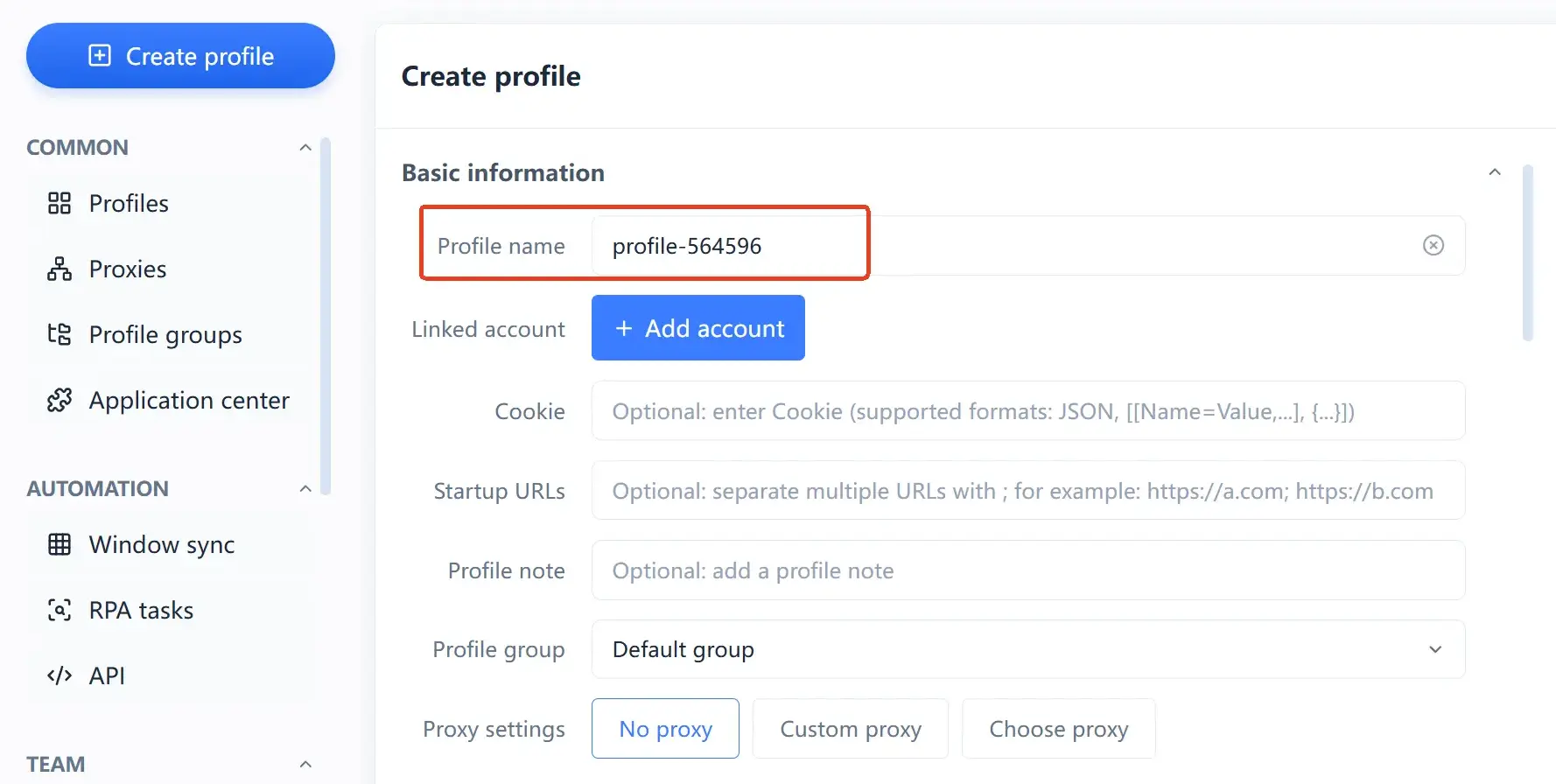
Permissions follow the role, not the person. Operations handle environments, finance watches payouts, owners run the reviews, each inside their own lane. During handovers, move authorizations only, never environments; member logs keep a record of every action, so who touched which store and when is one log search away. For critical actions like payout accounts and security settings, have a second person double-check: one extra minute saves a whole store's worth of trouble.
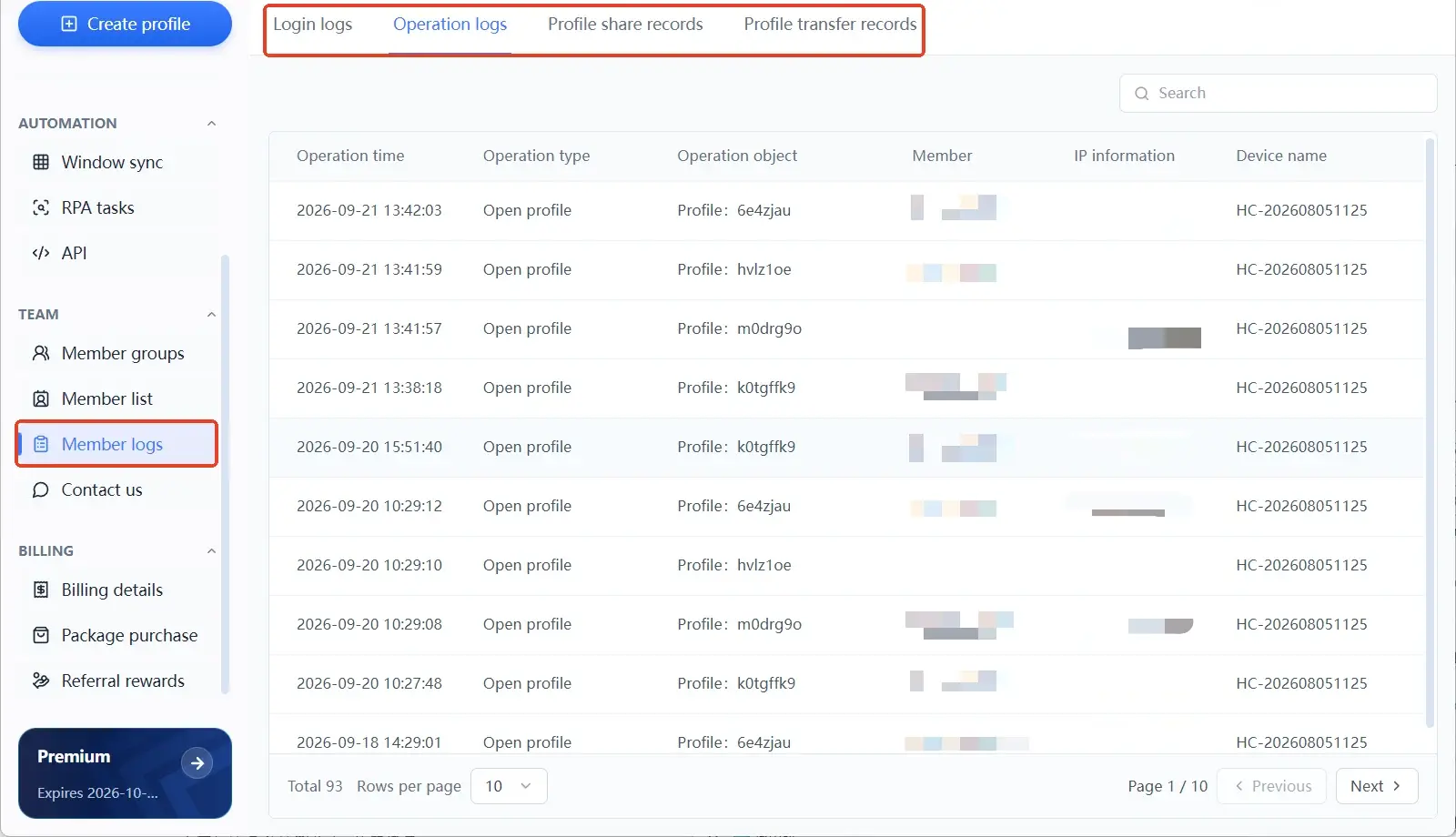
The multi-window guide covers how to open several windows safely on one computer in detail. The isolation thinking of comparable platforms transfers well: the Shopee multi-store guide breaks down onboarding, devices, and IP: three linkage points in even finer detail, and the two platforms' detection logic works the same way.
FAQ
How many TikTok Shop stores can one business license open?
It depends on each market's policy; there is no single number. Third-party providers generally observe one main store per market, with additional applications flagged by the system. One store per market under separate legal entities is the common approach. Follow the official Seller Center guides for each market.
Can multiple stores run on the same computer?
They will run, but Cookies and login states bleed into each other, and accidental logins plus slow troubleshooting become daily routine. Devices are one factor in linkage detection, and sharing one doesn't guarantee a penalty. Keeping each store in its own browser environment is the cheapest fix.
Does an anti-detect browser guarantee accounts won't be linked?
No guarantee. It solves the login-environment layer, keeping each store's browser data separate. Document reuse, identical behavior, and overlapping payout routes are independent signals that no environment can manage; audit them separately.
One employee manages several stores: how should permissions be split?
Grant by role, not by headcount. Environment groups map to stores, and each member only gets the environments within their duties. When people change, revoke access before the handover, keep logs on important actions, and arrange a second review where needed.
Closing Thoughts
The hard part of running multiple stores isn't how many you open but whether three things each come as a complete set: documents per store, environments per store, ownership per person. Documents, environments, and ownership are three independent lines; one clean line doesn't mean the other two are clean, so build the ledger, the environments, and the permissions separately.
Build the ledger before applying. Set up isolated environments when a store opens. Grant by role during daily operations. Ready to set up your environments? Download MostMate, start with the first one, and lock down the login layer of every store.

MOSTMATE
Secure Multi-Account Management, Made Simple
Start with your first account and use MostMate to build safer, smarter, and more efficient multi-account operations.
- Independent profiles. Consistent identities.
- AI Automation · Account Health · Team Operations



