
Which Actions Can Go to RPA and Which Need a Human: A Risk Boundary Line
When automation tools arrive, teams usually drift to two extremes. One group scripts likes, mass messages, and comments on day one and sees a pile of account warnings within a week; the other buys a tool and still does everything by hand a year later, clicking through environments for checks at ten at night. Both failures have the same root: nobody ever drew a clear boundary stating which work can go to RPA and which must stay in human hands.
For RPA automation, this line is not about how bold you are; it is about the attributes of each action. Break actions down along three dimensions, and in multi-account automation management the answer of what can be handed over and what cannot surfaces on its own.
How to Draw the Line: Three Attributes of an Action
Run any action you plan to automate through three questions:
- If it goes wrong, how much does it cost? Opening an environment to browse for ten seconds costs nothing when it errs; mass-sending three hundred customers a quote with a wrong price costs real money.
- Does this action require judgment? Launching an environment along a fixed path and filling in one row of data takes no judgment; replying to a bargaining message requires reading the customer's mood and room to concede.
- If it goes wrong, can it be rolled back? Exporting a conversation archive can simply be redone; rebinding account verification or submitting a payment often cannot.
If two or more of the three questions point to "low cost, no judgment, reversible", the action can go to the machine; if any one points the other way, it should stay with a human. Actions stuck in the middle (low cost but needing a template, reversible but needing approval) run in two stages, covered separately below.
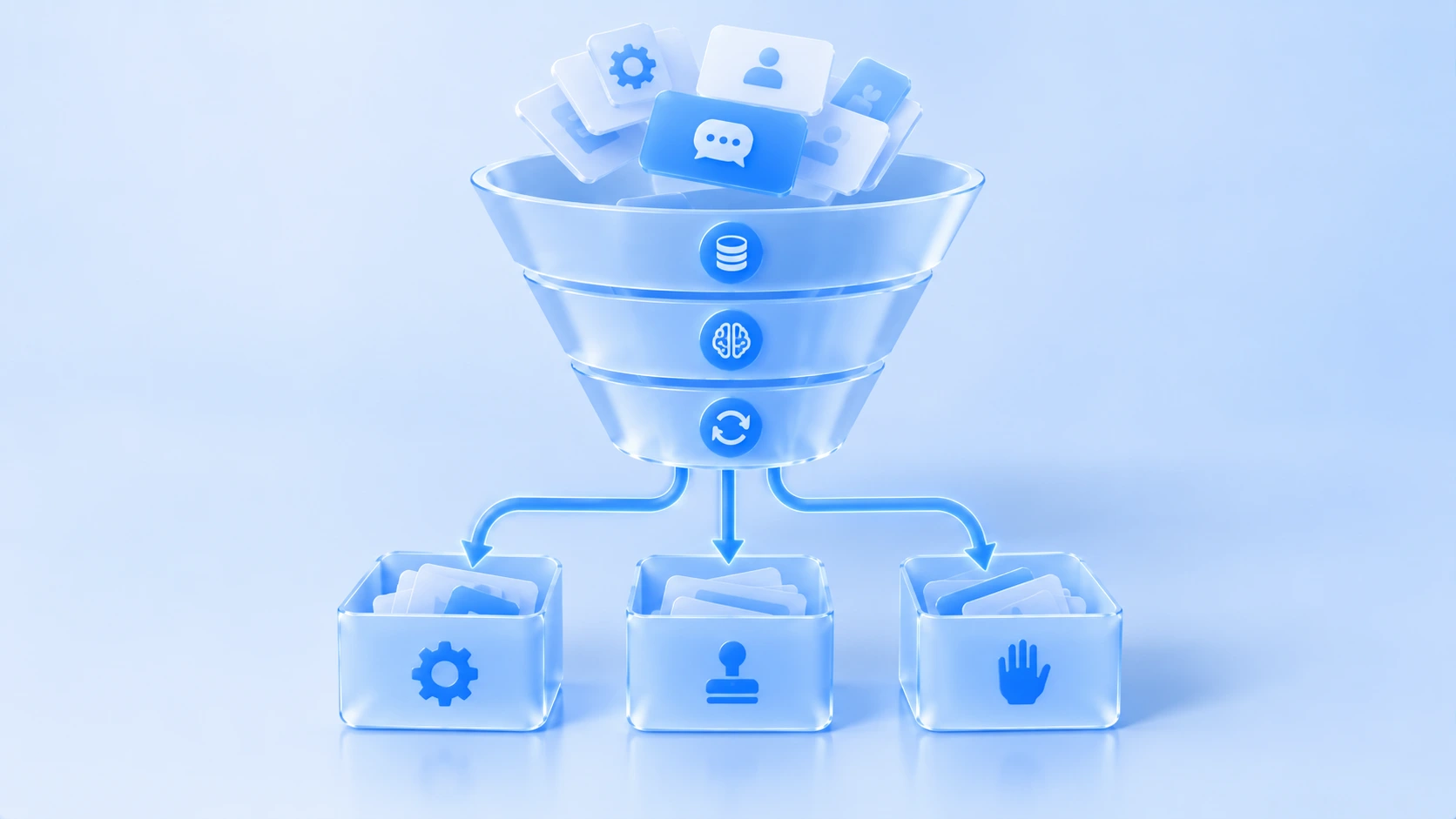
Actions You Can Safely Hand to RPA
Once the three questions are done, the actions that can be handed over cluster into five categories:
- Routine environment upkeep: starting and stopping environments on schedule, checking whether the proxy egress is in effect, recording fingerprint parameter snapshots. The paths are fixed, error rates are low, and mistakes do not hurt the account itself. Why the environment layer works this way is explained in what environment isolation means.
- Moving and recording data: filling order statuses from platform backends into spreadsheets, monitoring competitor listings and price changes, exporting conversations archived by customer. These actions only "read" and "copy", never "write".
- Scheduled inspections: whether login states have expired, whether sessions dropped, whether proxy latency is abnormal, run once daily with alerts on exceptions. The machine stands watch; humans only handle alerts.
- Queuing and scheduled publishing of content: after copy and images pass human review, RPA publishes them on schedule. The machine owns "on time", not "what gets said".
- Executing an already-set rhythm: once people set the pacing sheet, daily execution goes to the machine and people read execution reports. How to set the rhythm is another topic, not covered here.
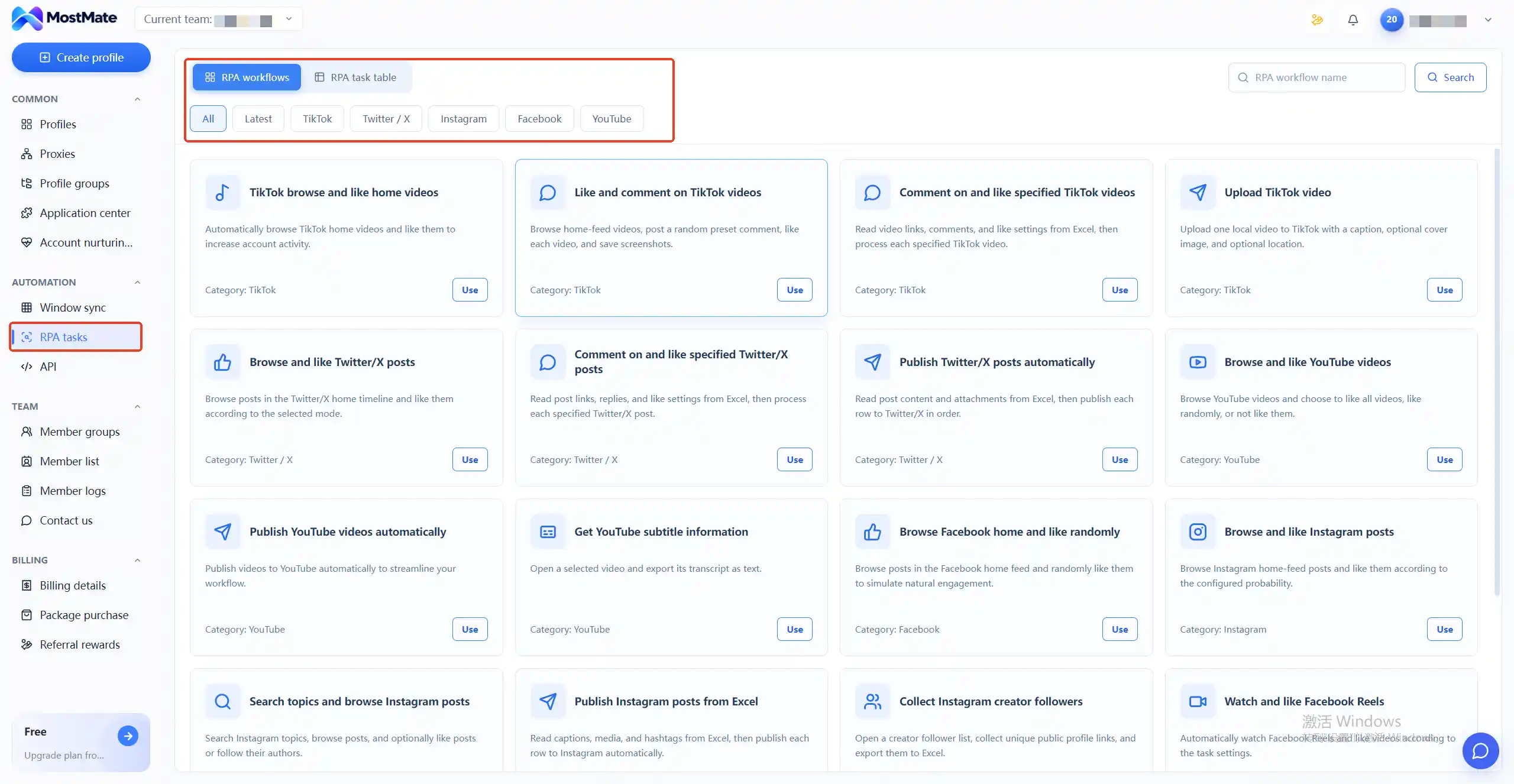
Handing these five categories over for real depends on ready-made flows to attach. Take MostMate fingerprint browser as an example: its RPA tasks group flows by platform, with TikTok, Twitter/X, Instagram, Facebook, and YouTube each getting a page of cards, so browsing, liking, commenting, posting, and caption grabbing all have a matching flow; click Use to bind it to a designated environment and it runs, AI-driven RPA feeds the pacing sheet into execution, and people keep control at exactly two points: scheduling and review.
Actions That Must Stay in Human Hands
Symmetric to the five above, handing these to the machine only delays the accident:
- Direct communication with customers: quotes, bargaining, after-sales reassurance. Chat carries tone, timing, and room to concede; when a machine answers from a template, deals die silently.
- Money and binding operations: payment collection binding, payment submission, verification rebinding. Irreversible, and one wrong step affects more than the account.
- Risk-sensitive write actions: bulk follows, mass messages, likes. The machine can execute these easily; what matters is who decides pacing and volume. Keep that decision with people and let the machine run the rhythm they set; content that has not passed human review never enters the publishing queue.
- Exceptions and appeals: captcha pop-ups, abnormal login alerts, ban notices. Each exception calls for different handling, and machines cannot read the situation; forcing a playbook turns small problems into big ones.
- Cold-start decisions for new accounts: how to set up the profile and how to pace the first weeks decide an account's long-term state. Decisions belong to people; only the daily execution after the decisions goes to the machine.
The Middle Ground: Machines Execute, People Set the Rules
Plenty of real actions sit between the two poles, and forcing a choice between "fully automatic" and "fully manual" is awkward in both directions. The common approach is two stages:
- Templates plus variables: people write the reply templates, the machine only fills variables like customer name and order number, and people define the trigger range; anything outside the range routes to a human automatically.
- Tiered alerts: the machine detects (abnormal login states, consecutive task failures) and people decide (pause, switch proxy, contact the platform).
- Gradual rollout: run a new flow in two or three environments for a week, review the execution log daily, then scale up step by step instead of across the whole team at once.
The whole standard compresses into one sentence: machines own execution and detection, people own decisions and exceptions. Both sides of the line keep a buffer, and when something breaks, responsibility is clear.
Three Acceptance Steps Before Turning Automation On
Once the boundary is drawn, three more steps before launch cut the odds of rework substantially:
- Run shadow mode first. Let the machine "record but not execute" the actions you plan to automate for a week, compare against the human method, and confirm the path has no missing or extra steps.
- Pilot one action at a time, keep a rollback switch. Bring actions online one by one, each with a one-click pause; pick unimportant numbers for pilots, never core customer accounts.
- Ship logs and alerts the same day. Traceable actions are the only basis for review; the log and handover practices in multi-account security management cover how to read logs, and in automation this same log doubles as your debugging record.
Frequently Asked Questions
Does RPA account nurturing make accounts more likely to have problems?
The risk is not in "using automation" itself but in action patterns and pacing: when a machine copies one action pattern across dozens of environments, any unreasonable detail gets magnified dozens of times. That is exactly what the boundary is for: repetitive execution goes to the machine, while decisions on rhythm, volume, and content stay with people. Also, platforms differ in how their terms treat simulated actions, so check the platform rules before scaling up; there is no shortcut around that step.
Can a freshly registered account go straight onto automation?
Not recommended. Cold-start decisions are themselves a human responsibility; what machines take over well is the daily execution after decisions are set. Sequence the rhythm for the new account first, then hand execution to the machine, never the reverse.
Do we still need operation logs after automating?
More than in the manual phase. When manual work breaks you can reconstruct from memory; when automation breaks, the log is all you have. Tasks bound to environments and traceable line by line are the record of record for debugging and review.
How do I judge whether an action can go to RPA?
Return to the three attributes: cost of error, judgment required, reversibility. Two or more pointing to low risk means hand it over; one pointing to high risk means keep it; the middle ground runs the two-stage model of machine execution with human approval.
Conclusion
The value of RPA is not "replacing people"; it moves people out of repetitive execution so they can own rhythm, content, and exceptions. Once the boundary is clear, teams usually find about seventy percent of execution volume can be handed over, and the thirty percent that must stay is exactly where the value lives. MostMate's RPA flow library groups flows by platform and binds tasks to execution environments with line-by-line traceability, and account nurturing adds a 30-day five-phase plan plus a "not today" risk-control reminder, matching the line of "machines execute, people set the rules"; details are on the product page.
The next step is small: pick one action you repeat every day and run it through the three questions. If two or more point to low risk, hand it to the machine for a trial run this week.

MOSTMATE
Secure Multi-Account Management, Made Simple
Start with your first account and use MostMate to build safer, smarter, and more efficient multi-account operations.
- Independent profiles. Consistent identities.
- AI Automation · Account Health · Team Operations



