
What Is Font Fingerprinting? How Websites Identify Your Browser Through Font Lists
Switch environments, switch proxies, and the layout still differs in small ways: on the same website, button text on this environment runs two pixels wider than on that one. Fonts are one source of those layout differences: whatever a machine has installed, a webpage can probe for it with a few tests, and the font list has accordingly become a class of browser fingerprint parameters. This article covers three things: how websites test fonts, how much the results can be trusted, and which situation each of the three font list modes (real, random, custom) fits. Fonts are among the baseline parameters of the overall fingerprint: MostMate treats them as a core parameter in its fingerprint settings, and What Is MostMate gives the full product picture.
What Font Fingerprinting Is: Websites Guessing Which Fonts You Have Installed
Font fingerprinting does not upload your font files; the website instead runs a set of tests to work out whether a given font can be displayed on your machine. Operating systems ship with a stock set of fonts, and users and software keep adding to it: installing Office brings in a whole batch, and a Chinese edition of Windows also ships SimSun and Microsoft YaHei out of the box. Two machines rarely share the exact same font collection, and that difference is information. EFF's 2010 tracking study already listed fonts among identifiable parameters, and this kind of detection has remained part of mainstream websites ever since.
What separates it from other fingerprint parameters is how often it changes: Canvas and WebGL are dictated by hardware and rendering engine and usually only shift once every few months, while the font list follows software installs: a new office suite or a deleted font file, and the list changes. Fast-changing parameters give themselves away just as fast — a single software install can push the list away from its original shape.
How Websites Test Fonts: Three Methods, All Asking Whether the Font Is There
Websites cannot read the system font list directly and have to infer it indirectly. Three methods are common:
- Width differential measurement. The page places a fixed string of text, measures its width once with a fallback font (such as monospace), then again with the target font. Identical widths mean the target font is absent; different widths mean it is present. The detection script cycles through hundreds of common font names and assembles a present/absent list.
- Canvas rendering comparison. The same string is drawn on a Canvas with different fonts and the pixel output is compared, which also picks up differences in the rendering engine.
- Font Loading API. Modern browsers expose an interface like document.fonts.check('12px "Segoe UI"') that directly reports whether a font is available, which is far less work than measuring widths.
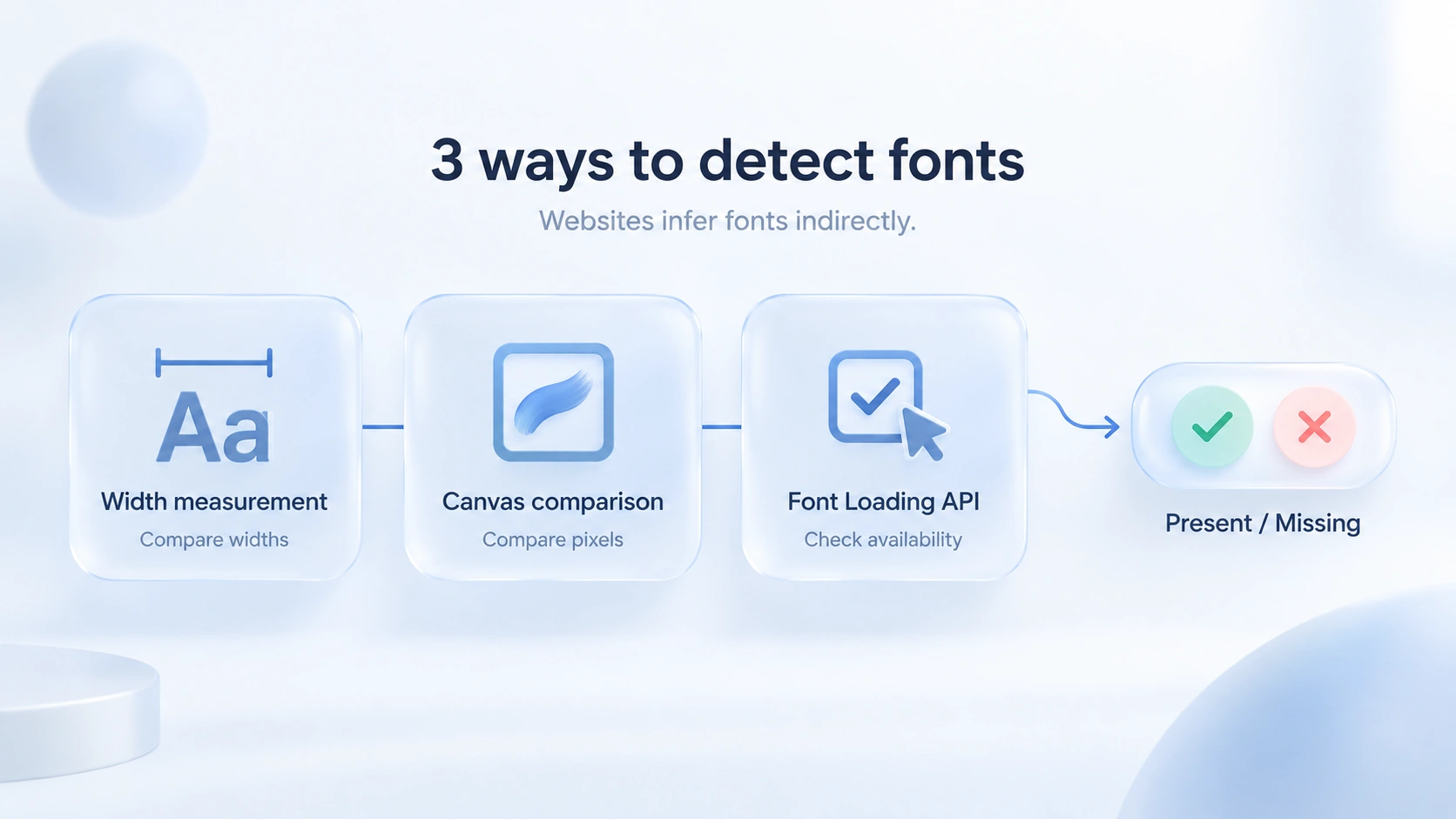
All three methods test whether a given font name works on the machine; the font files themselves stay out of reach; real-world detection often combines them, with width differentials doing the heavy lifting and Canvas as the cross-check. The interface details are in MDN's Document.fonts documentation, and the full test list with its decision logic can be seen in FingerprintJS's font detection source code.
Detection Results Are Incomplete by Nature: You Never Get the Full List
This section first corrects a common misconception. A website cannot detect every font you have installed, only the ones on its own test list, so the result is really the intersection of a common-fonts list and your machine.
Two consequences follow. First: two machines with different font collections can produce identical results: one machine has fonts A and B, another has A and C, and the checker only tests A and D, so both report "A present, D absent" with the same hash. A matching font fingerprint does not mean matching devices; it only proves that both behave the same within the tested list.
Second: everything outside the list stays invisible. A design workstation with 300 fonts and a bare system install are indistinguishable on this front if the test list covers only 150 common fonts; the extra 150 simply go unseen.
For multi-account operations, the incomplete result cuts both ways: fonts alone cannot pin down an identity, yet risk engines cross-check fonts against other signals, and a list that clashes with the operating system or the language settings becomes a glaring anomaly. Read the font count and hash shown by detection tools as "stable within one environment, different across environments"; there is no point chasing a specific number.
What Shapes Your Font List
The font collection is stacked from four layers, and every one of them can make two machines that "look identical" diverge:
- Operating system and version. Windows, macOS and Linux ship different stock font sets, and Windows 10 and 11 do not fully match either. This is the basis on which the font list can corroborate the platform declared by the UA.
- System language and region. A Chinese edition of Windows ships SimSun and Microsoft YaHei, which most European and American machines lack; Japanese and Korean systems work the same way. The font list often exposes an environment's true regional background before anything else does.
- Bundled application software. Office, Adobe and WPS all inject their own fonts into the system, and the gap between a design workstation and a browser-only machine is large.
- Fallback rules of the browser engine. For the same font name, Chromium and Firefox choose different fallbacks and measure different widths; when the environment's kernel version changes, the fine-grained results can shift along with it.
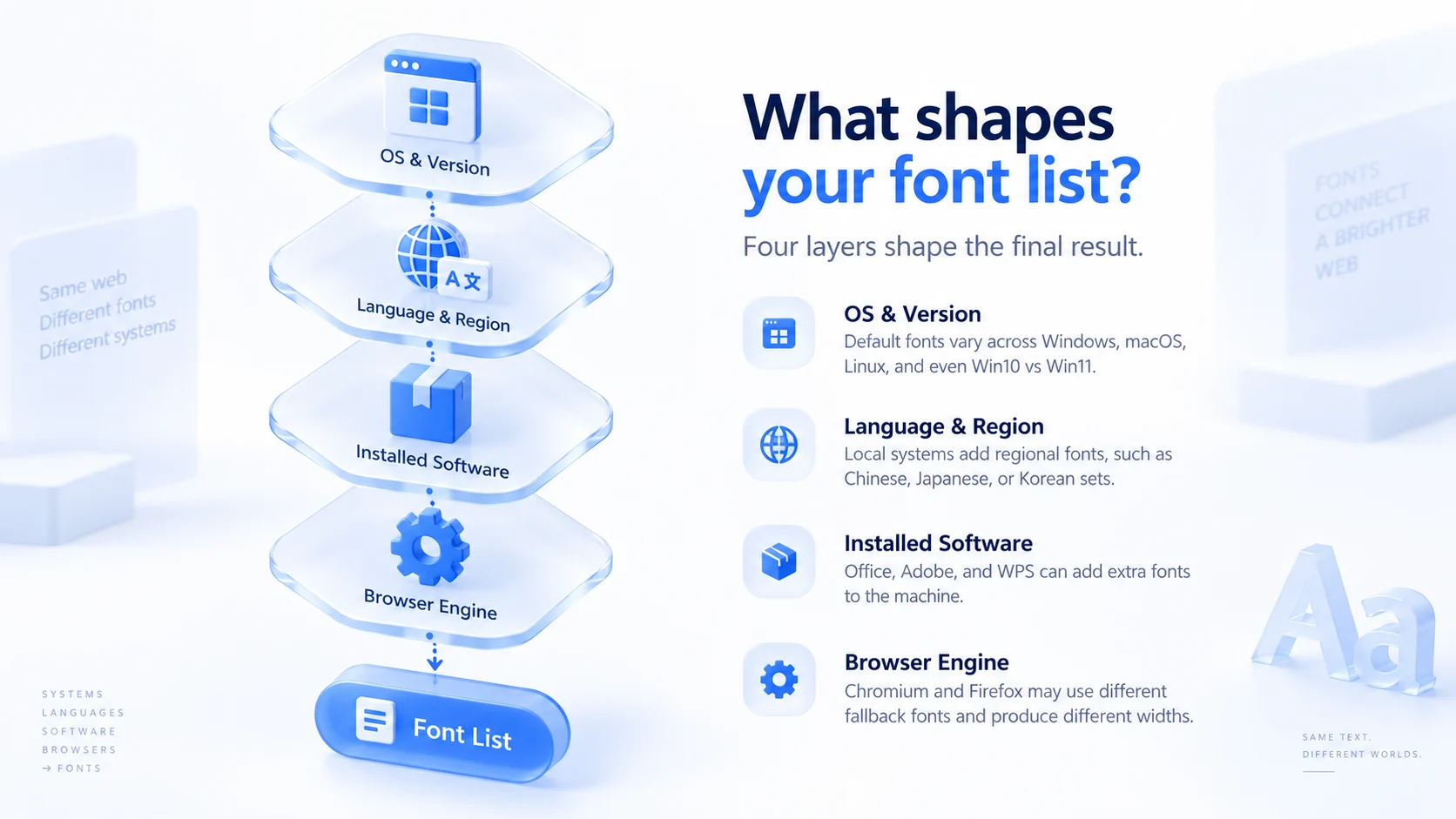
Layered together, these four explain a familiar phenomenon: an environment with the right IP, timezone and language still carries traces of its "home region": it claims to be an English-language US environment, yet Microsoft YaHei sits in its font list. In cross-validation, this kind of mismatch says more than any single anomalous parameter.
How to Judge Consistency: Three Standards and a Three-Step Self-Check
Within environment management, the font parameter has to pass three standards:
- Stable within one environment. Repeated checks of the same environment should return the same font count and hash, so avoid casually installing software or deleting fonts while an environment is in use.
- Different across environments. Environments claiming different regions should show visible differences; two environments posing as "an American" and "a German" that report the exact same font hash are a suspicious signal.
- Consistent with the declared identity. macOS-only fonts on a Windows environment, or a full row of Chinese fonts in an English environment, are glaring mismatches. The risks of randomized parameters are discussed at length in Why Fingerprint Randomization Is Dangerous, and fonts are the most typical case of that logic: a randomly assembled font combination almost never exists in the real world.
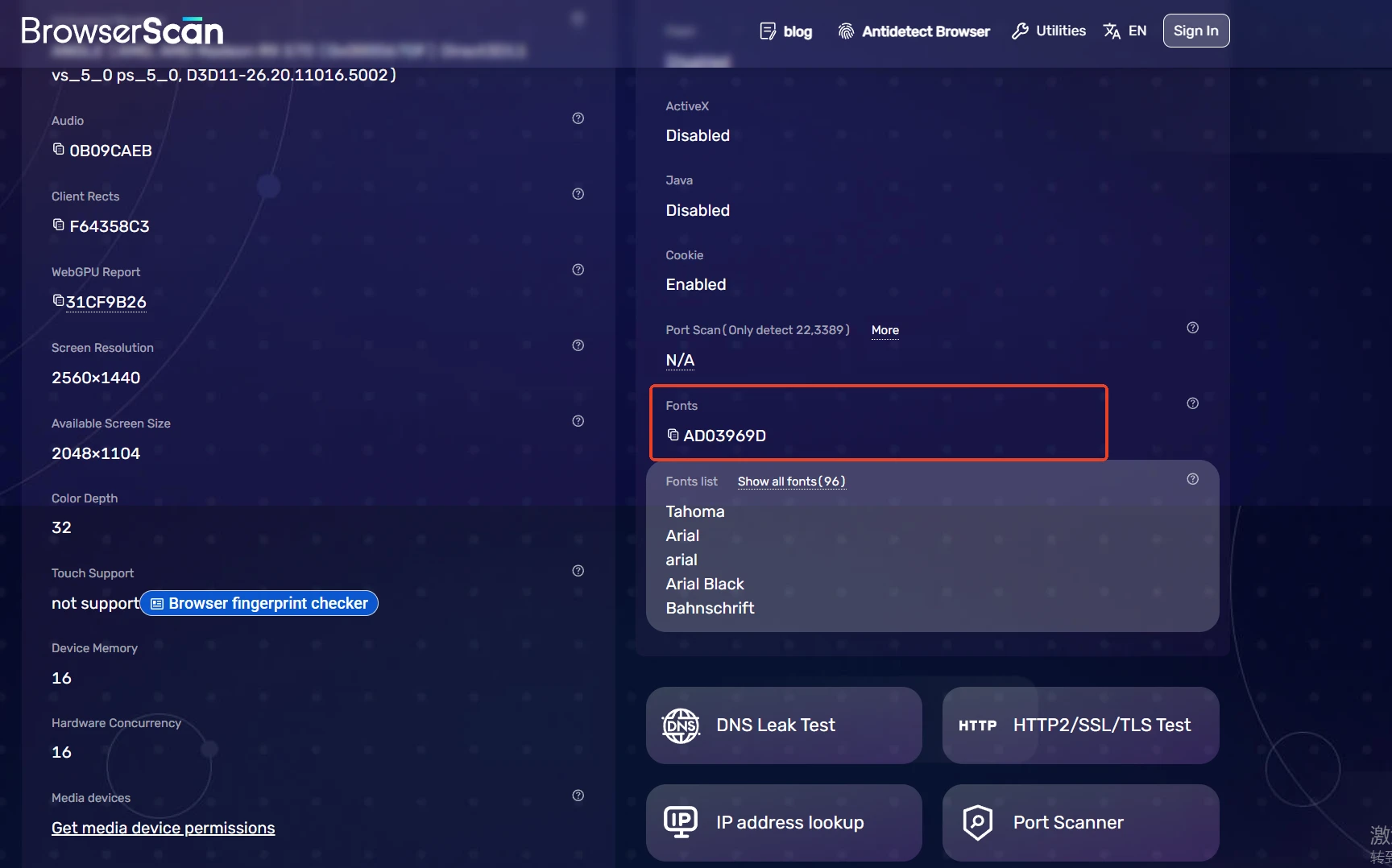
Three-step self-check: open the results page on BrowserScan or Iphey, find the Fonts entry and note the value; refresh the same environment two or three times to confirm stability; then run the same check on a second environment and compare whether the differences fit each profile.
Choosing Among MostMate's Three Font List Modes
In MostMate's fingerprint settings, the font list offers real, random and custom modes, each matching a usage situation:
- Real: the environment uses the host machine's current font list as-is, so the detection results match those of manually opening a browser. Suits setups where the host machine is cleanly configured and the profile matches the host system's region, for example an English Windows machine running US environments.
- Random: the environment generates a font combination, on the condition that the algorithm assembles it within the range defined by the operating system and language, keeping the set plausible for the profile. Suits day-to-day scaling where environments are created in bulk and font details do not need to be checked one by one.
- Custom: tick the fonts manually. Suits environments facing strict platform risk engines, or where the profile differs sharply from the host machine: fill in the font set of the claimed system and go through the three standards from the previous section item by item.
All three modes sit in the fingerprint settings area of the environment creation form; after configuring, confirm the current value in the Font List field of the fingerprint preview panel, then run one more check on a detection site. The full setup process is described in Getting Started with MostMate.
Closing Thoughts
At its core, font fingerprinting is a website inferring your machine's font collection from a limited test list: it never sees the full picture, yet it is enough to expose mismatches during cross-validation. Operationally, nail three things: stability within each environment, visible differences between environments, and a font list that matches the claimed system and region. To run a full environment setup from scratch, start by downloading MostMate; the consistency logic behind each fingerprint parameter is mostly covered in MostMate's Four Design Principles.
FAQ
Can Font Fingerprinting Identify a Device on Its Own?
No. Results are limited by the test list, and two machines with different fonts can produce the same result. Risk engines usually cross-check fonts against UA, Canvas, language and other parameters; fonts alone do not establish identity.
Do Different Browsers Produce the Same Font Fingerprint?
With the same font collection, results agree in broad strokes, but each engine's fallback rules and rendering details differ, and so do the width values. Chrome and Firefox on the same machine often show small differences — that is the engine difference.
Do More Installed Fonts Make You Easier to Identify?
Extra fonts only become visible if they fall within the test list. The count itself matters little; rare fonts are the exception: once an obscure design font is detected, it makes the list statistically stand out.
Does Clearing Cookies Wipe the Font Fingerprint?
No. The font list comes from what is installed on the machine and is not part of site storage, so clearing cookies or cache has no effect on it; changing it requires swapping the font configuration at the environment level.

MOSTMATE
Secure Multi-Account Management, Made Simple
Start with your first account and use MostMate to build safer, smarter, and more efficient multi-account operations.
- Independent profiles. Consistent identities.
- AI Automation · Account Health · Team Operations



