
Should an Account Be Bound to One Environment? Risks of Frequent Environment Switching
“I typed the username and password correctly, so why is it flagging an unusual login?” In multi-account operations, that question usually shows up right after an environment change. The account was fine in one environment yesterday; today you log in from another one and the verification email arrives. Many people blame the proxy, or their luck. The real variable is the pairing between account and environment.
When a platform identifies who is logging in, it works from a combination of login data, browser traits and network exit. Change the environment and the whole combination is swapped out at once, so the log records a device it has never seen. Frequent environment switching keeps feeding new-device signals into the account's login history. Verification prompts and risk reviews follow that signal.
MostMate is built for multi-account operations and sits in the fingerprint browser category: every account gets its own isolated browser environment, with cookies and login data stored per environment. This article covers how a platform decides that two logins come from the same device, which accounts cannot afford an environment change, how to lock the pairing down, and what a careful switch looks like when you genuinely need one.
How a platform decides it is “the same device”
To judge whether the same device is at work, a platform looks first at the login data the browser has stored, and only then at device traits and network exit.
Login state usually lives in cookies. MDN's guide to HTTP cookies describes them as small pieces of data that a server sends, the browser stores, and later requests carry back. Session persistence rests on that mechanism. Swap the environment and none of that data exists in the new one, so there is no session to continue and only a fresh login is possible.
Steam's official support page says it plainly: signing in from an unrecognized device requires an extra verification code. When the same device keeps being challenged as a “new device”, the reason the page gives is that the browser failed to save cookies. Put that in fingerprint browser terms and the conclusion is blunt. A new environment holds none of the old login data, so the platform can only treat it as a device it has never seen.
Beyond login data, device traits and network exit form two further layers of signal. Browser version, screen resolution, time zone and fonts come from the environment; the exit IP comes from the proxy. For an ordinary user these layers stay fixed for months. Switching environments replaces the entire set at once, and the new-device signal that stacks up is far stronger than a plain IP change. Many platforms send a verification email by default when a login comes from a new location or device. That mechanism protects a personal account; in multi-account operations it is a recurring interruption.

Why the risk piles up when you keep switching
The cost of a switch accumulates with every repetition. Doing it once in a while and doing it routinely are problems of different magnitude.
- Sessions keep dropping: the login data stays in the old environment, the new one has no usable session, so every visit means logging in again and waiting for verification.
- Verification comes more often: a new-device signal stacked on a new exit IP pushes the account onto a more cautious review path, and even a routine action can trigger a challenge.
- Trust never accumulates: an account's credibility follows its login history, and constant device changes leave no stable trust profile to build.
- No clear trail for troubleshooting: when something goes wrong and you look back through the login log, dozens of new devices sit side by side and you cannot tell which action drew the review.
Putting the two habits side by side makes it concrete. An account that always logs in from the same environment still shows the platform the same device, the same region and the same browser traits six months later, and verification appears only in rare cases. Another account rotating between three environments shows three devices and two or three regions in the same six months, and the risk system has to re-judge every single login. The first builds certainty, the second builds items awaiting review, and the gap sits in the login record that settles over those months.
Switching environments and switching IPs are also separate matters. Change only the IP and the device plus its login data stay put, so the shift in risk signals is comparatively narrow. Change the environment as well and traits, data and exit all move together, stacking signals at a completely different speed. A fixed environment and a fixed proxy belong in the same priority discussion.
Which accounts cannot afford an environment change
Accounts differ in sensitivity, and the stability you demand of their environments should be tiered the same way.
- High sensitivity: e-commerce seller backends, ad accounts, payment and payout accounts. An environment change on these is often treated as a major risk signal, so fix them to one environment from the day they are registered.
- Medium: a main social account, posting and engaging from a fixed environment. Occasional verification is acceptable, and frequent switching buys nothing.
- High tolerance: read-only browsing, temporary tests, low-value forum accounts. Risk pressure is light, and the main cost of a switch is logging in and verifying again.
This tiering is a judgement drawn from operating experience. Platforms do not publish their risk rules, and the same action carries different weight from one platform to the next. What you do with a specific account depends on how that platform has treated it so far. A usable principle: the heavier the assets tied to an account and the harder they are to recover, the more its environment stability deserves priority.
Locking the pairing down in MostMate
A pairing held in memory does not last long; it only stays consistent once it lives in the tool. In MostMate's environment form, the basic information section has an account binding field. Enter the account name and the ownership relation is written into the system from day one. That column is visible right in the environment list, so once environments pile up you can see at a glance which account sits behind each one.
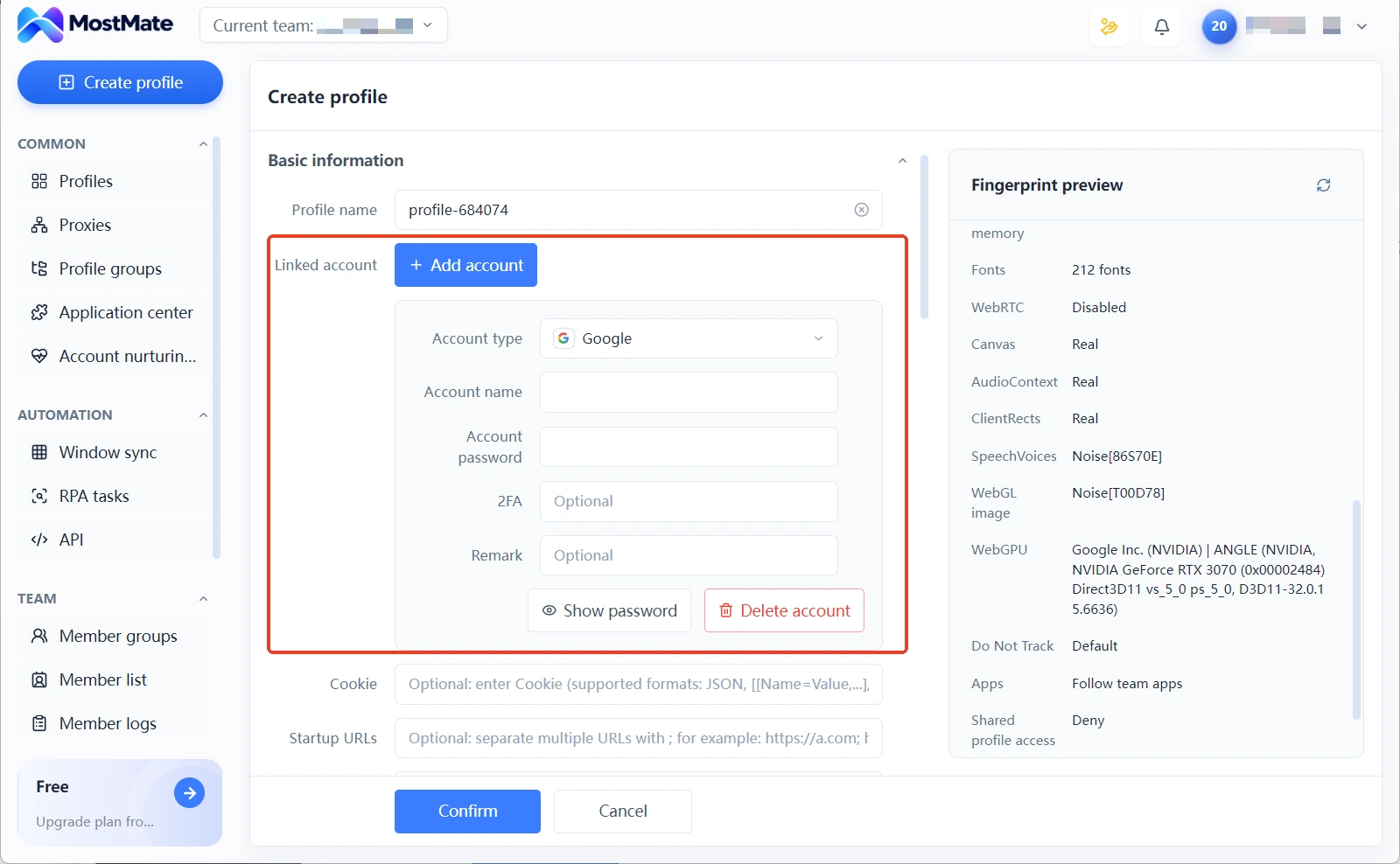
Two other habits support the ownership record. Name environments by platform, account purpose and region; use the notes field for the registration date, the proxy line and the most recent configuration change. Together these make up the environment ledger. Group environments by business line so a batch of accounts sits in one group, which makes searching and bulk actions easier. When a team shares the work, share the environment with the right member. The operator can change, the environment does not. Login data always stays inside the environment.
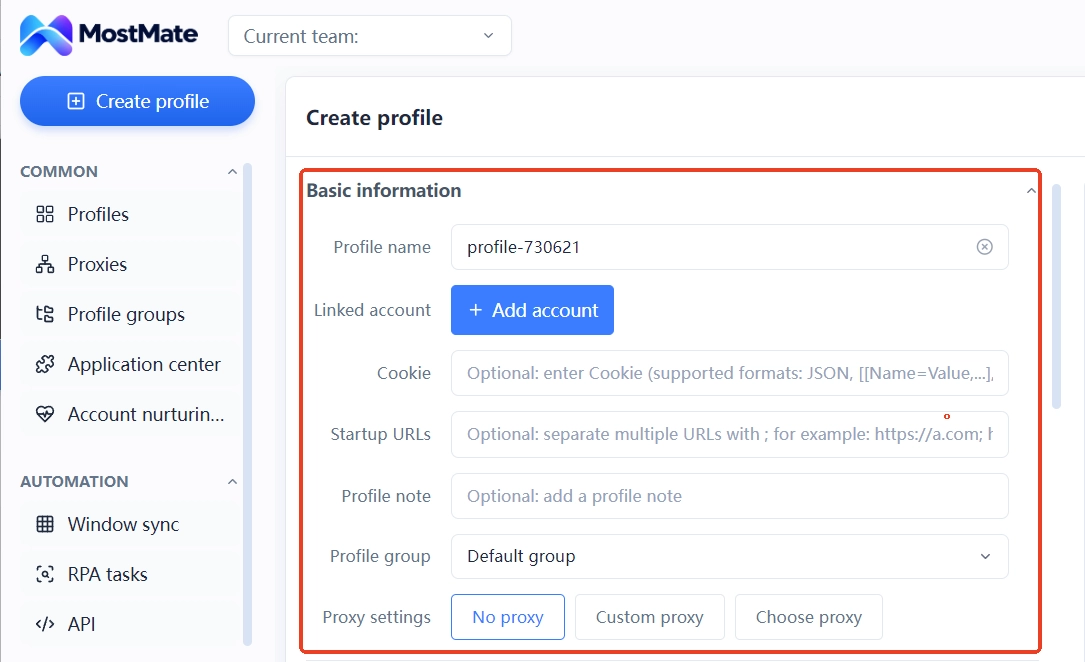
The ledger covers ownership and operation. Isolating registration details is a separate layer, configured on its own. If an account has already been rotating between environments for a long time, fix the current environment first, then go through the check steps in the multi-account association self-check to review the signals already in place. That is more targeted than moving straight to a new configuration.
When a switch is justified, and how to limit the damage
The test is whether the old environment still holds up, not whether you feel like a change. Three reasons are legitimate: the device is retired or broken, the system has been reinstalled and local data wiped, or the environment file is corrupted beyond repair. In all three the environment is no longer trustworthy, and keeping it introduces new problems. Feeling that the old environment is slow, or wanting to try a new configuration, is better handled by adjusting the current environment rather than replacing it.
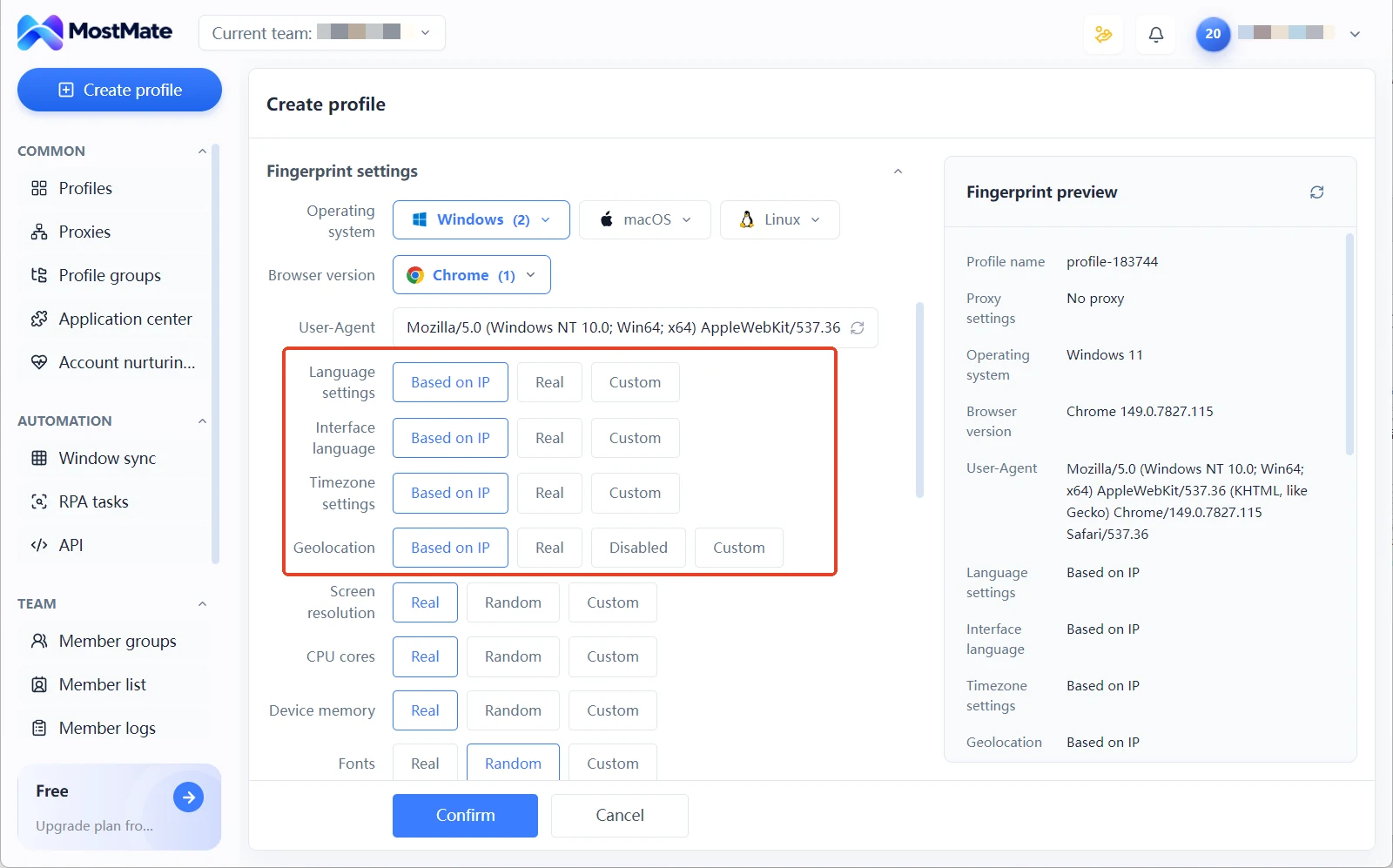
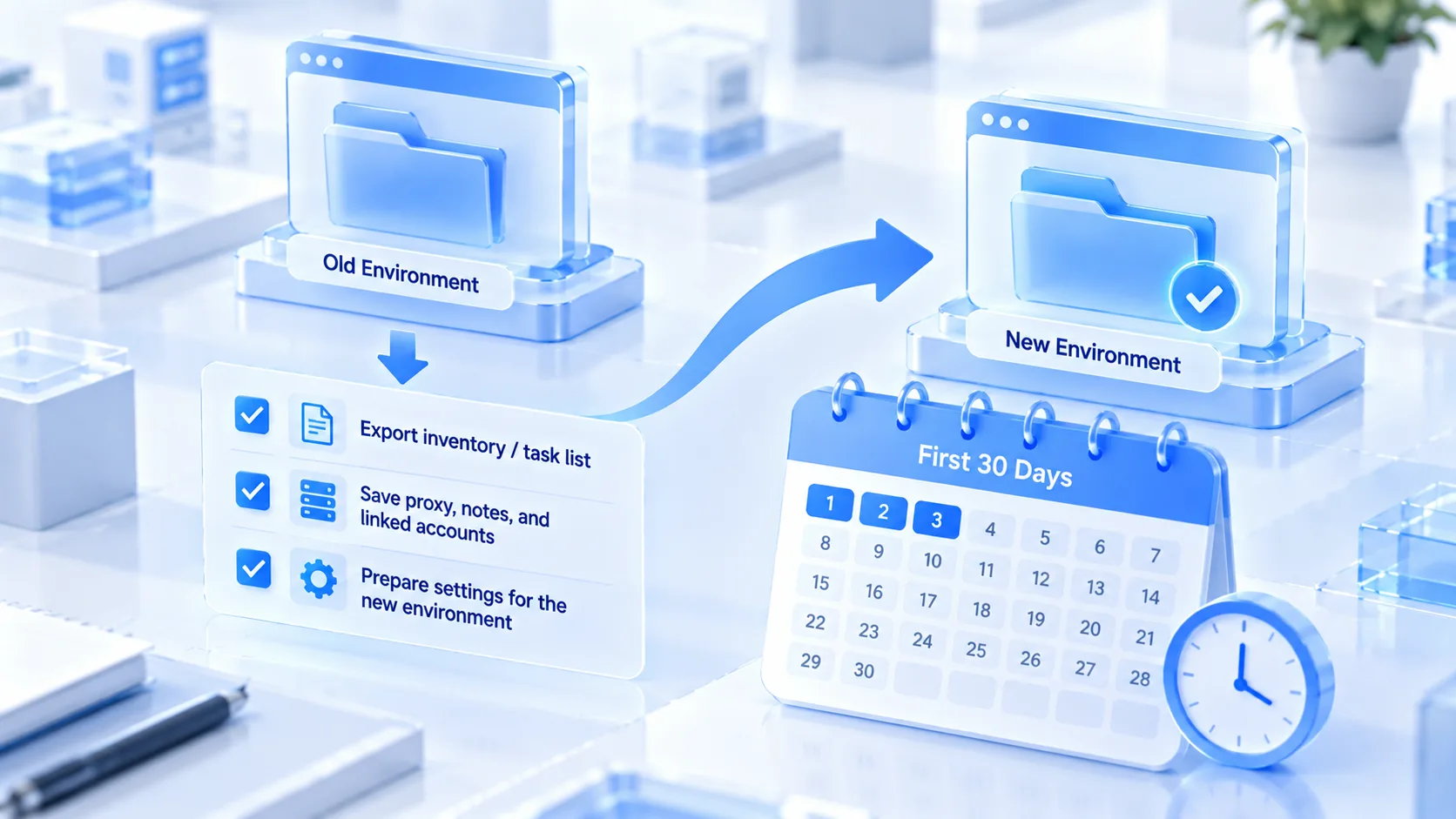
1、Export the ledger first. Write down the old environment's proxy line, notes and bound account, then rebuild from that record in the new environment instead of reassembling the parameters from memory. 2、Run the new environment through the new environment launch checklist. Keep the proxy region aligned with the old exit, align language, time zone and other parameters with the IP-based fingerprint configuration, and log in only after the proxy test passes.
3、For the first week or two, treat the account as being in a sensitive period. Start with browsing and checking data, the low-risk actions, and push profile edits, payment binding and bulk publishing to later, giving the platform time to file the new combination as a recognized device.
The sensitive period governs the order of actions. The account itself does not need to pause.
The retired environment has its own destination. It carries the original account's login data, and reusing it for a different account mixes two histories together. Match the case before acting. The environment reuse and cleanup guide sets out criteria for four cases: reuse, cleanup, archive and new build. Decide after that check. Archiving or cleaning up is steadier than logging in again.
FAQ
Is switching environments the same as switching IPs?
No. An IP change moves only the network exit, while device traits and login data stay in the original environment. An environment change replaces data, traits and exit as a set, which reads on the platform side as a complete new device. The two are not in the same league when it comes to signal strength.
Will an account that alternates between two environments definitely run into trouble?
Not necessarily. A low-risk account may go months without an obvious anomaly, but verification frequency rises with each switch and the chance of a review climbs with it. High-sensitivity accounts are not worth gambling on, and for low-value accounts the cost is mostly repeated logins, so the tiering above is enough to decide.
Several teammates need the same account. What then?
Share the environment with the right members. People can change, the environment does not. Login data always stays inside it. Passing a password around in a group chat creates multi-device signals and leaves no clear record of who did what, so the first route is the steadier one.
If an environment is corrupted and has to be rebuilt, does the account suffer?
Rebuilding is a last resort, and how much it costs depends on how well it is done. Align the proxy region with the old exit, restore parameters from the ledger, and pace the work as in a sensitive period afterwards. Those steps shrink the uncertainty of the transition and are a better trade than abandoning the account and starting over.
Final thoughts
Binding an account to an environment is, at heart, about keeping the login history continuous. Fix the environment, fix the proxy, fix the parameters, and the login record has a chance to settle into a stable profile. Every frequent environment switch drops one more unverified new-device entry into that record.
The routine is not complicated. Bind the account, name it, add notes and grouping once, then maintain it through the ledger. For the wider framework, the multi-account management page lays out how the pieces fit together.
Starting a new account in a fixed environment from day one is the cheapest option. The MostMate website has the full feature tour, and the client is available from the download page.

MOSTMATE
Secure Multi-Account Management, Made Simple
Start with your first account and use MostMate to build safer, smarter, and more efficient multi-account operations.
- Independent profiles. Consistent identities.
- AI Automation · Account Health · Team Operations



