
MostMate vs GoLogin: Pricing, Automation, and Team Collaboration Compared
The bottom line: what separates MostMate and GoLogin is not only the feature list, but how environments run, how automation is handled and how teams are managed. Instead of ticking off specs one by one, start with three questions: do your browser environments run mainly on local machines or in the cloud? Do daily tasks rely on ready-made automation or scripts you write yourself? Does the team need granular permissions and activity logs?
Read enough comparison posts and you end up matching spec against spec, losing sight of how each tool actually works. That layer decides how a tool feels every day. This article starts from working styles, then compares pricing, automation and team collaboration. By the end you should know which one fits your business. If you are still weighing how different anti-detect browsers position themselves, the MostMate vs Multilogin piece takes a different angle.
Working styles: what changes when environments run locally or in the cloud?
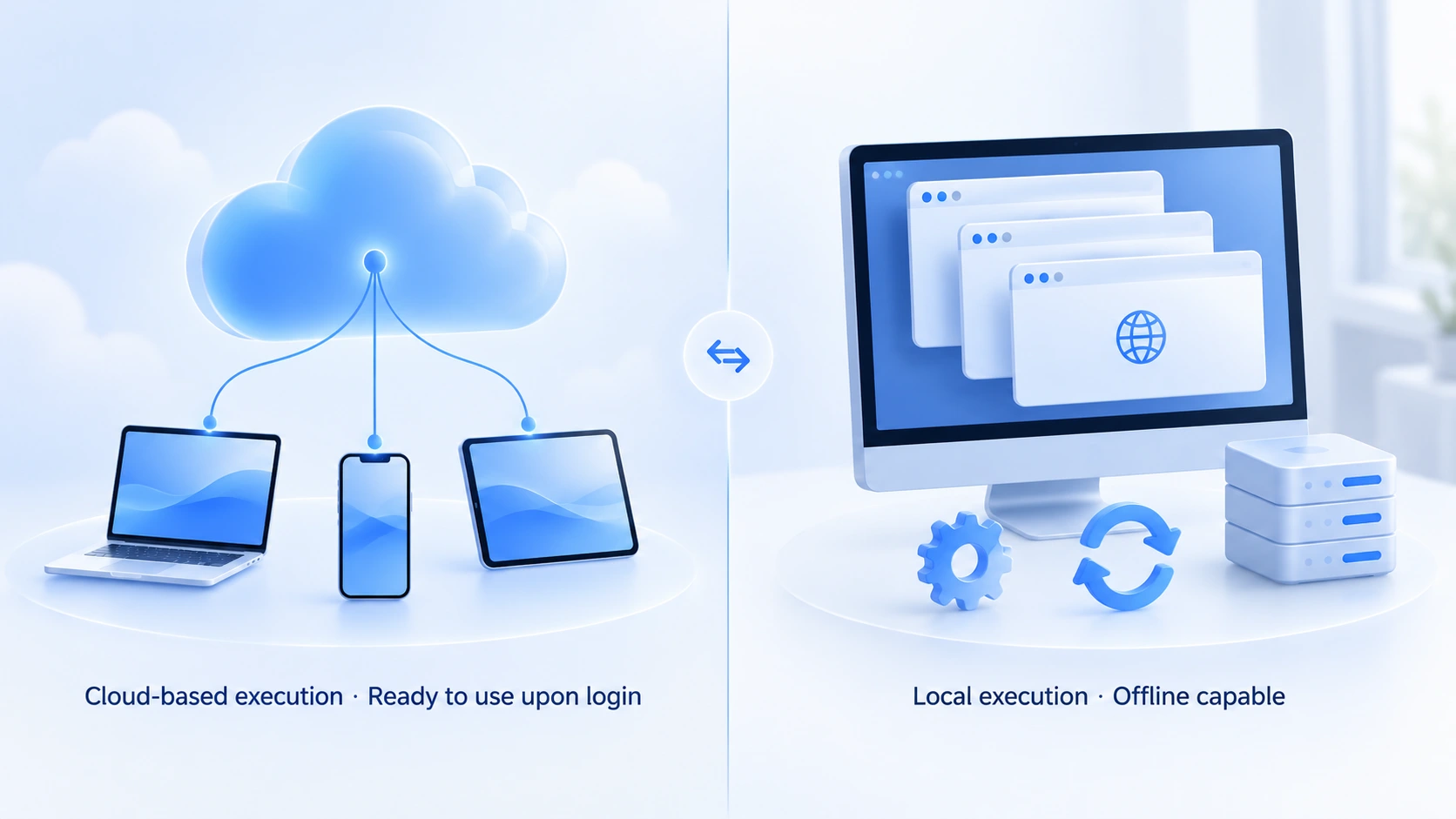
Where environments run defines device, team and automation limits.
GoLogin ships both a desktop app and a Web App. The Windows, macOS and Linux desktop apps run environments on the local machine, while the Web App manages environments from the browser and can also launch them in the cloud. There is an Android app too. The official kernel is the Orbita engine, built on Chromium. Switch to another computer and your logged-in environments are still there, because profile settings sync through the cloud.
MostMate takes the desktop-client route. Environment management, proxy management and window sync all run locally, and the mapping between environments and proxies as well as each member's activity log can be reviewed in one place inside the client. The product overview positions it as a beginner-friendly AI anti-detect browser: when you create an environment, recommended settings wrap the complex parameters for you.
In one sentence: if you switch devices often, the Web App's sign in from anywhere is a genuine convenience; with a fixed machine and long-running business, the client offers more local depth and more room for automation.
Pricing and free plans: look at tier structure, not just environment counts
The free plans are enough to get a workflow running; the difference sits in tier structure and collaboration seats. The figures below were compiled from both official sites in October 2026, and the price shown inside the product is what counts.
1. MostMate
- The free plan includes 2 environments and 2 member seats; what the free plan can do has a dedicated guide.
- The Pro plan covers 10 environments and costs $40.80 a year.
- The Advanced plan covers 100 environments and costs $165 a year.
2. GoLogin
- The free plan includes 3 environments with no time limit, and free accounts can already use the Web App and the built-in proxies.
- The Professional tier splits by environment count into 10, 25, 50 and 100, starting at $4.50 a month on annual billing.
- Team member seats start from the Business tier.
On free environments alone, GoLogin offers one more. Look at collaboration and MostMate's free plan already carries member seats, while GoLogin's team seats only arrive at the Business tier; on Professional, sharing mostly means handing a single environment to a free account. Collaboration seats are the real dividing line. A personal user just past the free allowance gets a lower entry point with GoLogin's 10-environment tier. A team that needs member permissions and logs will find MostMate's tier structure a smoother fit.
Automation: developer APIs versus ready-made workflows
Both companies offer developer APIs; the difference is that MostMate also ships ready-made workflows alongside them.
GoLogin provides REST API and other developer interfaces that work with Selenium and Puppeteer for browser automation. These capabilities open up on the higher paid tiers and support cloud launches. NodeMaven's annual comparison review notes that it has no built-in RPA workflow library. This path suits engineers: if you need automation, you either write the scripts yourself or hook up third-party tools.
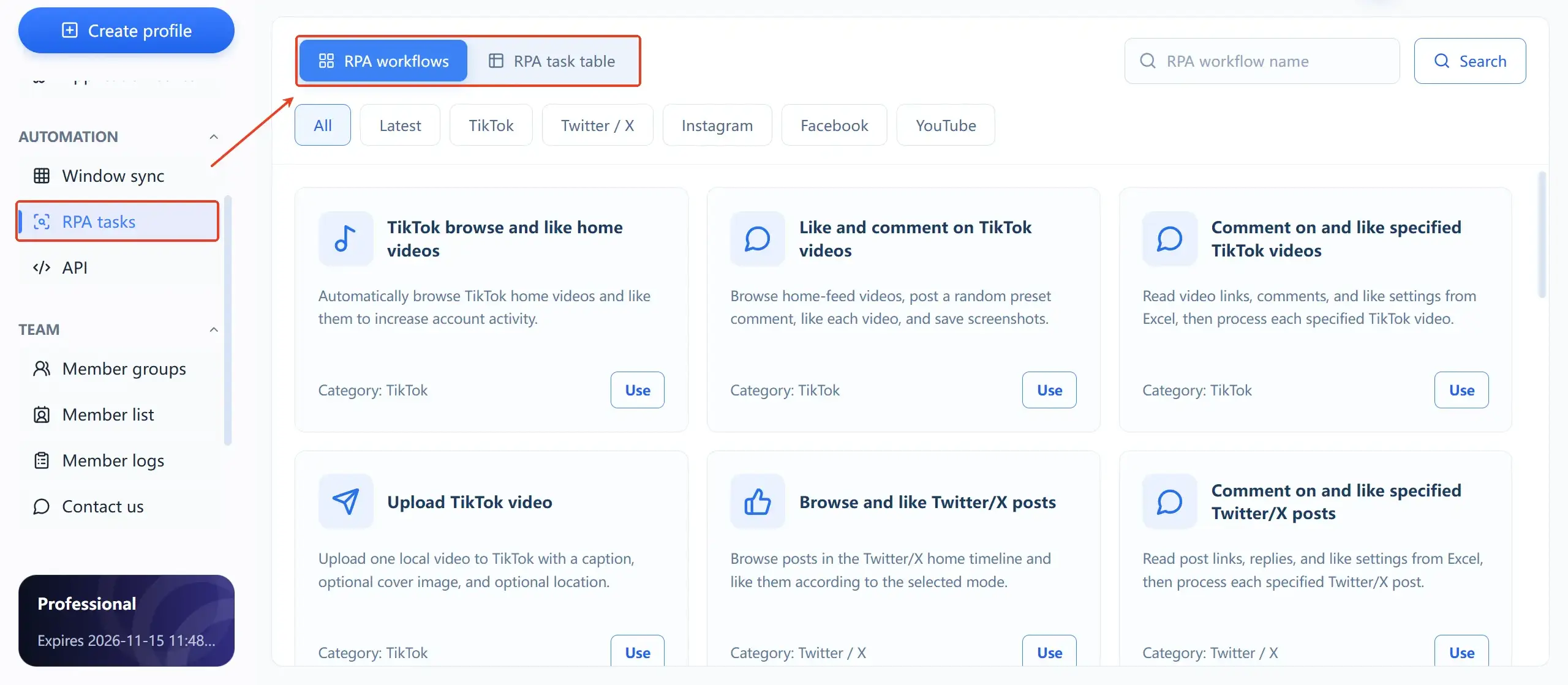
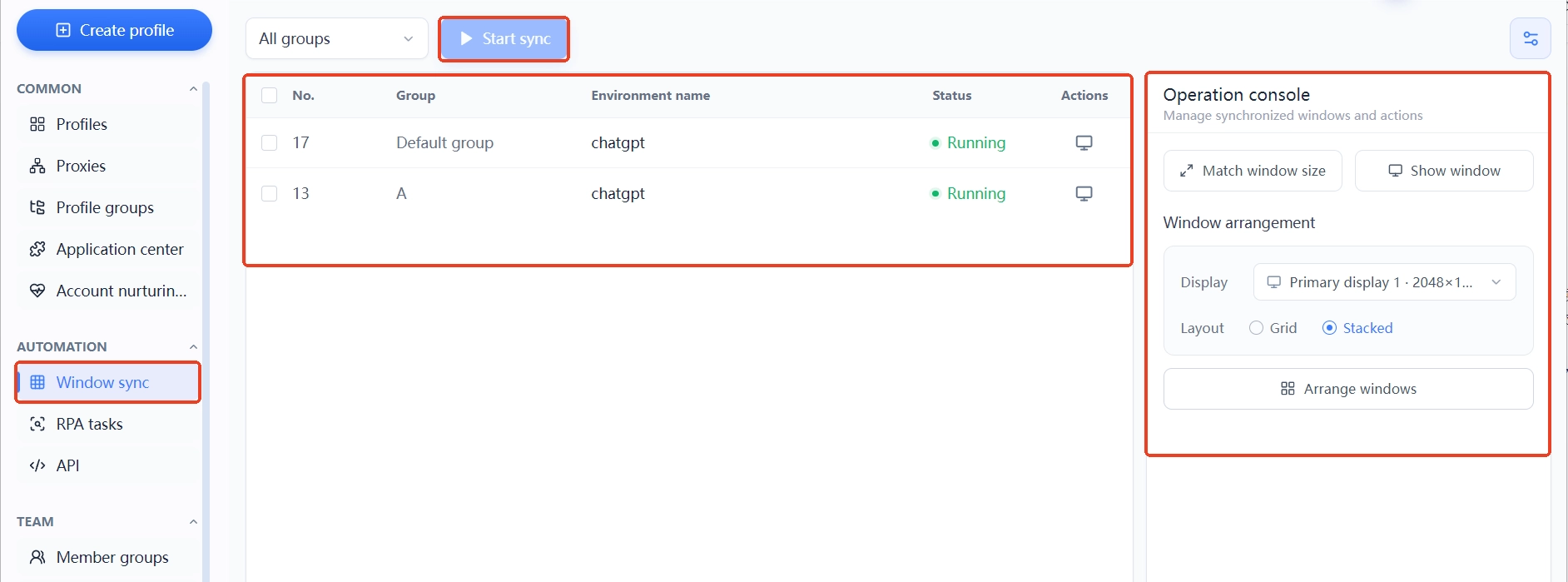
MostMate turns automation into ready-made modules. The RPA workflow library is grouped by platform, with templates for TikTok, X, Instagram, Facebook and YouTube. Pick a workflow, attach an environment, and the task runs. Window sync can mirror clicks and typing across multiple windows, and safe multi-window operation has its own recommended approach. Account maintenance hands out a daily list of actions, which suits steady-rhythm account care. Users who write scripts still get the Local API: it runs on your own machine, supports generating an API key, and once security verification is on, every request from any team member must pass key validation; after installing the official Skill, your local AI assistant can call the API directly to launch browsers, create environments and update fingerprint settings.
Teams with development capacity can integrate either company's API; what differs is the breadth of openness and the detail of the documentation. Operators who want to save configuration time should compare the ready-made workflows and the supported platforms instead.
Team collaboration: permissions, logs and revocation
Collaboration is not about whether environments can be shared; it is about whether permissions stay clear and actions stay traceable. When comparing, watch four things: member roles, environment-sharing permissions, activity logs, and permission revocation after staffing changes.
MostMate's member system has three layers. Member groups control scope and member roles control permissions. Member logs record sign-ins, operations, environment sharing and environment transfers as four ledgers. When people change, access is revoked against the records, and environment-sharing access has its own switch, off by default.
GoLogin supports environment sharing plus folder and workspace permissions. Collaboration seats are configured from the Business tier upward. For the exact granularity of its activity logs, check the official documentation item by item. Spec pages alone will not settle this part; it deserves a hands-on test.
For a team of five or more people running accounts, logs and a clear permission list are not a bonus. They are the baseline for troubleshooting and handovers.
Which scenarios fit which tool
Priorities shift with the working scenario. Pick by condition:
- Devices change often, or the work happens on shared computers or phones: GoLogin's Web App and Android app save the most hassle.
- Three to five environments are enough for a lightweight operation: either free plan will get you started.
- A fixed workstation and business that must run stably over time: MostMate's client keeps environments, proxies and automation in one place.
- Accounts at volume, batch operations and RPA templates: MostMate's ready-made modules remove the scripting step.
- The team needs audit trails and group-based permissions: MostMate's free plan already includes member seats, so you start earlier.
One principle holds no matter what you choose: every anti-detect browser isolates environment data, but the accounts themselves still have to follow each platform's rules. No tool changes that.
FAQ
Is GoLogin's free plan enough?
For getting a workflow running and checking fingerprint quality, yes. Three environments cover the daily upkeep of two or three accounts. Once you scale, choose between the 10 and 100 tiers of Professional by environment count. If you need team member seats, you start from the Business tier. Factor that step into your costs when deciding.
Web App or desktop client: which one is safer?
Security depends on the quality of environment isolation and on how you work, not on where the browser runs. The Web App skips installation; the desktop client runs locally and leaves more room for automation. If you really want to compare, look first at how complete the fingerprint parameters are, then at whether your own behavior stays consistent.
Can MostMate and GoLogin be used at the same time?
Yes. Each manages its own environments and the two do not conflict. Some teams use the Web App for quick checks and the client for long-running business, layering the tools by workload.
Is migrating from GoLogin to MostMate a hassle?
Environment data does not transfer between the two, so migration has to be handled by data type. Browser parameters are the easy part: language, time zone and geolocation are configured by default from the proxy's region when you create an environment in MostMate, so nothing needs to be moved by hand. Cookies can be imported, but whether login sessions stay valid afterwards depends on each platform's state; usually you sign in again to confirm.
Proxy settings need to be re-bound in MostMate's proxy management. RPA workflows and automation scripts cannot be reused; pick fresh ones from MostMate's workflow library. Teams with many accounts should migrate in batches and verify environment names and account ownership after each batch.
Conclusion
Come back to the three questions from the opening. Where do environments run? Does automation rely on ready-made workflows or your own scripts? Does the team need permissions and logs? GoLogin's Web App plus its many tiers suit cross-device use with flexible payment by environment count. MostMate's client suits operators who run business long-term and need RPA and team collaboration; the full feature picture is on the MostMate website. To see whether it fits your own process, download MostMate, run the real workflow once, and only then decide whether to pay.

MOSTMATE
Secure Multi-Account Management, Made Simple
Start with your first account and use MostMate to build safer, smarter, and more efficient multi-account operations.
- Independent profiles. Consistent identities.
- AI Automation · Account Health · Team Operations



