
What Can the MostMate Free Plan Do? A Guide to 2 Profiles and 2 Member Seats
Core takeaway: The MostMate fingerprint browser anti detect free plan gives you 2 browser profiles and 2 member seats with no time limit. From day one you can create profiles, configure proxies, and set up fingerprints, which makes it a comfortable way to learn the basics — useful whether you are an individual getting a daily routine in place or a small team doing the same together. Split the 2 profiles across whatever you actually need, for example one for daily operations and one for configuration testing, and use the 2 member seats to practice inviting people and sharing profiles. Once real usage starts pushing against the quota, that is the point to weigh an upgrade.
Plenty of people sign up for the free plan, click around for a few minutes, and let it sit. That undersells it: the free plan never expires, and it is a zero-cost way to get comfortable with creating profiles, configuring proxies, setting fingerprints, and running the daily routine. This guide looks at what you can actually do with 2 browser profiles and 2 member seats — two common ways to get started, plus four usage patterns that suit individuals and small teams. Everything stays within the free quota; the goal is not to squeeze the limit dry but to organize the profiles you already have more sensibly. If MostMate is new to you, read What is MostMate first for the product's positioning and core features, then try the methods below.
First, Be Clear on What the Free Plan Includes — and What It Doesn't
The free quota comes down to three things: $0 forever, 2 browser profiles, 2 members. Going by MostMate's official plan breakdown, the everyday core operations — creating profiles, binding and testing proxies, and configuring fingerprints (language, timezone, and geolocation are matched from your IP automatically by default) — all fall within the free plan. Bulk actions, data sync, and team collaboration features belong to Pro and above.
For newcomers that boundary is actually good news: the free plan makes you run every step the manual-but-correct way — setting up the proxy on each profile yourself, checking the exit IP yourself, writing the notes yourself. Bulk actions take over these steps once your account count reaches 50, and that only pays off if you already know what a correct single operation looks like. The full capability framework is explained layer by layer in the multi-account management overview; the free plan touches all of the profile layer plus the manual part of the operations layer.
One more commonly misunderstood point: the free plan has no expiry and no feature countdown. There is no clause saying profiles lock after 14 days — your profile data simply stays where it is. The only real limit is quantity, and the moment a genuine need for a third profile appears is the moment to think about upgrading. Until then, MostMate works as an antidetect free browser is free for good.
Setup Path 1: One Person, Two Profiles
Solo users run into the first question immediately: how should 2 profiles divide the work? Two splits that have proven themselves:
- Split by platform: profile A runs the store (Amazon, say), profile B runs social media (keeping a TikTok account active, for instance). The two business lines keep their signals fully separated and never bleed into each other.
- Split into main and backup: profile A carries the main business, while profile B mirrors A's entire setup process but is used for testing only — a new proxy runs on B for three days and has to prove itself before the main profile switches over.
Whichever split you choose, the execution comes down to the same three steps:
Step 1: Set the proxy before filling in the business details. Add the proxy in proxy management and test it, select it when creating the profile, and confirm the exit IP shown in the form matches what you expect — do not reverse the order, or the profile goes live on a bare IP first.
Step 2: Let the fingerprint follow the IP. Keep language, timezone, and geolocation on the default IP-based configuration so the profile's regional identity matches its exit. This is the part MostMate's default logic covers for you, so leave it alone.
Step 3: Name and annotate using "platform-purpose-status". For example "AM-storeA-running" or "TK-upkeep-week 2". Put the status in the name and the whole list reads at a glance.
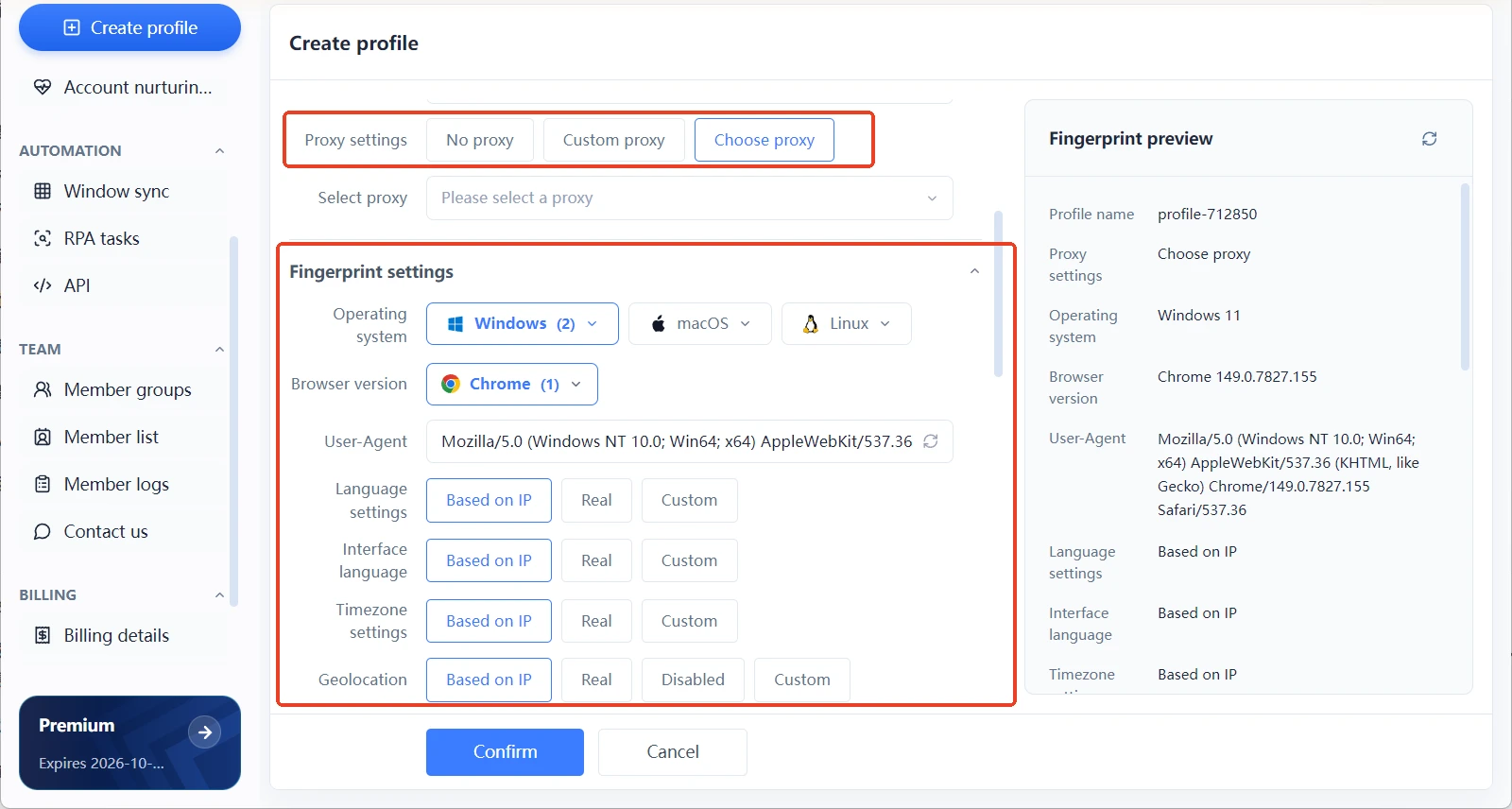
Two steps in, your two profiles are already better organized than most beginners' ten. To check profile quality, run it through a free testing tool: BrowserScan shows the consistency status of each fingerprint item, while CreepJS focuses on exposing spoofing artifacts. Both are free — a natural fit for the free plan.
Setup Path 2: Two People, Two Seats — Build the Collaboration Habit Early
The second member seat is the most wasted allowance in the free plan — most solo users never even think of using it. Its real value is that you can establish the ground rules of a shared workspace while it still costs nothing, so that when the team grows to three or five people, a proven collaboration process is already running.
Reasons to invite a second member are common enough: a business partner, an assistant handling day-to-day account upkeep, a contractor helping out temporarily. Once a member joins, the profile's advanced settings include a profile sharing toggle with exactly two options, allow and block — there is no granular permission per person or per profile. One person takes one profile and one business line each: the most natural arrangement for 2 profiles and 2 members.
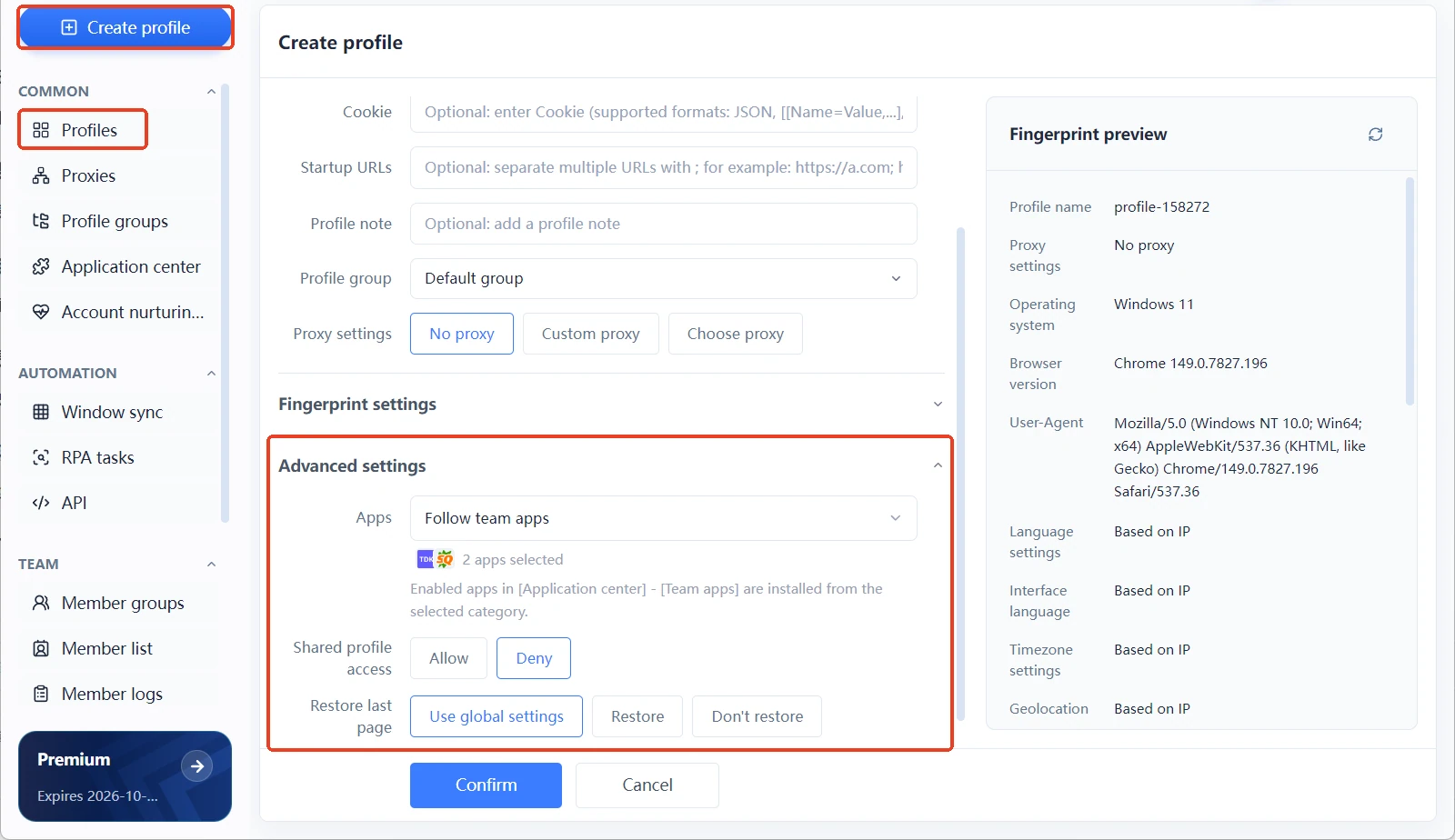
One reminder: as soon as the second member joins, make leaving a paper trail an immediate habit — who changed what in which profile, and when, belongs in the notes rather than in someone's memory. Fix this at the free-plan stage and it grows into the seed of a member log as collaboration scales.
Four High-Value Ways to Use the Free Plan
Push the two setup paths one step further and four more uses open up that cost nothing but pay back handsomely:
- Treat the free plan as a practice ground for your process. Naming conventions, proxy tests, the daily opening and closing of profiles — drill these until they are automatic, and bulk actions will double your efficiency once you upgrade.
- Use it as a probation period for new proxies. Let a freshly bought proxy run on a free-plan profile for three days to judge its stability instead of wearing out a paid profile on trial and error.
- Use it as a training environment for new people. Give a new member a profile of their own to practice on; if something breaks, rebuild one — production stays untouched.
- Use it as the model home for your isolation standard. Keep your most disciplined profile as a template and build every future batch of profiles after it.
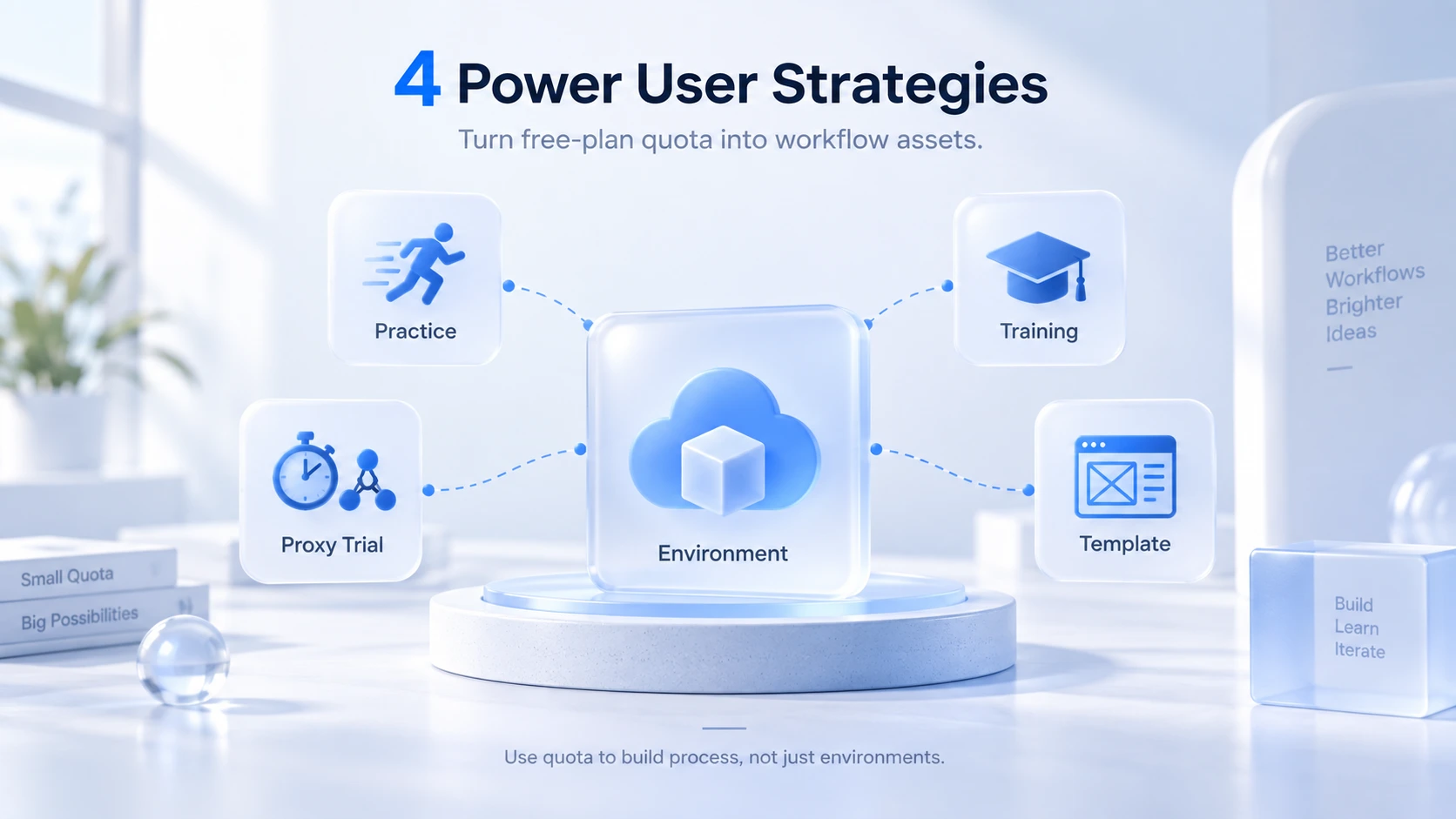
The shared logic behind all four: the free quota is a process asset, not just a profile count. People who burn through the quota end up with two profiles; people who spend it well end up with a standard.
Only One Signal Tells You It Is Time to Upgrade
The free plan does not need a complicated upgrade decision — when the need for a third profile becomes real, that is the moment. Maybe a new platform needs a new store, maybe the testing environment has run out; the point is that the need is concrete, not a vague fear of running short later. Pro starts at 10 profiles for $6.80 per month or $40.80 per year; the higher tier starts at 100 profiles for $165.00 per year. Whatever process you built on the free plan carries over unchanged.
Frequently Asked Questions
Does the MostMate free plan expire?
No. The free plan is free forever — the 2 profiles and 2 member seats are not tied to any deadline, and profile data is never locked at an expiry date. Quantity is the only limit.
Can the 2 free profiles be bound to the same platform?
Yes. Profiles are isolated from one another, and running multiple accounts on one platform is a typical use case - one profile per ad account is exactly how the best antidetect browser for facebook 2026 setups start. Just make sure each profile has its own proxy and its own fingerprints, and that the refistration and operating details of the two accounts are genuinely separate as well.
Does inviting a second member cost anything?
No — the 2 member seats are included in the free plan. Members work in profiles where sharing is allowed; collaboration beyond 2 people belongs to the paid plans.
Where do the free plan and the paid plans differ?
By the official plan breakdown: bulk actions, data sync, and team collaboration start with Pro, while the free plan covers the everyday core features such as creating profiles, proxies, and fingerprint configuration. While your account count is small and the work is mostly manual, the free plan is enough.
Final Thoughts
The value of the free plan does not show up on an invoice — it is an unlimited practice window: two profiles to get isolation and proxies right, two members to set the rules of collaboration, four high-value uses to turn your process into an asset. Starting on the free plan is nothing to be ashamed of; what is a shame is reaching the end of the free period with no process built. What you produce during the practice window decides where you start after upgrading. Ready to begin? Download MostMate, register, and start right away. The principles and criteria of isolation are covered in What is environment isolation — it pairs best with Setup Path 1 above.

MOSTMATE
Secure Multi-Account Management, Made Simple
Start with your first account and use MostMate to build safer, smarter, and more efficient multi-account operations.
- Independent profiles. Consistent identities.
- AI Automation · Account Health · Team Operations



