
Mercado Libre Multi-Store Operations: Account Management and Browser Isolation
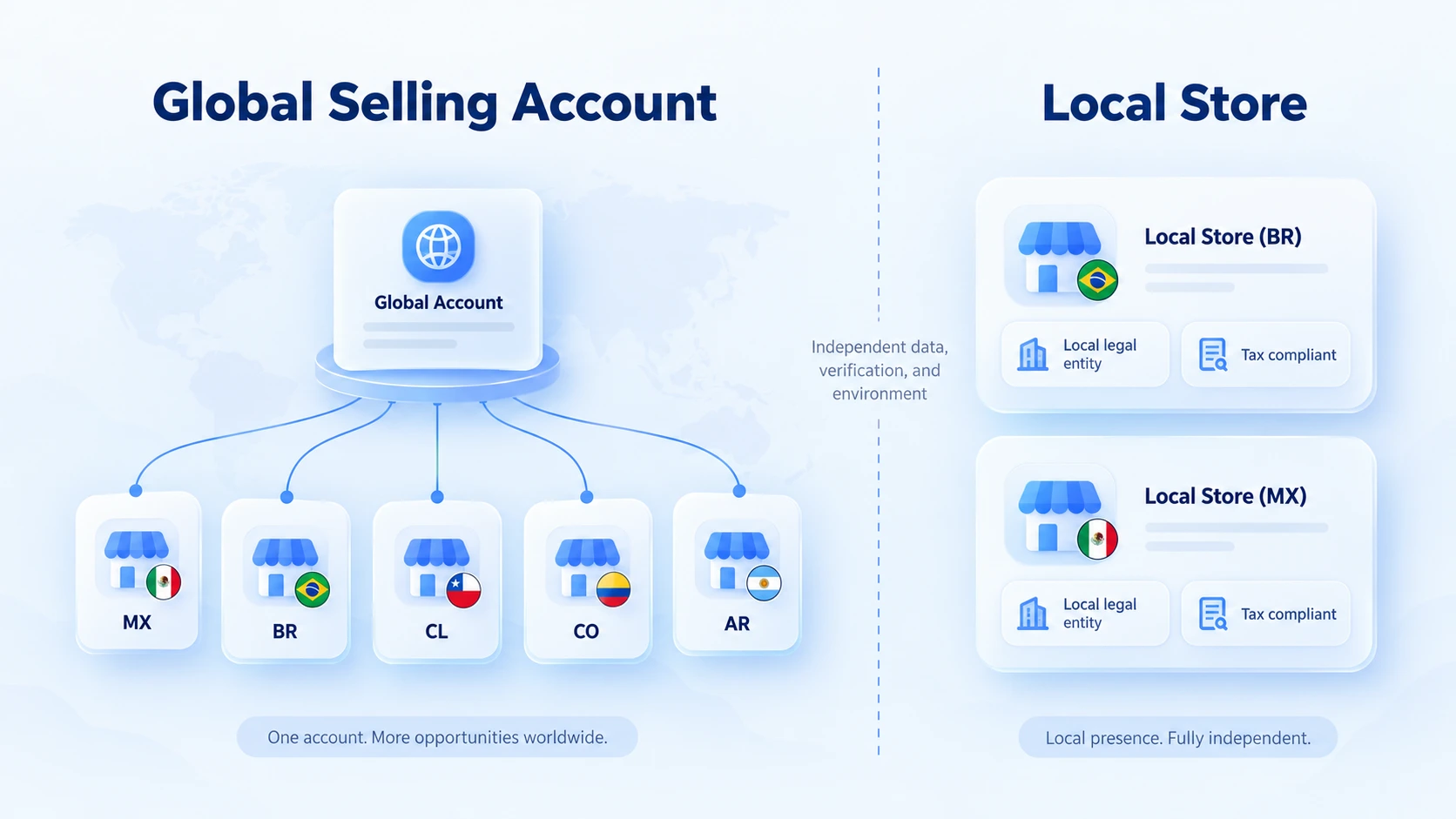
Running multiple stores on Mercado Libre starts with telling the two models apart before you deal with environment management. One model is operating multiple Latin American markets through a single Global Selling account. The official page states that a single account lets you sell on five sites: Mexico, Brazil, Chile, Colombia, and Argentina. The other model is running several independent stores within the same market, such as local stores alongside cross-border ones. The two models differ in account structure, registration documents, and management requirements, so planning by the rule of "one account per market" does not work.
MostMate is an anti-detect browser that centralizes the browser environments, proxy settings, and team permissions of different stores, helping operations teams cut down the daily friction of switching and collaboration. This article first explains how a Mercado Libre cross-border unified account differs from multiple independent stores in one market, then covers what to check across four areas: account records, browser environments, proxy settings, and team collaboration.
Two Models First: Unified Cross-Border Accounts and Multiple Stores
Mercado Libre covers eighteen countries and regions in Latin America, and there is more than one path open to Chinese sellers. The official recruitment site currently opens six sites: Mexico, Chile, Brazil, Colombia, Argentina, and Uruguay. Each site comes with its own logistics options; overseas warehouses, seller fulfillment, and US transfer warehouses each suit different scenarios.
Cross-border sellers go through Global Selling, where one account covers product listings on all these sites. Payments settle in US dollars. Communication in Spanish and Portuguese is handled by the platform's built-in translation tools. The advantage of this route is simplicity: one set of documents, one backend, one listing workflow covering multiple countries. The catch is that it has entry requirements. The recruitment site sets clear requirements for business entities, business licenses, brand qualifications, and average order value. Different seller types, such as overseas warehouse sellers, self-shippers, and brand owners, face different onboarding conditions, so check which category your business falls into before applying.
The other model is multiple independent stores within one market. A typical scenario: alongside a Brazil cross-border store, you also open a Brazil local store. A local store registers under a local entity. Its logistics and traffic policies follow local treatment. Its registration documents, tax information, and verification process are fully independent from the cross-border account. Managing stores like these is exactly the scenario where environment isolation matters.
The two models do not conflict. Many teams run "one Global Selling account covering five countries, plus a number of local stores". The two routes have different document requirements, and everything later in this article applies to both.
Plan Account Records Before Running Multiple Stores
Before environment management comes record keeping; if account documents are messy, the environment will be too. For multi-store teams, we recommend organizing the ledger along four dimensions:
- By market: one row per site, with Mexico, Brazil, and Chile recorded separately.
- By entity: unified cross-border accounts, local company entities, and individual seller identities each get their own entry.
- By brand: when running multiple brands in one market, each brand maps to its own store.
- By owner: who manages which store, how they log in, and who holds the verification phone and email.
Beyond the ledger, two more sets of materials need checking:
First, registration and verification requirements. Local stores involve local entity proof and tax information, while cross-border accounts involve business licenses and brand qualifications; contradictions between documents will stall verification.
Second, listing standards. The platform has rules for product information, category placement, and prohibited items, so when multiple stores list similar products, avoid duplicate listings and reused materials. At registration, submit truthful and accurate entity and verification data as the platform requires. An anti-detect browser manages the local browser environment; it cannot replace the platform's identity verification, nor fix problems in the registration documents themselves.
Why Multi-Store Teams Need Separate Browser Environments
Once you run many stores, the problems rarely come from the accounts themselves: the team shares one computer and switches accounts, while the browser holds only one set of login states. Store A's cookies are still alive, and logging into Store B may knock them out. Local storage and caches bleed into each other, and web behavior data gets mixed together.
More common are simple mistakes. Operators jump between store backends, change the wrong price, or send a message on the wrong site, and tracing what happened afterwards is hard.
Separate browser environments solve this layer of the problem. Each store maps to one environment, and login states, cookies, and caches stay within their own environment. When team members open the assigned environment, they see only the store they are responsible for. Entering the wrong store, logging into the wrong account, and overwriting each other's data: these daily losses drop accordingly.
Environment isolation manages the mixing of browser data; it does not change the platform's account rules. Multi-account policies vary by platform, so whether you can open multiple accounts and how, follow Mercado Libre's official guidance for the relevant market. Presenting environment isolation as a platform-endorsed solution is neither true nor compliant.
How to Check Proxy and Environment Settings
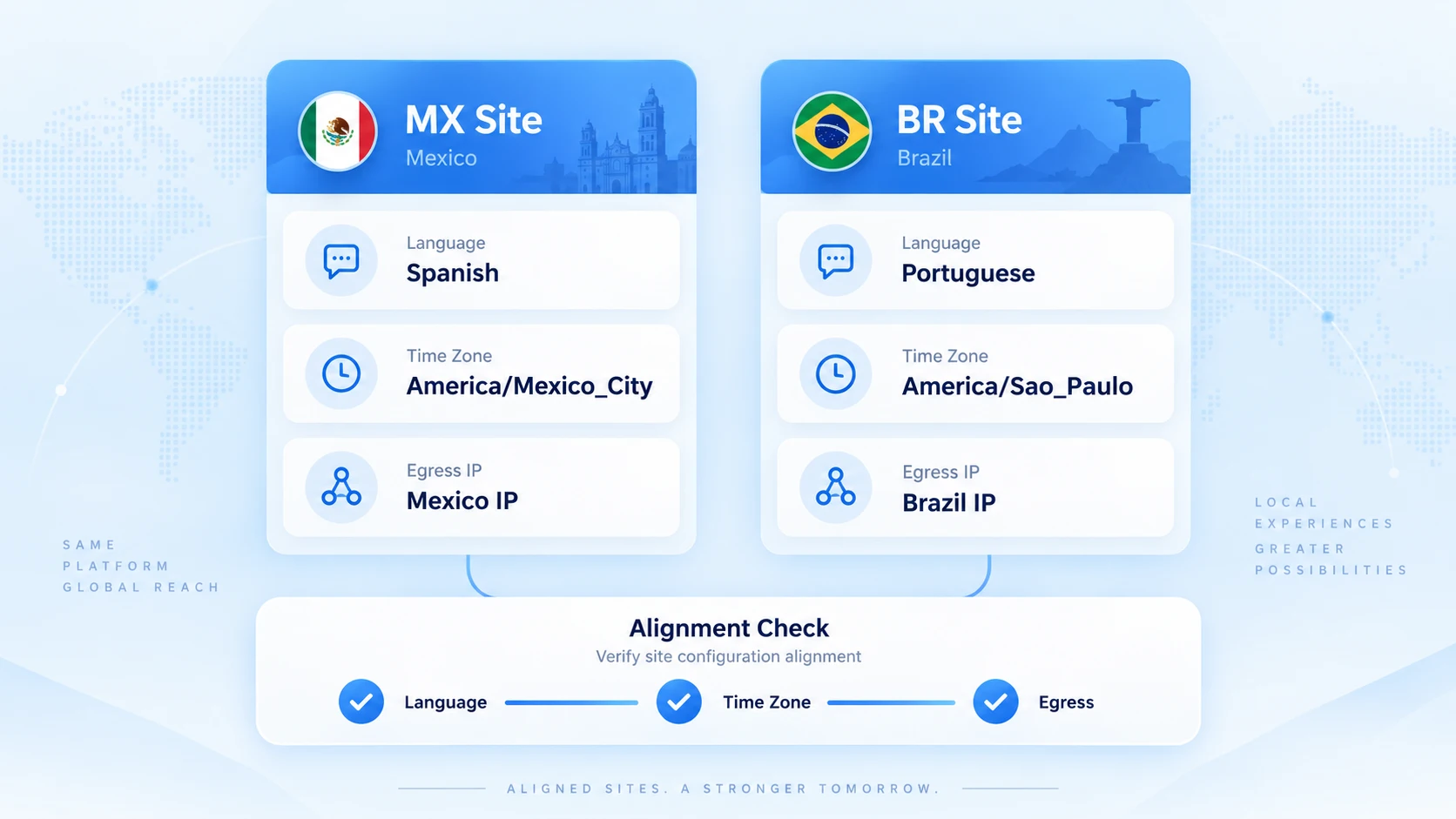
Checking proxy and environment settings works best against a fixed checklist. Latin America has one special point: the Mexico site runs in Spanish while the Brazil site runs in Portuguese. The site's language and time zone must match the environment's browser configuration. This is the most commonly overlooked signal in Latin American multi-store management.
Here is the daily checklist:
- Does the exit IP match the store's market? A Brazil store maps to a Brazil exit, a Mexico store to a Mexico exit, and the node shown in the supplier panel must match the actual exit.
- Do the browser language, interface language, and time zone match the site? A Spanish site paired with a Portuguese environment is a mismatch anyone can spot.
- After every proxy, device, or environment change, record the reason and the time. That is what gives you a trail when something goes wrong.
- When you receive a platform verification or restriction notice, read the reason in the official notice first, then decide what to do.
One more note on the last item. A different IP does not mean independent accounts, and a shared IP does not automatically cause linking; platform judgments rely on many types of signals. Proxy settings solve the management of network exits. The daily rhythm of exit checks was covered in the proxy maintenance article. For aligning language and time zone with the site, see the checklist in the anti-association consistency guide; we will not repeat it here.
How MostMate Helps Manage Mercado Libre Stores
MostMate's approach has three layers: records, environments, and network. The same logic applies on other cross-border e-commerce platforms; the Shopee multi-store article covered the Shopee side, and this one focuses on Mercado Libre.
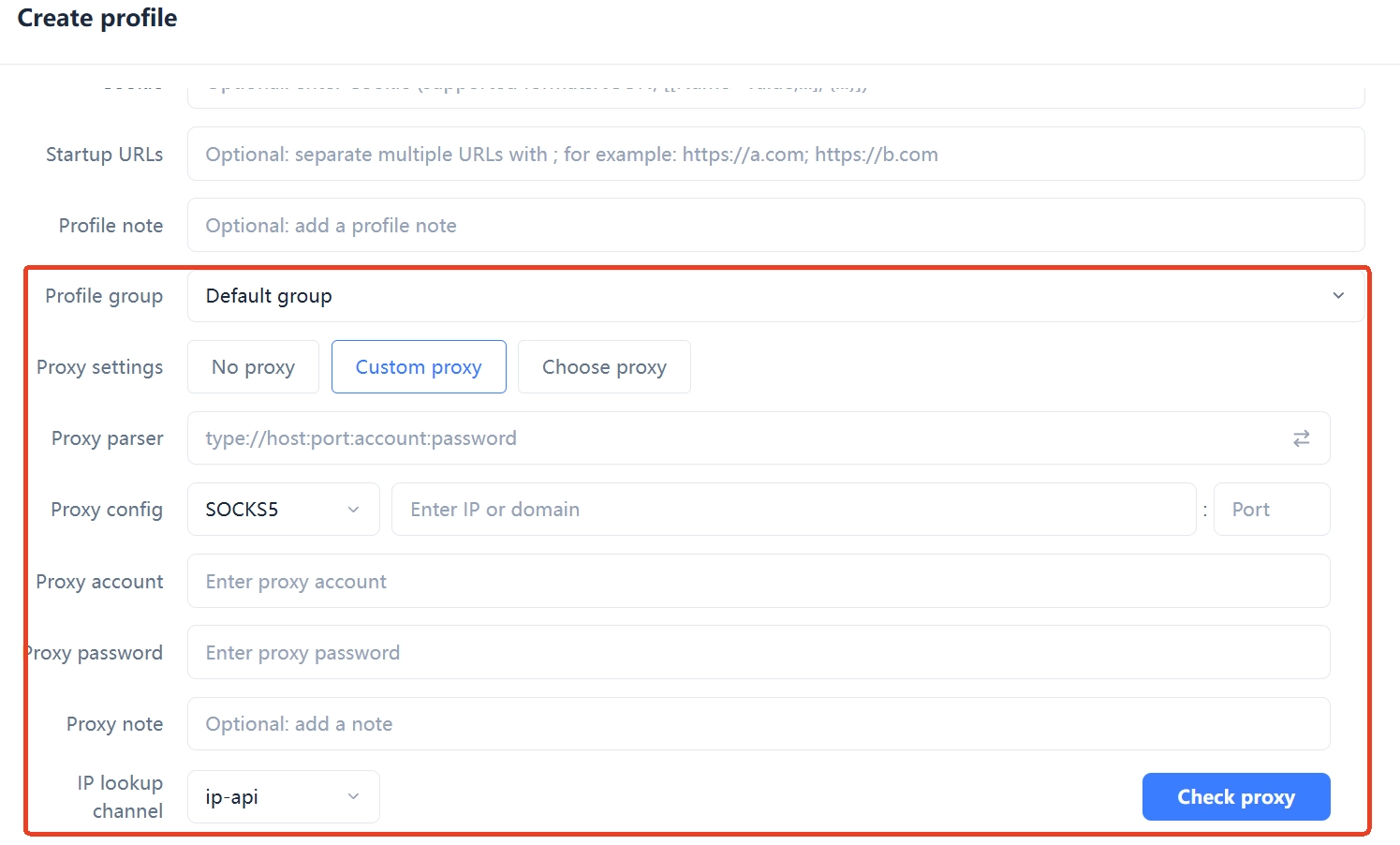
1. At the environment level, create one environment per store and name it by the ledger's naming rules. For example, MX-Cross-Main or BR-Local-01, with environment names matching stores one to one. Team members enter the backend through their assigned environment, leaving little room for mixing things up or operating by mistake. Note the store entity, verification method, and owner in the environment notes, and check against them during handovers.
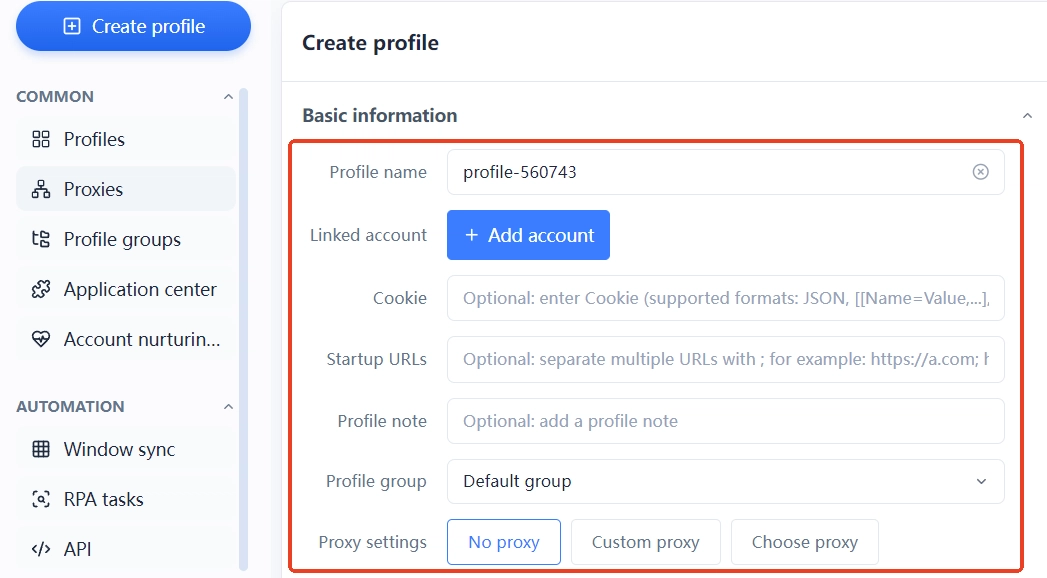
2. At the network level, register proxies in a dedicated list, then assign them to the matching environments. The exits for the Brazil and Mexico stores are clear at a glance in the list. When creating an environment, language, time zone, and geolocation can align to the exit automatically. The Spanish and Portuguese site configurations never bleed into each other.
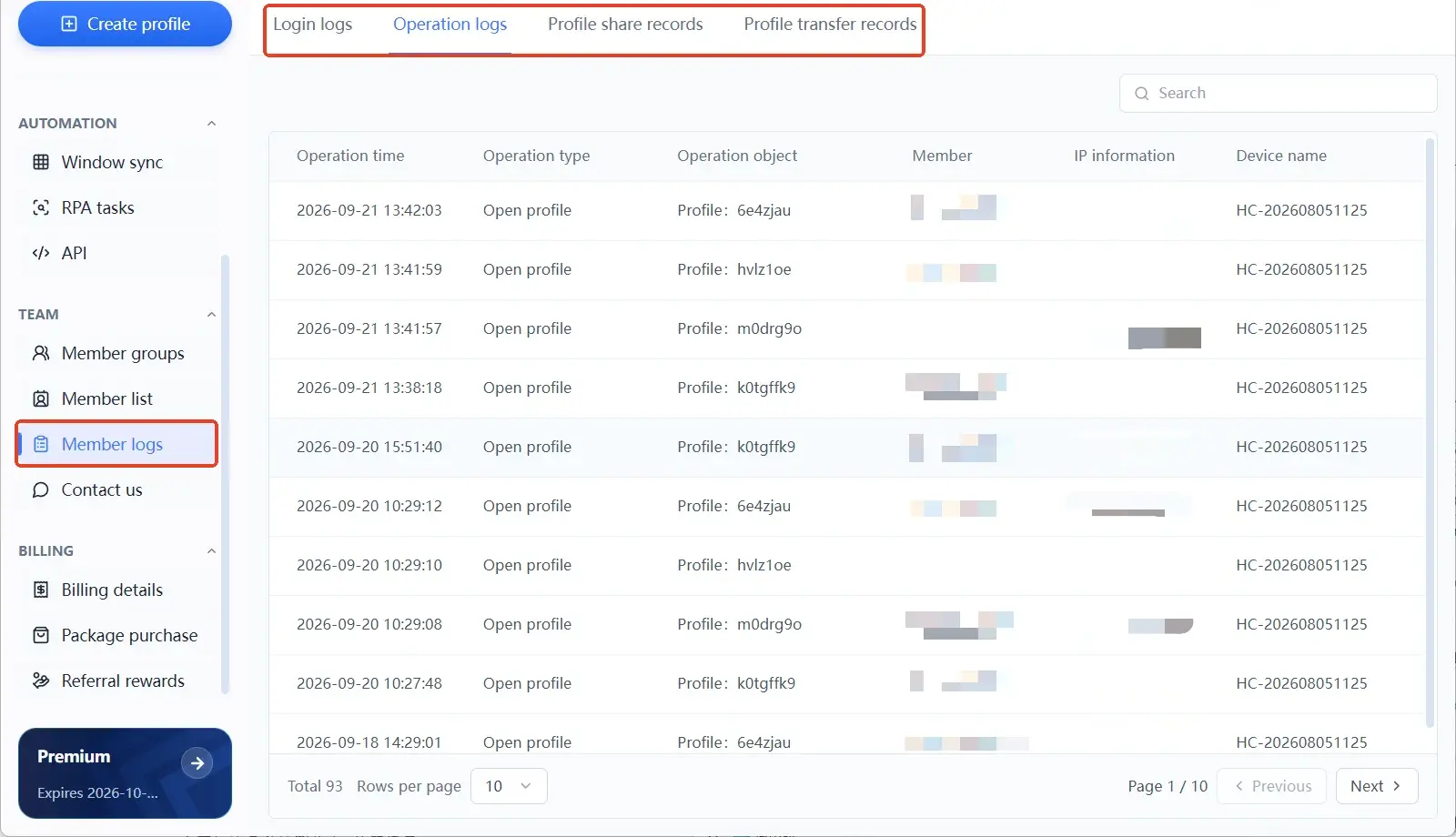
3. At the team level, member groups cover their own range of stores, operations are logged, and who did what in which environment can be traced. These management practices reduce the confusion and mistakes of daily team operations. How the platform judges accounts is up to the platform; the tool's role is to keep the environment in order.
Frequently Asked Questions About Multiple Mercado Libre Stores
Do I have to open multiple accounts to sell cross-border on Mercado Libre?
No. Global Selling supports running Mexico, Brazil, Chile, Colombia, and Argentina on a single account, and most cross-border sellers can start with one. Whether you need extra local stores depends on your business model, logistics plan, and competition in the local market. Check the official onboarding requirements first, then decide.
Can an anti-detect browser guarantee my Mercado Libre stores will not be linked?
No. Browser environment isolation manages the mixing of login data and browser configurations. The platform's account judgments also involve registration documents, business behavior, product information, and other signals. The tool's role is to keep environment management in good order; it cannot and should not promise to evade platform rules.
Can multiple stores share one computer?
Yes, as long as each store has its own browser environment. The main risk of sharing a computer is login states and browser data polluting each other. Separate environments keep each store's data apart, and team members enter their own store backends through their assigned environments.
Can switching proxy IPs fix store restrictions?
The IP is not necessarily the problem. When you receive a restriction notice, read the reason stated in the official notice first: document issues, listing violations, or fulfillment problems could all be the root cause. Only then look at your exit configuration if the issue is IP-related. Blindly switching IPs may not solve anything, and it adds one more unrecorded change to the environment.
Conclusion
Multi-store operations on Mercado Libre start with telling the models apart. One Global Selling account covering five countries is one way to operate; local stores running alongside cross-border stores in the same market is another, and their account documents and environment requirements are independent of each other. Once the models are clear, manage the ledger, browser environments, and proxy and language settings against checklists, and the team runs with far less confusion.
MostMate keeps the environments, proxies, and team permissions of your stores in a single workspace, making daily multi-store checks easier. We have previously covered multi-store management on Shopee. To straighten out the environments for your Mercado Libre stores, start by downloading MostMate and set up the first store's dedicated environment.

MOSTMATE
Secure Multi-Account Management, Made Simple
Start with your first account and use MostMate to build safer, smarter, and more efficient multi-account operations.
- Independent profiles. Consistent identities.
- AI Automation · Account Health · Team Operations



