
How to warm up a new Facebook account? A staged checklist for the first 7 days after registration
The core takeaway: what the first 7 days of a new account require is building and keeping four things stable, namely identity information, security settings, usage behavior, and the login environment; fixed like quotas won't help. Facebook's risk rules are not public, and no checklist can promise an account will not be restricted. What you can do is keep the account in a "real user, normal use" state from day one, handle verification through the official process, and stop switching devices or proxies to test your luck.
Start with a common scenario. An operator registered a new account last month and was asked to upload a selfie for identity verification the very next day. His response was to switch to a new proxy, log in again, and grab another computer while he was at it. Verification failed, the account landed in a feature-restricted state, and all the preparation work stalled. Looking back, on registration night alone the account added twenty-plus strangers and joined a dozen groups, and it logged in across two devices. When a new account runs into trouble, it is usually not bad luck but too many signals left in the first few days for the platform to verify.
Why new accounts always go through security checks
Most of the verification prompts, feature limits, and login alerts a new account sees are platform security checks, and the triggers usually fall into three types of signals. The first is identity signals: incomplete registration details, or usage that clearly does not match the profile. The second is session signals: new devices or new locations that were not there at registration. The third is behavioral signals: mass friend requests in a short time, sending identical content to many people, or untrusted automation tools. Meta's official security materials keep stressing login alerts, two-factor authentication, and session management; it has never published a seven-day process that applies to every new account.
A security check and a policy penalty are two different things. A check means the platform is asking whether this account is trustworthy; complete the verification as prompted and tidy up how the account is used, and it usually returns to normal. A penalty targets violations of the Community Standards, and the path forward is entirely different. Treating every verification as a sign of a coming ban, or blaming a single factor, will point your response in the wrong direction.
The first 7 days: four stages, one checklist
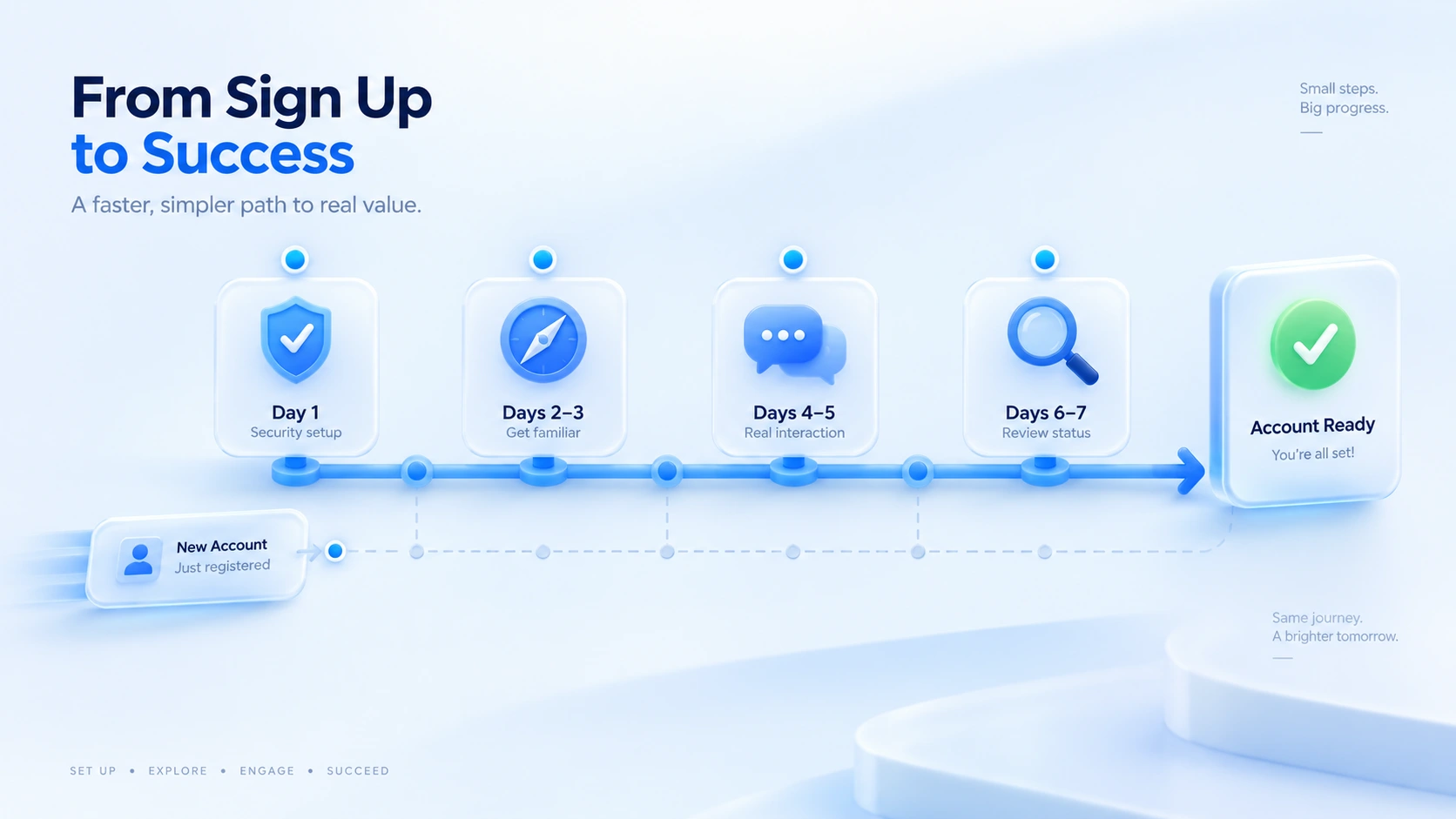
Seven days isn't a platform rule. It's just an easy rhythm to follow.
Day 1 | Basics and security settings. Confirm the registration details are complete and the contact information works, then turn on login alerts and two-factor authentication. Take no expansion actions that day and let the account sit quietly through its first round of checks. The general principle at registration is real details and restrained actions; the practices in the Gmail registration guide apply to Facebook as well.
Days 2–3 | Get familiar with the platform and privacy settings. Fill in the profile, learn how Feed, notifications, and privacy settings work, and browse content as a real need arises. No stranger requests. No repeated posts. No tools of unknown origin.
Days 4–5 | Start activity for your real purpose. For a personal account, interact normally with people you actually know. For a business account, first confirm the right account type, Page rules, and commerce tool requirements, then start with a small number of genuine actions; no large-scale marketing.
Days 6–7 | Review status and environment. Check for unresolved security notices and unusual login records, and confirm that the login environment and proxy configuration still match the original notes. If anything is flagged, follow the official guidance first.
This rhythm turns straight into a team checklist:
| Stage | What to check | If something looks wrong |
|---|---|---|
| Day 1 | Complete details, 2FA, login alerts | Fill gaps same day, via official flow |
| Days 2–3 | Privacy, notifications, no odd requests | Ignore all stranger verification requests |
| Days 4–5 | Activity level matches the stated purpose | Pause activity until the notice clears |
| Days 6–7 | Notices, login records, environment match | End odd sessions, then change password |
What to check in the network and browser environment
- Network exit. The proxy connects fine and the actual exit region matches the business need. Verify it the same way as in the two-layer proxy check: being able to connect is not the whole check.
- Login environment. Record which browser environment this account normally uses, keep the same environment between teammates unless there is a handover, and avoid the same account jumping between different configurations.
- Browser parameters. Time zone, language, and similar settings only need to match the actual usage scenario; there is no need to tweak each one while chasing a "perfect fingerprint."
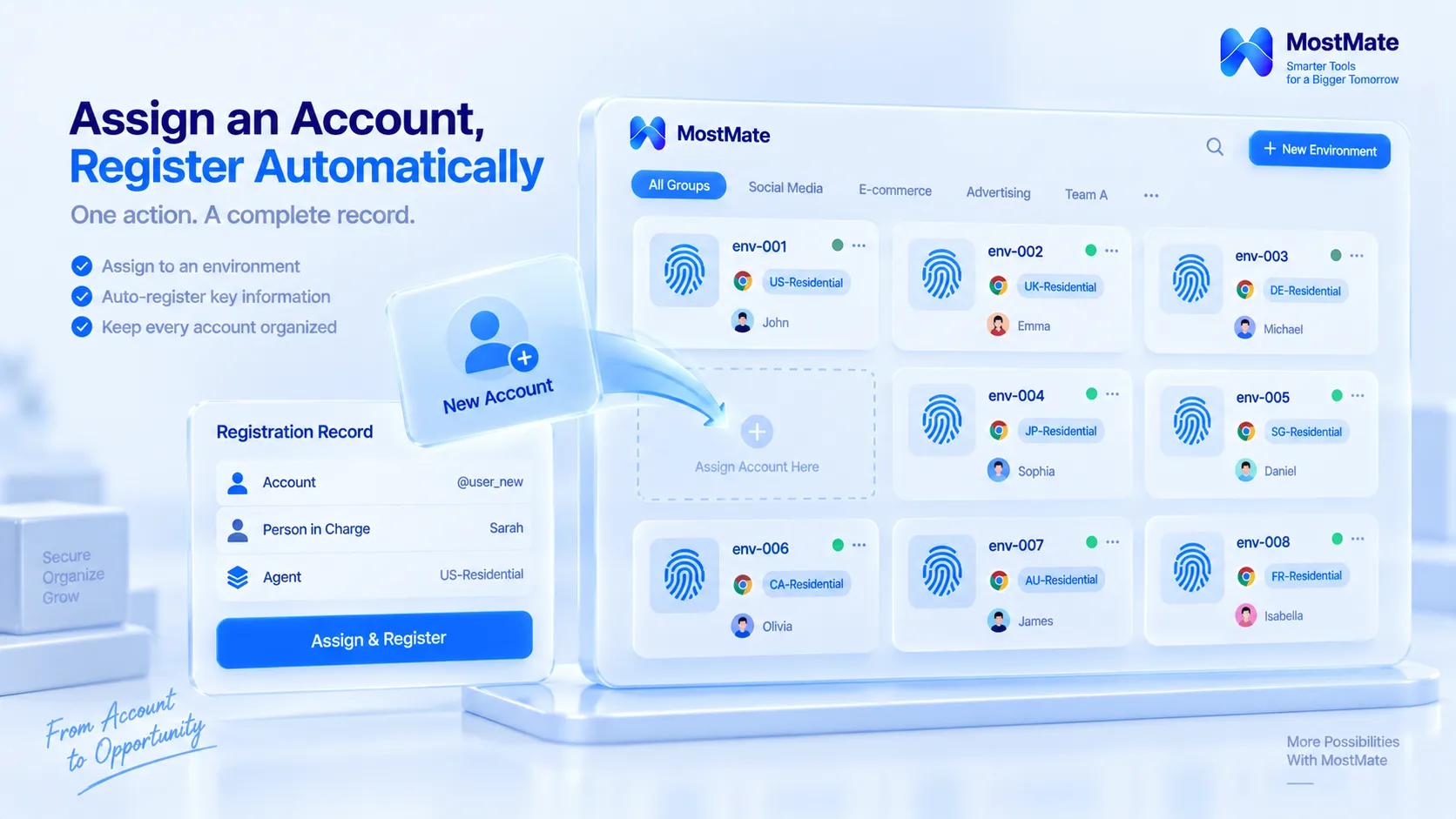
- Account-to-environment mapping. When a team runs many accounts, register who owns each account, which environment and proxy it maps to. Most mis-logins and mixed configurations come from this layer being unclear.
Where MostMate fits in
Of the four items above, the last two are easiest to handle with a tool. MostMate prepares an isolated browser environment for every account, keeping accounts and environments in one-to-one correspondence, with cookies, login states, and configurations never shared. Environment groups separate accounts by project, note fields record each account's purpose and registration date, and member logs keep the history of environment use and transfers. Hand over by environment instead of passing around a pile of passwords.
The warm-up stage gets even more direct help. The MostMate warm-up panel (beta) splits 30 days into five stages: initial setup, light activity, normal activity, business transition, and steady operation. Each day it gives you that day's task list and completion progress, so you check items off one by one; a "not today" list shows what a new account should not do, such as mass-adding friends or frequently editing the profile; and when an unusual notice appears, the panel suggests pausing the day's plan and resuming the next day after handling it. The first-7-days checklist in this article maps to its first two stages, so you can treat the panel as the execution layer of the same rhythm.
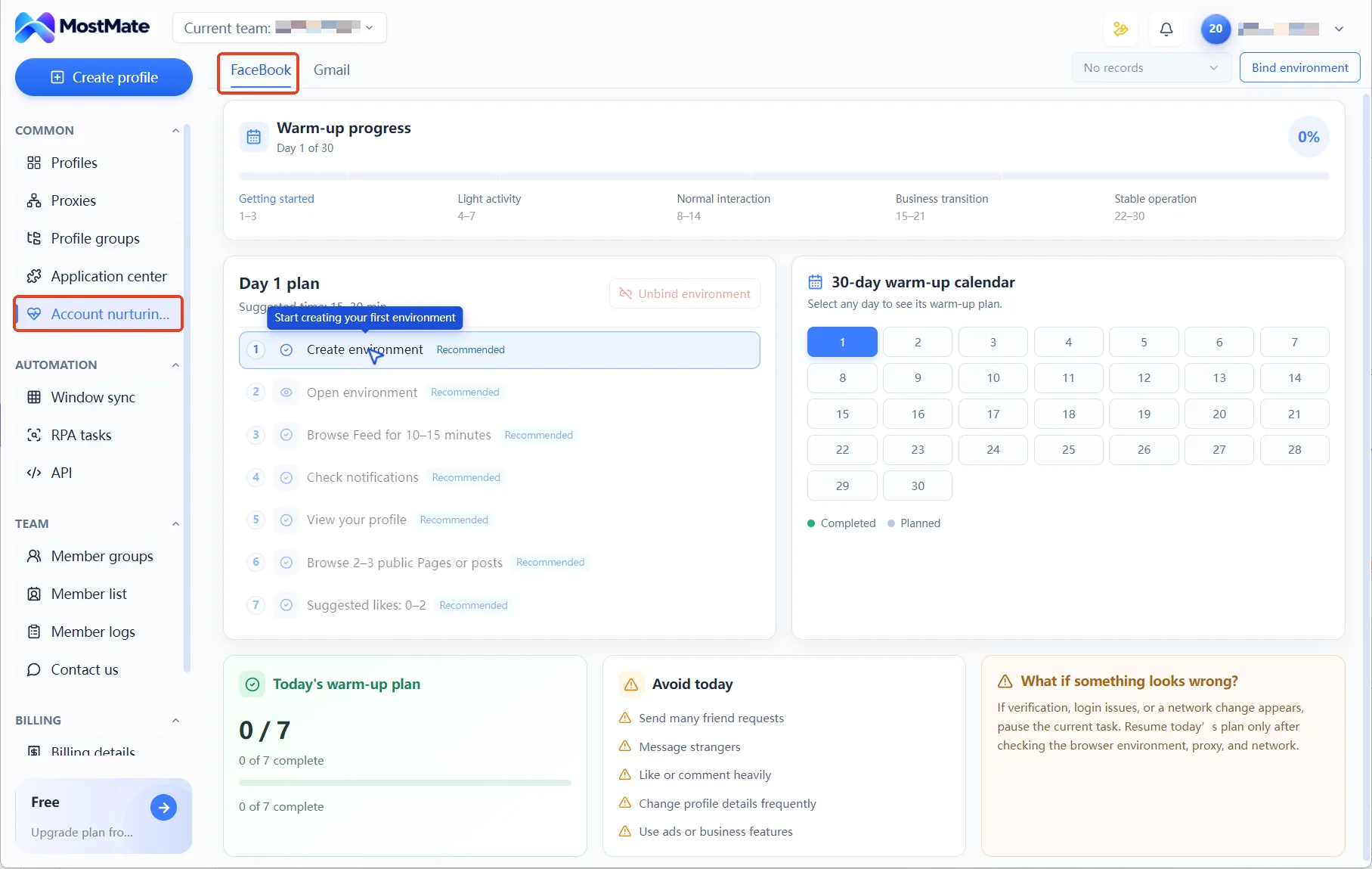
The boundary should be clear here too. The warm-up plan is a built-in execution rhythm in the product, not an official Facebook process, and environment management solves configuration clutter and unclear handovers. Whether an account itself stays compliant depends on identity and how it is used; platform rules do not change because of a tool. For a full tour of each module, see what is MostMate.
The four most common mistakes with new accounts
Mistake 1: treating like and friend counts as a safety standard. The circulating advice of "5 likes and 3 friend requests a day" has no basis. Numbers do not trigger checks; behavior patterns do. Normal use that matches your real purpose beats hitting any number.
Mistake 2: switching proxies and fingerprints after a restriction. The reason for a restriction is written in the platform notice. Repeatedly changing the login environment only adds more unusual sessions and makes the next check harder to pass. The right order is to read the notice first. Then act on the guidance.
Mistake 3: believing one person cannot register multiple Facebook profiles. Meta now officially supports multiple personal profiles for one person, used to separate different contexts, as long as each profile follows the Community Standards; the official announcement states this clearly. What violates the rules is registering with a fake identity or evading restrictions, not having "multiple profiles" itself.
Mistake 4: starting marketing right after registration. Sending ads and pulling people in bulk from an account with no usage history pushes the behavioral signals to the max. Put marketing off until the account has been active for a while in line with its real purpose, and confirm the applicable commerce rules first.
Frequently asked questions
Does a new Facebook account really need the full 7 days?
The 7 days are an execution rhythm, not a hard threshold. What matters is whether the settings and records for each stage are in place, and the timeline can stretch or shrink with the account's actual purpose.
My new account was asked to verify right after registration. What now?
Complete verification through the official flow as prompted, and do not change devices, proxies, or browser environments during it. After verification passes, keeping usage stable matters more than anything else.
Can an anti-detect browser prevent Facebook bans?
It cannot be guaranteed. An anti-detect browser manages the isolation and configuration consistency of browser environments; whether an account gets restricted depends on identity authenticity, usage behavior, and platform rules, and no tool changes those.
My team runs several Facebook accounts. How do we manage environments?
One account maps to one environment, with the owner, proxy, and purpose registered, and groups separating projects. When members change, transfer the corresponding environment and keep a record. For details, see the article on multi-account security management.
Closing thoughts
The value of the first 7 days is building security settings, usage habits, and environment records in one go, so the account has a clear usage trail from the start. Handle verification through the flow. Let activity follow the real purpose. Divide team work by environment. That is how the account's foundation gets solid.
If your team is warming up new accounts on several platforms, set up the one-to-one mapping of accounts and environments before you start; it is far easier than fixing restrictions afterward. Download MostMate and set up environments, proxies, and member permissions in one panel.

MOSTMATE
Secure Multi-Account Management, Made Simple
Start with your first account and use MostMate to build safer, smarter, and more efficient multi-account operations.
- Independent profiles. Consistent identities.
- AI Automation · Account Health · Team Operations



