
What to Do When Your Account Is Banned: A First-Hour Emergency Response Timeline
Your ads were running normally in the morning, and by midday login the account was already disabled. Some people log in repeatedly to confirm what happened, some immediately switch proxy IPs, and others worry their other accounts are affected and start bulk-editing environments. By the time they get ready to appeal, the ban notice was never saved and earlier actions lack any record.
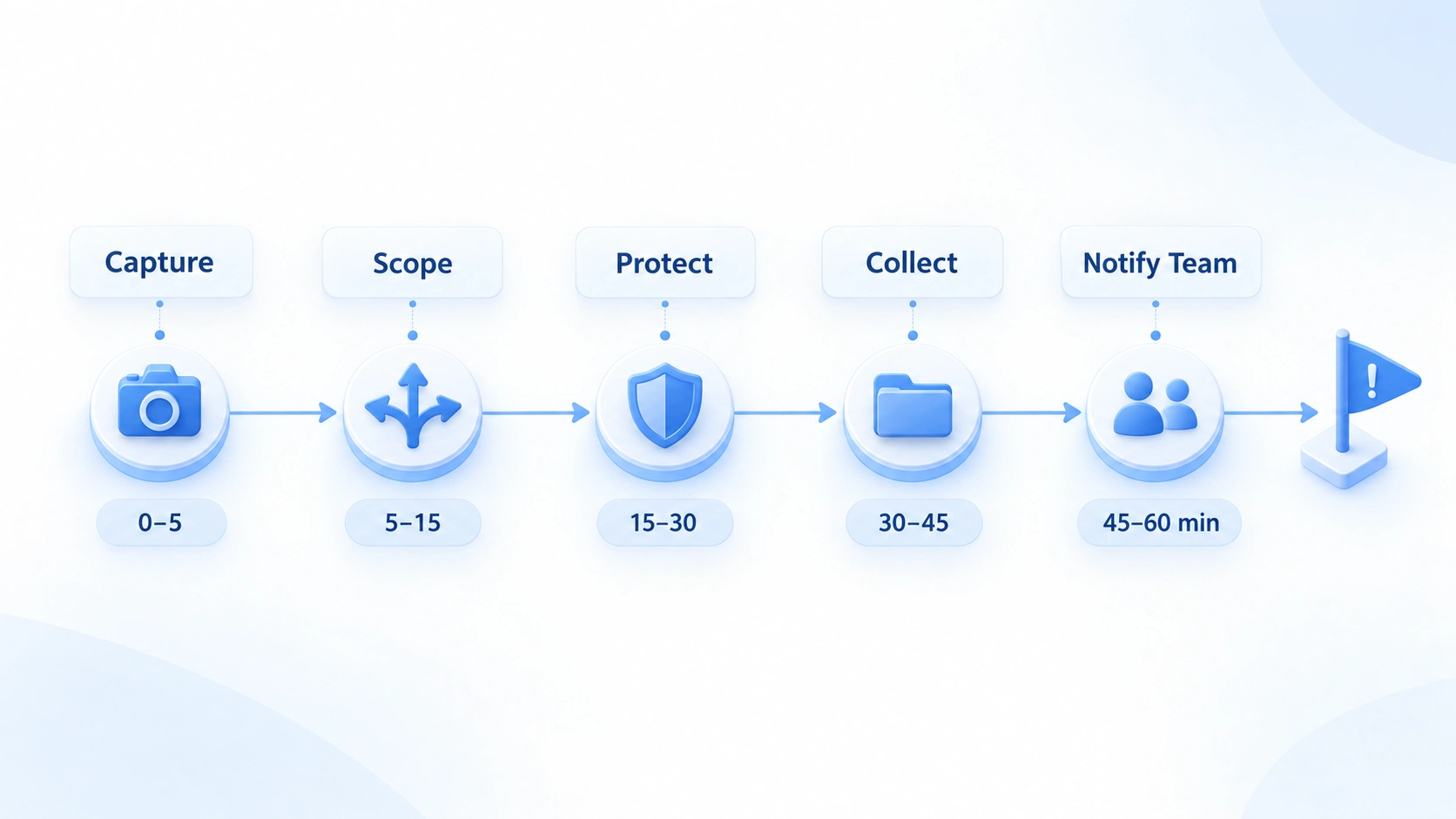
In the first hour after a ban, work through a fixed order: save the notice, identify the restriction type, check account security, prepare appeal materials, and clarify team roles. Changing networks or rebuilding environments before the cause is clear only pushes the investigation further out of reach.
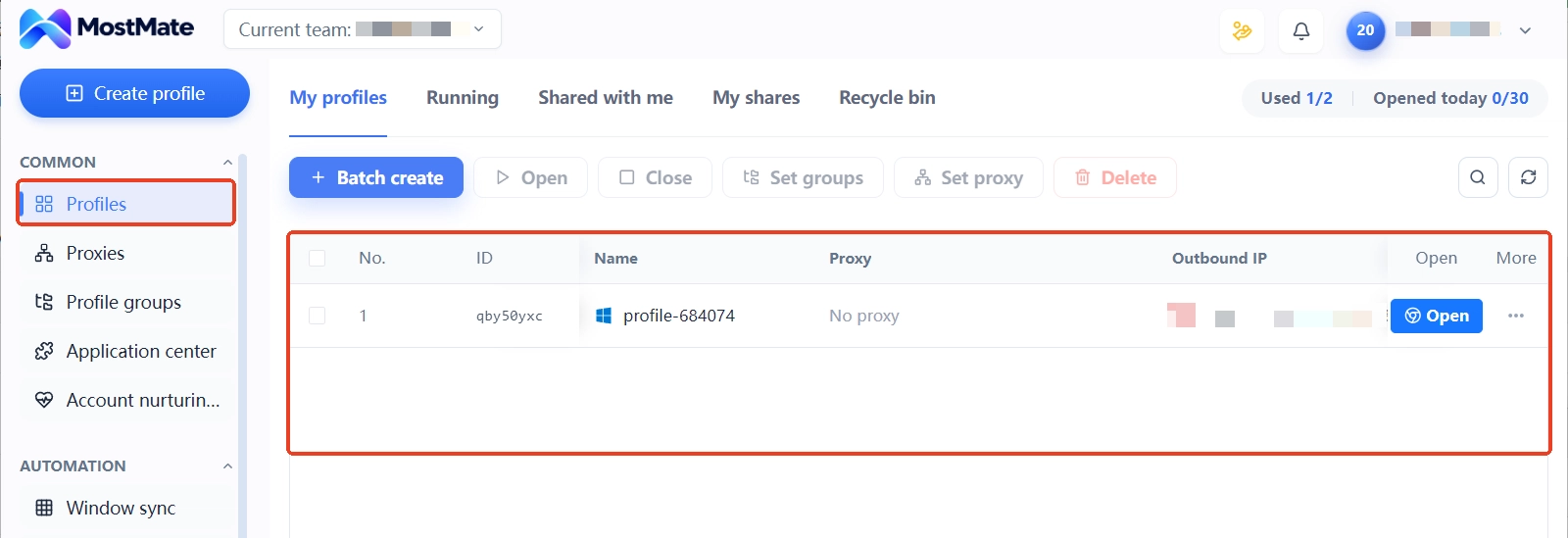
For teams managing multiple business accounts, MostMate helps map accounts to browser environments and review related configurations and change logs. Whether an account can be restored still depends on the platform's stated reason and its official appeal process.
The First 60 Minutes After a Ban
The first hour is an internal operating framework, not a platform-imposed appeal deadline. Each of the five stages has one core action. The chart below compresses the whole timeline into a single line: see the full flow first, then locate your current stage.
0–5 Minutes: Save the Evidence
Once you notice the account issue, save the platform notice first. Don't rush to log in repeatedly or change settings. Screenshots should capture the full error message, the account identifier, the page URL, and the displayed time. If the platform sent a ban email or a security alert, keep the original message too.
Also note four things: when the issue first appeared, when the account last worked normally, the exact wording of the platform notice, and the most recent account or environment changes before the ban.
For now, do not clean data, rebuild environments, or switch networks in bulk. Keep what you have, so later you can judge from the timeline where the problem might have occurred.
5–15 Minutes: Identify the Restriction Type
With the notice saved, answer two questions. What did the platform restrict? Does the problem affect only this one account? Identity verification, temporary restrictions, account deactivation, and suspected compromise each follow a different path, so work out which one you are facing:
| What you observe | Likely issue | Next step |
|---|---|---|
| Identity verification requested | Login verification or security check | Follow the platform flow to verify identity |
| Temporary restriction notice | Temporary limit or under review | Check the duration and restricted features |
| Clear deactivation message | A platform deactivation decision | Read the reason and locate the appeal entry |
| Unfamiliar login alert | Possible unauthorized access | Check account security and email first |
| Several accounts fail around the same time | Possible shared cause | Pause bulk actions and record each account |
Use the table only to narrow the scope. It cannot replace the platform's own judgment. Google has an official page on account deactivation and restoration; LinkedIn keeps separate documentation on restriction types and appeal channels at the LinkedIn account restrictions help page. For other platforms, follow their help centers.
Verify the blast radius against your records rather than by re-logging into everything. If only one account is affected, investigate its notice and history. Several accounts failing at the same time is only a lead for troubleshooting; timing alone does not prove they are linked.
15–30 Minutes: Check Account Security and Change Logs
First confirm the account is still in your hands. If there are unfamiliar logins, a changed password, or altered recovery email or phone number, use the platform's official recovery flow instead of repeatedly tweaking settings. If you can still access the email, follow the platform's guidance to review login activity, revoke suspicious sessions, and update credentials. Never share your password with anyone; CISA's strong password advice puts it plainly.
If there are no signs of compromise, move to the change log before the ban: was the account recently handed over to another member, were binding details, permissions, or login devices changed, was the browser environment or proxy configuration touched, and were any automation tasks or bulk operations running.
These are leads only; they do not prove that a given action caused the ban. Don't shortcut to an easy answer by pinning the cause on an IP, a fingerprint, or one particular login. Teams using MostMate to run multiple business accounts can check account-to-environment mapping, recent configuration changes, and member assignment records at this stage, without relying on memory or digging through chat logs.
30–45 Minutes: Prepare the Appeal Materials
If the platform offers an appeal entry, gather your materials now. The goal is simple: let the reviewer quickly see what happened, what you checked, and what you are asking to review. Prepare four parts:
1. An accurate description of the problem: when the restriction appeared, what the page showed, and which features were affected. Do not describe a temporary restriction as a permanent ban.
2. Verifiable background: who owns the account, whether there was a recent handover, any unusual notifications received, and the corresponding timestamps.
3. The necessary evidence: platform notifications, error screenshots, timing records, and any identity or business documents the platform explicitly requires.
4. A clear request: if you believe the restriction is a mistake, request a review; if additional verification is required, complete it as instructed; if the reason is unclear, ask for further guidance.
One red line applies: everything you submit must match the facts. Don't invent login locations, forge identity documents, or present unconfirmed speculation as a confirmed cause. Use only the on-site appeal entry; never turn to third-party "unban services" and never hand account credentials to anyone. Set expectations too: not every platform responds within an hour, and not every ban can be overturned on appeal.
45–60 Minutes: Assign Roles and Next Steps
In the final fifteen minutes, turn individual troubleshooting into team coordination. Name one appeal owner; other members gather evidence or review environment records. Avoid multiple people editing configurations at the same time.
Keep an incident log with seven fields: account codename, platform, time of first anomaly, restriction type, whether a notice was received, current owner, and next action.
Base follow-up actions on what the investigation shows. If only one account is affected, handle that account first; if a shared security issue emerges, expand the review. Don't swap IPs, change fingerprints, or rebuild environments across the board out of fear for the other accounts. For a closer look at isolating the impact and grouping resources after a ban, see the containment guide.
After the incident, review which evidence was hardest to find and which step took the longest, then fold the lessons into your team process.
FAQ
Should You Switch IPs Right After a Ban?
Not as the default first step.
Where the platform requires verification, review, or an appeal, switching networks cannot substitute for those processes. Change network settings only when the network itself is at fault or the official guidance explicitly says so.
Should Other Accounts Be Suspended Too?
Not necessarily.
One restricted account doesn't prove the others have problems. First check for a shared security incident, an operation change, or a platform notice, then decide whether to pause related actions and avoid blanket changes.
Can Clearing Cookies or Rebuilding Environments Restore an Account?
There is no guarantee.
Clearing data doesn't reverse a restriction the platform has already applied, and it makes troubleshooting clues harder to trace. Keep the information first and follow the platform's recovery process.
Can a Fingerprint Browser Solve a Ban?
It manages the environment boundaries between accounts and the attribution of records. It cannot replace platform appeals, security verification, or policy compliance. If the account is already banned, deal with the platform decision and security issues first; environment management is day-to-day work.
Conclusion
The first hour after a ban may not solve the problem, but it prevents information gaps and repeated actions. Save the notice, confirm the restriction type, check account security, prepare appeal materials, and clarify team roles. Even if the account cannot be restored right away, you keep complete records and a clear direction for what comes next.
If your team manages multiple business accounts, start with MostMate and use its environment management features to organize account ownership and related configuration records. The specific reasons for a platform ban and the restoration outcome remain subject to the platform's official review.

MOSTMATE
Secure Multi-Account Management, Made Simple
Start with your first account and use MostMate to build safer, smarter, and more efficient multi-account operations.
- Independent profiles. Consistent identities.
- AI Automation · Account Health · Team Operations



