
Will Multiple Dating App Accounts Get Linked? Isolated Setups on Tinder and Bumble
Core conclusion: dating apps judge links by more than the device. Location and IP consistency, signup details, payment subscriptions and behavior pacing all feed their risk checks. Run multi-accounts on a one-account-one-environment basis, get the isolation done before signup, and hold the pacing once accounts are live. Below, the signals, the environment setup and the operating habits in three parts.
People doing promotion, testing or account management for clients often run several dating app accounts at once. Trouble follows. Log a second account on the same device and within days matches drop, or a verification prompt pops up. MostMate is an anti-detect browser built around environment isolation: one account, one independent profile. This article breaks down the linking signals in the dating scenario, then gives the setup and operating habits that answer them.
Why dating apps watch multi-accounting more closely than you'd think
Dating platforms are more sensitive to multiple accounts than most content communities, because matching depends on location and a sense of realness. The platform has to put the right people in front of each other. Location, active hours and profile completeness are core inputs. Anything off affects how match quality gets judged.
From an operations angle there are three types, each with its own risk focus. Swipe-based matching is represented by Tinder and Badoo: huge user bases, with swipe frequency the main behavioral metric. A new account that swipes right at high frequency in a short window hits limits fastest. Women-message-first is represented by Bumble, which is more sensitive to unusual messaging behavior, and bulk-registered accounts get no exposure. Long-profile apps like Hinge and OkCupid put the checks on profile authenticity and questionnaire consistency. A patched-together profile stands out more than an inactive one.
Categories differ only in focus; environment prep is the same.
The four sources of linking signals in dating apps
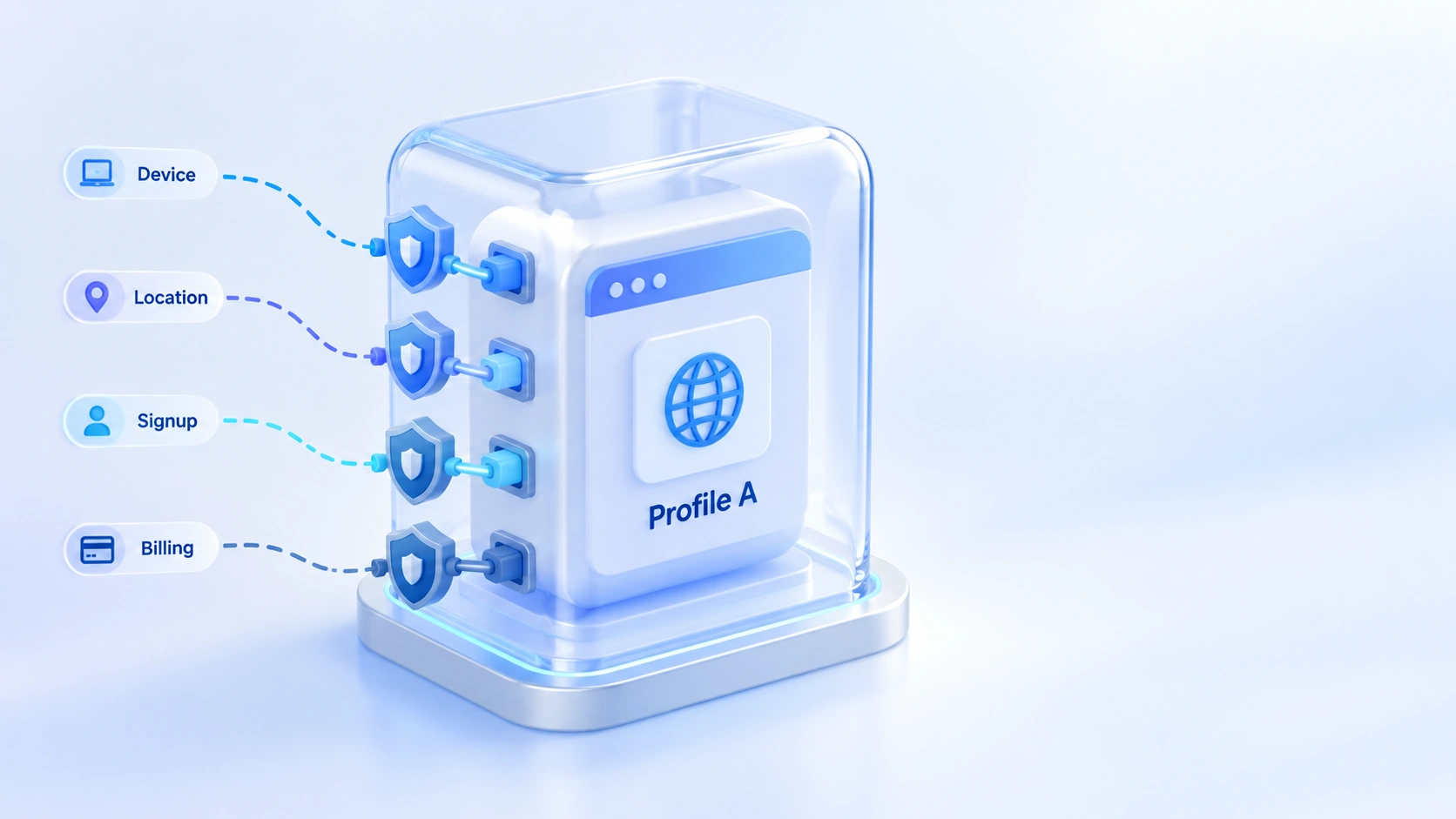
To judge if accounts get linked, check four signal sources.
The first source is the device and browser environment. Browser fingerprint, cookies and local storage on the same machine are shared across accounts. This is the most direct evidence platforms use. The environment prep for social multi-accounting was covered in our TikTok multi-account checklist, and the same approach applies here.
The second source is a mismatch between the network exit and the location. Dating apps rely heavily on GPS position for matching. If the geolocation parameters of the browser environment sit in a different region from the proxy exit, the platform sees location drift. The mismatch hurts more than exposure alone. A position that keeps jumping is itself a risk signal.
The third source is signup details. Reusing phone numbers, email addresses or third-party login accounts across profiles links them more strongly than the device layer. A separate phone number and email per account is the cheapest isolation step there is.
The fourth source is paid subscriptions. Once a subscription is tied to a payment method, putting several accounts on the same card links them through the billing records. This is the most commonly missed point in promotion and account-management work. Either stagger the cards, or keep some accounts on the free tier.
Build the environment before you sign up: the MostMate setup order
The prep done before signup decides account quality; order matters.
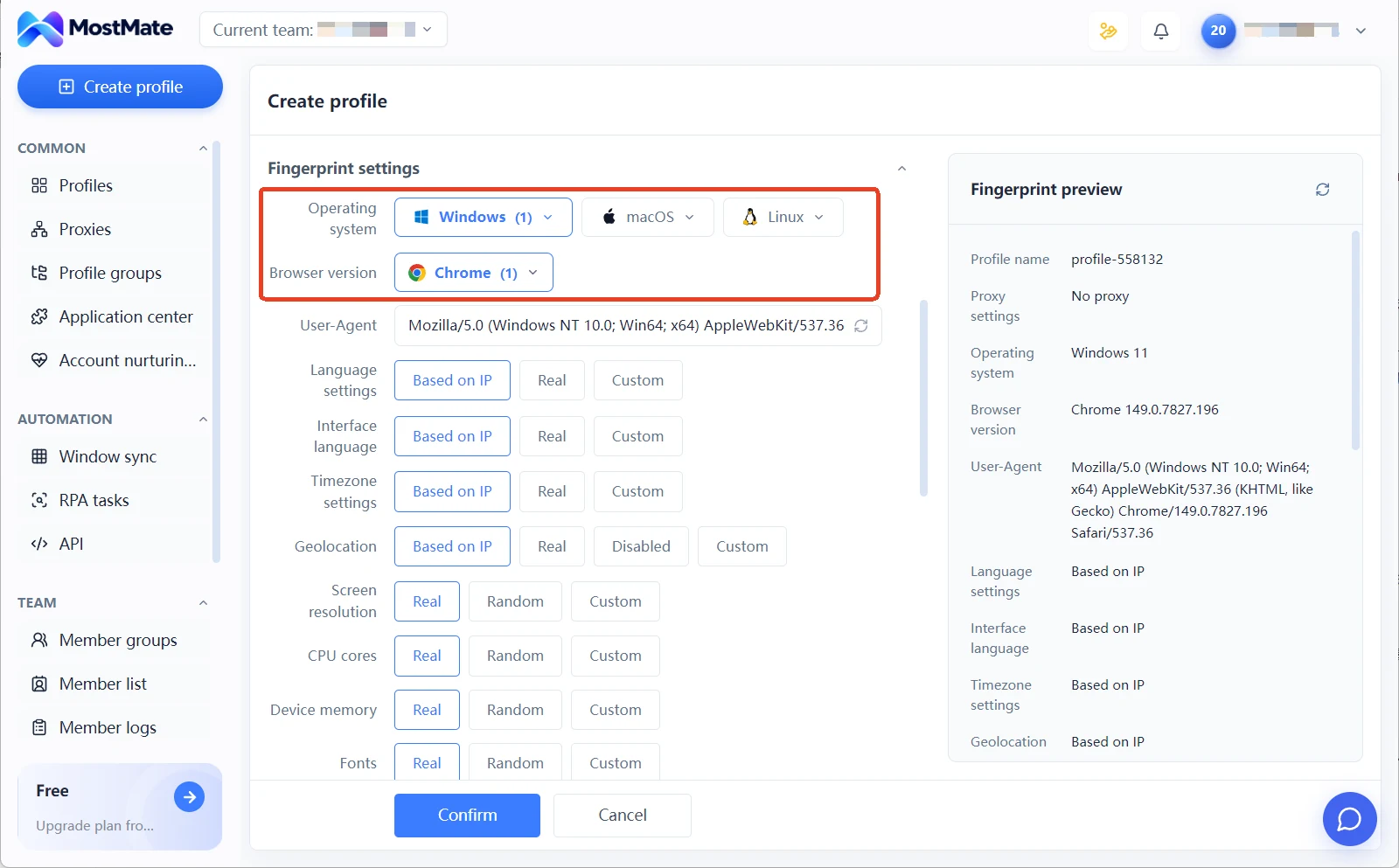
1. Create the environment and pick the operating system and browser kernel (操作系统与浏览器内核). The recommended settings generate a full set of fingerprint parameters; don't rush to change them. Get things running first, then fine-tune.
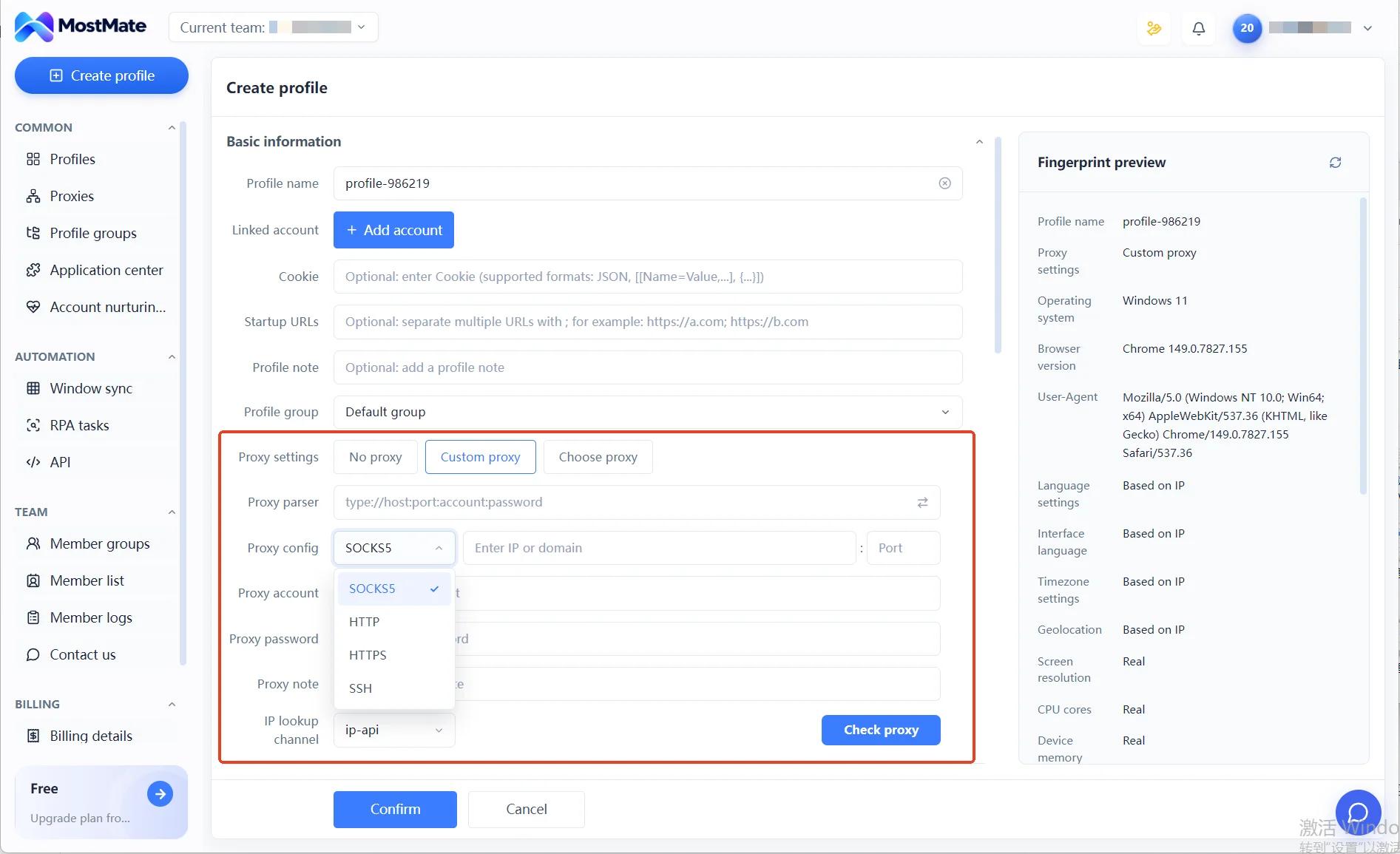
2. Bind a dedicated proxy (独立代理) to the environment. Whichever region the exit is in is the region you plan to run the account in; the two sides must line up.
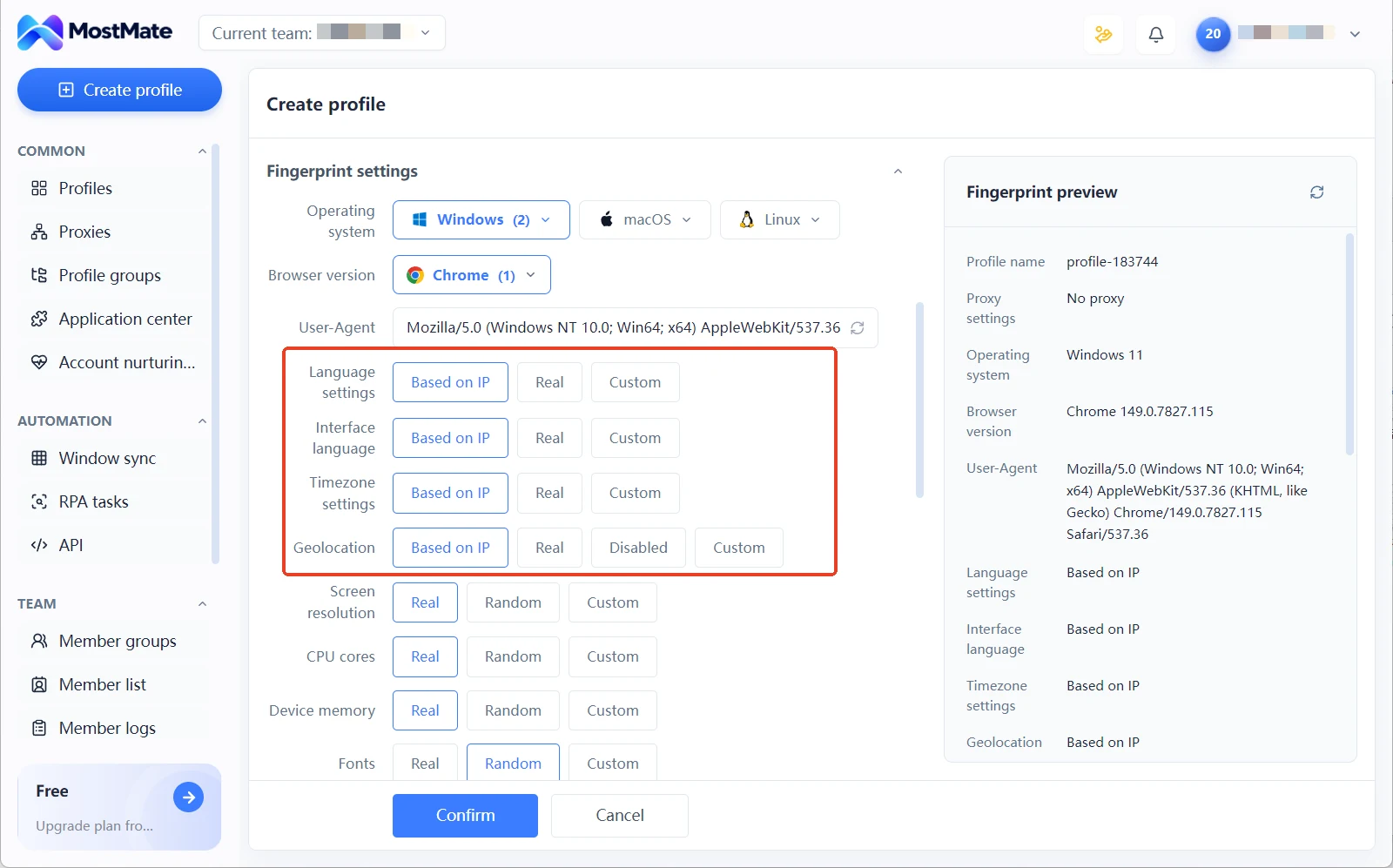
3. Check the geolocation parameters (地理位置参数). MostMate aligns language, time zone and location with the exit IP by default. Open a map page inside the environment to confirm the position lands in the proxy's city before you register.
4. Log account details in the environment notes (环境备注). Write the last four digits of the phone number, the signup date and the located city into the notes. When several accounts run in parallel, you don't rely on memory.
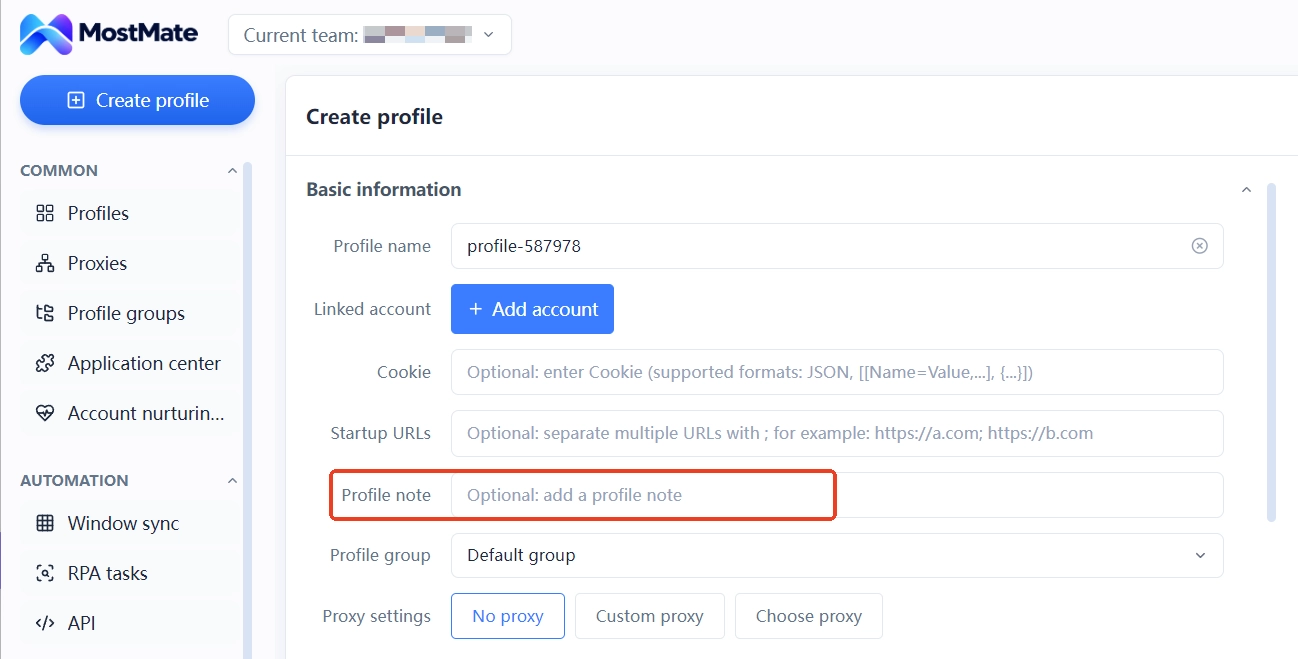
Once the four steps are done, each environment corresponds to one independent identity.
For the full sequence from creating an environment to configuring the proxy, the four-step setup walkthrough includes previews with interface notes. The product page goes deeper into how proxies and environments correspond.
Pacing during operation: how to run each platform type
Environment isolation is static; quality comes from pacing.
For swipe-based apps, hold back at the start. Keep swiping at low frequency for the first few days. Complete the profile before getting active, and don't max out the right-swipe ratio. Accounts that go high-frequency on day one clearly fare worse. The principle of matching action volume to account age came up in our guide to Instagram action blocks, and it applies here too.
For women-message-first apps, message quality is the point. Once an account gets exposure, don't fire off templated openers in batches. On Bumble the match makes the first move. What you control is the profile and the wait, so the range of actions is narrower than for swipe apps.
For long-profile apps, consistency is the point. Contradictory questionnaire answers or a photo style that doesn't match hurts the account more than inactivity.
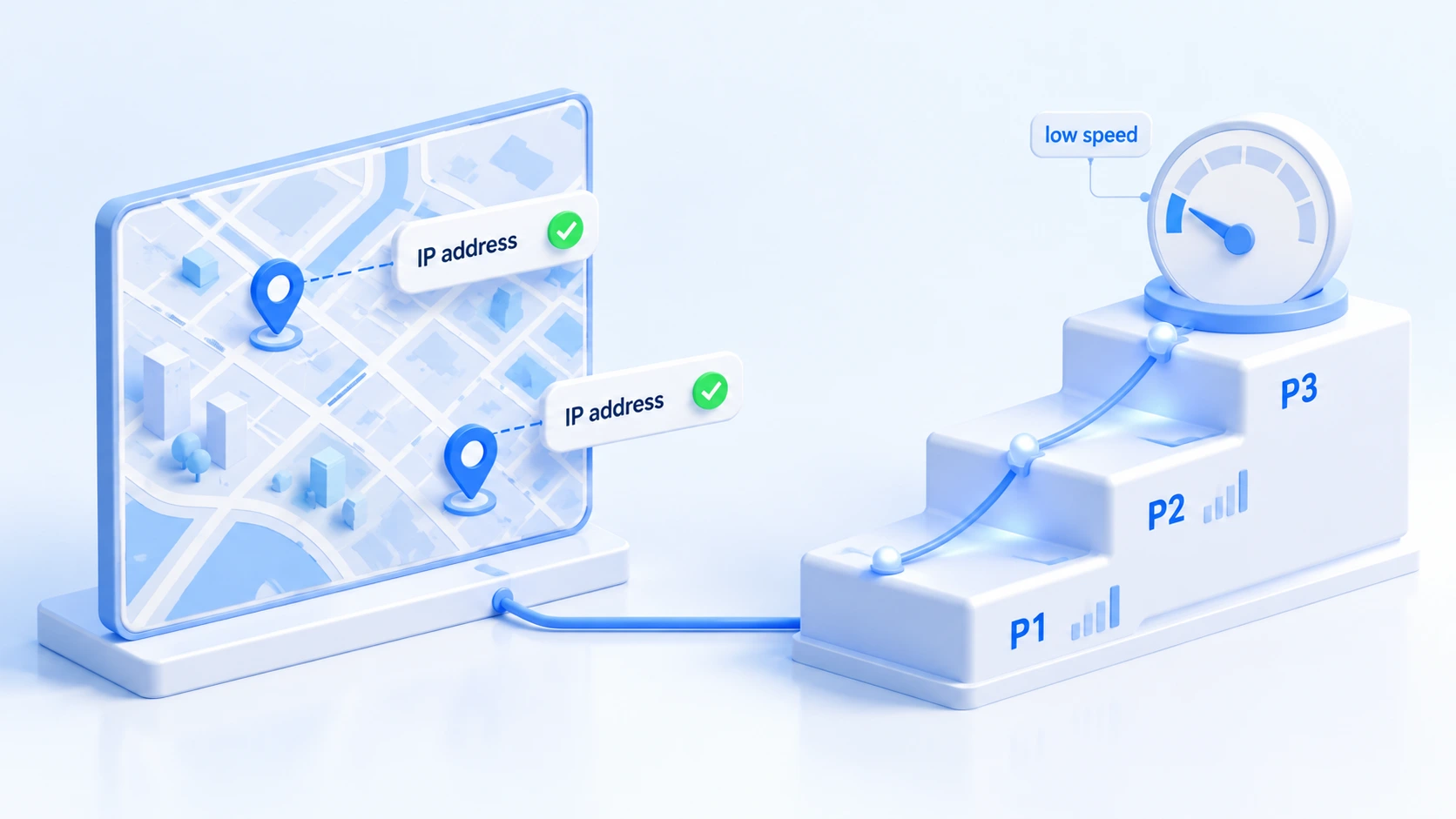
Location drift needs watching on all three. Keep the in-environment position consistent with the proxy exit. Moving to another city means a new environment and a new proxy; don't keep changing location inside the same environment.
Wrapping up
With dating app multi-accounts, the hard part isn't the tooling. It's aligning every signal the platforms actually care about: location, signup details, payments and pacing. If you're about to open accounts, build the environment in the setup order above before registering. If matches are already sliding, check the four signal sources first, then decide whether to rebuild. Download MostMate and keep accounts, proxies, locations and notes in one environment manager. That's what gives multi-account work a clear ledger.
FAQ
Do dating apps allow one person to run multiple accounts?
Mainstream platforms' rules favor one account per person, and multiple accounts have no official support. Whether multi-accounts run stably in practice depends on environment isolation and on acting like a real user. A tool only covers the environment layer; it doesn't change platform rules.
Does Tinder detect emulators or virtual environments?
The platforms have never published their detection details. Community reports suggest that running Tinder directly in an emulator or a VM runs into verification and limits at a noticeable rate. An anti-detect browser makes the environment look closer to a standalone real device, which is a lower-risk approach, but no solution can promise outcomes.
What happens if one card pays for several accounts?
The payment method is a strong linking signal. Billing records from one card across accounts tie them together, and this link doesn't rely on the device or the IP. If accounts need paid subscriptions, use separate cards or stay on the free tier.
Can linked accounts still be saved?
How much can be recovered depends on how much was exposed. Linking at the device and network layers can be cut by moving to an independent environment and logging in again. Once signup details and payments have tied accounts together, separating them won't undo the historical binding. The rule is to find out which layer failed first, then decide between repair and a fresh start.

MOSTMATE
Secure Multi-Account Management, Made Simple
Start with your first account and use MostMate to build safer, smarter, and more efficient multi-account operations.
- Independent profiles. Consistent identities.
- AI Automation · Account Health · Team Operations



