
What is MostMate?
MostMate is an anti-detect browser that gives each account its own isolated browser environment. Learn its core features, who it's for, and plans.
MostMate is an anti-detect browser. In a nutshell, it creates a fully isolated browser environment for each of your accounts on a single computer: every environment has its own cookies, cache, browser fingerprint, and proxy IP, so multiple accounts can stay logged in on the same device — independently and reliably.
What problem does it solve?
Many platforms use browser fingerprints, cookies, and login IPs to judge whether multiple accounts belong to the same person. If you log into several accounts in one regular browser, they can easily be flagged as coming from the same device — and once one account is restricted, the others get dragged into it.
MostMate's approach is to split "one device" into multiple standalone environments. Each environment behaves like a separate computer, with its own fingerprint settings, its own network exit, and its own account data. Your accounts simply keep to themselves.
The core concept: browser environments
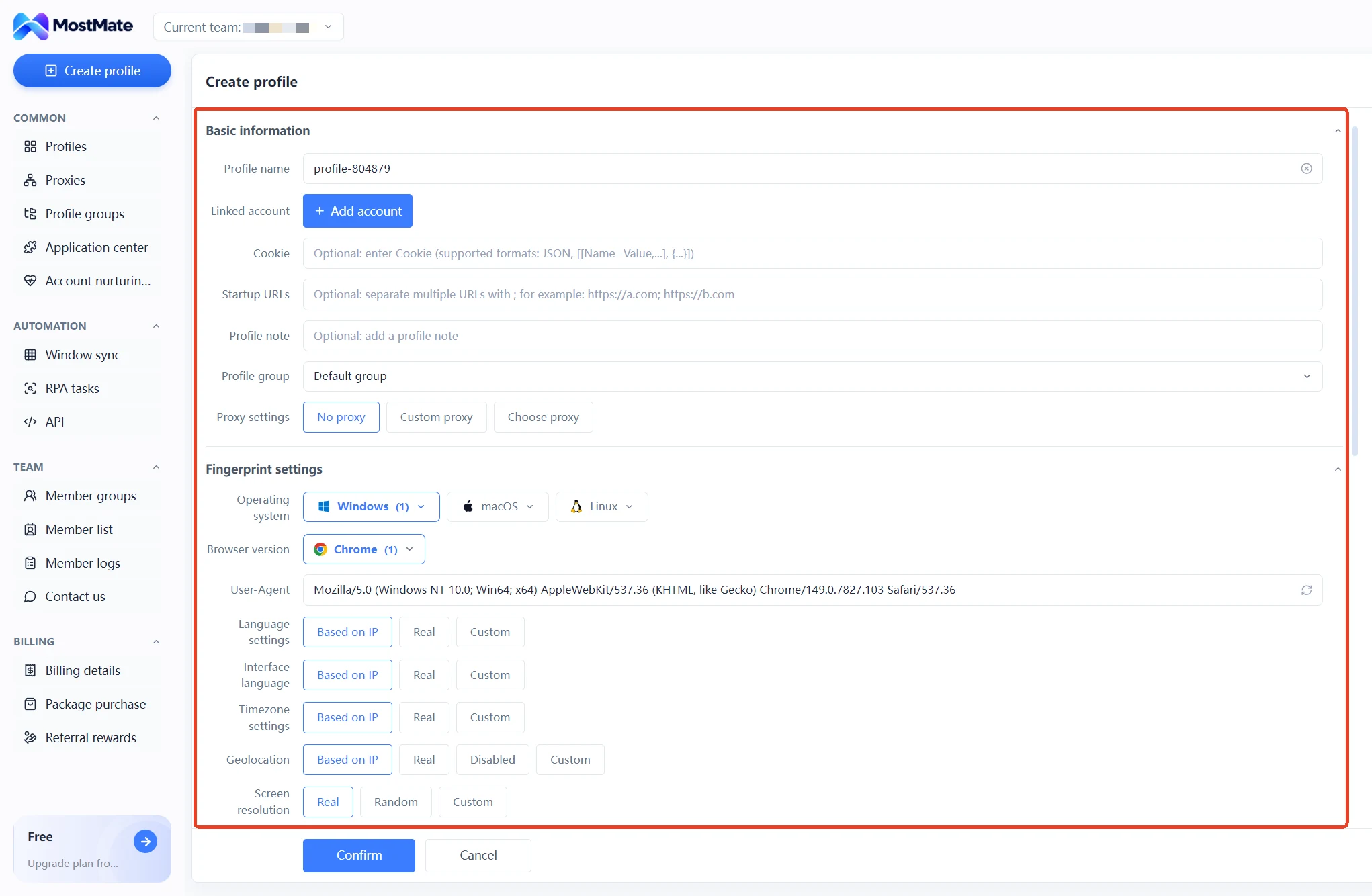
A "browser environment" is the basic unit of management in MostMate. When you create one, you can configure:
- Fingerprint settings: operating system, browser version, time zone, language, screen resolution, Canvas, WebGL image, WebGPU, WebRTC, and more. A live "fingerprint preview" on the right side of the creation window shows your current setup in real time.
- Proxy: give each environment its own network exit. Three modes are available: no proxy, a custom proxy, or an existing proxy saved in Proxy Management.
- Bound accounts: attach platform account credentials (account name, password, and 2FA) to an environment so you're logged in the moment it opens. 23 platforms are supported, including Facebook, Google, TikTok, Amazon, eBay, PayPal, and Shopify (check the in-app dropdown for the current list).
- Cookies: paste in cookies from an existing account (JSON or [[Name=Value,...], {...]] format) and pick up right where you left off.
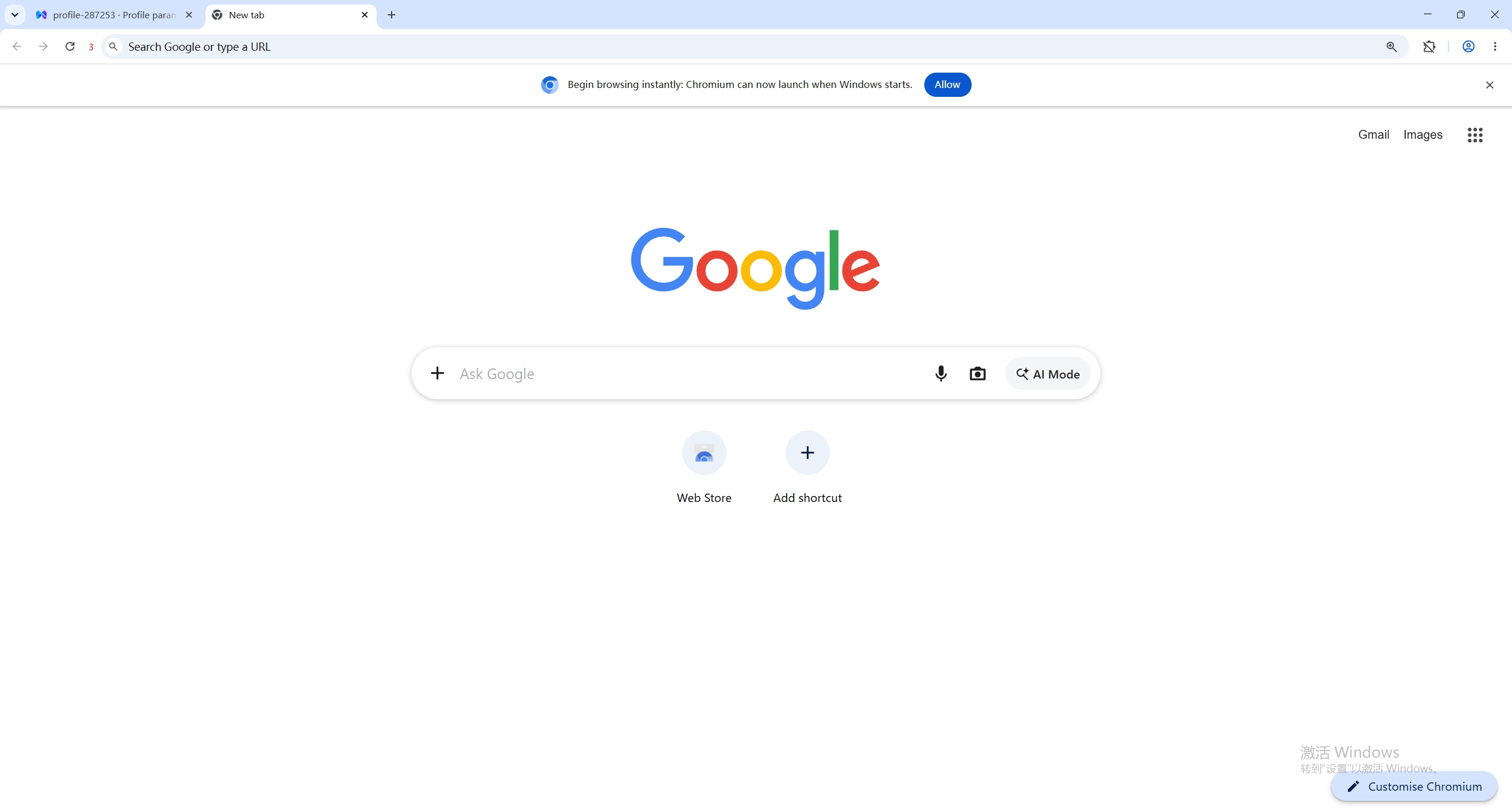
Once an environment is created, one click in Environment Management opens it as a standalone browser window.
What MostMate can do
Features in the client are organized into four sections. Everything below is an actual in-app module:
Essentials
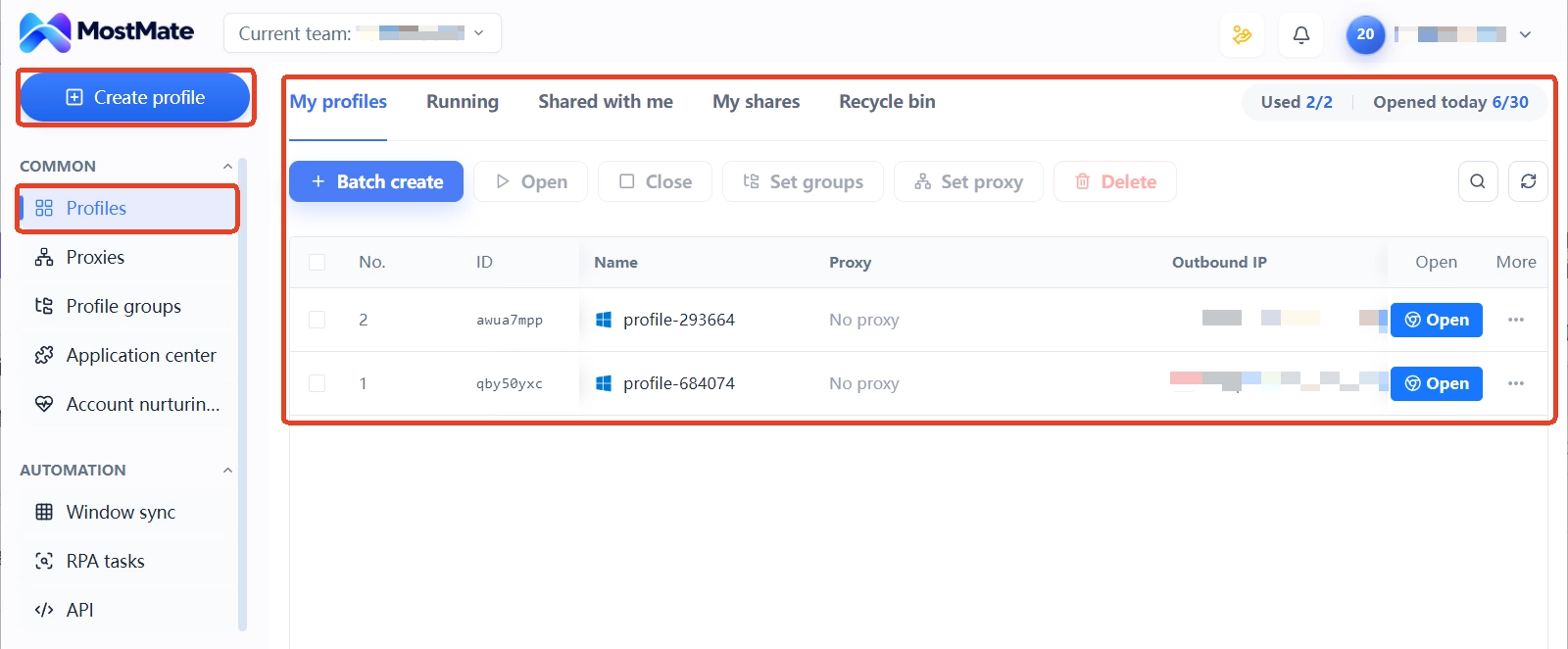
- Environment Management: create and batch-create environments, open and close them, and edit, pin, clone, share, transfer, or delete them — plus grouping, search, and a recycle bin.
- Proxy Management: add proxies one by one or import them in bulk. SOCKS5, HTTP, HTTPS, and SSH are supported; paste a proxy string to auto-fill the fields, and run a one-click connection check.
- Environment Groups: organize environments by business or project, and grant a group to team members.
- App Center: install Chrome apps (translators, extensions, and other tools) for your environments.
- Account Warming: currently supports Facebook and Gmail, with a guided 30-day plan — the daily tasks change from day to day, and risk warnings plus troubleshooting guidance are built in.
Automation
- Window Sync: operate multiple environment windows side by side, with uniform sizing and grid or stacked layouts.
- RPA Templates / RPA Tasks: the template library ships with 19 ready-made templates covering TikTok, Twitter/X, Instagram, Facebook, and YouTube. Most templates are driven by an Excel spreadsheet, and tasks can run once, repeatedly, or on a schedule.
- API: a local API plus the MostMate Skill, letting programs or AI assistants safely use the client's capabilities (such as managing environments in bulk).
Team & Billing
- Member Groups / Member List / Member Logs: assign tree-style permissions to team members (who can view, open, create, or delete environments, and more), invite teammates, and keep audit logs of logins, actions, environment sharing, and transfers.
- Contact Us: reach support through the built-in live chat (text and screenshots supported) or via Telegram at @MOSTMATE.
- Billing / Plans / Referral Rewards: manage your plan and balance; earn cash back by referring MostMate to others.
Who is MostMate for?
- Cross-border e-commerce sellers running multiple store accounts, each needing an independent, stable login environment.
- Social media operators managing multiple accounts across platforms for daily posting, engagement, and account warming.
- Ad and marketing teams using separate environments for separate projects, keeping account data independent.
- Collaborative teams, where admins use member groups and environment groups to control who can access which environments and what they can do with them.
Supported systems and plans
The MostMate client runs on Windows, macOS, and Linux.
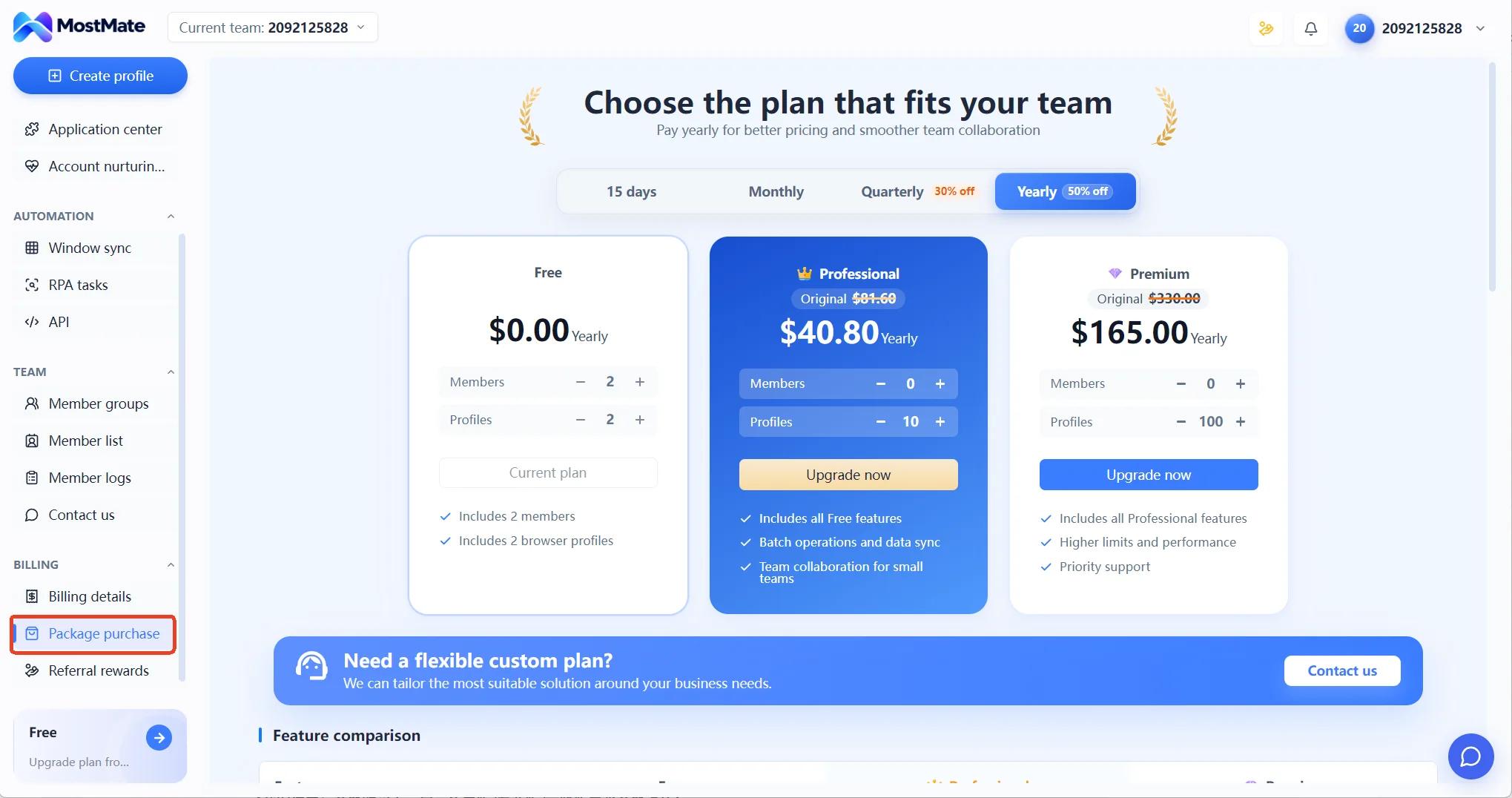
You can start for free — the Free plan includes 2 member seats and 2 browser environments. When you need more environments, seats, or team features, upgrade to the Pro or Advanced plan on the "Plans" page in the client; pricing is as shown on that page.
What's next
Now that you know what MostMate is, here's a good path to follow:
Could not find what you need?
Our support team can help you resolve product questions.
